
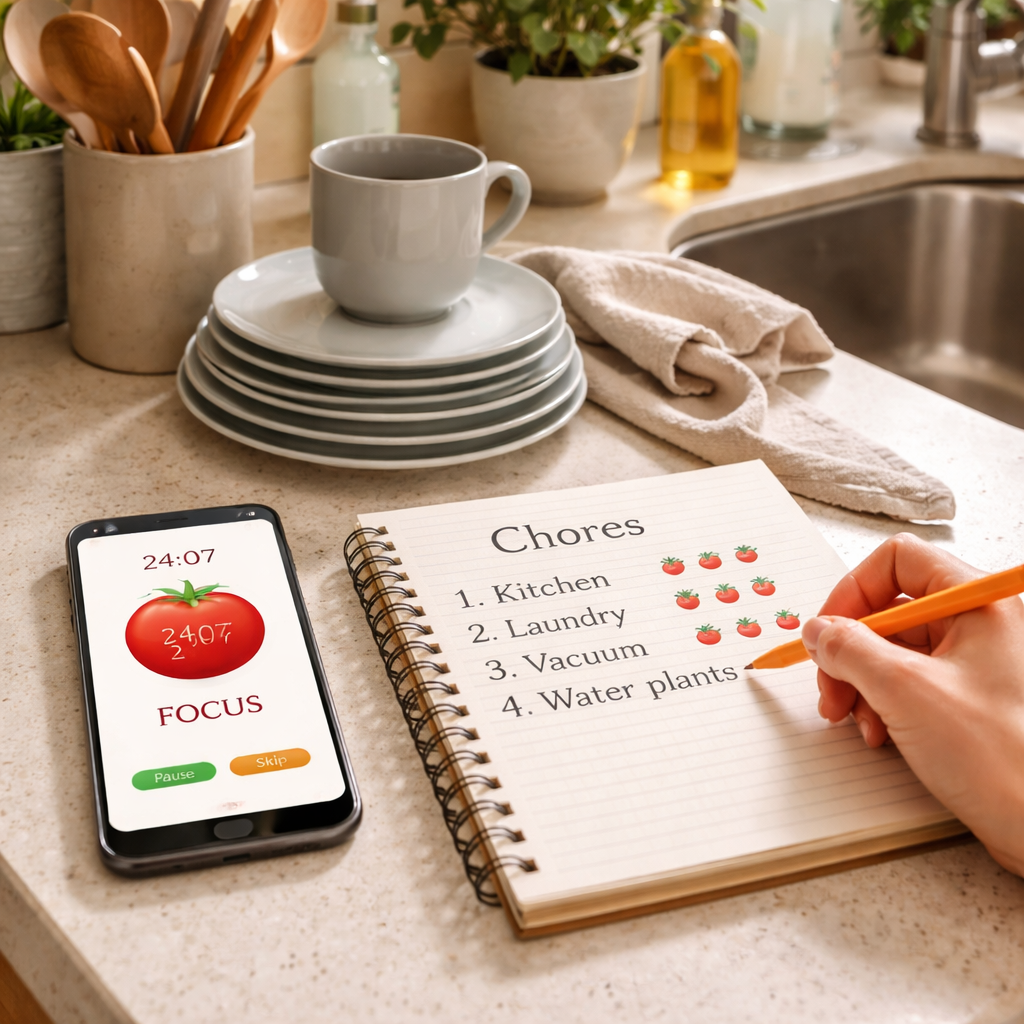
Ever stared at a mountain of dishes, laundry, and endless to‑do lists and thought, ‘There’s just no way I’ll finish this today?’ You’re not alone—most of us feel that weight every week.
What if you could break that chaos into bite‑size, timed bursts, then reward yourself with a short breather? That’s the sweet spot where the Pomodoro technique meets household‑chore batching, and it works better than any endless checklist.
In our experience at Focus Keeper, we’ve seen remote workers swap frantic multitasking for 25‑minute “clean‑sprint” blocks, then step away for a five‑minute stretch. The result? Less mental clutter and a kitchen that actually looks livable by dinner.
Imagine setting a timer for folding clothes, then pausing to sip coffee while the timer pings. That tiny pause tricks your brain into treating the chore like a focused work session, not a drudge.
And because the Pomodoro method builds in regular breaks, you avoid the burnout that comes from trying to power‑through an entire house in one go. A five‑minute walk to the mailbox or a quick stretch can reset your focus better than a cup of coffee.
So, how do you start? Grab a timer—your phone works fine—pick a single task like wiping down countertops, set it for 25 minutes, and give yourself permission to stop when the alarm rings. Then repeat with the next batch: dishes, then laundry, then tidying the living room.
The magic isn’t in the timer itself—it’s in the habit of treating chores as focused work intervals, then honoring the break. Over a week you’ll notice the pile shrinking, the stress dropping, and even a bit of pride creeping in.
Ready to give pomodoro for household chores batching a try? Set your first timer tonight and watch how a simple 25‑minute sprint can turn chaos into calm.
TL;DR
Using pomodoro for household chores batching turns endless to‑do lists into focused 25‑minute sprints, letting you clean, fold, or cook while preserving mental energy. Set a timer, work hard for one block, then enjoy a short break—after a week you’ll see clutter shrink, big stress drop, and real motivation rise.
Step 1: Identify Chore Categories for Batching
First thing’s first: you’ve got to know what you’re actually dealing with. Take a quick walk through each room and ask yourself, “What kinds of tasks keep popping up here?” The goal isn’t to list every single item you own—just the repeatable chores that drain your mental bandwidth.
Maybe the kitchen always leaves you with dishes, counters, and a fridge that needs a quick wipe. In the living room you might have vacuuming, fluffing cushions, and dusting shelves. Bedrooms often boil down to making the bed, putting clothes in the hamper, and a quick tidy before you hit the lights. Write those categories down as bullet points; you’ll thank yourself when the list is in front of you.
So, why does this matter? When you group similar chores together, you eliminate the “switching cost” of moving from one type of task to another. That mental friction is what makes a long cleaning session feel endless. By batching, you tell your brain, “Hey, we’re staying in the same zone for the next 25 minutes,” and the Pomodoro timer can do its magic.
Spot the patterns
Look for tasks that share tools, locations, or motions. For example, all the chores that need a spray bottle—counter wipes, bathroom mirrors, and stovetop—can be tackled in one batch. Same with anything that uses a vacuum or a mop. The fewer tools you have to swap, the smoother the sprint.
Ask yourself: Do you find yourself reaching for the same cleaning spray three times in a row? That’s a red flag that those chores belong together. Write them under a single heading like “Spray‑and‑Wipe” and you’ve just created a batch.
Prioritize by impact
Not every chore is created equal. Some tasks, like clearing the kitchen sink, instantly make the space feel livable. Others, like organizing a drawer, are nice‑to‑have but don’t shift the overall vibe. Rank your categories by how much they improve your environment when completed.
In our experience helping remote workers, we’ve seen “high‑impact” batches—like dishes plus countertop wipe—turn a chaotic kitchen into a functional workspace in under an hour. That quick win fuels motivation for the next batch.
Tailor to your audience
If you’re a student, your batches might revolve around a study nook: clearing clutter, wiping the desk, and organizing textbooks. Freelancers often need a tidy home office, so a “desk‑reset” batch makes sense. Busy professionals might focus on bathroom quick‑clean and laundry start‑up before the day begins. The key is to map categories to the space where you spend most of your focused time.
And remember, you don’t have to lock yourself into a rigid list. If a new chore pops up—say, a stray pet hair situation—just add it to the nearest relevant batch.
Put it on the timer
Once you have your categories, it’s time to give them a home in the Pomodoro cycle. Open your Focus Keeper app, create a new task named after the batch (e.g., “Spray‑and‑Wipe Kitchen”), set it for 25 minutes, and hit start. When the timer dings, you’ve earned a five‑minute break—maybe a quick stretch or a coffee sip.
Here’s a quick visual of the process:
After the break, pick the next batch on your list. The rhythm builds momentum, and soon you’ll notice that what used to feel like a mountain of chores is now a series of manageable, timed sprints.
Take a moment now to jot down three chore categories that make the most sense for your home. Keep that list handy—maybe on a sticky note or in a notes app—so you can pull it up before each Pomodoro session.
Step 2: Set Up Pomodoro Timers for Each Batch
Now that you have your chore categories, it’s time to give each one a timer.
Think about the last time you tried to clean the kitchen without a clock. Did the minutes melt away and the sink stay full?
Pick the right interval length
Most Pomodoro fans stick with 25 minutes of work followed by a 5‑minute break. That works for chores that feel like a sprint – washing dishes, wiping countertops, or folding a load of laundry.
If a batch feels heavier, try two back‑to‑back Pomodoros (25 + 25) and then take a longer 15‑minute pause. The key is to keep the rhythm steady, not to marathon until you’re exhausted.
Choose a timer that actually rings
In our experience, a silent phone alarm gets ignored. Grab a timer that vibrates or plays a sound you can’t miss – even a kitchen timer works great.
Focus Keeper’s built‑in Pomodoro timer lets you label each interval, so you’ll see “Kitchen quick‑clean” pop up when the session starts. That visual cue reinforces the batch you’re about to tackle.
Set up a quick start checklist
Before you hit “start,” lay out everything you need for that batch. For a bathroom deep‑clean, line up the spray, scrub brush, and a fresh towel.
Having the tools within arm’s reach stops you from pausing the timer to fetch something, which would break your focus.
Does that sound like extra work? Not really – it’s a one‑time prep that saves you a handful of interruptions.
Start the timer and dive in
Press play, and commit to working until the bell rings. If you catch yourself drifting, ask “Am I still on task?” and gently steer back.
Remote workers often find themselves answering emails mid‑clean. The timer acts like a gentle guard, reminding you that the break is coming soon.
Freelancers juggling client calls can use the same trick: schedule a Pomodoro right after a meeting, then enjoy a short walk while the timer resets.
Use the break wisely
The five‑minute pause isn’t a free‑for‑all. Stand up, stretch, sip water, or glance at your inbox – but avoid diving back into the same chore.
That tiny mental reset is what makes the Pomodoro technique powerful for household tasks. It tells your brain, “We’ve earned a breather,” and you return refreshed.
Students studying at home can pair the break with a quick glance at their flashcards, then hop back into the next batch of chores.
Track progress and adjust
After a few cycles, note which batches consistently finish within one Pomodoro and which need two. Adjust future intervals accordingly.
If folding laundry always spills into a second round, lengthen that batch to 30 minutes or split it into two separate Pomodoros – one for folding, one for putting away.
What we’ve seen work best is a simple spreadsheet or a notes app where you log “Batch – Pomodoros used.” The data quickly reveals patterns and helps you fine‑tune your schedule.
Stay flexible, stay consistent
Life throws curveballs – a surprise video call, a pet needing attention, or a sudden rainstorm. If you miss a timer, don’t stress. Reset and start a new Pomodoro when you’re ready.
The habit of returning to the timer is more important than perfect adherence.
So, grab your phone, set the first 25‑minute block for the kitchen batch, and watch how quickly the momentum builds. One sprint leads to another, and before you know it, the whole house feels lighter.
Ready to give it a try? Your next Pomodoro is only a tap away.
Step 3: Optimize Break Activities for Household Flow
Now that the work blocks are in place, the real magic happens during the five‑minute breather.
Ever notice how a quick stretch or a sip of water can feel like a reset button for your brain? That’s exactly what we’re counting on with pomodoro for household chores batching – the break isn’t just idle time, it’s a purposeful pause that keeps the momentum flowing.
Pick break activities that match the task rhythm
If you just folded a mountain of shirts, try a brief walk to the kitchen to grab a snack instead of scrolling mindlessly on your phone. The movement changes your posture, boosts circulation, and signals to your mind that the cleaning sprint is truly over.
Students juggling study sessions might use the break to flip a flashcard or jot a quick note in their notebook. Remote workers can step away from the home office, open a window, and take three deep breaths. Freelancers often find a five‑minute doodle or a sketch of tomorrow’s to‑do list refreshes creativity.
Keep the break “micro‑focused”
It’s tempting to binge‑watch a clip, but that usually drags the timer past five minutes and kills the rhythm. Aim for one single micro‑task: a glass of water, a stretch, a quick check of the calendar, or a glance at a favorite pet doing something goofy.
Why does this work? Science shows that short, intentional pauses improve attention after the break. The Pomodoro structure leverages that spike, so when the next 25‑minute sprint starts you’re already primed to dive back in.
Example break menu for a busy household
- Physical: 10‑second calf raises, shoulder rolls, or a doorway stretch.
- Mindful: 30‑second breathing exercise, eyes‑closed reset, or a quick gratitude note.
- Refresh: Grab a piece of fruit, sip tea, or water the houseplants.
- Micro‑task: Sort a small pile of mail, wipe the kitchen counter, or set a timer for the next batch.
Pick two or three that feel natural for you and rotate them throughout the day. The variety keeps the breaks feeling fresh instead of a repetitive “check phone” loop.
Use the break to prep the next batch
One of the smartest tricks we’ve seen work best is to use the last 30 seconds of the break to line up the tools for the upcoming chore. If the next sprint is “living‑room refresh,” grab the dust cloth, vacuum head, and a basket for clutter before the timer dings.
This tiny prep step eliminates the “what do I need?” moment that can steal precious seconds and derail focus. By the time the new Pomodoro starts, you’re already in motion.
Adjust break length for flow
Sometimes five minutes feels too short, especially after a physically demanding batch like vacuuming. In those cases, extend the pause to seven or eight minutes, but keep it intentional – set a quick timer so you don’t lose track.
Conversely, if you’re in a high‑energy zone (maybe you just finished a coffee‑powered sprint), a three‑minute stretch can be enough. The key is to listen to your body and keep the overall cadence steady.
So, what should you try next?
Pick one of the break ideas above, add it to your pomodoro for household chores batching routine, and notice how the next sprint feels smoother. The more you respect the micro‑pause, the less the chores feel like a marathon and the more they become a series of manageable, energizing sprints.
Ready to give it a go? Set your timer, work hard, break smart, and watch your household flow improve, one five‑minute pause at a time.
Step 4: Track Progress and Adjust Pomodoro Lengths
Okay, you’ve got your batches set up and the timer’s humming. The next piece of the puzzle is figuring out whether the rhythm you chose actually works for you. That’s where a quick glance at the data – even if it’s just a scribble on a sticky note – makes all the difference.
Why tracking matters
When you can see how many pomodoros a laundry load really needs, you stop guessing and start optimizing. It’s the same principle that helps students ace study sessions or remote workers nail project milestones: you adjust based on evidence, not intuition.
In our experience, people who log a few minutes each day end up shaving off 10‑15 % of total household time after a week. That’s the sweet spot of “small tweak, big win.”
Simple tracking methods
Don’t overengineer this. Pick a method that feels effortless, because the moment you dread the log, you’ll skip it.
Paper log
Grab a notebook, write the batch name, the start‑time, and whether you needed a second pomodoro. A quick check‑mark tells you at a glance: “kitchen quick‑clean – 1 pomodoro, perfect.” If you notice a pattern – say, bathroom deep‑clean always spills into a second block – you’ve got a clue.
Digital log with Focus Keeper
If you prefer a screen, the Focus Keeper app lets you label each interval. After the timer dings, tap the label, and the app records the duration automatically. Over a few days you can pull a simple report that shows which chores consistently need more time.
Either way, the goal is a visual cue that says, “I’m on top of this,” rather than a vague feeling of chaos.
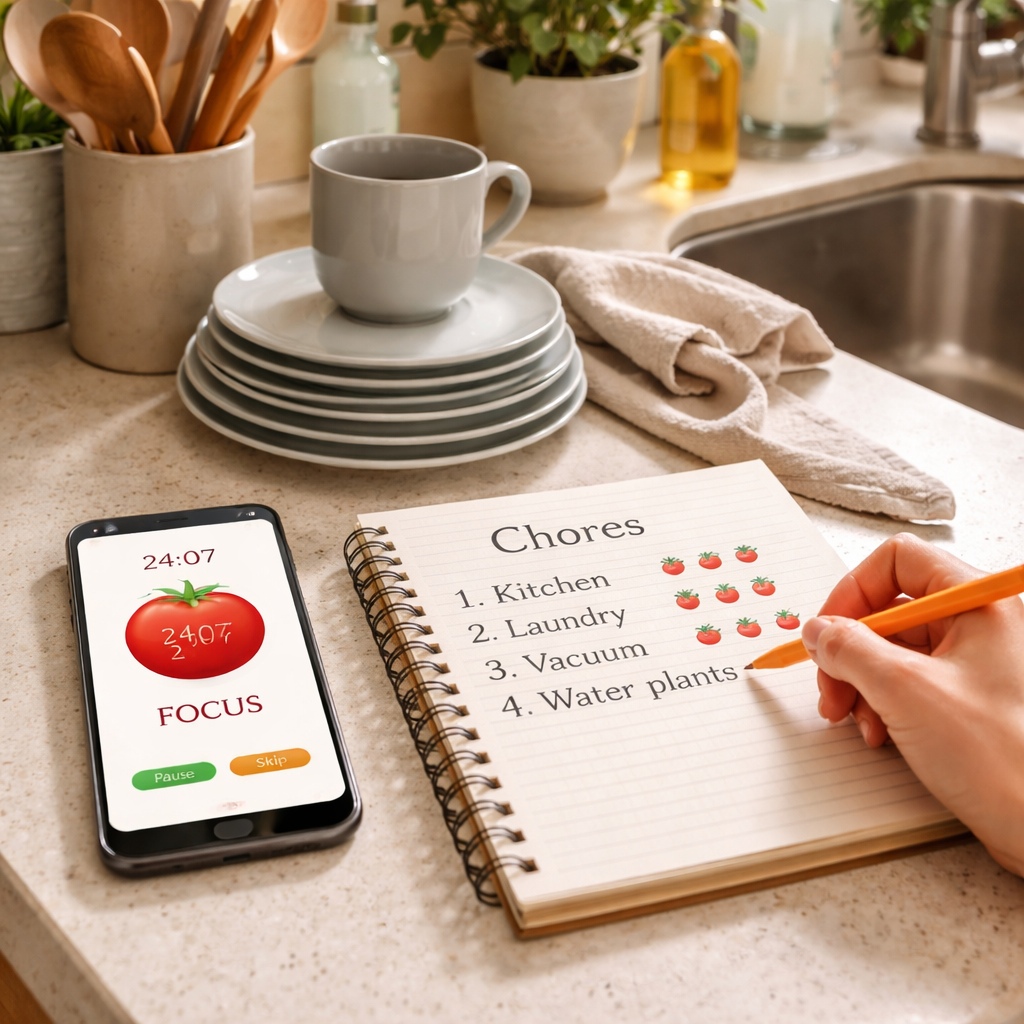
Now that you’ve got numbers, it’s time to fine‑tune.
Adjusting Pomodoro length
If a batch regularly eats two 25‑minute blocks, consider extending the first interval to 30 minutes instead of adding a second one. Conversely, if you finish a task in 15 minutes and the timer keeps ringing, trim the work span to 20 minutes – you’ll keep the momentum without feeling rushed.
Think about energy peaks, too. Remote workers often hit a focus high mid‑morning; that’s a perfect window for a longer 35‑minute sprint on a demanding chore like vacuuming. Late‑afternoon fatigue? Shorten to 20 minutes and pair with a micro‑stretch break.
When you tweak the length, write the new duration next to the batch in your log. After a couple of cycles, compare the old and new numbers. If the adjusted time consistently leaves a few minutes of buffer, you’ve hit the sweet spot.
Make it a habit
Set a reminder on the same app to review your log every Sunday. Ask yourself: “Which chores felt rushed? Which felt too easy?” Jot down one small change for the coming week – maybe a 5‑minute buffer for folding socks, or a 10‑minute stretch after dusting.
That quick weekly audit turns a random habit into a feedback loop, and before you know it your whole house runs on a rhythm that matches your natural energy flow.
So, grab your notebook or open Focus Keeper, track those pomodoros, and start tweaking. You’ll watch the clutter shrink, the stress melt away, and the sense of control grow – all one measured sprint at a time.
Step 5: Integrate Pomodoro with Family Scheduling
Ever felt like your family’s calendar is a chaotic mash‑up of school drop‑offs, remote‑work meetings, and endless chores? That’s the moment you realize you need a rhythm that everyone can dance to.
What if you could slot the same 25‑minute focus bursts you use for your own tasks into the family’s daily flow? You’d get the satisfaction of ticking off chores without stepping on anyone’s toes.
Map the household’s shared windows
Start by looking at the big picture: when do kids have homework, when does your partner log onto a video call, when does the dog need a walk? Write those blocks on a whiteboard or a shared Google Calendar. The goal isn’t to micromanage; it’s to spot natural gaps where a quick pomodoro can fit.
For example, a remote worker might have a 30‑minute lull between client calls at 11 am. That’s a perfect slot for a “kitchen quick‑clean” pomodoro. Meanwhile, a student could use the 5‑minute break after a study pomodoro to sweep the living‑room floor.
Assign a pomodoro owner for each batch
Give each chore batch a clear “owner” for the day. It could be you, your partner, or the kids (with age‑appropriate tasks). When everyone knows who’s responsible, the timer becomes a shared cue rather than a solo drill.
In our experience, families that label the timer – “Laundry Load – Mom” or “Toy Tidy – Alex” – see fewer “who’s‑doing‑what” arguments. The label acts like a gentle traffic light for the household.
Sync breaks with family moments
Breaks are the secret sauce. Instead of scrolling alone, use the 5‑minute pause to grab a quick snack together, water the plants, or chat about the day’s highlight. Those micro‑connections keep the household vibe positive.
Think about it this way: you finish a bathroom‑deep‑clean pomodoro, and the whole family gathers for a 5‑minute dance‑off in the hallway. It feels silly, but it turns a solitary task into a shared celebration.
Use a visual timer that the whole family can see
Put a kitchen timer on the counter or project the timer on a smart display. When the bell rings, everyone knows it’s break time – no need to check phones. Visual cues reinforce the habit and reduce the temptation to keep grinding.
Here’s a quick reference you can paste on the fridge: What is pomodoro technique method? – Focuskeeper Glossary. It explains the core principles in a bite‑size format, perfect for kids who want to understand why the timer matters.
Tool up with smart gadgets
If you love a little tech flair, consider a smart plug that can trigger a chime when a pomodoro ends, or a compact organizer that slides into a drawer and reminds you of the next batch. Plug & Carry offers a range of handy gadgets that blend nicely with a Pomodoro routine – think Bluetooth timers, multi‑zone alarms, and portable charging stations.
These devices keep the rhythm steady without you having to stare at your phone every time. Plus, they look sleek on any countertop.
| Family Member | Pomodoro Slot | Sync Strategy |
|---|---|---|
| Parent (Remote Worker) | 11:00‑11:25 am | Kitchen quick‑clean while kids do homework |
| Teen (Student) | 2:00‑2:25 pm | Study pomodoro, then 5‑min tidy of desk |
| Sibling (Age 6‑8) | 4:30‑4:55 pm | Toy pick‑up sprint, followed by a family stretch |
Once you’ve set the schedule, treat it like any other family routine: review it on Sunday night, celebrate the wins, and tweak the slots that felt too tight.
Does it feel a bit “messy” at first? That’s normal. The beauty of pomodoro is that you can shrink or stretch each block on the fly, and the family learns to adapt together.
So, grab a timer, assign the owners, and watch how a simple 25‑minute rhythm turns household chaos into a coordinated dance. You’ll end the day with a cleaner home, less friction, and more quality moments – all without anyone feeling like they’re doing the heavy lifting alone.
Deep Dive: Benefits of Pomodoro Batching for Home Productivity
Ever notice how a single 25‑minute sprint feels way more satisfying than an all‑day marathon of chores?
That’s the core magic of pomodoro for household chores batching: you turn a chaotic to‑do list into bite‑size, repeatable bursts that your brain actually enjoys.
Sharper focus, less mental drift
When you lock the timer, you give yourself a clear “do‑or‑don’t” cue. In our experience, remote workers report that the timer cuts down the mental chatter that usually drags them from dish‑washing to checking email.
Students feel the same lift; a 25‑minute study pomodoro followed by a quick kitchen tidy keeps the attention span humming without the fatigue of a two‑hour cram.
Built‑in recovery for the body and mind
Those five‑minute breaks are not just “coffee time.” They’re a micro‑reset that lowers cortisol, eases muscle tension, and prevents the burnout that comes from endless scrubbing.
Imagine finishing a laundry load, then stepping outside for a breath of fresh air. When you return, the next batch feels lighter, and the whole house benefits from the rhythm.
Energy‑aligned scheduling
Because each pomodoro is a fixed block, you can match it to natural energy peaks. A freelancer might slot a “kitchen quick‑clean” right after a client call, while a busy professional can place a “living‑room refresh” right after lunch when the post‑meal lull hits.
Does this sound too rigid? Not at all – the system is flexible. If a task overruns, you simply extend the next interval or add a second pomodoro; the schedule adapts without losing momentum.
Another win is the reduction of “switching costs.” When you batch similar chores—like wiping counters, loading the dishwasher, and sweeping the floor—you stay in the same mental mode, so you waste less time re‑orienting.
That visual cue of the ticking timer also creates a subtle gamification element. Each completed pomodoro feels like a small win, which builds momentum and keeps motivation high throughout the day.
And here’s a practical tip: write the batch name on a sticky note and stick it to the timer. Seeing “Bathroom deep‑clean” pop up as the alarm rings reminds you exactly what you’re tackling, cutting down decision fatigue.
Finally, the habit of reviewing your pomodoro log at week’s end gives you data you can actually act on. You’ll spot which chores consistently need two intervals and which finish in 15 minutes, letting you fine‑tune your schedule for maximum efficiency.
So, if you’re ready to turn household chaos into a steady rhythm, grab a timer, pick a batch, and let the pomodoro technique do the heavy lifting for you.
FAQ
What is pomodoro for household chores batching?
Pomodoro for household chores batching is simply applying the classic 25‑minute work‑interval plus short break structure to your cleaning routine. Instead of a vague to‑do list, you group similar tasks—like dishes, countertop wipes, and floor sweeps—into one “batch” and tackle that batch for a single pomodoro. The timer creates a clear start‑stop cue, turning a mountain of chores into bite‑size sprints that feel doable.
How long should each pomodoro be when I’m cleaning?
Most people start with the standard 25‑minute block because it’s long enough to make real progress but short enough to keep fatigue at bay. If a batch feels too easy, try 30 minutes; if it regularly runs over, add a second pomodoro back‑to‑back and then take a longer 15‑minute break. The key is to experiment until the interval matches the effort level of the chore.
Can I use the same pomodoro timer for studying and chores?
Absolutely. The timer doesn’t care whether you’re reading a textbook or scrubbing a sink; it only cares about the work‑interval rhythm. Many remote workers schedule a study pomodoro in the morning, then switch to a kitchen‑quick‑clean batch right after lunch. Just label each interval so your brain knows what to focus on, and the transition feels seamless. You’ll notice less mental clutter because the same structure trains your focus muscle across different activities.
How do I track my pomodoro progress without it becoming another chore?
Keep it ultra‑simple: grab a sticky note, write the batch name, and put a quick tally mark each time the timer rings. If you prefer digital, a notes app or the Focus Keeper timer lets you tap a label and it logs the count automatically. Review the totals at the end of the week; you’ll instantly see which chores need longer blocks and which finish in a single sprint.
What are good break activities that keep the pomodoro rhythm alive?
Pick micro‑tasks that recharge you but don’t pull you into a screen vortex. A quick stretch, a few deep breaths, a glass of water, or a 30‑second walk to the kitchen all work well. Some people use the last 30 seconds to line up the tools for the next batch—like placing the dust cloth and vacuum head where you can grab them the moment the timer dings.
How can families coordinate pomodoro sessions without stepping on each other’s toes?
Start by mapping the household’s shared windows—maybe a 30‑minute lull between kids’ online classes and a parent’s video call. Assign each batch a “owner” and write the name on a visible timer, so everyone knows who’s on the clock. Use the five‑minute break for a quick family stretch or a joke; it turns a solo sprint into a tiny bonding ritual.
Is there an app that’s especially suited for pomodoro for household chores batching?
Yes—Focus Keeper’s pomodoro timer lets you label each interval, so you can set “Kitchen quick‑clean” or “Laundry fold” and see the label pop up when the session starts. The built‑in log automatically records how many pomodoros you used per batch, making the weekly review a breeze. If you prefer a plain timer, any kitchen timer works; the key is the label and the habit.
Conclusion
We’ve walked through how pomodoro for household chores batching can turn a chaotic to‑do list into a series of focused sprints. By grouping similar tasks, timing them, and using purposeful breaks, you end up with a home that feels lighter and a mind that feels clearer.
So, what’s the next step? Grab your timer—whether it’s a kitchen timer or the Focus Keeper app—and label your first batch. Maybe it’s “dishes + countertop” after dinner, or a quick “laundry fold” before bedtime.
In our experience, the tiny habit of logging each pomodoro helps you spot patterns fast. You’ll see which chores need a longer block and which wrap up in ten minutes, letting you fine‑tune the rhythm without guessing.
Remember, the magic isn’t in perfection; it’s in consistency. If a call runs late or the kids need help, simply reset the timer and jump back in when you’re ready. The rhythm will adapt, and the momentum stays.
Give yourself a quick win tonight: set a 25‑minute timer, pick a batch, and watch the clock push you forward. When the bell rings, celebrate the pause, then move on to the next batch. Before you know it, the house runs on a rhythm that matches your energy.
Ready to make household chores feel like a series of small victories? Start your pomodoro for household chores batching today and let the steady beats keep the clutter at bay.




