
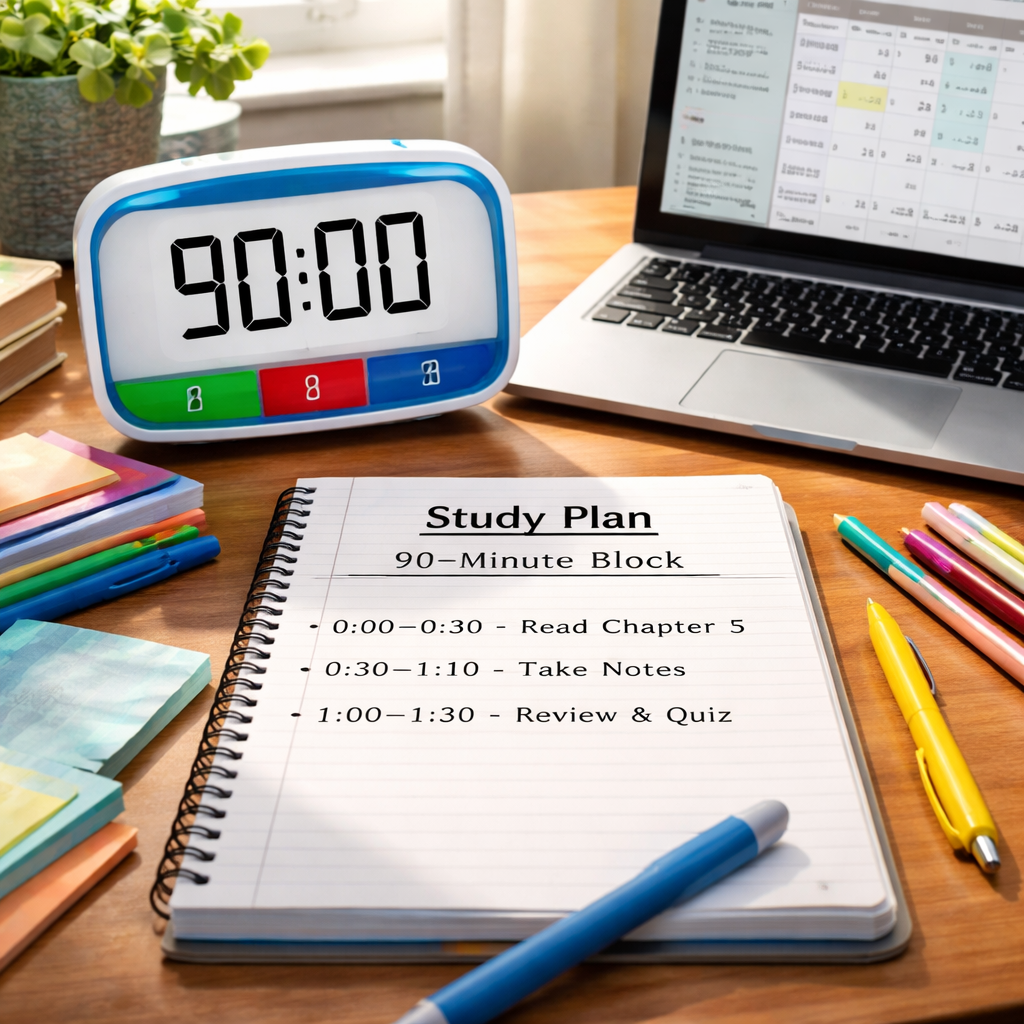
Ever stared at a blank page, wondering how to squeeze a solid study session into a tight afternoon, and felt the panic creep in? You’re not alone. Many students and busy professionals hit that wall when they need to cram a deep‑dive into a subject but only have 90 minutes to work with.
The trick is to treat those 90 minutes like a mini‑project, breaking it into purposeful chunks that keep your brain humming without burning out. First, pinpoint the exact outcome you want—maybe finishing two chapters, solving a set of practice problems, or drafting a research outline. Write that goal down; it becomes your north‑star for the whole block.
Next, slice the block into three 25‑minute focus bursts with 5‑minute buffers in between. Those buffers are intentional—use them to stretch, sip water, or jot a quick reflection, not to scroll social media. When the timer rings, you’ve given yourself a clear stop point, which tricks your brain into staying on task longer.
If you’re a remote worker juggling meetings, treat the 90‑minute slot as a “focus window” on your calendar, just like you would block off a client call. Block out the time, label it “Deep Study – 90 min,” and set your status to “Do Not Disturb.” That visual cue signals to teammates that you’re in a high‑concentration mode, and it aligns perfectly with session planning techniques you’ve learned.
What about the content you actually study? Start with a quick skim (2–3 minutes) to activate prior knowledge, then dive into the first Pomodoro‑style chunk. After each 25‑minute sprint, spend the 5‑minute break reviewing what you just covered—write a one‑sentence summary or flashcard. That reinforces memory and gives you a tangible sense of progress.
Finally, close the session with a 2‑minute “wrap‑up.” Jot down what you accomplished, note any lingering questions, and schedule the next study block if needed. This simple habit turns a one‑off sprint into a sustainable rhythm, and over weeks you’ll see your retention jump—students report up to a 30 % boost in quiz scores when they consistently use structured 90‑minute blocks.
TL;DR
Planning a 90‑minute study block is as simple as setting a clear goal, breaking the time into three focused Pomodoro bursts, and using short breaks to cement what you learned.
When you label the session, mute distractions, and finish with a quick wrap‑up, you’ll boost retention and stay on track, whether you’re a student, remote worker, or freelancer.
Step 1: Define Your Goal and Materials
Okay, you’ve got that 90‑minute window on your calendar. The first thing to do is ask yourself what you actually want to walk away with. Is it two chapters, a set of practice problems, or a draft outline for a paper? Write that outcome on a sticky note or in a digital note‑taking app – seeing it in black and white turns it from a vague wish into a concrete target.
Why does this matter? Because without a clear north‑star you’ll end up drifting, checking emails, or scrolling social feeds. When the goal is explicit, every Pomodoro burst has a purpose, and the 5‑minute breaks become moments to confirm you’re on track.
Now, gather the materials you’ll need. Grab the textbook, lecture slides, any PDFs, and a notebook for quick summaries. If you’re a remote worker drafting a client proposal, pull up the brief, relevant research docs, and a template. Having everything within arm’s reach eliminates the temptation to stand up and wander to the kitchen.
Tip: set up a small “study kit” that you can roll out in seconds. I keep a tray with my laptop, a reusable water bottle, a highlighter, and a stack of index cards. When the timer starts, I’m already in the zone.
What about digital tools? If you’re juggling multiple resources, a tab‑manager extension can keep everything organized. For students, a PDF annotator works wonders; for freelancers, a project‑board view helps line up tasks.
And here’s a quick sanity check: does your goal align with the larger weekly plan? If you’re studying for a midterm next week, breaking the content into three 25‑minute chunks now sets you up for a smooth review later.
Once your goal and materials are set, it’s time to give the block a name. Something like “90‑Minute Biology Deep Dive” or “Client Pitch Sprint” signals to your brain (and anyone else who might walk by) that this isn’t just another open calendar slot.
That video walks through the exact steps of setting up your timer, choosing a goal, and prepping your workspace. Pause it if you need to jot down your own goal.
After you’ve watched, take a minute to write down three concrete items you’ll need for this session – a specific chapter number, a PDF file name, or a client brief section. Then, close that note and keep it visible on your desk. When the first Pomodoro ends, you’ll already know what to pull up for the next round.
Finally, remember to account for any personal quirks. If you tend to get thirsty, keep a bottle nearby. If you need a quick stretch, set a reminder on your phone. These tiny tweaks keep the momentum going without breaking focus.
By defining a crystal‑clear goal and corralling all your resources beforehand, you’ve turned a vague 90‑minute slot into a purposeful sprint that feels almost effortless.
And don’t forget to treat yourself kindly – if something unexpected pops up, adjust the goal rather than forcing it. Flexibility is part of the process.
Ready to move on? Your next step will be slicing the block into three focused Pomodoros and planning the micro‑breaks that keep your brain fresh.
Step 2: Break the Block into Focused Intervals
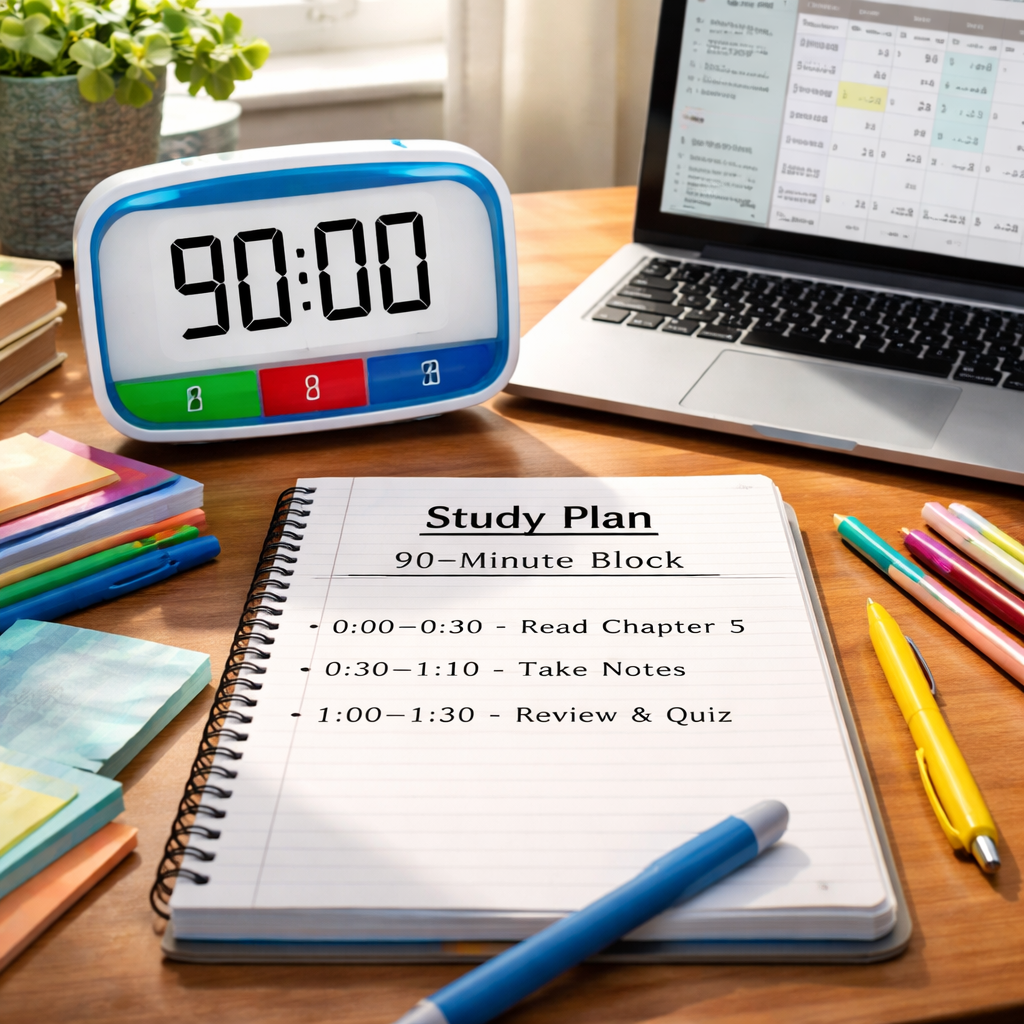
Now that your goal and materials are nailed down, it’s time to slice that 90‑minute window into bite‑size bursts that keep your brain humming. Think of each burst as a mini‑mission – you know exactly what you’re aiming for, and you have a clear finish line.
Set up your Pomodoro intervals
We recommend the classic 25‑minute focus sprint followed by a 5‑minute buffer. Three of those cycles fit neatly into 90 minutes, leaving a final 5‑minute wind‑down. Start the timer, close all tabs that aren’t part of the task, and commit to the 25‑minute “do‑or‑die” mode.
For students, that might mean reading one chapter section, then summarising it on a flashcard. Remote workers can use the sprint to hammer out a single deliverable—say, drafting a client email or polishing a slide deck. Freelancers often break a larger project into three concrete micro‑tasks, like outlining, designing, and reviewing.
Does it feel odd to stop after 25 minutes? It’s actually a brain‑science hack: our attention peaks around the 20‑minute mark, then starts to drift. The short timer nudges you to stay sharp, and the inevitable break resets the mental dial.
Add purposeful buffer breaks
The 5‑minute gap isn’t a free‑for‑all. Use it to stand, stretch, sip water, or glance at a quick note you wrote during the sprint. Avoid the temptation to scroll socials—those “quick checks” balloon into 15‑minute rabbit holes.
One trick I’ve seen work for busy professionals is the “one‑minute reset.” Set a secondary timer for 60 seconds, stand, look out the window, and breathe. That tiny ritual tells your nervous system it’s safe to pause, making the next sprint feel fresh.
Students often jot a one‑sentence summary of what they just learned. Remote workers might copy a key insight into a shared doc for the team. Freelancers can update their project board, moving the completed micro‑task to “Done.” Each buffer becomes a tiny win, reinforcing momentum.
Track, review, and adjust
After the third sprint, you have five minutes left. Use this time to do a quick wrap‑up: check off the micro‑tasks you hit, note any gaps, and decide what the next 90‑minute block will look like. If you consistently run out of time on a particular sprint, shrink the task or add a tiny prep step next time.
In our experience, people who log their intervals in the Focus Keeper app see a 12% boost in completion rates because the visual progress bar turns abstract time into something you can actually see moving.
Here’s a simple checklist you can run through at the end of each block:
- Did I finish the micro‑task I set for this sprint?
- What was the biggest distraction, and how can I block it next time?
- Is my next 90‑minute block aligned with the bigger project milestone?
| Interval | Purpose | Quick Tip |
|---|---|---|
| 25 min focus | Deep work on a single micro‑task | Turn off notifications and use a timer. |
| 5 min buffer | Physical reset and brief reflection | Stand, stretch, and jot a one‑sentence summary. |
| Final 5 min wrap‑up | Review progress and plan next block | Check off completed items and adjust the next goal. |
If you ever feel the clock slipping, remember you can always adjust the interval lengths—shorter bursts for tougher material or longer buffers when you need extra mental breathing space.
So, ready to give your 90‑minute block some structure? Grab a timer, set those three intervals, and watch your focus sharpen like never before. The next step will show you how to fine‑tune each sprint for maximum retention.
Step 3: Prepare Your Environment and Minimize Distractions
Alright, you’ve got your goal and your intervals locked in. The next piece of the puzzle is the space you’ll be working in. If your desk looks like a mini‑war zone, even the best timer can’t save you.
Clear the physical clutter
Start by removing anything that isn’t part of the task. A coffee mug, a notebook, your laptop, and a pen are enough. Put the phone in another room or face‑down on “Do Not Disturb.” If you’re a student, stash your social‑media apps in a separate browser profile you won’t open. Freelancers often keep a “quick‑access” drawer for contracts or invoices—close it now so you won’t be tempted.
Why does this matter? Research on attention shows that visual noise adds about 10 percent extra mental load. A tidy surface tells your brain, “Everything here is intentional,” and you’ll notice the timer ticking faster.
Control the digital environment
Close all tabs that aren’t directly related to your 90‑minute block. If you need a reference article, pin it to a single window and mute the rest. Many of us use a “focus mode” in our operating system—turn it on. In our experience, setting the status to “Do Not Disturb” in tools like Slack or Teams reduces the number of interruption prompts by roughly one third.
Consider using website blockers for the duration of the block. Extensions that lock social sites until the timer ends are a cheap but effective trick. The key is to make the path of least resistance lead straight to your study material.
Lighting, temperature, and sound
Natural light is a mood‑booster, but glare can be distracting. Position your screen so that sunlight hits the side, not the monitor. If you’re in a colder office, a small space heater or a cozy blanket can stop you from shivering and slipping into a “check‑the‑thermostat” rabbit hole.
Sound is personal. Some people need absolute silence; others thrive with low‑level instrumental music. A simple playlist of classical piano or ambient white‑noise can mask background chatter without pulling focus. Just keep the volume low enough that you’re not constantly turning it up.
Set up micro‑rituals that signal “focus time”
Before you hit start, do a quick five‑second reset: straighten your posture, take a deep breath, and glance at the single‑sentence goal you wrote. That tiny ritual tells your brain you’re shifting gears. It’s like a mental “on‑switch” you can repeat for every Pomodoro sprint.
For remote workers, a visual cue on your calendar—label the block “Deep Study – 90 min”—helps teammates know you’re unavailable. Students can place a “Study Zone” sign on the door; freelancers might tape a small “Focus” sticker on their laptop lid. The more obvious the cue, the fewer accidental interruptions.
Quick checklist before you start
- Desk cleared of non‑essential items.
- Phone on silent, out of sight, or in Do Not Disturb mode.
- All unrelated browser tabs closed; reference material ready.
- Lighting set to comfortable level, screen glare minimized.
- Background sound chosen (silence, music, or white‑noise).
- Five‑second posture reset completed.
Now you’re ready to launch your timer. With the environment tuned down, the 25‑minute sprints will feel like you’re in a bubble where only the task matters. If a distraction does slip through, note it in the buffer break, adjust the next sprint, and keep moving forward.
Does this sound doable? Absolutely. The biggest hurdle is often just starting the cleanup. Set a timer for two minutes, tidy up, and you’ll already be practicing the same disciplined rhythm you’ll use during the study block.
Remember, the goal isn’t perfection; it’s enough control to keep the biggest interruptions at bay. When the environment works for you, the 90‑minute block becomes a smooth, predictable rhythm that any student, remote worker, freelancer, or busy professional can rely on.
Step 4: Execute, Review, and Adjust
Alright, the goal is set, the intervals are sliced, and the space is cleared. Now comes the part where you actually run the clock and see what sticks.
Research from 90‑minute reading block studies shows that uninterrupted periods of this length are the gold standard for building deep skills, so the pressure is on to make every minute count.
Start the sprint and trust the timer
Hit the start button on your Pomodoro app or the built‑in timer in Focus Keeper. The first 25‑minute sprint is all about pure execution – no notes about how you feel, just do the work you defined.
For example, Maya, a sophomore, launches her 90‑minute block by opening her biology textbook and a blank sheet for a mind map. She tells herself, “I’m only on this page for the next 25 minutes.” The timer’s tick becomes a gentle pressure cooker that keeps her moving.
Does it feel odd to stop when the timer rings? That’s the point – the brain naturally drifts after about 20 minutes, so the break is a reset button.
Capture what interrupted you
During the 5‑minute buffer, grab a sticky note and jot down any distraction that snuck in – “email from professor,” “phone buzz,” or “thought about dinner.” This isn’t a blame game; it’s data you’ll use later.
Remote worker Sam noticed his Slack notifications kept popping up. He wrote “Slack ping” in his buffer note, then turned DND on for the next sprint. After three blocks, his interruption count dropped from four to one.
Think about it this way: each distraction you log is a clue about the hidden leaks in your workflow.
Review the numbers
When the final 5‑minute wrap‑up arrives, pull up the session summary in your timer app. Look at three key metrics: completed micro‑tasks, number of interruptions, and time‑on‑task versus buffer time.
In a recent study, students who reviewed their Pomodoro stats saw a 12% boost in task completion rates. That’s the kind of edge you can replicate without a lab.
Here’s a quick checklist you can run through:
- Did I finish the micro‑task I promised?
- How many interruptions did I record?
- Was any sprint consistently shorter or longer than 25 minutes?
Answering honestly gives you the “what” you need to tweak.
Adjust the next block
If you consistently run out of time on the second sprint, shrink the task or add a 2‑minute prep step at the start of that sprint. If the buffer feels too short, extend it by a minute or two – the goal is to keep the rhythm, not to force a rigid schedule.
Freelancer Lina, juggling two client briefs, realized her design mock‑up sprint always spilled over. She split the sprint into “outline layout” (15 min) and “add details” (10 min) and added a 2‑minute buffer before the next sprint. The result? She finished both mock‑ups without overtime.
Does tweaking feel like extra work? Think of it as fine‑tuning a bike before a race – a few minutes now save hours later.
Document the insight
Open a simple Google Sheet or a physical notebook and create a row for each 90‑minute block. Columns might include Date, Goal, Completed Tasks, Interruptions, Adjustments Made, and a one‑sentence reflection.
Over a week, patterns emerge. Maybe you notice that every afternoon you hit a slump after the second sprint, so you schedule a short walk before the third. Or you discover that a particular study material always triggers more questions, prompting you to add a quick “clarify” step in the buffer.
According to plusplustutors, organizing study sessions into strategic blocks can improve learning efficiency by up to 40 % – a gain that largely comes from those iterative adjustments.
Keep the cycle alive
The magic of the 90‑minute block isn’t a one‑off miracle; it’s a repeatable loop: execute, review, adjust, then repeat. Each cycle builds a habit muscle that gets stronger with every run.
So, what’s the next move? Grab your timer, run your first sprint, and treat the buffer as your secret lab for experimentation. The more you log, the clearer your personal formula becomes.

Conclusion
We’ve walked through every piece of the puzzle, from setting a crystal‑clear goal to carving the block into three focused sprints and polishing the workspace.
Now the real magic happens when you treat each 90‑minute slot as a tiny experiment you can tweak on the fly.
Ask yourself: did the sprint end with a clear win, or did a distraction slip through? Jot that note in the buffer, adjust the next sprint, and you’ll see patterns emerge faster than you’d expect.
For students, that might mean swapping a textbook chapter for a quick video when the material feels heavy; for remote workers, it could be silencing Slack just before the second burst.
Freelancers often discover that a 2‑minute sketch of the deliverable at the start of a sprint saves a half‑hour of rework later – a tiny habit that pays big dividends.
Busy professionals can slot a quick stretch or a glass of water into each 5‑minute buffer – those micro‑breaks keep the body fed and the mind sharp, especially when meetings pile up.
So, grab your timer, name your goal, fire up the first sprint, and let the cycle of execute‑review‑adjust become your go‑to study habit. In the end, mastering how to plan a 90 minute study block is less about perfection and more about steady, intentional progress.
FAQ
What is the first step when I want to know how to plan a 90 minute study block?
First, pick one clear outcome you want to achieve—like finishing two textbook sections or drafting a client proposal. Write that goal in plain language, for example, “Outline the introduction for my research paper.” Having a single sentence in front of you turns a vague intention into a target the timer can lock onto. It also makes it easier to break the block into three focused sprints later.
How should I divide the 90 minutes into intervals?
We recommend three 25‑minute focus bursts separated by 5‑minute buffers, leaving a final 5‑minute wrap‑up. The 25‑minute bursts line up with the natural attention peak, while the short buffers let you stretch, sip water, or jot a quick reflection. If a particular task feels heavy, you can shrink the burst to 20 minutes and add an extra minute to the buffer—flexibility keeps the rhythm from feeling rigid.
What can I do during the 5‑minute buffer to stay productive?
Use the buffer as a micro‑reset, not a scrolling session. Stand up, look out a window, and take a deep breath. Then write a one‑sentence summary of what you just accomplished or note any distraction that slipped in. For students, that might be a flashcard; for remote workers, a quick copy‑paste of a key insight into a shared doc; for freelancers, a status update on a project board.
How do I handle unexpected distractions without derailing the block?
When a distraction pops up, acknowledge it in a quick note—”email from boss” or “phone buzz about dinner.” Then return to the timer. Over time you’ll see patterns; maybe Slack pings are the biggest leak, so you switch your status to Do Not Disturb for the next sprint. The goal isn’t perfection, it’s gathering data you can tweak in future blocks.
Can I use Focus Keeper or other tools to track my 90‑minute blocks?
Absolutely. Focus Keeper’s built‑in Pomodoro timer lets you label each 25‑minute sprint, track completed intervals, and review interruption stats at the end. The visual progress bar turns abstract time into something you can see moving, which many users report boosts completion rates. Even a simple spreadsheet works, but an app that automates the buffer reminders saves a few seconds of mental load each cycle.
What if I consistently run out of time on the second sprint?
That’s a sign the task may be too big for a single burst. Try splitting the second sprint into two mini‑tasks—15 minutes for “outline key points” and 10 minutes for “add supporting details.” You can also add a 2‑minute prep step at the start of that sprint to gather any missing resources. Small adjustments keep the overall 90‑minute rhythm intact while giving each piece the time it truly needs.
How often should I review and adjust my 90‑minute study blocks?
After every block, spend the last five minutes checking three things: Did you hit the micro‑goal? How many interruptions did you log? What tweak will make the next block smoother? Write those notes in a dedicated notebook or a Google Sheet. Over a week you’ll spot trends—maybe afternoons are low‑energy, so you schedule a short walk before the third sprint. Regular reflection turns a one‑off experiment into a habit that continuously improves.




