

Ever sat down with a thick textbook or a dense report and felt your mind drift after just a few pages? That’s the moment most of us recognize: the brain’s natural urge for a break. If you’re a student cramming for finals, a remote worker digging through a lengthy whitepaper, or a freelancer researching a new client niche, you need a way to keep that focus alive without burning out.
The secret? Treat your reading like a workout and split it into short, purposeful intervals. Think of each 25‑minute block as a sprint, followed by a brief 5‑minute recovery where you stretch, sip water, or glance at your phone. This rhythm mirrors the Pomodoro Technique, which research shows can boost concentration by up to 30 % compared to marathon sessions.
Here’s a practical, step‑by‑step routine you can try right now:
- Set a micro‑goal. Decide on a concrete target—say, 10 pages or one chapter—and write it down.
- Start a timer for 25 minutes. Dive in and focus solely on the material. If a distraction pops up, jot it on a side note and return.
- When the timer rings, pause. Spend the next 5 minutes standing, stretching, or looking out the window. A quick note of what you just learned helps cement the info.
- Repeat the cycle three more times, then give yourself a longer 15‑minute break to recharge.
For a college sophomore tackling a biology textbook, the first interval might cover the cell‑division chapter, followed by a quick walk to the kitchen. A remote designer reviewing a 30‑page style guide can break it into four sections, using each break to check emails. A freelancer drafting a proposal for a marketing campaign can alternate reading client briefs with short sketches of ideas during the breaks.
If you find the classic 25/5 split too short for deep material, try the 52/17 rule—52 minutes of focused reading, then a 17‑minute pause. We’ve seen that adjustment work wonders for people who need longer immersion. You can read more about this in our 10 Proven Strategies to Enhance Your Productivity Using Timed Work Sessions.
Finally, track your progress. A simple spreadsheet noting pages read per interval lets you spot patterns and gradually extend the reading blocks as your stamina improves. With these intervals in place, long reading transforms from a dreaded marathon into a series of manageable sprints that keep your mind sharp and your motivation high.
TL;DR
If you struggle to stay powering through textbooks or reports, learning how to pace long reading with intervals turns sessions into bite‑sized sprints that keep focus high.
Try a 25‑minute focus block, a 5‑minute stretch, then repeat—switch to 52‑minute cycles for deeper immersion, and watch immediately comprehension and motivation soar.
Step 1: Assess Your Reading Goals
Before you even set a timer, ask yourself what you really want out of this reading session. Are you trying to finish a chapter before class, extract key data for a client brief, or just get a feel for the big picture?
That little question is the emotional trigger that keeps you honest. It’s easy to say, “I’ll read for two hours,” but without a clear purpose you’ll end up scrolling, doodling, or staring at the same paragraph until the clock runs out.
Take a moment to write down a concrete goal. For a student, it might be “summarize the main arguments of the first three sections.” For a remote worker, “identify three actionable insights from the market analysis.” For a freelancer, “pinpoint the client’s pain points that I’ll address in my proposal.”
Once the goal is on paper, break it into micro‑targets that fit into an interval. If you’re using a 25‑minute sprint, aim for “read 8 pages” or “highlight 5 key points.” The micro‑target becomes the finish line for that block, giving you a quick win and a clear cue to pause.
Why does this matter? Research on interval training shows that specific, measurable targets boost motivation by giving the brain a sense of progress. When you can tick off a tiny achievement, you’re more likely to start the next interval with fresh energy.
Here’s a quick checklist to assess your reading goals:
- Identify the purpose: study, work, or personal growth.
- Set a measurable outcome: pages, sections, or insights.
- Match the outcome to an interval length (25 min, 52 min, etc.).
Got your checklist? Great. Now let’s see how this plays out in real life.
Imagine you’re a sophomore tackling a dense biology chapter on cellular respiration. Your goal: understand the three stages well enough to explain them in a study group. You write down, “Explain glycolysis, Krebs cycle, and electron transport chain in my own words.” Then you decide that each 25‑minute block will cover one stage, with a 5‑minute break to sketch a diagram.
Or picture a remote marketer reviewing a 30‑page industry report. The objective: extract three trends to share with the team. You split the report into three sections, assigning each to a 52‑minute interval, followed by a 17‑minute pause to draft a quick bullet‑point summary.
After the video, take a breath. Notice how the visual reminder of timers and breaks reinforces the habit you just set up. It’s not magic; it’s a simple structure that turns vague ambition into concrete steps.
Now, before you move on to the next step, pause and double‑check your goals. Ask yourself: “Is this goal realistic for the time I have?” If it feels too ambitious, shrink it. If it feels too easy, add a bit more depth. This tweaking is the secret sauce that keeps your intervals effective.
When you’ve nailed down a goal that feels just right, you’re ready to launch your first interval. And remember, the next step will show you how to fine‑tune the timer settings to match your personal rhythm.

Step 2: Choose an Effective Interval Timer
Now that your micro‑goal is crystal clear, the next piece of the puzzle is the timer itself. Think of it as the metronome that keeps your reading heartbeat steady.
Why the right timer matters
If you’ve ever tried a generic alarm that buzzes and then disappears, you know the frustration – you get jolted out of focus only to waste a few seconds scrambling to restart. A purpose‑built interval timer gives you a gentle cue, a visual countdown, and—most importantly—a built‑in break signal so you don’t have to guess when to pause.
Does that sound like something you’d appreciate during a marathon study session or a long client brief? Absolutely.
Three timer styles to consider
There’s a spectrum of options, from the ultra‑simple to the feature‑rich. Below is a quick comparison to help you decide which fits your workflow.
| Timer Option | Best For | Key Feature |
|---|---|---|
| Focus Keeper app (iOS/Android) | Students, remote workers, freelancers | Customizable Pomodoro cycles, progress charts, distraction‑logging |
| Phone’s built‑in alarm | Anyone who wants zero‑setup | One‑tap start, vibration or sound cue |
| Browser Pomodoro extension | Desk‑bound professionals | Inline timer, automatic tab dimming, simple UI |
Notice how each tool aligns with a different level of commitment. If you love data—like seeing how many 25‑minute sprints you’ve completed—Focus Keeper’s dashboard is a natural fit. If you’re on the go and don’t want to download anything, the phone alarm does the trick.
Setting up your timer in three easy steps
1. Pick your interval length. For most reading tasks, 25 minutes works great; for deeper material, try 52 minutes. The timer you choose should let you edit that length without hassle.
2. Choose a sound you’ll actually notice. A subtle chime is less jarring than a blaring ringtone, especially if you’re in a shared space. Most apps let you preview tones—pick one that feels like a friendly nudge, not a siren.
3. Enable a break cue. Whether it’s a visual dimmer, a short vibration, or a pop‑up reminder, make sure the timer signals the 5‑ or 17‑minute pause clearly. That cue is what trains your brain to respect the work‑rest rhythm.
Once you’ve hit “Start,” resist the urge to check the clock every few seconds. Let the timer do the watching for you. When the cue pops, stand, stretch, or jot a quick note about what you just absorbed. That tiny ritual reinforces the material and prevents mental fatigue.
What if you’re juggling multiple reading projects? Set up separate timer profiles—one for a quick 25‑minute scan of industry news, another for a deep‑dive 52‑minute session on a research paper. Switching profiles is usually a single tap, keeping the process frictionless.
And remember, the timer is only as good as the habit you build around it. Consistency beats perfection; even a few days of steady intervals will outpace a chaotic marathon.
Give it a try: open your preferred timer, select a 25‑minute work block, and watch how the simple act of “starting the clock” turns a vague reading marathon into a series of purposeful sprints.
Step 3: Implement the Pomodoro Technique for Reading
Now that your timer is set, it’s time to turn the Pomodoro method into a reading ritual that actually sticks.
Start each cycle by opening the material you’ve chosen for the micro‑goal. Resist the urge to skim; instead, commit to a single focus sprint of 25 minutes (or 52 minutes if the text demands deeper immersion).
When the timer buzzes, pause without guilt. Stand, stretch, or jot a quick one‑sentence summary of what you just absorbed. That tiny recap reinforces memory and gives your brain a clear cue that the work interval is over.
If a distraction pops up—maybe an email ping or a chat notification—write it on a scrap note and return to the page when the break ends. This habit keeps the interruption from derailing the whole session.
After four Pomodoros, give yourself a longer recharge—15 minutes for a coffee, a short walk, or even a quick glance at the next chapter’s headings. This longer break lets the information settle, making the next round feel fresher.
- Set the interval length that matches your reading depth.
- Start the timer and dive in.
- When it rings, pause, summarize, and stretch.
- Log the pages or concepts covered.
- Repeat three more times, then take a longer break.
For students, the 25‑minute sprint works well with lecture notes because you can finish a single section and then test yourself during the break. Remote workers often prefer the 52‑minute version when reviewing lengthy design specs, as it reduces the number of context switches. Freelancers juggling client briefs find that logging each Pomodoro in a simple spreadsheet reveals patterns—maybe you read faster on Tuesday mornings or need a longer warm‑up on Fridays.
If you’re unsure which interval length to start with, try a 25‑minute cycle for two days, then switch to 52 minutes for another two. Notice whether comprehension or fatigue changes. The goal isn’t to lock in a rigid schedule; it’s to let the data guide you toward the sweet spot that keeps focus high.
A handy tip: use the same sound for work and break cues, but give each a subtle variation—like a soft chime for the start and a slightly higher tone for the break. Your brain learns the pattern faster, and you’ll stop hunting for the timer on the screen.
Finally, review your log at the end of the week. Ask yourself which sessions yielded the most insight and which felt rushed. Adjust the interval length, break activities, or even the time of day accordingly. Over time you’ll build a personalized reading rhythm that turns even the thickest chapters into manageable, enjoyable sprints.
Remember, the Pomodoro technique isn’t a rulebook; it’s a flexible framework that adapts to your workflow. By pairing focused intervals with purposeful breaks, you protect stamina and boost comprehension. Give it a try tomorrow with the article, and notice the difference after a few cycles.
Step 4: Adjust Pace with Active Recall Breaks
We’ve set the timer, hit the first sprint, and now the break arrives. But what if that five‑minute pause could do more than just stretch your legs? That’s where active recall steps in.
Why active recall beats idle scrolling
Instead of checking Instagram, try asking yourself a quick question about what you just read. Pull a key term from memory, or rephrase a concept in one sentence. This tiny mental jog forces your brain to retrieve information, which research shows solidifies retention better than rereading.
Think about it like a basketball drill: you don’t just watch the game, you shoot the ball. The act of recalling makes the material stick.
Turn each break into a recall sprint
Here’s a simple routine you can slip into every 5‑ or 17‑minute break:
- Close the book or tab.
- Set a 30‑second mental timer (your phone’s stopwatch works).
- Ask yourself: “What was the main idea of the last paragraph?” or “How does this concept connect to my goal?”
- Write a one‑line answer on a sticky note or in your notes app.
- Take the remaining break time to stretch, hydrate, or just breathe.
That quick recall moment adds a purpose to the pause, turning it from a passive idle period into a micro‑learning boost.
Tailor recall to your audience
Students might quiz themselves on a formula they need for an upcoming exam. Remote workers could summarize a key insight they’ll share in a client call. Freelancers can jot down a client pain point they just uncovered, so the next sprint starts with a clear direction.
Notice how the recall question changes depending on the reading depth. For a 25‑minute sprint, a single‑sentence answer is enough. For a 52‑minute deep dive, spend a minute sketching a quick diagram or bullet list.
Combine recall with the Pomodoro rhythm
When you pair active recall with the interval structure we covered earlier, the cycle becomes: focus → timer buzz → recall break → stretch → repeat. Over a few cycles you’ll see two benefits: higher comprehension and less mental fatigue because your brain gets a brief, purposeful reset.
Does this feel like extra work? Not really. The recall step takes less than a minute, and the payoff shows up as fewer rereads later. In fact, many of our users report cutting their overall study time by 15 % after adopting this habit.
Quick checklist for a recall‑powered break
- Close the material.
- Set a 30‑second mental timer.
- Ask a focused question.
- Write a brief answer.
- Finish the break with a physical reset.
Give it a try in your next reading session. Start with a single Pomodoro, insert the recall step, and notice how much clearer the next block feels. Adjust the question depth as you get comfortable—your brain will thank you.
Remember, the goal of how to pace long reading with intervals isn’t just about timing; it’s about making each pause count. Active recall is the secret sauce that turns a simple timer into a powerful learning engine.
Step 5: Track Progress and Refine Your Rhythm
Now that you’ve got the timer humming and the recall breaks in place, the next question is: how do you know it’s actually working? The answer is simple – you need to see the numbers, spot the patterns, and tweak the rhythm until it feels like a natural extension of your workflow.
Why tracking matters
Think about a runner who never checks their mileage. They might feel fitter, but they have no clue whether they’re improving or just treading water. The same goes for reading intervals. When you log pages, time, and how you felt during each block, you turn guesswork into data‑driven decisions.
Does it sound tedious? Not really. A quick note takes less than ten seconds, and the insight you gain pays off in clearer focus and fewer rereads.
Simple tracking tools you can start using today
If you’re a student, a plain spreadsheet works wonders – column A for date, B for interval length, C for pages covered, D for “energy level” (1‑5), and E for any notes. Remote workers often prefer a digital note‑taking app where they can tag entries by project. Freelancers love a Kanban board that shows “Reading Sprint” cards moving from “In Progress” to “Done.”
Platforms like Focus Keeper already let you export session data, so you can paste it straight into your tracker without extra copy‑pasting.
Here’s a quick starter template you can copy:
- Date
- Interval (minutes)
- Pages/Sections completed
- Energy rating (1‑5)
- What worked / what didn’t
Just fill it in after each Pomodoro or after the longer 52‑minute block, and you’ll start to see trends.
Analyzing the data
After a week of logging, pull out the columns that matter most to you. Do you notice higher energy scores on mornings versus afternoons? Is the 25‑minute sprint leaving you hungry for more when the material is dense? Maybe the 52‑minute stretch feels too long for a textbook chapter but perfect for a design spec.
Look for the sweet spot where your pages‑per‑minute metric rises without a dip in the energy rating. That’s your optimal rhythm.
And don’t forget to compare “what‑if” scenarios. Swap a 5‑minute break for a 7‑minute stretch and see if the next interval’s energy improves. Small adjustments can have a surprisingly big impact.
For visual learners, charting pages versus energy on a simple line graph can make the pattern pop. If you’re comfortable with a bit of code, a quick Python script can calculate averages and suggest the next interval length.
Iterate and fine‑tune
Now comes the fun part: use those insights to refine your rhythm. If your data shows a consistent slump after three consecutive 25‑minute blocks, schedule a longer 15‑minute recharge at that point. If you’re consistently breezing through 10 pages in 25 minutes, consider extending the interval to 30 minutes and see if comprehension stays steady.
Remember, the goal isn’t to lock yourself into a rigid schedule forever. Your workload changes, your energy shifts, and your tracking system should evolve with you. Revisit your log every two weeks, adjust one variable, and watch the improvement compound.
So, what’s the next step? Grab a notebook or open a spreadsheet right now, set up the five columns, and start logging your next reading sprint. In a few days you’ll have enough data to make an informed tweak, and that small change could shave minutes off your study time while boosting retention.
Tracking isn’t a chore – it’s the feedback loop that turns a good habit into a great one.
Ready to see the numbers work for you?
When you look back at your log, you’ll notice exactly where the rhythm clicks and where it needs a nudge.
Keep the cycle moving: track, analyze, adjust, repeat. That’s the secret sauce behind sustainable focus.
By treating your reading sessions like a science experiment, you give yourself the power to fine‑tune the process until it feels effortless.
Now go ahead and log that first interval – the data is waiting.
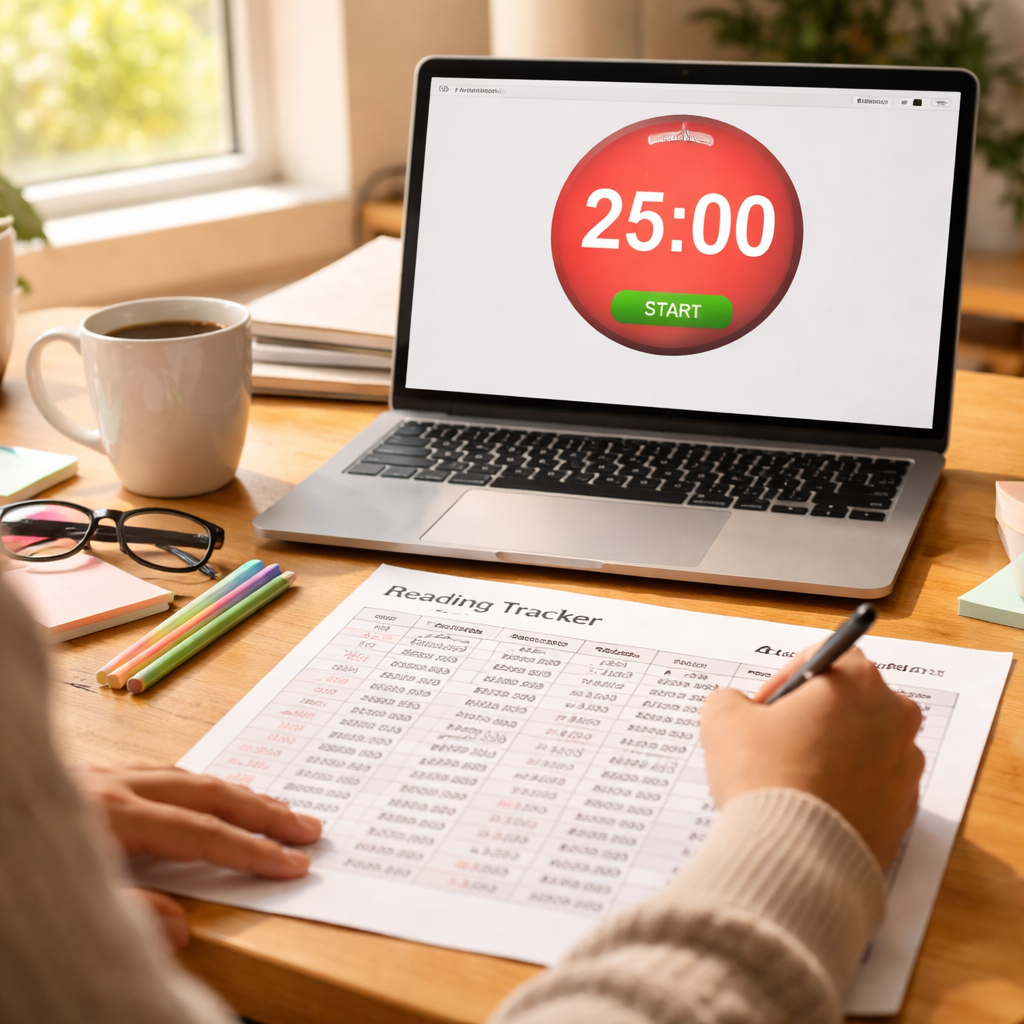
Step 6: Tools and Apps to Support Interval Reading
Alright, you’ve logged your intervals, you’ve tried a couple of break‑recall tricks, and now you’re wondering what actually makes the whole thing run smoothly. The answer? A handful of tools that take the guesswork out of “when do I stop?” and turn it into a habit you barely notice.
Why a dedicated app beats a generic alarm
Think about the last time you set a phone alarm for a study session. Did the buzz wake you up only to have you stare at the screen, wondering if you’ve already done the break? That split‑second hesitation adds friction, and friction kills momentum.
A purpose‑built interval app does three things you can’t get from a plain alarm: it shows a visual countdown, it cues a distinct break sound, and it records each cycle so you can see patterns later. In short, it’s the difference between “I might remember to stretch” and “I actually did.”
Top picks that play nicely with Focus Keeper’s philosophy
Focus Keeper (iOS/Android) – Our own app tops the list because it’s built around the Pomodoro rhythm you’ve already embraced. You can tweak work and break lengths, tag sessions by project (student, client brief, design spec), and glance at a simple chart that tells you how many 25‑minute sprints you’ve crushed this week.
Browser extensions – If you spend most of your day in Chrome or Edge, a lightweight Pomodoro extension keeps the timer right in your toolbar. It dimms the active tab when the break starts, which is a subtle visual reminder to step away from the screen.
Simple timer websites – For folks who hate downloading anything, sites like tomato-timer.com give you a clean, no‑frills countdown that you can start with a single click. They don’t store data, so they’re perfect for a quick, privacy‑first session.
How to choose the right tool for your workflow
Ask yourself three quick questions:
- Do I need analytics? If you love seeing a weekly heat map of my focus, go with Focus Keeper.
- Am I always on a laptop? A browser extension saves a few clicks and stays out of the way.
- Do I prefer zero‑install simplicity? A web timer is the fastest way to get started.
Pick the option that matches the answer you tick most often, and you’ll spend less time fiddling and more time reading.
Setting up your tool in under a minute
1. Open the app or site and hit “Settings.”
2. Set your work interval to 25 minutes (or 52 minutes if you’re tackling dense material).
3. Choose a short, pleasant chime for the work‑end cue and a slightly higher tone for the break cue.
4. Enable “auto‑restart” so the next sprint begins the moment you close the break window.
That’s it. You’ve just built a self‑regulating reading engine that nudges you forward without demanding constant attention.
Bonus: Pairing tools with your existing workflow
Students often link the timer to a digital notebook like OneNote, so when the break rings they switch tabs and jot a one‑sentence summary. Remote workers sync the timer with their project board in Trello, moving a card from “In‑Progress” to “Done” at the end of each interval. Freelancers love creating a “Reading Sprint” column in Asana and dragging tasks across as they finish each block.
When the tools talk to the places you already work, the whole system feels seamless – like you’ve added a silent partner who always knows when it’s time to push or pause.
Give one of these options a spin today, watch the data roll in, and let the numbers tell you how to pace long reading with intervals without ever guessing again.
Conclusion
We’ve walked through everything from setting micro‑goals to tracking your sprint data, and now it’s time to pull it all together.
If you’re still wondering how to pace long reading with intervals, think of it as a simple rhythm: focus, cue, reset, repeat. The key is consistency, not perfection, so even a single 25‑minute block a day can start shifting your brain into “ready‑to‑absorb” mode.
What’s the next step? Grab your timer, pick a length that matches the material—25 minutes for a quick skim, 52 minutes when the content gets dense—and give yourself a purposeful break. Use that break for a quick stretch, a sip of water, or a one‑sentence recall. Then jump back in and let the cycle drive you forward.
Students, remote workers, freelancers, and busy professionals all report higher retention when they treat reading like a series of sprints rather than a marathon. So ask yourself: are you ready to turn those endless pages into bite‑sized victories?
Remember, the system works best when you treat the timer as a friendly reminder, not a strict ruler. Adjust the interval length whenever you feel the focus dip—maybe switch to a 30‑minute sprint on a tough chapter, then back to 25 when you’re cruising.
Give it a try and watch your comprehension grow—your future self will thank you for the extra clarity and the time you’ve saved.
FAQ
What is the best interval length for pacing long reading with intervals?
Most people start with a 25‑minute work block followed by a 5‑minute break – the classic Pomodoro rhythm. If the material feels light, 25 minutes is plenty; for dense chapters, bump it up to 52 minutes and give yourself a 17‑minute pause. The key is to match the interval to how much mental effort the reading demands, then test and tweak until it feels natural.
How can I keep my focus from drifting during a reading sprint?
Your brain starts wandering the moment you let a distraction linger, so treat the timer like a gentle coach. When the timer rings, stop whatever you’re doing, jot a one‑line note about the last paragraph, and then move to the break. This tiny reset tells your mind, “We’re done for now,” and makes it easier to jump back in with fresh focus.
Do I need a special timer, or can I use my phone?
You don’t need a fancy gadget – any device that can count down and give a sound cue will do. The advantage of a dedicated app is that it logs each session automatically, so you can spot patterns later. If you prefer zero‑setup, the built‑in alarm on your phone works fine; just set the work and break lengths manually each time.
What should I do during the break to boost retention?
During the break, aim for an activity that clears your visual field but keeps you moving a bit. A quick stretch, a walk to the kitchen, or even a few deep breaths helps reset your nervous system. If you add a 30‑second active‑recall sprint – ask yourself what you just read and jot a sentence – you’ll cement the info before the next interval.
How often should I adjust the interval length?
You’ll notice your energy dip after a few cycles, and that’s the perfect cue to experiment. Try lengthening the work block by five minutes or extending the break by two; then record how many pages you covered and how you felt. If comprehension stays high, you’ve found a new sweet spot. Otherwise, shrink the interval a bit until you hit a rhythm that feels sustainable.
Can I apply this method to digital articles as well as textbooks?
The technique works just as well on a laptop screen as on paper. The trick is to treat each paragraph or screen scroll as a micro‑goal, then hit the timer when you’ve hit that marker. For digital readers, consider a browser extension that dims the tab during the break – it’s a visual reminder to look away and give your eyes a breather.
What common mistakes should I avoid when trying to pace long reading with intervals?
One common pitfall is treating the timer as a strict dictator and stopping the reading even when you’re in the flow. Instead, give yourself a grace minute: if you’re mid‑sentence, finish the thought, then pause. Another mistake is skipping the break because you feel “still good.” Those five minutes of light movement are what protect you from mental fatigue and keep retention high.




