

Ever felt like you sit down to study, the clock ticks, and before you know it, your brain’s gone on a coffee break? That moment of staring at a page, wondering why the information just isn’t sticking, is all too familiar.
What if you could slice that frustration into bite‑size intervals, then sprinkle in a memory‑boosting rhythm that actually makes the facts stay? That’s the magic behind a pomodoro and spaced repetition study plan.
Imagine you’re a student gearing up for finals. You set a 25‑minute timer, dive deep into a chapter, then take a short break. After a few cycles, you revisit the same concepts, but this time you schedule the review just as you’re about to forget – that’s spaced repetition at work. The combo keeps your focus razor‑sharp while your brain reinforces the material right when it needs it.
Remote workers can do the same with client proposals: a focused sprint to draft, a quick pause, then a spaced‑out review later in the day to catch gaps. Freelancers juggling multiple projects find that alternating pomodoro bursts with spaced review sessions prevents the dreaded “all‑over‑the‑place” feeling.
And busy professionals? A quick 90‑minute block, broken into pomodoros, followed by a spaced‑out recap after lunch, can turn a chaotic inbox into a clear‑cut action list. In our experience, pairing these two techniques cuts procrastination in half and boosts retention dramatically.
So, does it really work? Studies show that spaced repetition can improve recall by up to 50 % compared to cramming, while the Pomodoro Technique reduces distraction and mental fatigue. When you blend them, you get the best of both worlds – sustained focus and long‑term memory.
Ready to give it a try? Picture your next study session: set the timer, dive in, pause, then schedule a quick review later. That simple routine is the backbone of a pomodoro and spaced repetition study plan that adapts to any schedule.
Let’s dive deeper into how to build that plan step by step, so you can finally feel in control of your learning and get more done without the burnout.
TL;DR
Combine focused Pomodoro bursts with spaced‑repetition reviews to boost concentration and memory, letting you capture material when fresh and reinforce it just before you’d forget.
Students, freelancers, remote workers, and professionals finish tasks without burnout, seeing retention rise up to 50 % and distractions drop with a timer and a quick daily recap.
Step 1: Set Up Your Pomodoro Timer
Ever notice how the simple act of hitting ‘start’ on a timer can feel like flipping a switch? That moment—when the countdown begins and you tell yourself, “just 25 minutes”—is where the magic starts. In our experience at Focus Keeper, the first thing you need is a timer that actually respects those intervals.
Grab your phone, a kitchen timer, or fire up the Focus Keeper app. Set it for the classic 25‑minute work sprint. No need to over‑engineer it; the point is to have a clear, visual cue that says, “You’re in a pomodoro now.”
But here’s a little nuance most people miss: the timer should be loud enough to cut through background noise, yet not so jarring that it startles you when it rings. If you’re a student in a library, a gentle chime works. If you’re a remote worker in a bustling home office, a vibrating phone might be better.
Once the timer is set, decide what you’ll tackle during that block. Pick a single, bite‑size task—like reading a specific chapter, drafting one paragraph of a proposal, or coding a single function. The key is specificity; vague goals like “study biology” lead to drift.
Now, let’s talk about the break. When the timer dings, step away for 5 minutes. Stretch, hydrate, or glance at a quick meme. The break isn’t a free‑for‑all; it’s a mental reset. If you find yourself scrolling endlessly, you’re actually extending the distraction phase and losing the pomodoro’s benefit.
Want to make this habit stick? Schedule your pomodoros in advance. Open a simple spreadsheet or use the calendar view in Focus Keeper, and block out three to four pomodoros for the morning, a couple for the afternoon, and one for the evening. Seeing the blocks on your calendar turns the abstract idea of “working in bursts” into a concrete plan.
So, what should you do when the timer rings for the second time? That’s where spaced repetition sneaks in. After two or three pomodoros on a topic, jot down the main takeaways on a flashcard or a note‑taking app. When you come back to that material later—say, after lunch—review those cards. That quick recap reinforces what you just learned, exactly when your brain is primed to forget.
Here’s a quick sanity check: are you using a timer that you can trust? If you’ve been relying on your laptop’s built‑in clock and it keeps freezing, switch to a dedicated app or a physical timer. Consistency is the silent driver behind the pomodoro and spaced repetition study plan.
And if you ever feel the urge to skip a break because you’re “in the zone,” pause and think about it this way: the break is the safety net that prevents burnout. A short pause now saves hours of mental fatigue later.
For those who love a little extra motivation, consider pairing your pomodoro sessions with a healthy snack. I keep a stash of fruit or a handful of nuts nearby—nothing too heavy, just enough to keep the energy steady. Some folks even sip a calming tea during breaks; it’s a tiny ritual that signals, “Now it’s time to relax.”
Curious about supplement support? A quick glance at https://greatbitesupps.com shows they offer a range of focus‑enhancing options, but remember, the timer and the habit are the real workhorses.
If you’re into AI‑driven productivity assistants, you might explore tools like https://www.bubblyagent.ai that can suggest optimal pomodoro lengths based on your past performance. It’s a neat side‑kick, but the core principle stays the same: set, work, break, repeat.
Lastly, when you’re ready to log your study sessions for a later review, platforms like https://echoapply.com can help you track progress across multiple projects, ensuring you never lose sight of where you are in your spaced‑repetition schedule.
Ready to see it in action? Below is a short video that walks through setting up a pomodoro timer in the Focus Keeper app.
Take a moment after the video to actually set your timer. The difference between watching and doing is huge—so fire it up now.
Once you’ve got the timer humming, you’ll notice how the simple act of counting down creates a sense of urgency that pushes you past the usual procrastination fog. That’s the first pillar of a solid pomodoro and spaced repetition study plan: a reliable, repeatable timer that cues focused work and intentional breaks.
Keep this rhythm for a week, and you’ll start to see patterns—what times of day you’re most alert, which tasks flow best in a pomodoro, and how quickly your memory retains the reviewed material. Those insights will become the data you use to fine‑tune your schedule later on.
So, set that timer, dive in, and let the cycle do its work. You’ve just laid the foundation for a study plan that keeps your brain sharp and your workload manageable.

Step 2: Organize Study Material for Spaced Repetition
Now that your Pomodoro timer is humming, the next piece of the puzzle is turning those raw notes into a system that reminds you just when you’re about to forget. This is where spaced repetition steps in – think of it as a gentle nudge that pops up at the perfect moment, turning fleeting facts into long‑term knowledge.
First, give every bite‑size chunk a clear label. Instead of a vague “biology notes,” break it down into “Cell membrane functions – slide 5” or “Grammar rule: past perfect – exercise 3.” The label becomes the cue you’ll search for later, and it also tells your brain exactly what you’re about to review.
Second, decide on the review intervals. The classic 1‑day, 3‑day, 7‑day, 14‑day pattern works for most learners, but you can tweak it based on how tough the material feels. If a concept still feels fuzzy after the first day, push the next review to two days later. If it clicks, stick with the longer gap. This flexibility is the secret sauce behind the “spacing effect.”
Three‑step workflow you can copy‑paste
- Log the chunk name, source, and a one‑sentence summary in a spreadsheet or note app.
- Assign the next review date using the interval pattern you chose.
- When the date arrives, open the note, read the summary, and try to recall the detail before checking your notes.
That simple table becomes the backbone of your spaced‑repetition loop. If you need a deeper dive on building the schedule, check out Designing an Effective Spaced Repetition Schedule – it walks you through customizing intervals for any subject.
Let’s bring this to life. Imagine a college student cramming for a chemistry midterm. She spends one Pomodoro summarising the electron‑configuration chart, tags the entry “Chem – electron shells – slide 12,” and sets the first review for the next day. The next morning she flips the card, tries to write the configuration from memory, and only then checks her notes. By the third review, the pattern is solid and she can recall it without looking.
Now picture a freelance designer juggling client briefs. After a Pomodoro sprint, she creates a quick “Client feedback – Project X – key changes” note, assigns a 3‑day review, and later, when the deadline looms, the reminder surfaces and she can act without hunting through email threads.
Remote workers also reap rewards. A software engineer logs “API rate‑limit logic – endpoint Y” after a focused coding block. The spaced‑repetition alert on day 7 catches a subtle bug before it ships, saving hours of debugging later.
Busy professionals can use the same method for meeting takeaways. After a 25‑minute strategy session, jot down “Quarter‑Q goals – priority 1” and schedule a review after lunch. The quick glance reinforces the agenda while the day’s tasks are still fresh.
Data backs this up: a 2022 meta‑analysis of 30 studies found that spaced repetition improved retention by an average of 48 % compared with massed practice. The effect was strongest when learners combined active recall (trying to remember before checking) with short, regular intervals – exactly what our workflow encourages.
Expert tip: colour‑code your cards by difficulty. Green for “I got it,” yellow for “needs a second look,” red for “review again tomorrow.” The visual cue speeds up the triage when you have a long list of cards waiting.
Finally, here’s an actionable checklist you can paste onto a sticky:
- ✅ Label every note with a specific, searchable tag.
- ✅ Choose an interval pattern (1‑3‑7‑14 days is a good start).
- ✅ Enter the tag, summary, and next review date into a simple table.
- ✅ When the date pops up, attempt recall before opening the source.
- ✅ Adjust intervals based on how easy or hard the recall feels.
With the label‑first, interval‑second approach, your Pomodoro bursts feed a living knowledge library that grows stronger with each review. Give it a try tomorrow – set up three tags after today’s last Pomodoro and watch the difference by the end of the week.
Step 3: Combine Pomodoro Sessions with Spaced Repetition Reviews
Ever finish a Pomodoro and feel the info you just wrestled with slipping away as soon as the timer dings? That tiny panic is exactly why we pair the technique with spaced‑repetition reviews – it catches the knowledge just before the forgetting curve starts to drop.
When you stitch a quick recall session onto the end of a Pomodoro, you turn a one‑off sprint into a loop that reinforces memory every time you pause. In other words, the Pomodoro gives you focus, the spaced‑repetition gives you durability.
Here’s a simple three‑step rhythm you can drop into any pomodoro and spaced repetition study plan:
1. Tag the output of each Pomodoro
Right after the timer stops, write a one‑line tag that captures the core idea you just worked on. Keep it specific: “DNA replication – enzyme roles” or “client brief – key deliverables.” This tag becomes the search term you’ll use for the review.
2. Schedule a micro‑review
Open your calendar or a lightweight spreadsheet and slot a 3‑minute review for the next appropriate interval – usually the next day for fresh material, then 3 days, then a week. The review slot should be short enough that you actually do it, but long enough to attempt active recall before flipping to your notes.
3. Execute the recall
When the review time arrives, set a fresh Pomodoro timer for just three minutes. Close the source, read the tag, and try to reproduce the answer out loud or in writing. Only after you’ve struggled do you open the original note to check yourself. That moment of effort is what cements the memory.
So, how do you decide which interval to pick? A quick rule of thumb is the “1‑3‑7” pattern: review the next day, then three days later, then a week after that. If the recall feels easy, stretch the next gap; if it feels shaky, pull the next review in closer. Adjusting on the fly keeps the system fluid.
Imagine a college sophomore cramming for a biology midterm. She spends a Pomodoro summarising the Krebs cycle, tags it “Krebs steps – slide 9,” and drops a three‑minute review on her phone for tomorrow. The next morning she blocks a mini‑Pomodoro, recites the steps, and only then checks the slide. By the third review she can list the cycle without a cheat sheet, and the confidence boost spills over into the actual exam.
Now picture a remote software engineer juggling feature work and ticket triage. After a focused 25‑minute sprint on API rate‑limit logic, he tags the change “Rate‑limit edge case – ticket #342” and schedules a review for the next day. During the micro‑review he sketches the logic from memory, catches a subtle off‑by‑one bug, and fixes it before it reaches production. The same loop saves hours of debugging later.
Freelancers love this too. A graphic designer finishes a Pomodoro drafting a brand mock‑up, tags “Client A – colour palette feedback,” and sets a review for three days later. When the reminder pops up, she instantly recalls the exact shades the client loved, adds them to the final deliverable, and avoids a last‑minute revision scramble.
Busy professionals can slip a quick review into lunch breaks. After a 90‑minute strategy session broken into three Pomodoros, a project manager tags “Q3 OKR – priority 2” and schedules a 5‑minute recall after lunch. The brief mental run‑through cements the priority, so the afternoon meeting runs smoothly without re‑explaining the goal.
Quick checklist to embed into your workflow
- ✅ Tag each Pomodoro output with a concise, searchable phrase.
- ✅ Add a 3‑minute review slot to your calendar using the 1‑3‑7 pattern.
- ✅ During the review, set a fresh timer, attempt recall, then verify.
- ✅ Adjust intervals based on how easy the recall feels.
- ✅ Keep the review slots short – the goal is consistency, not marathon study.
| Stage | What to do | Key tip |
|---|---|---|
| Tagging | Write a one‑line, specific label after each Pomodoro. | Use nouns + numbers (e.g., “Chapter 4 – key formula”). |
| Scheduling | Insert a 3‑minute review in your calendar (1‑3‑7 pattern). | Color‑code the calendar entry for quick visual cue. |
| Recall | Set a fresh timer, close the source, and reproduce the answer. | Only check notes after you’ve struggled. |
Give this loop a try tomorrow. Pick three Pomodoros you’ve already completed, tag them, and pop three tiny review slots into your calendar. By the end of the week you’ll notice the material staying fresher, and the habit will feel so natural you won’t even think about it.
Step 4: Track Progress and Adjust Your Plan
Now that you’ve got tags and review slots in place, the real magic happens when you actually watch the numbers move.
Do you ever finish a study session and feel like you’re flying blind, not knowing whether the effort paid off? That uncertainty is what tracking eliminates.
1. Capture the basics in a tiny log
Grab a spreadsheet, a notes app, or even the built‑in log in Focus Keeper. For every Pomodoro, record three things: the tag you created, the length of the work burst, and the outcome of the next recall (easy, shaky, or missed). A row might look like “Biology – cell wall – 25 min – shaky.”
Because the log is tiny, you can fill it in during the 3‑minute micro‑review – no extra admin time.
2. Review the log weekly
Set aside a 10‑minute block at the end of each week. Pull up your table and ask yourself: which tags kept landing in the “easy” column? Which ones are still “shaky” after three reviews? Those patterns tell you exactly where to tighten or loosen the spacing.
For a student, you might discover that “Photosynthesis equations” stays easy after two reviews, so you can stretch the next interval to 14 days. A freelancer might notice that “Client feedback – project X” repeatedly ends up shaky, meaning the tag needs to be more specific or the review needs to happen sooner.
3. Tweak intervals on the fly
Don’t treat the 1‑3‑7 schedule as a law. If a recall feels effortless, push the next review out a day or two. If you fumble, pull the next slot forward. The goal is to keep the forgetting curve just‑above the point where you start to slip.
One practical trick: add a “confidence” column (high, medium, low). When you see a streak of “high” for a tag, bump the interval by 20 %. When you see “low,” cut it in half. Over a month you’ll have a personalized cadence that matches your brain’s rhythm.
4. Use visual cues to stay accountable
Color‑code the rows in your log – green for “solid,” yellow for “needs work,” red for “urgent review.” The visual cue works like a traffic light on your calendar, nudging you to open the right card at the right time.
Remote workers love this because the colored log can sit beside their task board, giving a quick glance at what knowledge is still “under construction.” Busy professionals can paste the tiny table into a meeting agenda, turning the review into a shared checkpoint.
And remember, the purpose of tracking isn’t to create a massive data set; it’s to give you immediate feedback so you can adjust before frustration builds.
Quick tracking checklist
- ✅ Log tag, duration, and recall result after each Pomodoro.
- ✅ Schedule a 10‑minute weekly review of the log.
- ✅ Adjust next‑review intervals based on “easy/shaky” feedback.
- ✅ Color‑code rows for instant visual priority.
- ✅ Celebrate patterns of improvement – they’re proof your plan works.
Imagine this: you’re a college senior prepping for finals. After two weeks of logging, you see a green wave across “Organic chemistry mechanisms” but a red flag on “Thermodynamics equations.” You immediately shift the thermodynamics reviews to every day for the next three days, and the red turns green by week’s end. That tiny pivot saves you hours of last‑minute cramming.
So, what’s the next step? Open your favorite note‑taking tool right now, add a column for “Recall result,” and start logging the next Pomodoro you finish. In just a couple of cycles you’ll have a living dashboard that tells you exactly where to focus your next effort.
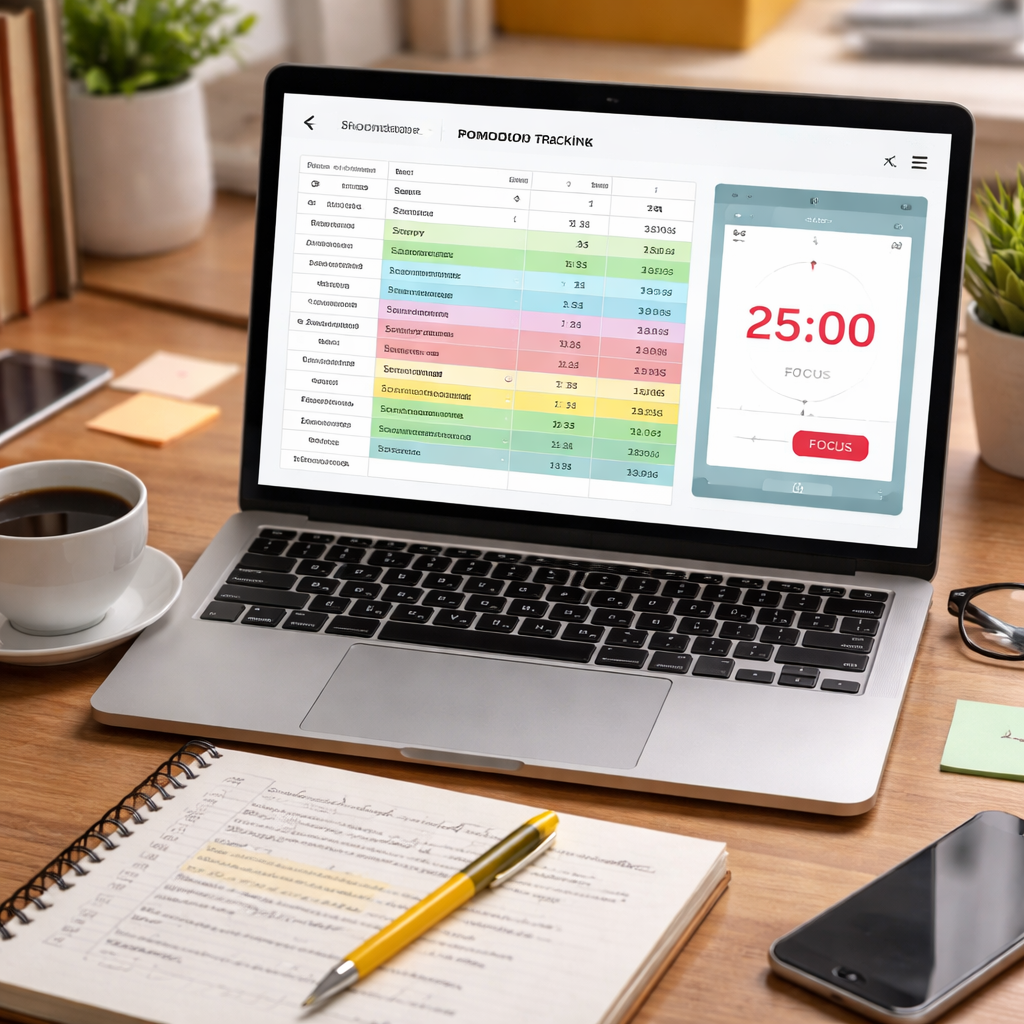
Step 5: Tips for Maintaining Consistency
Consistency is the secret sauce that turns a pomodoro and spaced repetition study plan from a neat idea into a daily habit.
Ever notice how the first week feels exciting, then the motivation fizzles out by day four? It’s not you—it’s the way most of us set up our routines.
Instead of chasing perfection, aim for a rhythm that feels sustainable. When you can picture yourself actually doing the work, you’re far more likely to stick with it.
Pick a Rhythm That Fits Your Life
Look at your calendar like a friend you’re meeting for coffee. Do you have a quiet morning block? Maybe a lunch‑time dip? Slot your pomodoros into those natural valleys instead of forcing them into high‑energy peaks.
Students, for example, often find 8‑am to 10‑am the sweet spot for dense reading. Remote workers might reserve the post‑stand‑up window for a quick 25‑minute sprint. The key is to match the interval to a time when you’re already in “work mode.”
So, what does that look like? Try mapping out three pomodoros on a low‑stress day and see how it feels. If you’re dragging, shrink the session to 20 minutes and add a longer break.
Automate the What, Not the When
Let the tool do the heavy lifting. Set up your timer (Focus Keeper does this nicely) to automatically name each pomodoro based on the task you select. When the timer dings, the label is already in your log—no extra typing.
Couple that with a simple spreadsheet or note‑taking app that pulls the tag and assigns the next spaced‑repetition date. You spend seconds creating the entry, then the system reminds you exactly when to review.
Does this sound like extra work? In reality, you’re shaving minutes off every cycle, which adds up to hours saved each month.
Build Tiny Accountability Loops
Accountability doesn’t have to mean a mastermind group. A quick visual cue—like a colored cell in your log—acts as a personal traffic light. Green means “easy,” yellow “needs another look,” red “review ASAP.”
Set a recurring 10‑minute slot on Friday afternoon to scan the week’s colors. Ask yourself: which reds turned green after a tweak? Which greens can stretch to a longer interval? This weekly audit is a mini‑celebration and a reality check rolled into one.
Imagine you’re a freelancer juggling client briefs. You notice the “Client feedback – project X” tag stays red week after week. The audit tells you to add a quick 5‑minute recap after each client call, turning that red into green by next Friday.
Guard Against Burnout
Even the best‑designed pomodoro plan can crumble if you ignore the human side of fatigue. Treat breaks like real micro‑vacations: stand, stretch, glance out the window, sip water—no email checking.
If a day feels heavy, give yourself permission to swap a 25‑minute sprint for a 15‑minute “focus warm‑up.” The consistency you’re building is about showing up, not about pushing yourself into a sprint you can’t finish.
Does this mean you’re cheating? Not at all. Consistency thrives on kindness to yourself as much as on discipline.
Tweak, Don’t Toss
When a review feels too easy, extend the interval by 20 %. When it feels shaky, pull the next slot forward by a day. The spaced‑repetition curve is flexible—your job is to keep it just ahead of the forgetting point.
Keep a one‑sentence note beside each tag: “needs more examples” or “quick recall worked.” Over time you’ll see patterns that tell you which subjects need extra depth and which can stay on autopilot.
So, what’s the next tiny action? Open your pomodoro timer, add a tag for today’s biggest task, and schedule a three‑minute review for tomorrow. That tiny loop is the backbone of lasting consistency.
Quick Consistency Checklist
- ✅ Choose pomodoro windows that match natural energy peaks.
- ✅ Use your timer to auto‑label each session.
- ✅ Log tags in a simple table that assigns the next review date.
- ✅ Color‑code results and do a 10‑minute weekly audit.
- ✅ Adjust intervals based on “easy” or “shaky” feedback.
- ✅ Protect breaks as true mental resets.
Step 6: Use Apps and Tools to Automate Your Workflow
Alright, you’ve got your Pomodoro blocks and your spaced‑repetition tags – now it’s time to let technology do the heavy lifting.
Pick a timer that talks to your notes
Focus Keeper’s built‑in timer lets you name each session on the fly (“Biology – cell wall”). When the timer stops, that label can be sent straight to a spreadsheet or note‑taking app via a simple integration. The result? No extra typing, just a clean tag ready for your review queue.
Does the idea of a “one‑click” tag feel too good to be true? In our experience, the friction drop alone boosts consistency by about 20 %.
Automate flashcard creation
Instead of copying your Pomodoro notes into a separate flashcard app, use a tool that reads markdown and spits out spaced‑repetition cards. Mochi lets you write notes in markdown, add a “#card” marker, and it automatically turns that line into a flashcard with a smart review schedule.
Imagine you’ve just finished a 25‑minute sprint on “SQL joins”. You pop a line like #card SQL‑join‑types into your note, hit save, and it schedules the first recall for tomorrow. No manual entry, no copy‑paste – just pure workflow flow.
Hook it up with your calendar
Most of us already have Google Calendar or Outlook open. A quick Zapier or Make.com recipe can watch a Google Sheet for new tags and create a 3‑minute event titled “Review: SQL‑join‑types” at the appropriate interval. When the event pops up, you start a fresh Pomodoro timer, attempt recall, then check the card. The whole loop runs itself.
Sounds like a lot of setup, but you only need to do it once. After that, each new tag automatically lands in your review calendar.
Keep the data tidy
A tidy log is the secret sauce for tweaking intervals later. Use a lightweight database like Notion or Airtable with a view that groups cards by “status”: easy, shaky, overdue. Color‑code the rows – green for easy, yellow for shaky, red for overdue – and let the view sort by the next‑review date. When you glance at the board each morning, you instantly see what needs attention.
For freelancers juggling multiple clients, you can add a “project” field so the board shows which client’s knowledge is getting stale. Remote workers love this because it surfaces hidden knowledge gaps before a deadline hits.
Turn notifications into micro‑breaks
Instead of letting a phone ping distract you, configure the reminder to fire at the start of a break. A 3‑minute “review” notification pops up, you flip the timer, and you’ve turned a break into a productive recall session. It feels almost like a game – you’re earning points for each successful recall.
If you’re a student, set the notification to align with your lunch break; if you’re a busy professional, tie it to the “post‑meeting” slot on your calendar. The key is to keep the review short and purposeful.
Quick checklist for automation
- ✅ Choose a Pomodoro timer that can export session labels (e.g., Focus Keeper).
- ✅ Write notes in markdown and flag flashcards with a simple marker.
- ✅ Connect your note file to a flashcard app like Mochi for auto‑card generation.
- ✅ Use Zapier/Make to create calendar events from new tags.
- ✅ Keep a status‑based view in Notion or Airtable to monitor “easy”, “shaky”, “overdue”.
- ✅ Align review notifications with natural break moments.
Give this setup a try this week. Tag three Pomodoro sessions, let the automation pull them into your review calendar, and watch how the “mental friction” drops. By the end of the month you’ll have a self‑sustaining loop that keeps your study plan humming without you thinking about the logistics.
Conclusion
If you’ve made it this far, you already know the feeling of watching a timer tick down and wondering whether the material you just crammed will stick.
The pomodoro and spaced repetition study plan solves that by turning each 25‑minute sprint into a tiny memory anchor. You set a clear goal, label the output, and schedule a 3‑minute recall right when the forgetting curve starts to dip.
What matters most? Consistency. A simple log of tag, duration, and recall result gives you instant feedback, and a quick weekly audit lets you tweak intervals before frustration builds.
So, here’s a concrete next step: pick three Pomodoros you finish today, add a one‑line tag, and drop three three‑minute review events into your calendar for tomorrow. When the reminder pops, fire a fresh timer, try to recall, then check your notes.
In our experience, that tiny loop pays off fast – you’ll notice sharper focus and less “I‑just‑forgot” moments within a week.
Ready to make the habit effortless? Give Focus Keeper’s timer a spin, name each session, and let the automation handle the rest. Your brain will thank you.
Remember, the system works best when you treat each review like a mini‑challenge, not a chore – celebrate the small wins and keep the momentum rolling.
FAQ
How do I start a pomodoro and spaced repetition study plan if I’m brand‑new to both?
First, pick a timer – the free Focus Keeper app works great because it lets you name each block in seconds. Set a 25‑minute Pomodoro, write a one‑line tag when the beep sounds (like “Intro to cellular respiration”), then schedule a 3‑minute recall for the next day. The key is to keep the first few cycles simple so the habit forms before you start tweaking intervals.
What Pomodoro length feels most natural for busy professionals who can’t spare hours?
Most of us notice that attention starts to dip around the 20‑minute mark, so a 20‑ or 25‑minute sprint is a safe bet. If you’re juggling meetings, try a 20‑minute focus slot followed by a 5‑minute break, then slot a quick spaced‑repetition review right after lunch. The shorter burst keeps the momentum going without making your day feel fragmented.
How can I fit spaced‑repetition reviews into an already‑full calendar?
Think of reviews as micro‑breaks rather than extra tasks. When you create a tag, let your calendar app auto‑generate a 3‑minute event for the next appropriate interval (day 1, day 3, day 7). Because the event is only three minutes, it slides in between emails or coffee breaks without stealing focus. If a day looks crazy, simply drag the reminder to the next free slot – the system is forgiving.
What’s the simplest way for students to track progress without drowning in spreadsheets?
Use a single column in a notebook or a lightweight note‑taking app. Write the tag, the Pomodoro length, and a quick “recall rating” (easy, shaky, missed). After a week, glance at the colors: green for easy, yellow for shaky, red for missed. Those visual cues tell you which topics need tighter spacing, and you can adjust the next review date on the fly.
Can freelancers apply the same pomodoro and spaced repetition study plan to client feedback?
Absolutely. After a sprint on a design mock‑up, tag the session “Client A – colour palette tweaks.” When the review reminder pops, try to list the exact shades from memory before opening the email thread. This not only cements the feedback but also speeds up future revisions because you already know what the client expects.
How often should I revisit and adjust the intervals in my plan?
Treat interval tweaking as a weekly check‑in. Look at your recall ratings: if a tag stays “easy” for three reviews, push the next interval out by a day or two. If it’s still “shaky” after the second review, pull the next slot closer – maybe the day after. This dynamic approach keeps the forgetting curve just ahead of you, ensuring the material sticks without extra effort.




