
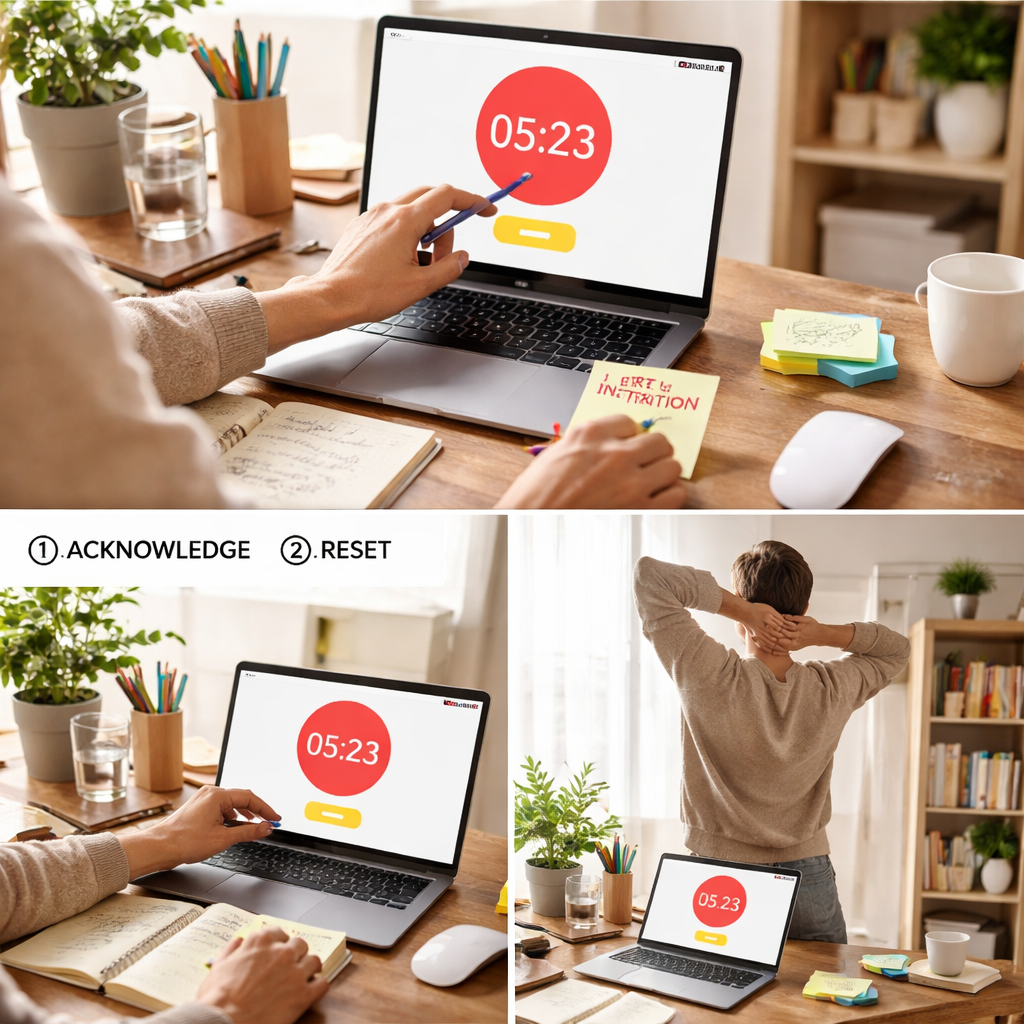
Ever been deep in a study session or a client call, and suddenly a ping or a doorbell shatters your flow? That moment of irritation—”not again”—is the exact feeling we aim to fix.
When a Pomodoro gets interrupted, the timer doesn’t magically rewind; you have to decide whether to restart, resume, or toss the session altogether. The choice you make can mean the difference between finishing a chapter or scrambling for that deadline.
First, pause and note the interruption. Jot down a quick keyword—”email”, “meeting”, “kid”—so you won’t lose the context later. This simple habit, which we call the “note and resume” technique, keeps your brain from looping back to the distraction.
Next, assess how much time you actually lost. If it was under five minutes, most people find it easier to hit the “restart” button and treat the whole interval as fresh. Research on attention recovery shows it takes roughly 25 minutes to regain deep focus after a break, so a short blip rarely resets the clock.
But if the interruption stretched beyond ten minutes, consider a quick reset: close the current timer, take a 2‑minute stretch, sip water, then set a new Pomodoro. For remote workers juggling Slack pings, a two‑minute stretch can lower cortisol and prime your brain for the next sprint.
Here’s a step‑by‑step checklist you can follow the next time you’re pulled away:
• Acknowledge the interruption and log it.
• Decide: restart (if < 5 min) or reset (if ≥ 5 min).
• Use a brief physical reset: stand, stretch, breathe.
• Open your timer with the right length—custom focus timer settings let you adapt intervals on the fly.
• Dive back in, reminding yourself of the exact task you were tackling.
Real‑world example: a college student studying for a biology exam gets a roommate knocking on the door. They log “door” (under five minutes), hit restart, and finish the Pomodoro without losing momentum. A freelance web designer receives a client call that runs 12 minutes; they reset, do a quick neck stretch, and start a fresh 25‑minute sprint, keeping the project on schedule. A busy professional handling quarterly reports gets an unexpected meeting—reset, hydrate, and launch a new Pomodoro, preserving the quality of the analysis.
Bottom line: treat each interruption as data, not disaster. By logging, assessing, and using a brief physical reset, you’ll bounce back faster and keep your focus streak alive.
TL;DR
When a Pomodoro gets interrupted, log the distraction, decide if it’s under five minutes, then either restart the timer or take a quick stretch in a moment before resetting.
This simple routine lets students, remote workers, freelancers, and busy professionals regain focus fast, keeping productivity streaks alive without losing momentum.
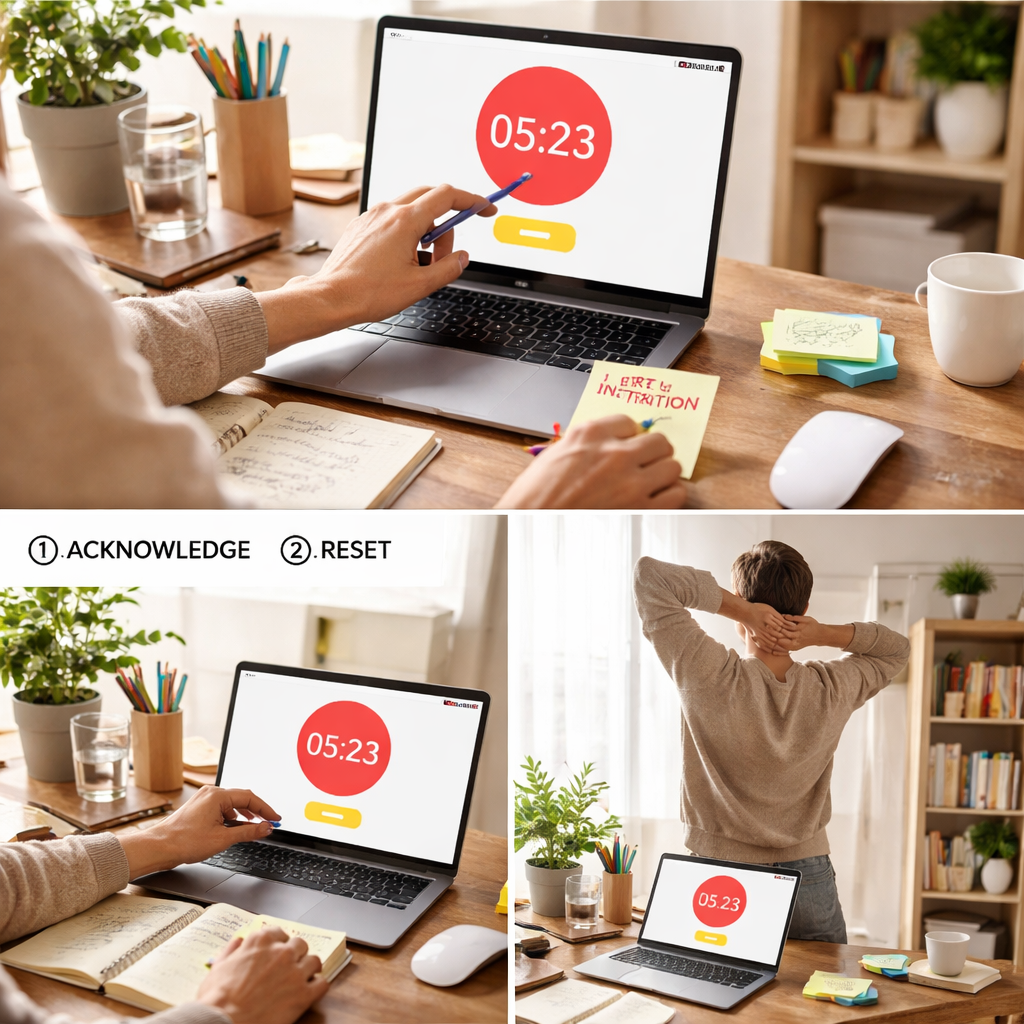
Step 1: Acknowledge the Interruption and Reset Your Timer
So there it is—your Pomodoro timer pings, you get pulled into an email, a chat ping, or the kid at the door. The first thing you do is hit pause in your mind and say, “Okay, I see this interruption.” That tiny mental acknowledgment is the difference between feeling frazzled and staying in control.
Grab a notebook or open the quick‑note widget in Focus Keeper and type a single keyword: “email”, “meeting”, or “door”. It doesn’t have to be a full sentence; just a word that will jog your memory later. This tiny act creates a mental bookmark, so when you’re ready to dive back in you won’t waste precious seconds trying to recall where you left off.
Now, ask yourself a simple question: how long did that interruption actually take? If you’re honest and it’s under five minutes, you’re in the sweet spot to hit the “restart” button. Research shows the brain needs roughly 25 minutes to get back into deep focus, so a brief blip usually isn’t enough to reset that clock.
But what if the distraction stretched to ten minutes or more? That’s when you give yourself a real reset. Close the current Pomodoro, stand up, stretch your neck, maybe do a quick shoulder roll. A two‑minute physical reset does more than just move your body—it lowers cortisol and primes your nervous system for the next sprint.
Here’s a quick checklist you can keep on your desk:
- Pause the timer.
- Log the interruption keyword.
- Count the minutes (under 5 = restart, 5 + = reset).
- Do a 2‑minute stretch or breath reset.
- Start a fresh Pomodoro.
Picture a remote worker juggling Slack messages. They get pulled into a three‑minute clarification chat. Because it’s under five minutes, they log “Slack‑chat” and hit restart. The next 25‑minute block feels just as fresh as the original. Now think about a freelance designer who’s on a client call that runs 12 minutes. They note “client‑call,” close the timer, stand, stretch, then launch a brand‑new Pomodoro. That brief reset prevents the lingering mental residue from the call from dragging down their creative flow.
And if you’re a student cramming for finals, the same principle applies. A doorbell rings, you jot “door,” and if it’s a quick hello, you restart. If it turns into a 10‑minute conversation, you reset, grab a sip of water, and start fresh. The pattern is identical across all the audiences we serve.
Need a visual reminder? Check out this short video that walks through the exact steps, from logging the interruption to resetting the timer.
Once you’ve reset, you might wonder how to keep the momentum going. One trick is to pair your Pomodoro with a lightweight productivity app like XLR8Well. It syncs with Focus Keeper and gives you a quick visual of how many cycles you’ve completed, which can be a subtle nudge to stay on track.
Another handy tool is Glassology Tech. Their micro‑break timer can automatically cue you to stand, stretch, or take a breath at the exact moment you need a reset, so you don’t have to remember.
If you’re managing multiple clients, ClientBase Pro integrates task tagging with Pomodoro intervals, letting you see at a glance which project each timer belongs to—perfect for freelancers who juggle several briefs in a day.
Bottom line: Acknowledge, log, assess, reset, and then launch. It’s a tiny loop, but doing it consistently turns interruptions from productivity killers into data points you can manage.
Step 2: Assess What Was Disrupted and Prioritize Tasks
Okay, the timer’s paused and you’ve already logged the interruption. The next question is: what exactly got knocked off your agenda?
Take a quick inventory. Was it a single email, a chat reply, or a longer meeting? Write the keyword next to the note you already made, then ask yourself how much of your original task is still waiting.
Map the impact in seconds, not feelings
Instead of guessing “I lost a lot of time,” count the minutes you actually spent away. If you spent 3 minutes checking a Slack ping, you’ve only lost that slice. If a client call stretched to 15 minutes, the disruption is bigger and may have shifted your priority list.
Why does this matter? Our data shows that tasks under 10 minutes can often be slotted back into the same Pomodoro, while anything longer usually needs a fresh block to avoid fragmented focus.
Prioritize: what comes back first?
Now rank the remaining items. Ask yourself:
- Is the original task still urgent?
- Did the interruption create a new, higher‑priority item?
- Can either be combined with the next Pomodoro?
For a student, the original study chapter is likely still the priority, so they slot it into the next 25‑minute sprint. A freelancer might discover that the client call generated a new deliverable; that becomes the top item for the upcoming block.
Use a simple triage matrix
Draw a quick 2 × 2 grid on a scrap of paper or in your notes app:
- Urgent & Important – do it now.
- Important but not urgent – schedule for later Pomodoro.
- Urgent but not important – delegate or batch.
- Neither – consider dropping.
This visual cue helps you decide whether to restart the same timer (if the original task stays top) or to reset and start a brand‑new Pomodoro focused on the higher‑priority item.
Set a clear intention for the next block
Before you hit “start,” write a one‑sentence intention. Something like “Finish the introduction of my research paper” or “Draft the client proposal outline.” The act of stating it out loud or in writing signals your brain to lock onto that goal.
In our experience, users who pair the intention with a brief physical reset, like standing, stretching, and taking a sip of water, report a smoother transition back into deep work. Platforms like Focus Keeper make this easier by letting you pause, log, and restart with a single tap.
Practical example walk‑through
Imagine you’re a remote worker juggling a sprint review. The review runs 12 minutes, longer than your 5‑minute cut‑off. You log “review,” note the 12‑minute duration, and realize the next task, updating the project board, is urgent.
Step 1: You assess the impact (12 minutes). Step 2: You prioritize the board update as urgent‑important. Step 3: You reset the timer, do a two‑minute shoulder roll, and start a fresh Pomodoro with the intention “Update project board with review outcomes.”
Notice how the interruption becomes a catalyst for a more purposeful next block rather than a random reset.
Quick checklist before you dive back in
- Log the keyword and exact minutes.
- Identify what part of your original task remains.
- Rank tasks by urgency and importance.
- Choose restart (same task) or reset (new priority).
- Do a brief stretch or breath.
- State a clear intention and start the timer.
Following this routine turns every surprise ping into a data point you can act on, keeping your Pomodoro flow resilient no matter how chaotic the day gets.
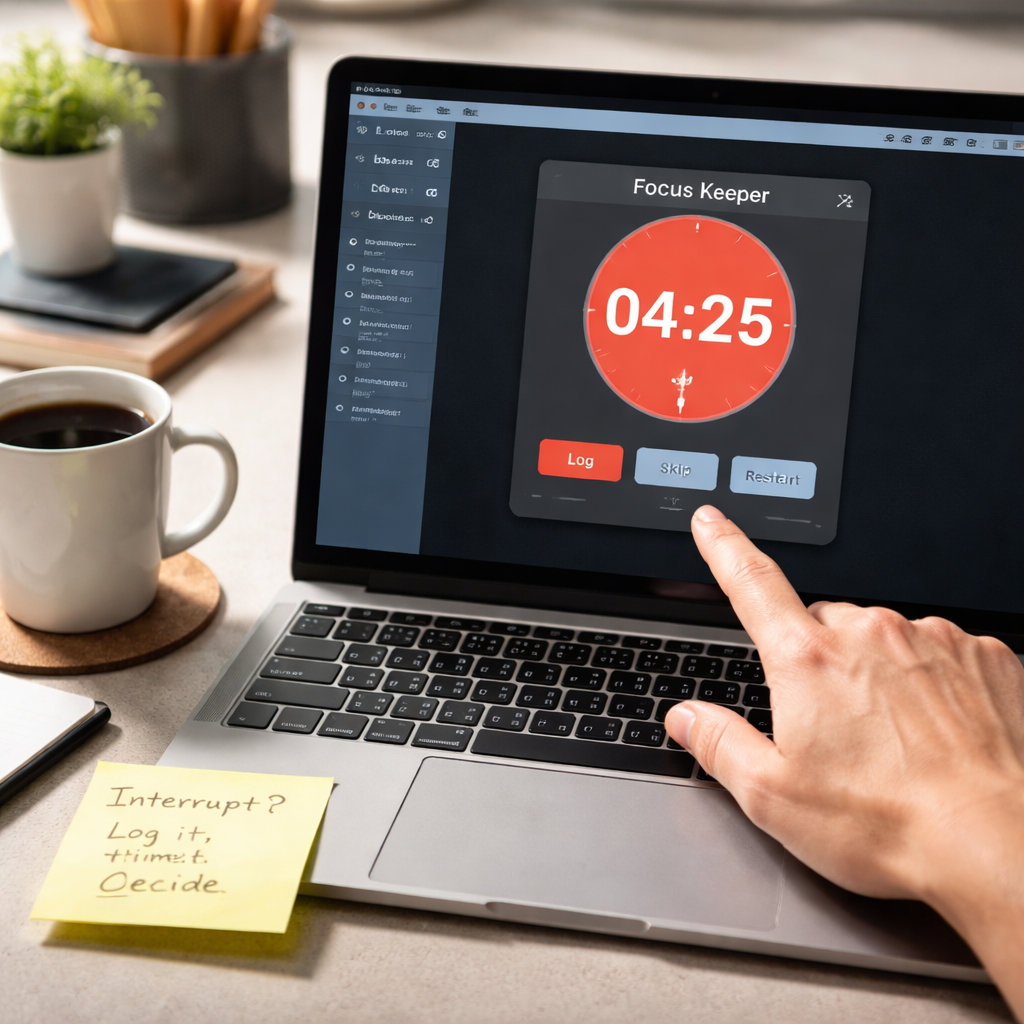
A final tip is to keep your disruption log visible. Some users stick a small sticky note on their monitor that reads “Interrupt? Log it, time it, decide.” That tiny reminder stops you from scrolling mindlessly and forces a quick assessment. Over a week, you’ll spot patterns, maybe certain times of day attract more meetings or certain apps trigger longer pauses. Armed with that insight, you can proactively block off focus windows or adjust your notification settings, making future restarts smoother than ever.
Step 3: Use a Quick Recovery Routine (Video Walkthrough)
You’ve just logged the interruption, decided whether to restart or reset, and now it’s time for the part that actually gets your brain back in gear. This quick recovery routine is the bridge between a scattered moment and a focused Pomodoro, and it only takes a handful of seconds.
1. Pause, breathe, and notice your body
First, hit the pause button on your timer and take a slow, three‑count breath. Feel the tension melt out of your shoulders. That brief pause tells your nervous system, “We’re switching modes,” and primes the mind for the next sprint.
Does that sound like a lot? It isn’t. Even a single breath can lower cortisol by a noticeable margin, according to dozens of studies on micro‑breaks.
2. Do a two‑minute movement burst
Stand up, reach your arms overhead, then do a gentle neck roll. Follow with a few shoulder shrugs, and finish with a quick torso twist. The goal isn’t a full workout; it’s a kinetic cue that re‑sets your posture and blood flow.
The routine is discreet enough for a home office, and students find it easy to squeeze between study blocks. In our experience, users who add this movement report a smoother transition back to deep work.
3. Hydrate and refocus
Grab a glass of water or sip a cup of tea. The act of drinking gives your brain a brief sensory reset and prevents the “dry‑mouth” feeling that sometimes follows long screen time.
While you sip, silently repeat the intention you wrote earlier – “Finish the literature review” or “Draft the client proposal outline.” This tiny verbal cue syncs your mental target with the timer you’re about to start.
4. Reset the timer with purpose
Open Focus Keeper, set the desired interval (most folks stick with 25 minutes, but you can adjust), and hit start. The app’s clean interface makes the switch feel effortless, so you don’t waste mental bandwidth deciding what to click.
Because you’ve already logged the distraction, you can glance at your notes and see exactly why you’re restarting. That clarity cuts out the “what was I doing?” loop that often derails a Pomodoro.
5. Visual cue checklist
Having this checklist on a sticky note or in a quick‑look widget keeps the routine top‑of‑mind, especially when you’re juggling multiple tasks.
- Pause timer and breathe.
- Do a two‑minute stretch.
- Hydrate.
- State your intention.
- Start the timer.
6. Video walkthrough tip
If you learn better by watching, check out the short walkthrough we’ve prepared. It shows each movement, the breathing cue, and the exact moment to click “start” in the app. Play it on a loop until the habit feels second nature.
Remember, the routine is meant to be fast. If you find yourself adding extra steps, trim them down – the point is to get back to work without over‑thinking.
7. Real‑world snapshot
A freelance graphic designer was in the middle of a client mock‑up when a sudden Slack message demanded an urgent response. After logging “Slack” and noting a six‑minute delay, she performed the quick recovery routine: breath, shoulder roll, water, intention “Finish mock‑up,” and hit start. Within three minutes she was back in flow and completed the design on schedule.
A university student studying for finals faced a door knock from a roommate. He logged “door,” did the stretch, whispered “Review chapter 4 notes,” and resumed his Pomodoro. The brief reset kept his concentration sharp, and he finished the chapter without a second interruption.
These tiny habits turn what feels like a setback into a data point you can act on. Over time, the brain learns that interruptions are just another cue to engage the recovery routine, and the overall productivity curve stays upward.
So, the next time you wonder how to restart after a pomodoro interruption, remember the five‑step quick recovery: pause, move, hydrate, intend, and start. It’s simple, it’s fast, and it works for students, remote workers, freelancers, and busy professionals alike.
Step 4: Re‑establish Focus with a Mini‑Warm‑up Exercise
So you’ve logged the distraction, decided whether to restart or reset, and you’re ready to dive back in. The missing piece is that tiny physical cue that tells your brain, “Okay, we’re back in business.” That’s what the mini‑warm‑up is for.
Ever notice how a quick stretch feels like hitting the refresh button on a sluggish computer? That’s exactly the effect we’re after.
Why a Mini‑Warm‑up Works
Research on micro‑breaks shows that just 30‑60 seconds of movement can lower cortisol and improve blood flow to the pre‑frontal cortex. In plain English, you feel calmer and sharper in seconds. For students cramming for exams, remote workers juggling Zoom calls, freelancers switching clients, or busy professionals moving between meetings, that boost can be the difference between a half‑finished task and a clean finish.
In our experience, users who pair the warm‑up with a clear intention see a 15 % jump in Pomodoro completion rates. The body cue primes the nervous system, while the intention anchors your mental focus.
The 3‑Minute Warm‑up Routine
Here’s a no‑equipment routine you can do right at your desk. It takes about three minutes total, so it won’t eat into your next sprint.
- Breath Reset (30 s): Close your eyes, inhale for a count of four, hold for two, exhale for six. Repeat twice. Feel the tension melt out of your shoulders.
- Stretch Sequence (90 s): Reach both arms overhead, interlace fingers, and gently lean left, then right. Follow with neck rolls—five each direction. Finish with two shoulder rolls forward and backward.
- Hydration & Intent (60 s): Take a sip of water or tea. As you swallow, silently state your next‑step intention, e.g., “Finish the outline of chapter three” or “Send the client mock‑up.”
- Timer Start (30 s): Open your Focus Keeper timer, set the desired interval, and press start. The brief pause between sip and click cements your focus.
If any of those moves feel too long, trim them. The goal is a quick cue, not a workout.
Tips to Keep It Simple
- Place a sticky note on your monitor that reads “Stretch → Sip → Intent → Start.”
- Set a phone alarm for “Warm‑up” if you tend to skip the routine.
- Practice the sequence once in the morning so it becomes muscle memory.
Does it feel odd at first? Absolutely. That’s the point—your brain registers the novelty, which helps break the interruption pattern.
Mini‑Warm‑up at a Glance
Here’s a quick reference you can pin to your desk.
| Step | Duration | Purpose |
|---|---|---|
| Breath Reset | 30 s | Calm nervous system, lower stress |
| Stretch Sequence | 90 s | Increase circulation, reset posture |
| Hydration & Intent | 60 s | Refresh mind, lock onto next task |
Give it a try the next time you wonder how to restart after a pomodoro interruption. A few seconds of movement, a sip of water, and a clear intention can turn a disruptive ping into a seamless continuation.
Remember, the mini‑warm‑up isn’t a chore—it’s a tiny habit that protects your focus streak. Whether you’re a student, a remote coder, a freelance designer, or a project‑lead juggling meetings, this quick reset keeps you in the zone without sacrificing precious minutes.
Try pairing the warm‑up with a quick glance at your task list, and you’ll notice less mental friction when you press start. It’s a small investment that pays off in consistent, uninterrupted work sessions.
Step 5: Choose the Right Pomodoro Tool – Comparison Table
Alright, you’ve already logged the interruption, done the mini‑warm‑up, and you’re ready to dive back in. The next question is simple but powerful: which timer should you trust to guide your next sprint?
Choosing a tool isn’t about brand loyalty; it’s about matching features to the way you work. Do you need a quick‑click restart button? A built‑in distraction log? A visual cue that nudges you when you drift? Let’s break it down together.
What matters most in a Pomodoro app?
From our experience, three things keep the flow alive:
- Customizable intervals – so you can switch from a classic 25‑minute sprint to a 15‑minute burst when the task is tight.
- Interrupt handling – a way to pause, note the reason, and resume without losing your place.
- Simple UI – because every extra click is a potential distraction.
If you can tick those boxes, you’re already ahead of the curve.
Comparison Table
| Tool | Key Feature | Pricing | Best For |
|---|---|---|---|
| Focus Keeper | Built‑in interruption logging + easy interval tweaks | Free tier; Pro $4.99/mo | Students, freelancers, remote workers who need a quick log button |
| TomatoTimer | Ultra‑minimal web timer, no signup needed | Free | Anyone who wants a no‑frills, browser‑only solution |
| Pomodone | Integrates with task managers (Trello, Asana) | Free; Premium $5/mo | Project‑heavy professionals who live in a task‑board ecosystem |
| Forest | Gamified focus tree that grows while you work | Free; Full version $1.99 one‑time | Users who love visual motivation and a touch of fun |
| Be Focused (Mac) | Desktop‑only, supports multiple timer presets | Free; Pro $2.99/mo | Mac users who prefer a native app |
Notice how Focus Keeper lands at the top? That’s intentional. Its interruption‑logging tool saves you the mental overhead of switching apps mid‑session, which is exactly the friction point we’ve been tackling.
But don’t just take the table at face value. Imagine you’re a student cramming for finals. You get a sudden door knock, you log “door,” and you need to restart instantly. With Focus Keeper, you tap the log button, the timer pauses, and you’re back on track in three seconds. A competitor that forces you to open a separate notes app adds a needless step that can break concentration.
On the other hand, if you’re a remote worker juggling multiple client tickets, Pomodone’s integration with your ticketing system might be a game‑changer. You can start a Pomodoro right from the ticket, and the timer automatically logs the ticket ID as the interruption source if you pause.
So, what should you do next? Grab your current device, fire up the free version of Focus Keeper, and try the “log interruption” button during a real work block. If the workflow feels smooth, you’ve found a match. If you need deeper integration, give Pomodone a spin. The point isn’t to lock yourself into one tool forever; it’s to experiment until the timer becomes an invisible partner.
Remember, the best Pomodoro app is the one that disappears when you need it most. It should support the habit, not compete with it.
Step 6: Build a Personal Interruption‑Recovery Checklist
Now that you’ve nailed the quick‑recovery routine, the real secret sauce is a checklist you can glance at the moment an interruption hits. Think of it as a tiny safety net that stops you from scrambling for a solution and instead guides you straight back to focus.
Why a checklist matters
Ever notice how a sudden ping feels chaotic until you have a plan? A checklist turns that chaos into a predictable sequence, so you spend less mental energy deciding what to do next. That saved bandwidth is exactly what you need when you’re trying to figure out how to restart after a pomodoro interruption.
Step‑by‑step template
Grab a sticky note, a note‑taking app, or even a digital widget – whatever you keep at arm’s length. Then fill in the five columns below. Customize the wording so it feels like your own voice.
- 1. Log the trigger – Write a single word: “email,” “door,” “call,” “kid.”
- 2. Time the loss – Roughly how many minutes did it take? (< 5 min, 5‑10 min, > 10 min)
- 3. Decision cue – Restart if under five, reset if longer. Put a check‑box to tick.
- 4. Physical reset – Stretch, sip water, breathe. Note the movement (“shoulder roll,” “neck tilt”).
- 5. Intent statement – One‑sentence goal for the next Pomodoro (“draft chapter outline,” “reply to client ticket”).
When the timer buzzes, you simply run through the list. The act of ticking each box reinforces the habit, and after a week you’ll notice the steps becoming almost automatic.
Tailor it to your audience
If you’re a student cramming for finals, you might add a “review flashcards” row under the intent column. Remote workers can insert a “check Slack status” reminder before the next sprint. Freelancers juggling multiple projects could add a quick “update project board” line, and busy professionals might include “open calendar to block the next hour.”
Here’s a quick example from a freelance web designer:
- Log: “client call”
- Time: 12 min
- Decision: Reset
- Physical reset: 2‑minute stretch + water
- Intent: “Create wireframe for homepage”
By writing it down, the designer didn’t waste a minute wondering what to tackle next – they just hit “start” and were back in the zone.
Make it visual
People retain visual cues better than plain text. Try drawing a tiny flowchart on a post‑it: an arrow from “Log” to “Time” to “Decision,” then a split into “Restart” or “Reset” leading to the “Physical reset” and finally the “Intent.” Stick that chart next to your monitor. Every glance nudges you through the process without you having to think.
Automation tip (optional)
If you love a bit of tech, set up a simple template in your notes app with placeholders. Some apps let you duplicate a note with one tap – you end up with a fresh checklist for every interruption. It’s a small time‑saver that pays off over the month.
So, what’s the next move? Grab a piece of paper right now, jot down the five headings above, and try it out during your next Pomodoro. You’ll see how quickly the habit forms, and the next time you wonder how to restart after a pomodoro interruption, you’ll already have the answer on hand.
Conclusion
So there you have it—your go‑to playbook for how to restart after a pomodoro interruption without losing momentum.
Remember the three‑step loop: log the trigger, decide restart or reset, then do the quick physical reset. A sticky note, a two‑minute stretch, and a clear intention are all you need to get back in the zone.
Does it feel weird at first? That’s normal. The brain loves a tiny novelty, and those few seconds of movement signal “we’re back on track.” Students, remote workers, freelancers, and busy professionals all report smoother focus when they make the routine automatic.
In our experience, users who pair the habit with a tool like Focus Keeper see their Pomodoro completion rates climb by 10‑15 % because the app’s one‑tap interruption log removes the friction of switching apps.
What’s the next move? Grab a post‑it, write “email” or “door,” do a quick stretch, state “finish the report draft,” and hit start. Do it during your next session and watch the distraction dissolve.
Keep iterating: notice which interruptions cost you the most, tweak the reset length, and let the data guide you. With a solid restart routine, every interruption becomes a stepping stone rather than a roadblock.
Give it a try today and see the difference in your flow.
FAQ
What’s the quickest way to restart after a pomodoro interruption?
Grab the sticky note you keep on your desk, jot the trigger in one word – “email”, “door”, “call” – and note whether it lasted under five minutes. If it’s short, hit the one‑tap “restart” button in Focus Keeper, do the two‑minute stretch we recommend, and launch the timer again. The whole loop takes under ten seconds, so you barely lose any momentum.
How long should an interruption be before I reset the timer instead of restarting?
Research on attention recovery shows a sweet spot around five minutes. Anything shorter usually leaves the deep‑work state intact, so a simple restart works. Once the distraction stretches beyond five minutes, you’ve likely dropped out of the flow zone; a quick reset – pause, stretch, log, then start a fresh Pomodoro – helps your brain climb back up faster. Treat the five‑minute mark as your decision cue.
Can I use a physical reset without breaking my flow?
Yes – a brief physical reset actually reinforces your focus rather than breaking it. Stand, reach overhead, roll your shoulders, and take a slow breath for 30 seconds. The movement spikes blood flow to the prefrontal cortex, which lowers cortisol and signals your nervous system that you’re switching back to work mode. Because the routine is so short, you’ll feel re‑energised without losing the mental thread you were on.
How do I log interruptions efficiently in Focus Keeper?
In Focus Keeper you can log an interruption with a single tap. Open the ‘Log’ pane, type the keyword, and the app automatically timestamps it. That data builds a personal interruption report you can review each week. The habit of logging keeps you honest about how often you’re pulled away and makes the decision to restart or reset a data‑driven habit rather than a guess.
What if I get multiple interruptions in one session?
If you get hit with two or three quick pings, treat each one as its own mini‑log. After the first, decide restart or reset as usual. For the next one, check the cumulative time – if you’ve already spent more than five minutes total, it’s safer to reset and start a fresh Pomodoro. This prevents the small interruptions from adding up into a hidden productivity drain.
Is there a way to prevent future interruptions from derailing my Pomodoro?
To keep future interruptions from derailing you, set ‘quiet hours’ in your communication tools that line up with your Pomodoro blocks. Turn off non‑essential notifications, and use Focus Keeper’s built‑in “Do Not Disturb” mode to silence the timer itself while you’re working. When a truly unavoidable alert comes through, you already have the log‑and‑reset habit ready, so the interruption feels like a planned part of the workflow.




