
Trying to get work done can feel like a battle these days, right? With so many things pulling at our attention, it’s easy to get sidetracked. That’s where the Pomodoro Technique comes in handy. It’s a simple way to break down your work into focused chunks, with built-in breaks to keep you from burning out. To help you make the most of this method, we’ve checked out some of the best pomodoro timer desktop apps out there. These tools can really help you stay on track and get more done without feeling overwhelmed.
Key Takeaways
- Paymo Track offers a solid pomodoro timer within a larger project management system, good for keeping everything in one place.
- Focus Keeper is a good choice for students, with a visual timer and goal setting that makes time management feel more engaging.
- Pomofocus provides a straightforward, customizable pomodoro timer that works right in your browser, perfect for quick focus sessions.
- Focus To-Do combines a pomodoro timer with task management and reporting features, syncing across multiple devices.
- Reclaim.ai acts like an AI assistant, not just a timer, helping to protect your focus time and analyze your productivity patterns.
Paymo Track
Paymo Track isn’t strictly a standalone Pomodoro app, but rather a robust time-tracking tool that has a built-in Pomodoro feature. This makes it a great option if you’re already using Paymo for project management or need a comprehensive way to log your work hours. It’s particularly good for small businesses and teams, offering a lot of value for the price. You can easily switch to the Pomodoro mode within the Stopwatch tab and start a session linked to a specific task. The interface is pretty clean, showing you the standard 25-minute work intervals and the shorter 5-minute breaks, along with a visual indicator for the four Pomodoros before a longer break.
One thing to note is that if you stop a Pomodoro midway, the visual progress on the timer resets, but don’t worry, your time entry is still saved in your timesheets. This ensures you don’t lose track of your work, even if your focus session gets interrupted.
Paymo Track’s Pomodoro timer is a well-integrated part of its larger time-tracking system, not a separate entity. This means you get the benefits of focused work sessions combined with detailed time logging for projects.
Here’s a quick look at how the Pomodoro feature works within Paymo Track:
- Start a Pomodoro: Navigate to the Stopwatch tab and select Pomodoro mode. Click the ‘Start Pomodoro’ option next to your recent task.
- Customize Settings: You can adjust the duration of work sessions and breaks, and choose whether to have sound notifications when a session ends.
- Track Progress: The app visually displays the number of Pomodoros completed in a focus block, leading up to a longer break.
Paymo offers a free plan, with paid options starting at a reasonable $5.9 per user per month, making it an accessible choice for many. If you’re looking for a tool that combines time tracking with the Pomodoro technique, Paymo Track is definitely worth checking out. You can find out more about their time-tracking software on their website.
Focus Keeper
Focus Keeper is a pretty neat app if you’re looking for something straightforward and visually engaging to get you into the Pomodoro groove. It’s got this colorful timer wheel that makes time feel less like a ticking clock and more like a dial you’re turning. Honestly, seeing that wheel fill up is kind of satisfying, and it definitely helps you get a feel for how much time you’ve got left. It’s great for beginners or anyone who just wants a simple, no-fuss way to start using the Pomodoro Technique.
One of the things I really like is the ability to set daily goals for how many focus sessions you want to complete. It’s a small feature, but it adds a nice layer of accountability. Plus, it keeps track of your streaks, which is surprisingly motivating. You know, those little visual cues can make a big difference when you’re trying to build a habit.
Customization is decent too. You can tweak themes, sounds, and alarm levels, so it doesn’t feel too repetitive. The free version gives you charts for the past three days, which is enough to see if you’re on track. If you want more historical data, the Pro version offers a more complete view of your stats, along with some premium ticking sounds that are supposed to help with focus or relaxation. It’s a solid choice for anyone who wants a friendly, visual approach to time management, and it really does make productivity feel simple and approachable. It’s been called a life saver by some users, which is pretty high praise.
The app’s design is intentionally simple, avoiding overwhelming menus or complex settings. This focus on ease of use means you can jump right into your work without getting sidetracked by the tool itself. It’s all about making the Pomodoro Technique accessible and encouraging.
Pomodor
Pomodor is a web-based timer that really nails the simplicity of the Pomodoro Technique. If you’re just dipping your toes into time management methods or only need a timer now and then, this is a solid choice. It’s got a clean look, and you don’t need to install anything, which is pretty handy. You just head to the site, hit play, and it starts cycling through work and break times.
What’s cool is that you can actually tweak the lengths of your work sessions and breaks, plus decide how many cycles you want before a longer pause. This means you can make it fit your own rhythm, not the other way around.
Here’s a quick look at its setup:
- Work Interval: Customizable duration.
- Short Break: Adjustable length.
- Long Break: Set how long it should be.
- Cycles: Define how many work intervals before a long break.
It’s free to use, though they do suggest donations if you find it helpful.
Pomodor is perfect for those who want a straightforward, no-fuss timer. It gets the job done without a lot of extra bells and whistles, making it easy to just start working.
Pomofocus
Pomofocus is a web-based Pomodoro timer that’s pretty straightforward. It’s designed to help you zero in on whatever task is in front of you, whether that’s writing code, studying for a test, or just getting through a pile of emails. It’s built around the classic Pomodoro Technique, which means you work in focused bursts, usually 25 minutes, followed by short breaks. This helps break down big tasks into manageable chunks.
One of the cool things about Pomofocus is how customizable it is. You can add your tasks right into the app, estimate how many Pomodoros each might take, and then track your progress. If you find yourself doing the same tasks often, you can save them as templates to quickly add them later. It also gives you visual reports so you can see how you’re spending your focus time each day, week, or month. It’s a simple way to get a handle on your work habits.
There’s a free plan that works well for most people, but if you want to get rid of ads or add projects for better organization, there’s a premium option. It’s a solid choice if you’re looking for a no-fuss way to implement the Pomodoro Technique without a lot of extra bells and whistles. It’s a tool that’s been around for a while, and it’s still a good option for anyone wanting to try out time management methods.
Pomofocus offers a clean interface that lets you concentrate on the work itself. It avoids overwhelming users with too many features, focusing instead on the core functionality of the Pomodoro Technique. This makes it accessible for beginners and effective for those who appreciate simplicity in their productivity tools.
Focus To-Do
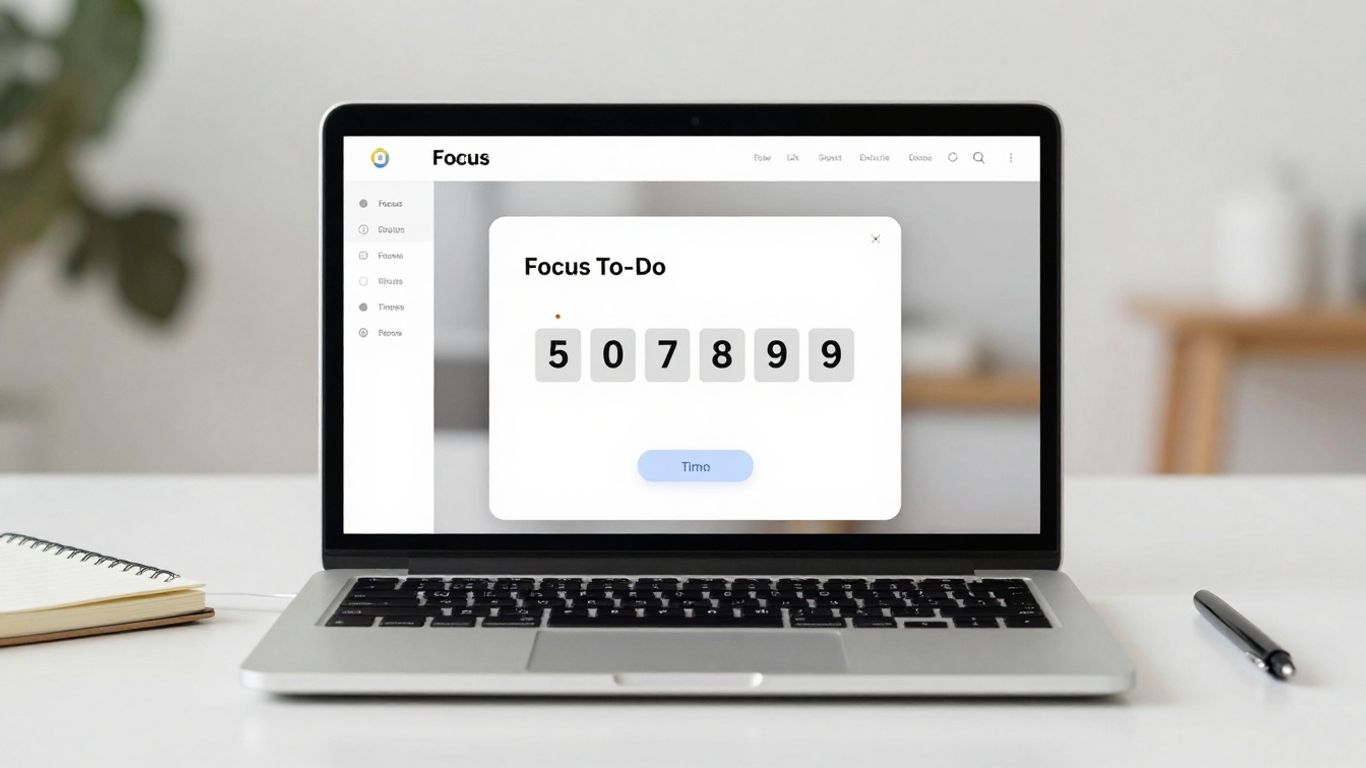
Focus To-Do really stands out because it’s not just a timer; it’s a full-blown task manager rolled into one. If you’re someone who likes to see your progress laid out, this app is probably for you. It combines the Pomodoro Technique with a to-do list, so you can organize your tasks, set reminders, and then actually time yourself working on them. It’s pretty neat how it all fits together.
One of the best things is how it syncs across all your devices. So, whether you’re on your phone, tablet, or computer, your tasks and timers are right there. This makes it super easy to keep track of things no matter where you are. They’ve also put in a lot of effort to give you detailed reports on how you’re spending your time. You can see how many tasks you’ve completed and how much focus time you’ve logged, which can be really motivating.
Here’s a quick look at what you get:
- Pomodoro Timer: Customizable work and break lengths, with options to pause, resume, or skip breaks. It even has a continuous mode if you don’t want interruptions.
- Task Management: Organize tasks, create sub-tasks, set priorities, and add notes. It also handles recurring tasks, which is great for habits.
- Reporting & Analytics: Detailed stats on completed tasks, time spent on projects, and trends over time. You can even see a Gantt chart of your focus time.
- Cross-Platform Sync: Works on iOS, Android, Windows, Mac, and more, keeping everything updated everywhere.
The app aims to reduce procrastination and anxiety by providing a structured way to work and track your accomplishments. It’s designed to help you focus on what matters and get more done without feeling overwhelmed.
It’s a solid choice if you want a tool that handles both your time management and your to-do list in one place. You can check out other Pomodoro apps for students to see how it compares.
Reclaim.ai
Reclaim.ai is a bit different from your typical Pomodoro timer. It acts more like an AI assistant that actively defends your focus time. Instead of just a simple countdown, it integrates with your calendar and can automatically schedule blocks of time for focused work, even defending those slots against meetings. It syncs with Slack too, so it can automatically set your status to ‘focusing’ when a Pomodoro session starts, cutting down on interruptions.
It’s got a really nice design that feels motivating, and it offers some pretty deep analytics. You can track your Pomodoros, breaks, tasks, and see your streaks and averages. This helps you figure out your own productivity patterns.
Here’s what you can expect:
- AI-powered focus time scheduling: Automatically blocks out time in your calendar for deep work.
- Distraction blocking: Syncs with Slack to set your status and minimize interruptions.
- Detailed performance analytics: Track your habits and understand your productivity rhythm.
- Customizable intervals: Set your Pomodoro and break lengths to fit your needs.
While Reclaim.ai offers a free version that’s quite capable, its real power comes when you pair it with its AI calendar features. It’s designed for people who want their tools to work proactively to protect their time, not just passively count it down.
Toggl Track
Toggl Track is a bit of a powerhouse, especially if you’re already deep into time tracking or need to keep a close eye on billable hours. It’s not just a simple timer; it’s a full-fledged time-tracking suite that happens to have a Pomodoro mode built-in. This means every Pomodoro session you complete can be automatically logged and linked to your timesheets and reports. For freelancers or teams who really need to account for every minute, this is a pretty big deal.
What’s cool is how it ties your focus sessions directly into your project logs. You can see exactly where your time is going across different tasks, which feels pretty smooth. If you’re someone who needs structure and data to back up your work, Toggl Track really shines. It plays nice with other tools like Asana and Notion, too, making it a solid choice for professional use.
However, if you’re just looking for a basic timer to help you focus for 25 minutes at a time, Toggl Track might feel like a bit much. The Pomodoro feature is tucked away in the settings, and the whole system can seem a little heavy if you don’t plan on using its extensive time-tracking capabilities. It’s definitely more geared towards those who value detailed analytics and reporting.
- Integrates with Toggl’s other time-tracking and invoicing tools.
- Pomodoro timer is a secondary feature but works well.
- Sessions link directly to time logs and reports for detailed tracking.
- Offers deep analytics and reporting options.
- Cross-platform sync available across browser, desktop, and mobile apps.
If you’re already using Toggl Track for its robust time-tracking features, adding the Pomodoro timer is a natural fit. It turns your focus sessions into trackable data, which is invaluable for billing and productivity analysis. But if time tracking isn’t your main goal, simpler options might be a better starting point.
Momentum Pro
Momentum Pro is a bit different from the other apps we’ve looked at. Instead of being a standalone application, it’s a Chrome extension that changes your new tab page into something more useful. When you open a new tab, you’re greeted with a clean dashboard that can show you the weather, a nice background image, and importantly, a place to jot down your daily intention or to-do list. It’s all about making that first moment of opening your browser a productive one.
While it doesn’t have a built-in Pomodoro timer like some dedicated apps, many users find that the visual appeal and the focus field help them stay on track. You can customize it quite a bit, adding your own pictures and quotes, which can make it feel more personal and motivating. It’s a nice way to keep your goals front and center without being overly complicated. It’s a popular choice for those who appreciate a clean and simple interface.
It’s worth noting that Momentum Pro is more about setting a positive tone for your browsing session than strict time management. It lacks features like detailed time tracking for specific tasks, which might be a dealbreaker for some. However, for those who want a visually pleasing start to their work and a gentle nudge towards their goals, it’s a solid option.
Here’s a quick look at its pricing:
| Plan | Cost |
|---|---|
| Free | Limited |
| Pro | $3.33/month |
The free version limits you to one-hour Pomodoro cycles, which might be enough for casual users but could feel restrictive for those who really want to dive deep into the technique.
Focus Booster
Focus Booster is an interesting option, especially if you’re a freelancer or run a small agency. It’s built with time tracking for clients in mind, which is a pretty neat feature not found in many other Pomodoro apps. You can assign your focus sessions to specific clients, and everything gets logged automatically into a timesheet. This makes invoicing a whole lot simpler at the end of the month.
It also gives you a good look at how you’re spending your time with its Reports Dashboard. You can see stats on profitability and how much time you’re dedicating to each client. This can really help you figure out which clients are the most profitable.
One handy thing is the ability to save unfinished Pomodoro sessions and pick them up later. This is great if your work day gets interrupted or if you’re just starting out with the Pomodoro technique.
However, it feels a bit dated. The user interface isn’t the most modern, and it seems like the features haven’t changed much since 2019, while other apps have kept evolving.
Here’s a quick look at its pricing:
- Free Plan: Limited to 20 Pomodoro sessions per month.
- Paid Plans: Start at $2.99/month for 200 sessions and access to more settings.
While Focus Booster has some unique features for client-based work, its older design might be a drawback for some users looking for a more polished experience.
FocusMode by Geekbot
FocusMode by Geekbot is an interesting option if your team lives and breathes Slack. It basically hooks into your Slack account to help you signal when you’re in a focus session. When you start a timer, it can automatically set your Slack status to ‘Do Not Disturb’ and let your colleagues know you’re concentrating on something. This is pretty neat for reducing interruptions without having to manually update your status all the time.
It’s a straightforward tool, really. You set your Pomodoro intervals, and it handles the Slack integration.
- Sets Slack status to ‘Do Not Disturb’
- Notifies teammates of your focus session
- Simple to start and stop timers
However, it’s not exactly packed with features beyond this core Slack integration. If you’re looking for detailed task management or analytics within the app itself, you’ll probably want to look elsewhere. Some users find the Slack notifications themselves can be a bit distracting, which is a bit ironic for a focus app.
This tool is best suited for teams already heavily using Slack who want a simple way to communicate their focus periods without leaving the platform. It’s free to integrate, which is a nice bonus if you’re just trying it out.
Wrapping Up Your Focus Journey
So, there you have it. Finding the right Pomodoro timer app can really make a difference in how you get things done. It’s not just about the ticking clock; it’s about building a better habit for staying on track. Whether you’re a student cramming for exams, a freelancer juggling clients, or just someone trying to get through their daily to-do list, there’s an app out there for you. Give one of these a try, stick with it, and see how those focused work bursts and well-deserved breaks can help you get more done without feeling totally drained. Happy focusing!
Frequently Asked Questions
What exactly is the Pomodoro Technique?
The Pomodoro Technique is a way to manage your time by working in short bursts, usually 25 minutes long, followed by a short break of 5 minutes. After about four of these work periods, you take a longer break. It’s named after the Italian word for ‘tomato’ because the creator used a tomato-shaped kitchen timer!
Why is the Pomodoro Technique helpful?
It helps you focus by breaking down big tasks into smaller, manageable chunks. The timed intervals create a sense of urgency, and the regular breaks prevent burnout, making it easier to stay productive without feeling overwhelmed.
What makes a good Pomodoro timer app?
A great Pomodoro timer should be simple and not get in your way. It should help you stay focused without adding distractions. Good apps often have features like customizable timers, progress tracking, and maybe even calming sounds.
Can I use Pomodoro timers for more than just work?
Absolutely! Many students use it for studying, and people use it for writing, coding, or any task that requires focused attention. The key is breaking down the work and taking planned breaks.
Are there free Pomodoro timer apps available?
Yes, there are many excellent free options! Some apps offer basic features for free, while others have paid versions with more advanced tools. You can find free apps for your computer, phone, or even just use a web-based timer.
How do I choose the best Pomodoro app for me?
Think about what you need most. Do you want simple tracking, detailed reports, integrations with other tools, or a visually appealing design? Trying out a few different free apps is a great way to see which one fits your style best.




