

Freelancers bleed time every week chasing loose tasks and endless email ping pong.
A pomodoro timer for freelancers puts those minutes back where they belong in billable work.
The classic 25 minute sprint followed by a five minute break tricks your brain into a focus mode that feels like a sprint without the crash.
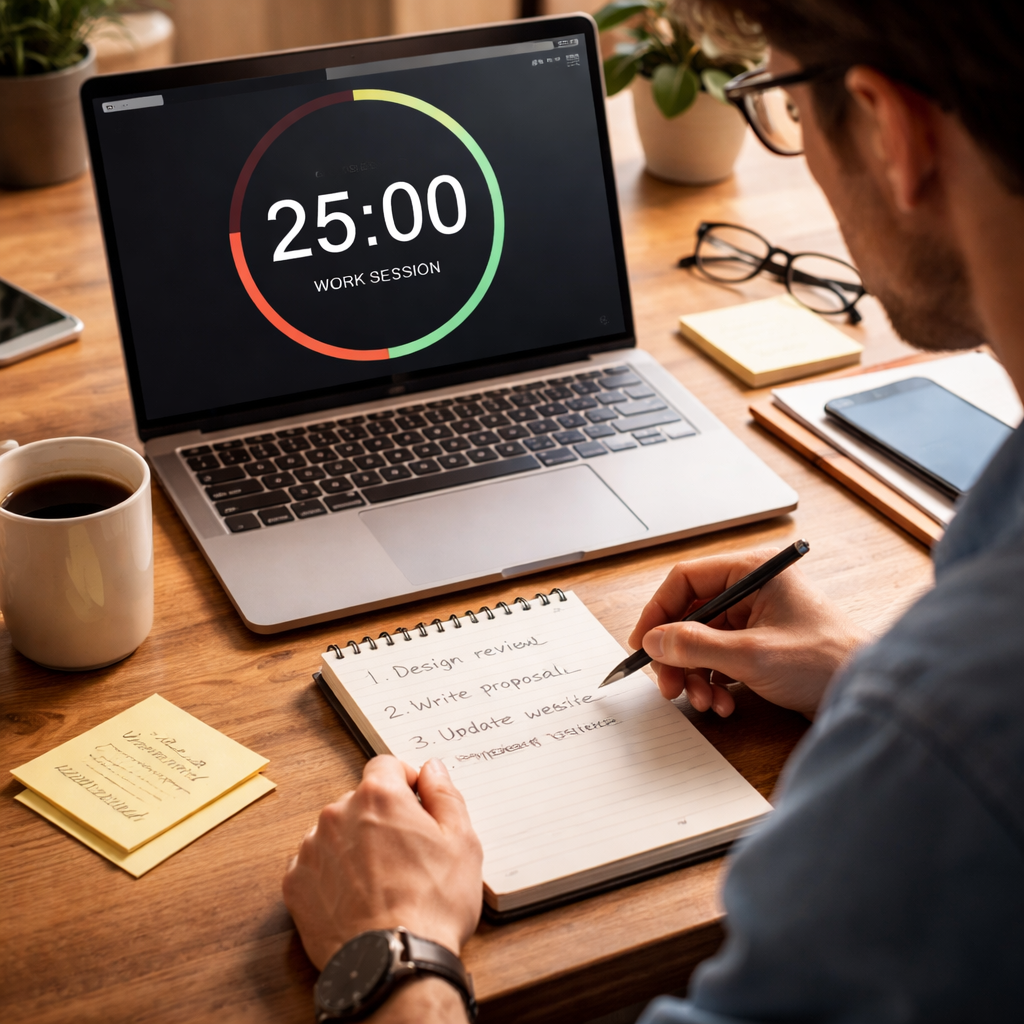
Start by listing the tasks you need to finish today. Pick the one that will move your project forward the most and set the timer. When the timer rings, note what you completed, then step away for a quick stretch or a coffee sip.
If you want a ready made plan, check out our Pomodoro Schedule for Freelancers guide that walks you through weekly blocks and billable hour tracking.
Do this for a few days and you’ll see a clear rise in how much you actually finish. The habit also helps you bill clients more accurately because each pomodoro can be logged as a work unit.
Give it a try and watch the scattered hours snap into focused bursts that grow your freelance income.
You can use any timer app, but a dedicated pomodoro tool lets you label each session, pause when a client call pops up, and review stats at week’s end. Many freelancers find that tracking the number of pomodoros per project gives a quick snapshot of effort and helps set realistic rates.
Set a reminder to log your pomodoros in a simple spreadsheet right after each break; the habit locks in the data before you forget.
Step 1: Set Up Your Pomodoro Cycle
First, decide how long each work sprint will be. Most freelancers start with 25 minutes, but you can shrink or stretch it to fit the task. The key is to pick a length you can stick to without feeling rushed.
Next, choose a timer app that lets you name each session. Focus Keeper offers a clean interface where you can label a sprint “client brief” or “design mock‑up,” then hit start. If you prefer a web‑based option, any simple timer will do.
Now set up your first cycle: work for the chosen minutes, then take a five‑minute break. During the break, stand up, stretch, or grab a coffee. Repeat the work‑break pair four times, then enjoy a longer 15‑minute pause.
After each break, jot a quick note of what you finished. A tiny spreadsheet works fine, just a column for the date, task name, and pomodoros spent. This habit keeps your billable hours visible and stops time from slipping away.
If you need a place to print your weekly schedule, check out JiffyPrintOnline. For a quick template to apply the Pomodoro method to job applications, see EchoApply. Stick to this simple cycle for a few days and watch your focus sharpen.
Step 2: Choose the Right Pomodoro Timer Tool
Now that you have a cycle, the next move is to pick a timer that fits the way you work.
1. Can you name each session?
Freelancers need to see at a glance which client a pomodoro belongs to. If the app lets you add a label – like “Blog post for Client A” – you’ll save time when you log the work later.
2. Does it sync everywhere?
Most of us hop between a laptop, a phone, maybe a tablet. A tool that updates in the cloud means you won’t lose a session just because you switched devices. Look for a simple cloud sync feature.
Imagine you’re juggling a website redesign and an invoice audit. You start the timer on your phone while on the train, then finish the sprint on your desktop at the cafe. The timer should follow you, not force you to start over.
3. Test the free version first
Many apps offer a free tier. Use it for a week. See if the sound cues are clear, if the break timer feels right, and if the UI feels calm rather than cluttered.
One reviewer noted that the Pomodoro technique can help you reach a flow state faster – PCMag explains how short bursts keep focus high. That’s a good sign the app you pick is doing its job.
4. Look for simple reports
At the end of the week you’ll want to see how many pomodoros each client got. A basic chart or list is enough – you don’t need fancy analytics. If the app gives you a quick view of total minutes per project, you’re set.
Here’s a quick checklist you can copy:
- Can you label each pomodoro?
- Syncs across phone and computer?
- Free trial available?
- Shows a simple weekly summary?
Pick the tool that checks the most boxes for you. Most freelancers find that a clean, colorful timer – like the one in Focus Keeper – does the trick, but feel free to try another if it feels more natural.

Step 3: Integrate Pomodoro with Your Project Workflow
Now that you have a timer that you trust, it’s time to stitch those bursts into the way you run a project.
Map Pomodoros to project phases
Take your project plan and break it into clear phases – research, draft, edit, deliver. Assign a label to each phase in your timer. When the timer rings, you know exactly which part of the project you just worked on.
For example, a freelance web redesign might look like:
- Research client brand: 2 pomodoros
- Wireframe layout: 3 pomodoros
- Write copy: 2 pomodoros
- Client feedback loop: 1 pomodoro
Seeing the numbers line up helps you spot bottlenecks early.
Sync labels across tools
Most freelancers juggle a task board, a calendar, and a timer. Pick one naming style – “Blog‑Post‑ClientA” or “Invoice‑Review”. Use the same name in your board and in the timer. That way a quick glance at your board tells you how many pomodoros each task has earned.
If you use a spreadsheet, add a column called “Pomodoros”. After each break, type the label and the count. Over a week you’ll have a tidy table that matches your billable hours.
Review and adjust each week
At the end of Friday, open your log. Look for patterns: a task that always needs more than the planned pomodoros, or a phase that finishes early.
Adjust the next week’s plan. Maybe move a 25 minute slot to 35 minutes for deep writing, or add an extra break after a long coding sprint.
These tiny tweaks keep the workflow fluid without breaking the rhythm.
| Workflow stage | Pomodoro action | Quick tip |
|---|---|---|
| Planning | Label each upcoming task | Use short, clear names |
| Execution | Start timer, work only on labeled task | Close other apps |
| Review | Count pomodoros, compare to estimate | Adjust next week’s slots |
By treating each pomodoro as a building block of your project, you turn vague hours into concrete progress. You’ll see where time goes, you’ll bill more accurately, and you’ll finish projects with less stress.
Give it a try on your next client sprint. Note the change. Then keep tweaking until the flow feels natural.
Step 4: Track, Review, and Optimize Your Sessions
Now the timer has done its part. It’s time to look at the numbers and see what they tell you.
Collect the data
After each pomodoro, note the label, the date, and whether you finished the task. A quick spreadsheet or a notes app works fine. The key is to capture the info before you forget.
Even a simple tally lets you spot where most of your time goes. If you’re juggling client sites, a design sprint, and invoicing, you’ll see each line add up.
Spot the patterns
At week’s end, pull the list together. Look for repeats: a writing task that always needs an extra 5 minutes, or a coding block that wraps up early.
The Pomodoro Method notes that regular reviews help keep focus sharp and cut down on wasted minutes.
Ask yourself: Which client is eating most pomodoros? Which type of work feels rushed? Those answers guide the next step.
Adjust and test
Take one tweak at a time. Maybe give writing a 30‑minute slot instead of 25, or add a short stretch break after three sprints. Record the change and see if the total pomodoros for that task go up or stay steady.
Freelancers often find that a tiny shift – like closing email tabs during a sprint – can boost the count by a whole pomodoro.
Repeat the cycle each Friday. Small fixes add up, and you’ll end each week with a clearer picture of billable time and less stress about deadlines.
Conclusion
You’ve seen how a pomodoro timer for freelancers can turn scattered minutes into focused bursts.
By logging each sprint, labeling the task, and reviewing the week, you get a clear picture of where your billable time goes.
A small tweak, like closing email tabs during a sprint or extending a writing block by five minutes, often adds a whole extra pomodoro.
Keep the cycle simple, test one change at a time, and let the data guide your next move. When you’re ready, try a tool like Focus Keeper to make labeling and tracking painless.
That’s the habit that turns busy days into steady progress and keeps your freelance income growing.
So, what’s the next step? Pick a timer, set a 25‑minute sprint, label your first client task, and start logging. In a few weeks you’ll see which projects need more focus and which can be trimmed. Stick with the rhythm and watch your productivity lift.
FAQ
What is a pomodoro timer for freelancers and why use it?
A pomodoro timer for freelancers breaks work into short bursts, usually 25 minutes, followed by a brief break. The idea is to keep focus sharp and stop distraction. When you label each burst with the client or task, you get a clear picture of where your hours go. Over time you can see which projects need more time and which can be trimmed.
How long should my pomodoro intervals be?
Most freelancers start with the classic 25‑minute work slot and a 5‑minute break. If you find 25 feels too long for a tricky task, drop it to 15 minutes and keep the break short. The key is to stay short enough that you stay fresh, but long enough to make real progress. Experiment for a week and note which length lets you finish more without feeling burnt out.
Can I track billable time with a pomodoro timer?
Yes, you can turn pomodoro sessions into billable blocks. Give each sprint a label that matches the client name or the specific task, then add the count to your invoice at the end of the week. Many freelancers charge a set rate per pomodoro, which makes billing simple and transparent. Just be sure to record the label right after the break so the data stays accurate.
What are common mistakes freelancers make with pomodoro?
One common slip is to let email or chat pop up during a sprint. That breaks the focus and adds hidden minutes. Another is to skip the break because you feel ahead of schedule; the short rest actually helps your brain stay sharp. Finally, many freelancers forget to log the session, so they lose the chance to see patterns. Keep the timer on, mute notifications, and write the label right after each break.




