
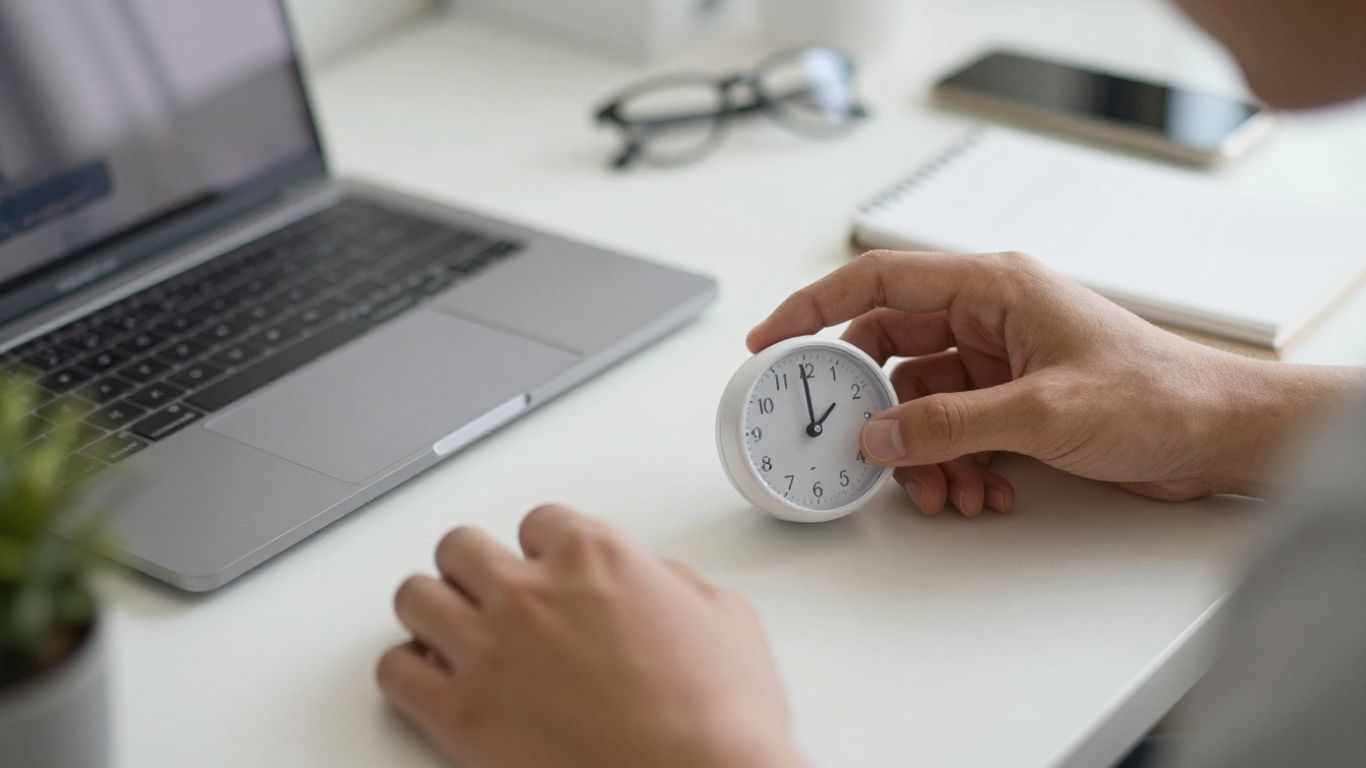
Ever feel like your to-do list is a mile long and you can’t even start? I get it. It’s easy to get sidetracked these days with everything going on. But what if I told you there’s a simple way to get more done without feeling totally drained? We’re talking about the pomodoro schedule 25 5, a method that breaks your work into focused bursts. It sounds almost too easy, right? Let’s break down how this works and what you might need to make it your own productivity superpower.
Key Takeaways
- The pomodoro schedule 25 5 involves working in focused 25-minute intervals followed by 5-minute breaks.
- This structure helps manage distractions and prevents burnout by giving your brain regular rest.
- Having the right tools, like a timer and a quiet space, can make implementing this schedule much smoother.
- Experimenting with the basic 25-5 structure might be needed to find what works best for your personal workflow.
- Consistent use of a pomodoro schedule 25 5 can lead to significant improvements in focus and overall productivity.
1. Tomato Timer
Alright, let’s talk about the humble tomato timer. You know, the classic kitchen timer that often looks like, well, a tomato? It’s a simple tool, but it’s the OG of the Pomodoro Technique. Before fancy apps and digital interfaces, people used these physical timers to mark their work and break intervals. There’s something really satisfying about the physical act of winding it up and hearing that little tick-tick-tick as your focus session progresses.
Using a physical timer like this can actually help you disconnect from your digital devices, which are often the biggest source of distractions. No notifications popping up, no temptation to quickly check social media. It’s just you, your task, and the ticking clock.
Here’s why it’s still a solid choice:
- Tangible Time Management: You can see and hear time passing, which helps build a better sense of its passage.
- Reduced Digital Distractions: Keeps you away from your phone or computer screen, where other apps might pull your attention.
- Simple and Reliable: No batteries to die, no software glitches. Just wind it and go.
While digital timers and apps offer more features, the basic tomato timer is a fantastic starting point for anyone looking to try the Pomodoro Technique. It’s straightforward, effective, and brings a bit of old-school charm to your modern workflow.
2. Kitchen Timer
Okay, so you’re diving into the Pomodoro Technique, and you need a way to keep track of those 25-minute work sprints and 5-minute breaks. While fancy apps exist, sometimes the simplest tools are the best. Think about your trusty kitchen timer. You know, the one you use for baking cookies or boiling eggs? It’s perfect for this.
These timers are usually straightforward: set it, and it rings when time’s up. No notifications, no tempting social media pop-ups, just a clear signal that your work session is over or your break has begun. It keeps things honest.
Here’s why a basic kitchen timer works well:
- Simplicity: No complicated settings or learning curves. Just twist the dial or push the buttons.
- Tangibility: Having a physical object on your desk can be a good reminder of your commitment to focused work.
- Auditory Cue: The distinct ring or beep helps break your concentration gently, signaling it’s time to switch gears.
- Distraction-Free: Unlike phone timers, it won’t tempt you with other apps or notifications.
You can even find some that have a visual countdown, which can be surprisingly helpful for seeing time tick away without constantly checking a clock. It’s a small thing, but it can make a difference in how you perceive the passage of time during your work blocks.
Whether it’s a classic wind-up model or a digital one, a kitchen timer is a solid, no-frills choice for anyone starting with Pomodoro. It gets the job done without adding any extra complexity to your workflow.
3. Headphones
Alright, let’s talk about headphones. When you’re trying to get into that deep focus zone, especially with the Pomodoro Technique, the right pair of headphones can be a total game-changer. It’s not just about blocking out noise, though that’s a big part of it. Think of them as your personal productivity bubble.
The goal is to create an environment where distractions just can’t get in.
There are a few ways headphones can help:
- Noise Cancellation: This is the big one. Whether it’s a chatty coworker, street noise, or just the hum of the fridge, active noise-cancelling headphones can really make a difference. They actively work to cancel out ambient sounds, leaving you with a quieter space to concentrate.
- Sound Masking: Sometimes, complete silence can be just as distracting. This is where ambient sounds or specific types of music come in. Think white noise, nature sounds, or instrumental tracks designed for focus. These can help mask sudden noises and create a consistent, calming background.
- Blocking Out Distractions: Even without fancy tech, a good pair of over-ear headphones can physically block out a lot of noise. It’s a simple but effective way to signal to yourself and others that you’re in focus mode.
When picking headphones for productivity, consider comfort for long wear, battery life if they’re wireless, and the type of sound they produce. Some people swear by specific playlists or apps that offer focus-oriented audio. It’s all about finding what works for your brain to stay locked in during those 25-minute sprints.
4. Post-it Notes
You know those little squares of brightly colored paper? Post-it Notes. They might seem simple, almost too simple, but they’re actually pretty handy when you’re trying to get things done, especially with the Pomodoro Technique.
They’re perfect for jotting down quick reminders or tasks that pop into your head during a focus session. Instead of letting a thought derail your 25 minutes, you can quickly scribble it down on a Post-it and get back to your work. Then, during your 5-minute break, you can decide what to do with that note – add it to your main to-do list, schedule it for later, or toss it if it’s no longer important.
Here’s how I like to use them:
- Task Capture: When a new task or idea strikes during a Pomodoro, I write it on a Post-it and stick it to the edge of my monitor. This keeps it visible but out of my immediate workspace.
- Break Reminders: Sometimes, I’ll write a quick reminder for my break on a Post-it, like “Stretch!” or “Get water.” It’s a gentle nudge to actually take that break.
- Mini To-Do Lists: For really short tasks that can be done in a break or immediately after a Pomodoro, I’ll make a tiny list on a Post-it.
Don’t underestimate the power of these small sticky squares. They act as a temporary holding zone for your thoughts, preventing them from cluttering your mind during focused work and ensuring they don’t get lost entirely.
It’s all about keeping your main workspace clear and your mind focused on the task at hand. Post-its are like little mental safety nets for your ideas.
5. Notebook
Sometimes, the best way to capture a fleeting thought or a sudden burst of inspiration is with good old-fashioned pen and paper. While digital tools are great for organizing, a physical notebook offers a different kind of focus. It’s a space free from notifications and digital clutter, allowing your mind to wander and record ideas without interruption.
Think of your notebook as a direct line from your brain to the page. It’s perfect for:
- Quickly jotting down tasks that pop into your head during a Pomodoro session.
- Sketching out ideas or mind maps when you’re brainstorming.
- Making brief notes during a call or meeting before you have a chance to transfer them elsewhere.
- Writing down reflections after a work block to see what went well.
When a thought strikes, especially during a focused work period, the instinct might be to switch apps or open a new tab. Resist that urge. A physical notebook means you can capture the idea in seconds and immediately return to your task, keeping your momentum going. It’s about minimizing context switching.
Don’t overthink it. It doesn’t need to be fancy. A simple spiral-bound notebook or a small pocket-sized one will do. The key is having it readily accessible so you can grab it the moment inspiration hits.
6. Water Bottle
Staying hydrated is surprisingly important for keeping your brain sharp and your energy levels up, especially during those focused Pomodoro sessions. Dehydration can lead to fatigue, headaches, and a general feeling of being foggy, which is the exact opposite of what we’re going for here.
Keeping a water bottle within arm’s reach is a simple yet effective way to ensure you’re getting enough fluids throughout the day. It’s way easier to take a quick sip than to get up, walk to the kitchen, pour a glass, and come back. This small act prevents interruptions to your workflow and keeps you in the zone.
Think about it:
- A full water bottle means fewer trips away from your desk.
- Sipping water can act as a mini-break, refreshing you without pulling you out of your task.
- Staying hydrated helps maintain cognitive function, so your focus stays strong.
You might think it’s just water, but consistently drinking enough can make a noticeable difference in how long you can maintain concentration. It’s a foundational element for productivity, just like the timer itself.
7. Coffee Mug
Alright, let’s talk about the humble coffee mug. It might seem like a simple item, but for many of us, it’s a key player in our productivity ritual. That first sip of coffee, or maybe a calming herbal tea, can be the signal your brain needs to shift gears. It’s more than just a vessel; it’s a prop in your focus performance.
Think about it. The act of preparing your drink, the warmth in your hands, the aroma – these sensory inputs can help create a mental boundary between your downtime and your work time. It’s a small, tangible step that says, “Okay, I’m ready to get things done.”
Here’s how your mug can support your 25/5 schedule:
- The Ritual Starter: Use your mug to initiate your work sessions. Fill it with your preferred beverage right before you start a 25-minute focus block.
- The Hydration Reminder: Keep your mug filled throughout the day. Staying hydrated is surprisingly important for concentration, and a visible mug is a constant nudge.
- The Break Companion: During your 5-minute breaks, enjoy your drink. It’s a moment to step away, reset, and recharge before the next work interval.
Some people even like to have different mugs for different moods or tasks. Maybe a sturdy, no-nonsense mug for deep work, and a more decorative one for lighter tasks. It’s all about creating those little cues that help your brain get into the right headspace. If you’re looking for a way to make your work sessions more engaging, you might even find a coffee-themed productivity tool that gamifies your focus time.
The simple act of holding a warm mug can be surprisingly grounding. It provides a moment of comfort and stability, which can be a great anchor when you’re trying to concentrate on complex tasks.
8. Desk Lamp
Alright, let’s talk about lighting. You might think a desk lamp is just a desk lamp, but when you’re trying to get into that deep focus zone, the right light makes a surprising difference. A good desk lamp can help signal to your brain that it’s time to concentrate.
Think about it: harsh overhead lights can be jarring, and too little light makes you squint and get tired faster. What you want is something that provides focused, comfortable illumination right where you need it. Many lamps these days come with adjustable brightness and even different color temperatures. You can go for a cooler, bluer light for that alert, awake feeling, or a warmer, softer light if you’re working later and want to avoid eye strain.
Here are a few things to consider when picking one out:
- Adjustability: Can you move the arm and head to direct light exactly where you want it? This is key.
- Brightness Control: Being able to dim or brighten the light is super helpful for different tasks and times of day.
- Color Temperature: Some lamps let you switch between warm and cool light. Experiment to see what works best for your focus.
- LED vs. Incandescent: LEDs are generally more energy-efficient and last longer, plus they often offer more control over brightness and color.
Sometimes, the simplest tools are the most effective. A well-placed desk lamp can transform a cluttered or dimly lit space into a dedicated work zone, helping you stay on task without feeling like you’re straining your eyes. It’s a small change that can have a big impact on your productivity.
9. Noise-Cancelling Headphones
Okay, so you’ve got your timer set, your workspace is ready, but there’s still that background hum of life – traffic outside, chatty coworkers, or even just the fridge buzzing. That’s where noise-cancelling headphones come in. They’re like a personal cone of silence for your brain.
Seriously, these things are a game-changer for deep focus. They don’t just block out sound; they actively cancel it, creating a much quieter environment for your mind to do its thing. This is super helpful when you’re trying to get into that flow state for your 25-minute work sprints.
Here’s why they’re so good for the Pomodoro technique:
- Reduces Distractions: The most obvious benefit. Less noise means fewer interruptions, letting you concentrate on the task at hand.
- Signals ‘Do Not Disturb’: Wearing headphones often signals to others that you’re busy and shouldn’t be bothered, which can be a subtle but effective way to manage interruptions.
- Creates a Consistent Environment: Whether you’re at home, in a coffee shop, or a shared office, they help create a predictable, quiet space for your work sessions.
- Improves Immersion: By cutting out external noise, you can better immerse yourself in your work, leading to higher quality output.
You might think any headphones will do, but the active noise-cancellation technology in dedicated noise-cancelling models makes a significant difference. It’s not just about volume; it’s about eliminating the distracting frequencies that pull your attention away.
Think about it: if you’re trying to write a report or code something complex, every little sound can break your concentration. Noise-cancelling headphones help maintain that focus for the full 25 minutes, making each work interval more productive.
10. Planner
Okay, so you’ve got your timer set, your focus music ready, and maybe even a comfy chair. But how do you actually decide what to focus on? That’s where a good old-fashioned planner comes in. Think of it as your personal roadmap for the day, week, or even month.
A planner helps you translate your big goals into actionable steps. Without one, it’s easy to get lost in the daily grind and forget what you’re actually working towards. It forces you to be realistic about how much time things take, which is super important.
Here’s how I use mine:
- Time Blocking: I literally schedule everything. Work sprints, breaks, even lunch. If it’s not on the calendar, it probably won’t happen. It sounds intense, but it really helps me see where my time is going.
- Prioritization: I try to identify my most important tasks for the day – usually just three. I write them down and make sure they get done first. It’s like eating your biggest frog first, you know?
- Review and Adjust: At the end of the week, I look back at my planner. What worked? What didn’t? This helps me plan better for the next week.
It’s not about filling every single minute with tasks. It’s about making conscious decisions about how you spend your time. A planner is just a tool to help you make those decisions.
Seriously, don’t underestimate the power of putting pen to paper (or fingers to keyboard, if you’re digital). It makes your intentions real and gives you something concrete to follow when the distractions start creeping in.
11. Sticky Notes
Sticky notes are those little squares of paper that can be a real lifesaver when you need to jot something down quickly. They’re super handy for reminders, quick thoughts, or even just marking a page in a book.
Think of them as your brain’s external hard drive for those fleeting ideas. You know, the ones that pop into your head when you’re in the middle of something else and would totally vanish if you didn’t write them down immediately.
Here’s how I like to use them:
- Task Reminders: Stick a note on your monitor for that one urgent thing you can’t forget.
- Idea Capture: Keep a stack by your workspace to quickly scribble down any brilliant ideas that strike.
- Information Snippets: Use them to note down phone numbers, quick instructions, or website addresses you need to access soon.
- Pomodoro Checkpoints: During a Pomodoro session, a sticky note can be a simple way to mark your progress or note down distractions to address later.
The beauty of sticky notes is their simplicity and visibility. They don’t require any fancy apps or complex systems. Just a pen and a surface, and you’re good to go. They’re perfect for those small, actionable items that don’t necessarily need to go into a full task manager but still need to be seen.
While they’re great for short-term memory aids, remember not to overload yourself with too many. The goal is to capture and then process, not to create a paper jungle on your desk!
12. Focus Booster App
Okay, so we’ve talked about timers and physical tools, but what about the digital side of things? This is where focus booster apps really shine. Think of them as your personal productivity assistant, right there on your phone or computer. They’re designed to cut through the noise and help you get stuff done.
These apps aren’t just fancy timers, though. Many of them integrate task management, so you can plan your day, assign time blocks, and then track your progress. It’s like having a mini-project manager in your pocket. Some even offer ambient sounds or music specifically curated to help you concentrate. It’s pretty neat how technology can be used to, well, reduce our reliance on technology for a bit, by helping us focus when we need to.
Here are a few things these apps can do:
- Block distracting websites and apps: Ever find yourself mindlessly scrolling when you should be working? These apps can put up a digital wall, keeping those tempting sites out of reach during your focus sessions.
- Provide structured work intervals: Many use variations of the Pomodoro Technique, breaking your day into focused work periods and short breaks. This helps prevent burnout and keeps your mind fresh.
- Offer progress tracking and analytics: Seeing how much focused time you’ve accumulated can be super motivating. Some apps give you reports on your productivity patterns, helping you identify what works best for you.
Using a focus booster app can really help you reclaim your attention span. It’s about creating a digital environment that supports, rather than hinders, your work. If you’re looking for a solid option that combines a timer with task management, Focus To-Do is definitely worth checking out. It’s a good way to get a handle on your tasks and make sure you’re actually working on them.
Sometimes, the best way to get more done is to use tools that help you do less of the wrong things. These apps are designed to guide you back to your tasks when your mind starts to wander. It’s not about being perfect, but about building better habits over time.
13. Whiteboard
A whiteboard can be a surprisingly useful tool when you’re trying to get into a focused groove, especially with something like the Pomodoro Technique. It’s not just for brainstorming big ideas; it’s also great for keeping track of your current task and your Pomodoro cycles.
Think of it as your visual command center. You can jot down the specific task you’re tackling during a 25-minute work sprint. Then, as you complete each sprint, you can make a quick mark. This visual progress can be really motivating. Seeing those marks add up can give you a tangible sense of accomplishment.
Here’s how you might use it:
- Task of the Moment: Write down the single task you’re focused on for the current 25-minute block. This keeps your objective clear.
- Pomodoro Tracker: Create a simple grid or list to mark off each completed 25-minute session. Aim for four sessions before a longer break.
- Quick Notes: If a distracting thought pops up, quickly jot it on the whiteboard to address later. This gets it out of your head without derailing your current focus.
- End-of-Session Reminder: Write down the next task or a reminder for your break activity.
This simple visual aid helps keep your mind from wandering and reinforces the structure of your work sessions. It’s a low-tech way to stay accountable and see your progress in real-time, which can be a big boost when you’re trying to optimize work periods.
Using a whiteboard can help externalize your focus. Instead of trying to hold all the details in your head, you put them out where you can see them. This frees up mental energy for the actual work. It’s like having a dedicated space for your focus, separate from the clutter of daily thoughts.
14. Ergonomic Chair
Okay, let’s talk about your chair. You might think it’s just a place to sit, but honestly, it can make or break your focus sessions. If you’re constantly shifting, fidgeting, or feeling that ache in your back, your brain is going to be too busy dealing with discomfort to actually concentrate on your work. An ergonomic chair is designed to support your body properly, which means less distraction and more sustained attention.
Think about it: your posture, how your legs are positioned, the support for your lower back – all of it matters. A good chair helps keep your spine in a neutral position, reduces pressure on your hips, and allows for better circulation. This isn’t just about comfort; it’s about setting your body up to be a distraction-free zone.
Here’s what to look for:
- Adjustable Height: Your feet should be flat on the floor, with your knees at about a 90-degree angle.
- Lumbar Support: This is key for maintaining the natural curve of your lower back.
- Armrests: They should be adjustable so your shoulders can relax.
- Seat Depth: You should have a few fingers’ width between the edge of the seat and the back of your knees.
Investing in a decent chair, like the Steelcase Gesture, can feel like a big deal, but when you’re trying to get into those deep work blocks, having a supportive seat makes a world of difference. It’s one of those foundational pieces for a productive workspace that you really shouldn’t overlook.
15. Standing Desk
Switching between sitting and standing throughout your workday can make a surprising difference in how you feel and how much you get done. It’s not about standing all day, but about having the option to change your posture. This simple change can help you feel more alert and less sluggish, especially during those long stretches when you’re trying to focus.
Incorporating a standing desk into your routine is a practical way to break up sedentary periods and keep your energy levels up.
Here are a few benefits to consider:
- Reduced Back Pain: Standing can take pressure off your spine compared to prolonged sitting.
- Increased Calorie Burn: While not a workout, standing burns more calories than sitting.
- Improved Mood and Energy: Many people report feeling more awake and less tired when they alternate between sitting and standing.
- Better Posture: Standing encourages a more upright posture, which can be good for your overall alignment.
When setting up your standing desk, make sure your monitor is at eye level and your keyboard and mouse are positioned so your elbows are at a 90-degree angle. This ergonomic setup is key to comfort and preventing strain, whether you’re sitting or standing.
16. Blue Light Glasses
You know how staring at screens for hours on end can leave your eyes feeling tired and gritty? That’s often the blue light messing with you. Wearing blue light glasses can help cut down on that digital eye strain. They’re designed to filter out a good chunk of the blue light emitted by your computer, phone, and tablet screens. This can make a difference, especially if you’re doing long Pomodoro sessions at your desk.
Think of it like this:
- Reduced Eye Fatigue: Less strain means you can work longer without that achy, tired feeling behind your eyes.
- Better Sleep Quality: Blue light can mess with your body’s natural sleep cycle. Filtering it out, especially in the evening, might help you wind down more easily.
- Potential Headache Relief: For some people, reducing blue light exposure can lessen the frequency or intensity of headaches that come from screen time.
It’s not a magic bullet, but for many, it’s a simple addition to their setup that makes a noticeable difference in comfort during extended focus periods. If you’re spending a lot of time in front of a screen for your work or studies, giving these a try is probably worth it. They’re pretty affordable, and you might find your eyes thank you for it.
17. Essential Oil Diffuser
Sometimes, the environment we work in can really throw us off our game. You know, like when the air feels stale or just generally uninspiring? That’s where an essential oil diffuser can actually make a difference. It’s not just about making your space smell nice, though that’s a bonus. Certain scents are thought to help with focus and relaxation.
Think about it: you’re trying to get into that 25-minute Pomodoro sprint, but you’re feeling a bit sluggish or maybe a little stressed. A quick whiff of something invigorating or calming might be just the thing to reset your mental state. It’s a subtle tool, for sure, but when you’re trying to master your focus, every little bit helps.
Here are a few scents often linked to productivity and well-being:
- Peppermint: Known for its invigorating properties, it can help boost alertness and combat fatigue.
- Lemon: A bright, clean scent that’s often associated with uplifting moods and improving concentration.
- Rosemary: Traditionally used to improve memory and focus, it’s a classic choice for study or work sessions.
- Lavender: While often seen as relaxing, a subtle amount can help reduce stress and anxiety, which indirectly supports focus.
Using a diffuser is pretty straightforward. You just add water to the reservoir, a few drops of your chosen essential oil, and turn it on. It gently mists the scent into the air. It’s a low-effort way to create a more pleasant and potentially more productive atmosphere around your workspace.
It’s not a magic bullet, of course. You still need to do the work. But if a pleasant aroma can help you feel a bit more settled and ready to tackle your tasks, then it’s a worthwhile addition to your productivity toolkit. It’s about creating a sensory environment that supports your mental efforts.
18. Yoga Mat
You might be thinking, ‘What does a yoga mat have to do with productivity?’ Well, it’s more than just for stretching. Having a yoga mat handy can be a simple yet effective way to reset during your workday. When you feel that mid-afternoon slump hitting, or if you’re just feeling a bit stiff and unfocused, rolling out your mat for a few minutes can make a surprising difference.
It’s not about doing a full yoga session, though that’s an option too. It’s about creating a physical and mental break. A few simple stretches or even just a moment of mindful breathing on the mat can help clear your head. This physical shift can help you return to your tasks with renewed energy and a clearer perspective. It’s a way to disconnect briefly from the screen and reconnect with your body, which is pretty important for sustained focus.
Think of it as a dedicated space for a quick mental refresh. It signals a pause, a moment to step away from the demands of work. This intentional break can help prevent burnout and keep your productivity levels more consistent throughout the day. Plus, it’s a gentle reminder to take care of yourself, which is a big part of long-term productivity.
Here are a few ways to use your yoga mat for a productivity boost:
- Quick Stretches: Target common areas of tension like your neck, shoulders, and back. Even 5 minutes can release built-up stress.
- Mindful Breathing: Sit or lie down on the mat and focus on your breath for a few minutes. This calms the nervous system.
- Short Meditation: Use a guided meditation app or simply sit in silence to clear your mind.
- Deskercise Break: Incorporate simple movements that get your blood flowing without needing a full workout.
The physical act of stepping onto the mat can act as a mental cue, signaling a transition from work mode to a brief period of self-care and rejuvenation. This small ritual can significantly impact your ability to concentrate afterward.
Incorporating these short, restorative breaks can lead to improved focus and overall well-being, making your work sessions more effective. It’s a simple tool that supports both physical comfort and mental clarity, helping you stay on track with your Pomodoro intervals.
19. Resistance Bands
You might be thinking, ‘What do resistance bands have to do with focus?’ Well, hear me out. Sometimes, when you’re stuck in a productivity rut, your body needs a little nudge. Sitting for hours on end can make you feel sluggish, and that sluggishness definitely doesn’t help with concentration.
Using resistance bands for a quick workout can actually reset your brain and body. It’s not about a full-blown gym session; even a few minutes of targeted exercises can make a difference. Think of it as a physical reset button.
Here’s how they can fit into your 25/5 routine:
- Pre-Focus Warm-up: Before you start a 25-minute work sprint, do a few quick band exercises. This gets your blood flowing and wakes up your muscles.
- Mid-Sprint Energizer: If you feel your focus waning during a work block, a 5-minute break could involve some light resistance band work. It’s more active than just stretching.
- Post-Work Block Recharge: After a few Pomodoro cycles, a slightly more intense band workout can help release pent-up energy and prepare you for the next set of tasks.
It’s about integrating movement into your work day, not just sitting there. A few simple exercises can:
- Improve blood circulation to the brain.
- Reduce physical tension that can lead to mental fatigue.
- Provide a mental break that’s more engaging than passive rest.
Don’t underestimate the power of physical activity to clear your head. When your body feels better, your mind tends to follow. It’s a simple, effective way to combat that mid-afternoon slump without reaching for another coffee.
So, keep a set of resistance bands handy. They’re compact, versatile, and can be a surprisingly effective tool for keeping your mind sharp and your body ready to tackle those focused work intervals.
20. Protein Bar
When you’re deep into a Pomodoro session, the last thing you want is your stomach rumbling and pulling you out of the zone. That’s where a good protein bar comes in handy. Think of it as a quick, no-fuss fuel stop for your brain and body.
It’s about sustained energy, not a sugar crash. A well-chosen protein bar can provide a steady release of energy, helping you maintain focus through those 25-minute work sprints and beyond. Avoid the ones loaded with sugar, as they’ll just lead to a slump later on.
Here’s a quick look at what to aim for:
- Protein Content: Look for bars with at least 10-15 grams of protein. This helps with satiety and keeps you feeling full.
- Fiber: Aim for at least 3-5 grams of fiber. It aids digestion and contributes to that steady energy release.
- Sugar Alcohols: Be mindful of sugar alcohols like sorbitol or maltitol. Too much can cause digestive upset for some people.
- Ingredients: Keep it simple. Fewer ingredients, especially recognizable ones, are usually better.
Having a couple of these stashed in your desk drawer or bag means you’re always prepared for a productivity marathon. It’s a simple way to keep your energy levels stable without breaking your workflow for a more involved snack.
21. Herbal Tea
When you’re deep into a Pomodoro session, especially one of those longer ones, staying hydrated is key. But plain water can get a bit boring, right? That’s where herbal tea comes in. It’s a fantastic way to keep your fluid intake up without the jitters of caffeine or the sugar crash from other drinks.
Think of herbal tea as a gentle nudge for your brain and body. Different blends can offer subtle benefits that align with focus and relaxation.
Here are a few ideas:
- Peppermint: Known for its invigorating scent, peppermint can help sharpen your focus and even ease tension headaches that sometimes creep up during long work periods.
- Chamomile: If you find yourself getting a bit antsy or stressed, chamomile is your go-to. It’s famous for its calming properties, helping you relax without making you drowsy.
- Ginger: This one’s great for digestion and can give you a gentle energy boost. It’s a good choice if you’re feeling a bit sluggish but want to avoid caffeine.
- Lemon Balm: Often used to reduce stress and anxiety, lemon balm can help create a sense of calm focus.
Making a cup of herbal tea can also serve as a mini-ritual. The act of preparing it, the warmth of the mug in your hands, and the aroma can be a grounding experience, signaling a transition into or out of a focus block. It’s a simple, healthy habit that supports both your physical well-being and your mental state during intense work sessions.
22. Calendaring App
Okay, so you’ve got your focus blocks set up with the Pomodoro Technique, but what actually goes into those blocks? That’s where a good calendaring app comes in. Think of it as the ultimate gatekeeper for your time. If it’s not on the calendar, it’s probably not happening, or at least not with the intention you need.
This tool forces you to be realistic about how long things actually take and helps you decide what’s truly worth your attention. It’s easy to just have a giant to-do list, but a calendar makes you confront the reality of your schedule. Everything, and I mean everything, needs a slot. Your work sprints, your breaks, even that quick errand you need to run.
Here’s how I break it down:
- Time Blocking: Assign specific Pomodoro sessions (or longer work blocks) to particular tasks. This isn’t just a vague "work on project X" but "work on Project X – Draft Chapter 1" from 9:00 AM to 10:25 AM.
- Buffer Time: Always add a little wiggle room between tasks. Things rarely go exactly as planned, and a buffer prevents one delay from derailing your entire day.
- Breaks: Seriously, put your breaks on the calendar too. Whether it’s a 5-minute stretch or a 30-minute lunch, scheduling them makes them happen.
- Reminders: Set up notifications for when a focus session starts or ends, or when you need to switch gears. This takes the mental load off remembering what’s next.
Using a calendaring app isn’t about filling every second of your day rigidly. It’s about creating a clear roadmap. It helps you see where your time is going and make conscious decisions about how you want to spend it. Without this structure, those 25-minute focus sprints can easily get swallowed up by distractions or less important tasks.
Some apps even let you link tasks from your to-do list directly into calendar events, which is super handy. It keeps all the relevant info in one place. So, pick an app you like – Google Calendar, Outlook Calendar, Apple Calendar, whatever works – and start treating it like the command center for your productivity.
23. Journal
Sometimes, the best way to get your thoughts in order, especially when you’re deep into a Pomodoro session, is to just write them down. A journal isn’t just for recording events; it’s a space for processing ideas, tracking progress, and even venting frustrations that might be pulling at your focus. Think of it as a mental decluttering tool.
When you’re in the zone, a sudden thought about a different project or a nagging worry can pull you right out. Instead of letting it derail you, quickly jot it down in your journal. You can then return to your focused work, knowing that the thought is captured and will be addressed later. This simple act prevents mental clutter and keeps your attention on the task at hand.
Here’s how a journal can fit into your 25/5 routine:
- Pre-session Brain Dump: Before starting a 25-minute focus block, spend a minute or two writing down anything that’s on your mind. This clears your mental slate.
- Mid-session Capture: If an unrelated idea or task pops up, quickly scribble it in your journal. This is your ‘parking lot’ for thoughts.
- Post-session Reflection: During your 5-minute break, briefly review what you captured. Decide if anything needs immediate attention or can wait until later.
- End-of-Day Review: At the end of your workday, spend a few minutes looking through your journal entries. This helps you consolidate ideas and plan for the next day.
Keeping a journal doesn’t have to be a huge time commitment. Even a few sentences each day can make a difference in how clear-headed you feel and how well you can concentrate during your work sprints.
24. Desk Organizer
Okay, let’s talk about desk organizers. You know, those things that hold your pens, paperclips, and other bits and bobs. It might seem like a small detail, but honestly, having a tidy workspace makes a huge difference when you’re trying to get stuff done. A cluttered desk often leads to a cluttered mind, and that’s the last thing you need when you’re deep into a Pomodoro session.
Think about it. How much time do you waste looking for a stapler, a spare battery, or even just a clean pen? It adds up. A good desk organizer keeps everything in its place, so you can grab what you need without breaking your focus. It’s like a little command center for your work.
Here are a few things a decent organizer can help you manage:
- Writing utensils (pens, pencils, markers)
- Small office supplies (paperclips, staples, erasers)
- Notepads or sticky note pads
- Phone or other small devices
- Maybe even a small plant to liven things up!
Having a designated spot for everything means fewer distractions. You’re not rummaging through drawers or piles of paper. It creates a sense of order that can really help you settle into your work and stay there.
There are tons of options out there, from simple pen cups to elaborate multi-compartment units. The key is to find one that fits your space and your needs. Don’t overthink it; just aim for something that helps you keep the important stuff within easy reach and the rest out of sight.
25. Pomodoro Tracker
Alright, let’s talk about the Pomodoro Tracker. This isn’t just about setting a timer; it’s about actively engaging with your work intervals and breaks. Think of it as your personal productivity coach, keeping you honest and on track.
Using a dedicated Pomodoro tracker, whether it’s an app on your phone, a desktop program, or even a physical timer, helps you visualize your progress. It gamifies the process a bit, making those 25-minute work sprints feel like a challenge to conquer. Plus, it provides data. You can see how many Pomodoros you’ve completed in a day, which can be surprisingly motivating.
Here’s a simple way to think about using your tracker:
- Start a work session: Hit the start button when you begin a focused work block.
- Complete a work session: When the timer rings, mark it as complete. This is your signal for a short break.
- Take your break: Step away, stretch, grab some water. Don’t skip this!
- Start a break session: Set your timer for your 5-minute break.
- Repeat: After the break, start another work session.
The real magic happens when you consistently use the tracker. It builds a habit, and over time, you’ll start to notice patterns in your productivity. You might find certain times of day are better for deep work, or that you need slightly longer breaks than you initially thought. This feedback loop is invaluable for refining your workflow.
Some trackers even let you log what you worked on during each Pomodoro. This can be super helpful for reviewing your day or week and seeing where your time actually went. It’s a small step, but it makes a big difference in understanding your own work habits.
Keep It Going
So, there you have it. The 25/5 Pomodoro schedule isn’t some magic bullet, but it’s a solid way to get more done without feeling totally wiped out. It’s about working smarter, not just harder. Give it a try for a week, see how it feels. You might be surprised at how much you can accomplish when you break things down and actually take those short breaks. Remember, consistency is key here. Don’t get discouraged if a day doesn’t go perfectly. Just pick it back up the next day. You’ve got this.
Frequently Asked Questions
What exactly is the Pomodoro Technique?
The Pomodoro Technique is a cool way to manage your time. You work super hard on one thing for 25 minutes, then take a short 5-minute break. It’s like giving your brain little rests so it can keep working its best!
Why is the 25-minute work time important?
Your brain can only stay super focused for a certain amount of time. 25 minutes is just right – long enough to get a lot done, but not so long that you get tired or bored. It helps you really dive into your tasks.
Are the 5-minute breaks really necessary?
Yes! Those short breaks are super important. They let your brain relax and recharge. Think of it like stretching before a run. It helps you come back to your work feeling fresh and ready to go, instead of feeling drained.
What if I get distracted during a 25-minute work session?
It happens! If something pops into your head, quickly jot it down on a piece of paper or a sticky note to deal with later. Then, gently bring your focus back to your task. The goal is to try your best to stay on track for those 25 minutes.
How often should I take longer breaks?
After you complete about four 25-minute work sessions (which is four Pomodoros), you should take a longer break, usually about 15-30 minutes. This is a good time to step away, stretch, grab a snack, or do something totally different to really reset.
Can I change the work and break times?
Absolutely! While 25 and 5 minutes is the classic setup, you can adjust it. Some people find longer work periods, like 50 minutes with a 10-minute break, work better for them. The main idea is to find a rhythm that keeps you focused and prevents burnout.




