

Ever walked into a classroom and felt the minutes slip away like sand through your fingers?
We’ve all watched a lesson stretch on, students’ eyes glazing over, and wondered if there’s a simple way to snap focus back into place. The good news is there is – and it starts with a humble kitchen timer.
Using a pomodoro timer in the classroom works like a gentle traffic light for learning: green for go, then a quick red pause, then back to green. When you break a lesson into 25‑minute bursts followed by a 5‑minute stretch, students get a clear cue that it’s time to dive deep, then a chance to recharge before the next sprint.
Here’s what we’ve seen work best in real schools. A 5th‑grade teacher sets a timer for a reading block, announces, “We have one pomodoro to finish the first two pages, then a five‑minute dance break.” The kids sprint, the timer dings, and the room erupts into a quick, energising movement – the kind of reset that keeps brains from fogging out. In the next pomodoro they return, refreshed, and actually finish the assignment ahead of schedule.
Another example comes from a high‑school science lab. The instructor uses a pomodoro timer to segment a hands‑on experiment: 20 minutes to set up, 5 minutes to record observations, then a short break to discuss findings. The structured cadence reduces the chaos that often creeps into labs and gives students a predictable rhythm.
To get started, follow these three actionable steps:
1. Pick a timer that’s visible to the whole class – a digital display, a phone app projected on the board, or even a classic sand‑timer. How to Use Pomodoro Timer for Teachers: A Practical Classroom Guide walks you through setup options.
2. Define a micro‑goal for each pomodoro. Instead of “work on the lesson,” say “solve three algebra problems” or “read and annotate pages 12‑14.” Clear targets turn the timer into a goal‑tracker, not just a clock.
3. Keep breaks purposeful. A quick stretch, a breathing exercise, or a short “show‑and‑tell” keeps energy up without letting the class drift off.
What about the reading material you’ll use during those focused bursts? Pairing pomodoros with engaging texts can amplify the effect. For teachers looking for age‑appropriate stories, Lyndsey Crawford Publishing offers a curated selection of children’s books that fit neatly into short, focused reading sessions.
Give it a try tomorrow: set the timer, announce the goal, and watch the classroom rhythm change. You’ll likely notice sharper focus, smoother transitions, and a classroom that feels more like a collaborative sprint than a marathon.
TL;DR
Learn how to use pomodoro timer in classroom settings to boost focus, structure lessons, and give students clear micro‑goals that keep energy high.
Follow three quick steps—choose a visible timer, set a specific task for each 25‑minute burst, and use purposeful breaks—to create a rhythmic, engaging learning flow effectively today.
Step 1: Introduce the Pomodoro Concept to Students
Let’s be honest: keeping students focused through a full lesson can feel like chasing a moving target. The Pomodoro concept gives you a reliable rhythm: short, intense bursts followed by quick resets. It’s not magic; it’s simple, visible, and easy to teach. If you want a quick, practical setup, this guide can help: How to Use Pomodoro Timer for Teachers: A Practical Classroom Guide.
Here’s the core idea in plain language: 25 minutes of focused work, then a 5-minute break. Repeat this cycle four times, then take a longer breath break of 15 to 30 minutes. This cadence helps restless brains settle, and it makes the end-of-block feeling like a win rather than a slog. In our experience, this cadence turns vague tasks into concrete steps, which students actually complete.
Make the clock visible
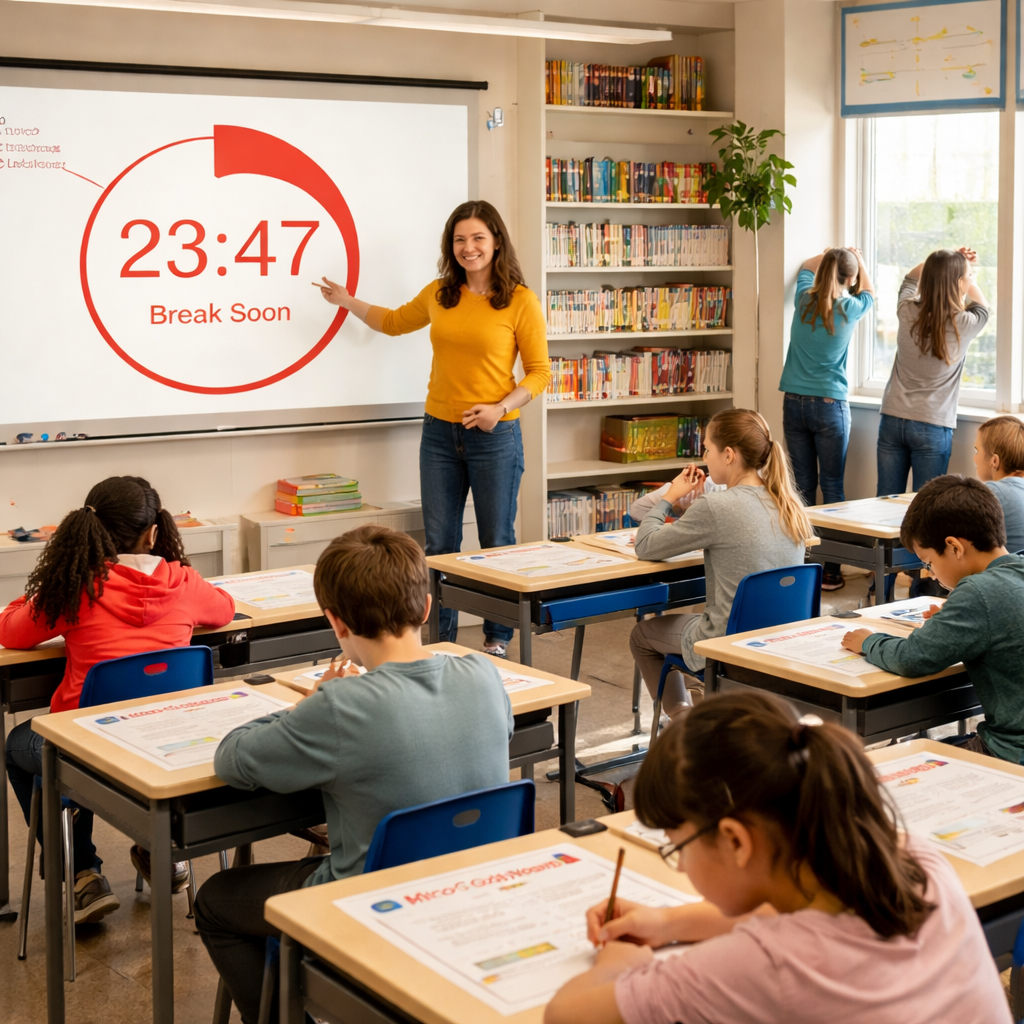
Make the timer a central member of the room. A big wall clock, a projected timer, or a screen with a bold countdown keeps everyone aligned. When students see the same signal at the same moment, transitions feel natural rather than chaotic. This is where a tool like Focus Keeper shines—it keeps the timer synced across devices and logs each pomodoro for later reflection. And yes, you can tie that log into a quick class check-in, like “What did you finish this pomodoro?”
Set micro-goals
Don’t say “work on the lesson.” Say something precise like “solve three algebra problems” or “summarize pages 12–14.” Clear micro-goals turn the timer into a goal-tracker and give students a sense of progress at every ding. Think of it as a relay race: the baton is the timer, and each pomodoro hands off a small, doable exchange of work.
So, what’s next? How do you start? Easy—start with one block in your next class and watch the room tighten up. If you want a quick, practical resource for broader ideas that fit your curriculum, check out this practical classroom guide to pomodoro timing in action.
If you’re coordinating hands-on science and reading blocks, you might also explore resources that help plan time and materials for labs. For educators looking to balance classroom pacing with STEM activities, How to Pick a Classroom PCR Machine: A Practical Guide for Educators can be a helpful companion to keep labs on schedule.
For quick, kid-friendly reading material to pair with pomodoros, Lyndsey Crawford Publishing offers titles that fit neatly into short reading sprints. Lyndsey Crawford Publishing can be a handy source when you want diverse, engaging text ready to drop into your 25-minute blocks.

With the timer visible, precise goals, and a little data from Focus Keeper, you’ll start seeing students transition between tasks more smoothly. This isn’t about policing time; it’s about giving learners a clear rhythm that matches how focus actually works. So give it a try in tomorrow’s class—one block, one clear objective, one momentum-building ding.
Step 2: Set Up the Timer and Classroom Rules
Step 2 is about turning a timer into a classroom ally. It’s not just about counting down; it’s about setting clear rules that align with learning goals. You want students to see the timer as a teammate, not a punishment.
First, pick a timer that’s visible to everyone in the room, or make sure remote learners can read the countdown on a shared screen. A big wall timer or projector display works wonders. If some students are learning remotely, ensure there’s a synchronized timer on the board so everyone stays in the flow together.
Choosing the right timer for your classroom
Look for a display that’s easy to read from the back of the room. A bright countdown with a bold finish signal helps students know when to switch gears. If you’re teaching in a hybrid setup, a timer app that projects onto the board and mirrors across devices keeps everyone aligned. Consistency matters—the moment the clock starts, the class should immediately know what’s expected.
Two quick grounding ideas you can try today: Dr. Lori Friesen’s timer tips show how timers streamline classroom management. Dr. Lori Friesen’s timer tips offer practical, bite-sized strategies you can adapt. For a quick visual primer, you can check this short video.
Next, define the micro-goal for each Pomodoro. For example, in a 5th grade reading block you might aim for “read pages 12–14 and underline three new words.” In a 9th grade biology class, it could be “record two observations and draft a one-sentence conclusion.” With clear targets, the 25 minutes feel like a concrete sprint rather than a vague stretch of time.
Setting clear micro-goals and transitions
Keep goals specific and measurable. Instead of saying “work on the lesson,” say “complete three math problems” or “summarize the paragraph and identify two key ideas.” When students know exactly what counts as a win, they stay focused and finish with pride.
Then lay down simple, non-negotiable rules for the 25-minute work block. Speak softly but confidently: silent, solo work is expected, but collaboration can happen in later stages if the task calls for it. Use a visible cue to mark transitions—hands raised, a bell, or a quick cue from you—so the class moves as one unit from focus to reset.
The 5-minute break should be a true reset. A quick stretch, a sip of water, or a quick share-out keeps energy high without derailing progress. So, what should you do next? Start with one focused sprint in your next lesson, then spend a few minutes after the timer to gather quick feedback from students about what helped and what didn’t.
In our experience, platforms like Focus Keeper make this setup easier by providing a classroom-friendly timer that can be projected for the whole class and tracked over multiple sessions. It’s ideal for Students aiming to improve study habits and for Busy professionals balancing learning with other responsibilities—this cadence is a real equalizer in keeping focus consistent across tasks.
To illustrate practical impact, think of a middle school science block: 25 minutes to plan a simple experiment setup, 5 minutes to document steps, 5 minutes to discuss safety notes, then a new sprint. Or a high school literature block: 25 minutes to annotate a passage, 5 minutes for a quick partner share, and a transition to the next scene with minimal disruption.
Does this really work? Yes—when you implement it thoughtfully, you’ll notice fewer wandering thoughts, quicker transitions, and a classroom that runs with a predictable rhythm. Ready to try it tomorrow? Grab a timer, set a clear micro-goal, and watch the cadence become your new classroom heartbeat.
Step 3: Run a Practice Pomodoro Session (Video Walkthrough)
Now that you’ve set the timer and agreed on the classroom rules, it’s time to actually run a sprint. Think of this as the “demo” part of the lesson – you’re showing the class how the Pomodoro rhythm feels in real time.
Start with a quick preview
Before you hit start, gather the students around the timer. Say something like, “We’re about to try a 25‑minute focus burst, then a five‑minute reset. I’ll cue the start, you’ll work on the micro‑goal we wrote, and we’ll check in when the bell rings.” This short preview sets expectations without draining energy.
Kick‑off the timer
Press play on your classroom‑friendly timer – whether it’s the Focus Keeper app projected on the board or a big digital countdown. Let the red line move across the screen; the visual cue is enough to signal “go”. If you’re using a physical sand‑timer, give it a firm shake and place it where everyone can see the grains slipping.
Once the timer starts, keep your voice low and your presence subtle. A quick “I’m here if you need anything” nod is all the support most students need. The goal is to let the timer be the teacher’s metronome, not a background chatter.
Mid‑session check‑in (optional)
Some classes benefit from a silent, one‑minute “pulse check” at the 12‑minute mark. You can raise a hand, pause the timer for a breath, and ask, “Are you on track? Anything blocking you?” Keep it brief – you don’t want to break the flow.
Signal the break
When the timer dings, pause the work and immediately shift to the five‑minute reset. Have a ready‑made break activity: a stretch, a quick water‑break, or a fun “show‑and‑tell” of one thing they accomplished. The transition should feel seamless, like flipping a switch.
During the break, encourage students to stand, move, and talk about the micro‑goal they just finished. This reinforces the sense of progress and makes the next sprint feel like a fresh start.
Start the next sprint
Reset the timer, announce the next micro‑goal (it can be a continuation or a brand‑new task), and repeat the cycle. Over two or three rounds, students will notice the rhythm – work, pause, repeat – becoming a natural part of the classroom tempo.
Debrief and gather feedback
After the last Pomodoro, spend five minutes reflecting. Ask open‑ended questions: “What helped you stay focused? What felt distracting?” Write the answers on the board. This feedback loop lets you fine‑tune future sessions and shows students that their experience matters.
In our experience, teachers who run a short practice session before the main lesson report smoother transitions and fewer off‑task moments. The video walkthrough you’ll see later captures this exact flow, so you can replay it if you need a refresher.
Quick checklist for a successful practice run
- Timer visible and audible.
- Clear micro‑goal written on the board.
- One‑sentence reminder of the break purpose.
- Optional mid‑session pulse check.
- Post‑session debrief notes.
Give this a try tomorrow. Set up the timer, pick a bite‑size task, and watch the classroom settle into a steady beat. You’ll be surprised how quickly the rhythm becomes a habit for both you and your students. Remember, the consistency of the Pomodoro rhythm is the secret sauce that turns occasional focus into a lasting habit.
Step 4: Track Progress and Adjust Timing (Comparison Table of Timer Apps)
Now that you’ve got the rhythm down, the next piece of the puzzle is knowing whether the timer you chose is actually helping your students stay on track. It’s easy to set a timer and forget about it, but a quick glance at the data can tell you if you need to shrink a work block or give a longer break.
So, how do you turn a simple countdown into a feedback loop? First, pick a timer that logs completed cycles. Then, after each Pomodoro, jot down a one‑line note: “Did we finish the micro‑goal?” Over a week, you’ll see patterns – maybe 5th‑graders sprint through reading but stall on math problems after two cycles.
What to look for in a classroom‑friendly timer
Ask yourself these questions: Does the app show a clear count of completed Pomodoros? Can you export or view a quick summary on the board? Is the break signal audible enough for a noisy room? If you can answer “yes” to most, you’re in good shape.
In our experience, teachers who use a timer with built‑in tracking spend less time manually tallying scores and more time debriefing with the class. That extra minutes saved can become a quick “what worked?” chat at the end of the day.
Quick comparison of popular timer apps
| App | Platform | Key Feature for Teachers | Pricing |
|---|---|---|---|
| Focus Keeper | Web & Mobile | Automatic work/break cycles, visual progress bar, simple export | Free tier, paid plans start at $3/month |
| Pomodor | Web | Customizable intervals, dark mode, minimal UI | Free |
| Otto | Chrome Extension | Blocks distracting sites, tracks Pomodoros, playful mascot | Free basic, premium $24/year |
Notice how each tool offers a slightly different angle. Focus Keeper keeps everything in one place – perfect if you want a quick glance at the class’s cumulative Pomodoros. Pomodor is ultra‑lightweight; it won’t distract anyone with extra bells and whistles. Otto adds a built‑in blocker, which can be a lifesaver when students sneak a game onto their laptops.
Does the table make you wonder which one fits your classroom vibe? Grab the free version of any of these, run a short trial, and see which dashboard feels most natural on your smartboard.
How to use the data you collect
After a week of tracking, pull the numbers together. If you notice that most students are hitting the timer but missing the micro‑goal, consider shortening the work block to 20 minutes. If breaks feel rushed, add a minute or two and watch engagement rise.
Here’s a simple three‑step cheat sheet:
- Record: At the end of each Pomodoro, note “goal met” or “incomplete”.
- Review: Every Friday, tally the success rate per subject.
- Adjust: Tweak the work or break length based on the success rate.
It’s a tiny habit, but it turns the timer from a passive bell into a living classroom metric.
If you want a deeper dive into how these apps stack up, the Zapier roundup walks through each option and highlights the pros and cons for educators best pomodoro apps for teachers. That page even points out which tools integrate with popular classroom platforms, so you can keep everything synced.
Finally, remember that the goal isn’t to chase perfect numbers. It’s about giving students a clear sense of progress and giving yourself a quick way to fine‑tune the rhythm. A few minutes of data entry now saves you a whole lesson of confusion later. Give it a try this week, and you’ll see the class’s focus sharpen like a well‑tuned drum.
Step 5: Integrate Pomodoro into Lesson Plans
Now that you’ve got the rhythm down, it’s time to stitch those 25‑minute bursts into the actual flow of your lessons.
How do you turn a timer into a lesson‑planning tool instead of just a background sound? Think of each Pomodoro as a tiny chapter of your class, each with its own purpose and payoff.
Map your curriculum to Pomodoro blocks
Start by looking at the unit you’re teaching this week. What big concepts need to be covered? Break those concepts into bite‑size pieces that fit comfortably into a 20‑25 minute window.
For example, a middle‑school history unit on the Civil Rights Movement could be split into three blocks: 1) a short video and note‑taking, 2) a primary‑source analysis, and 3) a quick group discussion. Each block becomes a Pomodoro.
Design micro‑goals that fit
Micro‑goals are the secret sauce. Instead of “learn about the movement,” say “list three key events from the video” or “write one evidence‑backed claim about why the march mattered.”
Notice how the goal is specific, measurable, and doable in one sprint. That clarity keeps students focused and gives you an instant win when the timer dings.
Blend break activities with learning
Breaks aren’t just coffee‑runs; they can reinforce the lesson. A five‑minute stretch can turn into a “quick‑fire fact swap” where students shout one thing they just learned.
Or you could cue a short breathing exercise that doubles as a moment to reflect on the micro‑goal: “Did we hit our claim? What’s the next step?” The break becomes a mini‑review instead of dead time.
So, what should a typical Pomodoro‑infused lesson look like?
Sample lesson blueprint
1. Prep (2 minutes) – Project the timer, write the micro‑goal on the board, and remind students of the break cue.
2. Pomodoro 1 (25 minutes) – Students watch a 5‑minute video, then spend the remaining time noting three facts.
3. Break (5 minutes) – Quick stretch + “one‑sentence recap” round robin.
4. Pomodoro 2 (25 minutes) – Small groups analyze a primary source, each group fills a shared graphic organizer.
5. Break (5 minutes) – Light‑hearted “timeline shuffle” game where students place events in order.
6. Pomodoro 3 (20 minutes) – Whole‑class discussion, guided by the organizer, culminating in a one‑paragraph summary.
7. Wrap‑up (3 minutes) – Review the three micro‑goals, celebrate hits, note any “almost there” items for next class.
Notice the pattern: work, pause, reflect, repeat. The structure feels predictable, so students know exactly when they’ll get to move, talk, or breathe.
Here’s a quick checklist you can paste on your lesson plan template:
- Identify the unit chunk you’ll cover.
- Write a crystal‑clear micro‑goal.
- Choose a break activity that reinforces the goal.
- Set timer length (20‑25 min) and break length (5 min).
- Record whether the goal was met at the end of each Pomodoro.
When you look back at the data on Friday, you’ll see a pattern emerge – maybe the video‑note‑taking block is always on target, while the primary‑source analysis needs a few extra minutes. That insight lets you fine‑tune the rhythm without guessing.
In our experience at Focus Keeper, teachers who embed Pomodoro directly into their lesson outlines report smoother transitions and higher on‑task percentages. The tool’s visual countdown helps students self‑regulate, and the built‑in pause gives you a natural moment to scan the room for off‑task behavior.
Ready to give it a try? Grab your timer, map a unit to three Pomodoros, and watch the classroom pulse like a well‑orchestrated drum line.
Conclusion
So you’ve seen how to use pomodoro timer in classroom, from setting micro‑goals to turning break time into a quick stretch. It might feel a bit experimental at first, but the rhythm soon becomes second nature for both you and your students.
Think about the moment when the timer dings and the room collectively exhales—that’s the cue that focus has been earned and a reset is deserved. When you repeat that cue every day, you’re actually training brains to anticipate short bursts of deep work.
Here’s a quick cheat sheet to keep you moving forward:
- Pick a visible timer and project it.
- State a crystal‑clear micro‑goal for each 25‑minute sprint.
- Use a purposeful 5‑minute break – stretch, share, or breathe.
- Log whether the goal was met and tweak the timing on Fridays.
Does this sound doable? Absolutely. Start with just one lesson tomorrow, watch the energy shift, and adjust as you go. In our experience, teachers who stick with the cycle notice smoother transitions, higher on‑task percentages, and students who begin to manage their own focus outside of class.
Ready to give it a go? Grab your timer, map a unit to three pomodoros, and let the classroom pulse like a well‑orchestrated drum line.
Give it a week, collect your quick notes, and you’ll see the rhythm turning chaos into calm, one timer tick at a time.
FAQ
What exactly is a Pomodoro timer and why does it work in a classroom?
Think of a Pomodoro timer as a friendly metronome for learning. It breaks a lesson into 25‑minute focus bursts followed by a 5‑minute reset. Research shows attention starts to dip after about 20 minutes, so the short break recharges brains. When students see the countdown, they know exactly how long they have to push, which creates a clear, low‑stress structure that keeps everyone on the same page.
How can I introduce the timer without it feeling like a punishment?
Start by framing it as a game. Say something like, “We’re going on a focus jam – 25 minutes of work, then a quick dance break.” Let the class help set the micro‑goal for the sprint; when they own the target, the timer becomes a teammate, not a drill sergeant. Keep the tone upbeat, celebrate the ding, and use the break for a fun, purposeful movement.
What are good micro‑goals for different grade levels?
For younger kids, keep it concrete: “Read pages 5‑6 and circle three new words.” Middle schoolers respond to tasks like “Solve five algebra problems and check each answer.” High‑schoolers can handle “Write a thesis sentence and outline two supporting points.” The key is specificity – a clear finish line makes the timer’s finish signal feel like a win.
How should I structure the 5‑minute break so it stays productive?
Don’t let the break turn into a free‑for‑all. Choose a quick reset activity: a stretch, a deep‑breathing count, or a “show‑and‑tell” of one thing they just finished. Even a 30‑second classroom chant works. The idea is to move the body or voice, so the brain registers a real pause before jumping back into the next sprint.
Can I use the Pomodoro technique for remote or hybrid classes?
Absolutely. Share a digital timer on the shared screen or ask students to open a free online timer on their device. When the timer dings, all participants mute their mics, stand up, and do the same stretch. Consistency across the virtual and physical room builds the same rhythm, and students appreciate the predictable cue no matter where they sit.
What if a student can’t finish the micro‑goal in one Pomodoro?
That’s okay – it’s a signal to tweak the goal length or break it into smaller steps. After the sprint, ask the student, “What held you back?” and adjust the next target accordingly. Over a week, you’ll see patterns: maybe the task needs 30 minutes, or the break should be a minute longer. Use that data to fine‑tune the cadence for the whole class.
How do I track progress without spending too much time on paperwork?
Keep a simple tally on the board: a row of checkmarks for each completed Pomodoro per subject. At the end of the week, glance at the column and note which blocks consistently hit their goals. You can also ask students to add a quick sticky note with “✔️” or “✖️” after each sprint. The visual record shows trends without pulling you away from teaching.




