

Forest is a neat app, right? It turns focus time into a game where you grow trees. But what if you’re looking for something a bit different, or maybe something that does more than just grow virtual plants? We’ve all been there, needing a tool to really buckle down and get stuff done. Whether you’re a student drowning in homework, a professional juggling projects, or just someone trying to cut down on phone scrolling, there’s a whole world of apps out there designed to help. Forget the trees for a second, let’s check out some top Forest alternatives that could seriously boost your focus and productivity in 2026.
Key Takeaways
- Productivity apps help you manage tasks, time, and resources more efficiently, reducing distractions and improving focus.
- Tools like Notion and Obsidian are great for organizing thoughts and building personal knowledge bases with linking features.
- Project management apps such as Asana, Trello, and ClickUp offer visual ways to track tasks and collaborate with teams.
- For focused work sessions, consider apps like Focus@Will or brain.fm that use music to aid concentration.
- Habitica gamifies tasks and habits, making productivity more engaging and fun, while Toggl Track offers detailed time management.
1. Notion
Notion is that all-in-one workspace that really took off a few years back, and for good reason. It lets you build pretty much anything you want, from simple to-do lists to complex project management systems. The real magic happens when you start using its databases. You can create custom views of your data, filtering and sorting it however you need. This means you can ditch those overwhelming spreadsheets and see only what’s relevant to you at any given moment.
Think of it like this:
- Start with a blank page: Add text, to-do items, images – whatever you need.
- Introduce databases: This is where things get powerful. You can create tables for projects, tasks, notes, or anything else.
- Customize your views: Filter your project database to show only tasks due this week, or sort your notes by creation date. It’s all about making the information work for you.
- Integrate AI: Notion has been adding AI features, like content generation and AI-powered search to help you find things faster. There are even AI agents that can perform tasks for you based on simple instructions.
Building a custom system in Notion takes time, but the payoff can be huge. It’s like having a digital space perfectly molded to how you think and work. You can connect it to other apps too, automating workflows and keeping everything in sync.
While Notion is incredibly flexible, it does have a learning curve. If you’re looking for something that feels more structured from the get-go, or if you want to dive deeper into specific features like advanced formulas or AI integrations, you might want to explore some of the alternatives out there. But for many, Notion remains a solid choice for organizing their digital lives.
2. Obsidian
Obsidian is a bit of a different beast compared to some of the other tools we’re looking at. It’s built around the idea of a "second brain," where all your notes live locally as Markdown files. This means you have full control and offline access, which is pretty sweet. The real magic happens with its linking capabilities. You can create bidirectional links between notes, essentially building a web of your thoughts. This makes it super easy to see how different ideas connect, which can spark new insights you might not have found otherwise.
It’s highly customizable, too. You can add plugins to do all sorts of things, from turning your notes into Kanban boards to setting up spaced repetition systems. It’s not exactly plug-and-play; getting it set up exactly how you want it can take some time and tinkering. But if you enjoy building your own perfect system, Obsidian is a fantastic choice for building a personal knowledge base.
While Obsidian stores everything locally, which is great for privacy and control, syncing across devices requires an extra step. You can use their paid sync service or upload your vault to a cloud storage solution like Google Drive or Dropbox. For collaboration, it’s a bit more involved, often requiring shared cloud storage or more technical setups.
Here’s a quick look at what makes Obsidian stand out:
- Local-first storage: Your notes are yours, stored on your device.
- Bidirectional linking: Connect ideas and see relationships visually.
- Graph view: Visualize your knowledge network.
- Extensive plugin ecosystem: Customize functionality to your heart’s content.
- Markdown support: Uses a widely compatible plain text format.
If you’re someone who likes to have granular control over your data and enjoys building a personalized system, Obsidian is definitely worth checking out. It’s a powerful tool for anyone serious about managing information and ideas.
3. Evernote
Evernote has been around for a while, and for good reason. It’s like that trusty old notebook, but digital and way more powerful. Think of it as your second brain for capturing pretty much anything – notes, web clippings, documents, even voice memos. It’s really good at organizing all that stuff so you can actually find it later, which is half the battle, right?
The real strength of Evernote lies in its ability to keep your information accessible from anywhere. Whether you’re on your phone, tablet, or computer, your notes are there. This makes it super handy for jotting down an idea the moment it strikes or pulling up meeting notes without digging through piles of paper.
Here’s a quick look at what it offers:
- Note-taking: From simple text to rich media, capture your thoughts.
- Web Clipper: Save articles and web pages directly into your notes.
- Document Scanning: Use your phone’s camera to scan and digitize documents.
- Task Management: Create to-do lists and set reminders.
- Search: Powerful search finds text within images and PDFs.
It’s not exactly a project management tool, but for keeping track of information and ideas, it’s a solid choice. The free version is decent for getting started, but if you find yourself needing more space or advanced features, the paid plans are pretty reasonable.
Evernote is a digital filing cabinet that helps you keep track of everything. It’s less about managing complex projects and more about making sure you don’t lose track of important information. The search function alone is worth its weight in gold for anyone drowning in digital clutter.
4. Asana
Asana is a project management tool that helps teams organize, track, and manage their work. It’s designed to break down big projects into smaller, actionable tasks, making it easier for everyone to see what needs to be done and by when.
The platform offers a variety of ways to view your projects, from simple lists to more visual timelines and boards. This flexibility means you can choose the method that best suits your team’s workflow. It’s pretty good at keeping things clear, even when you’ve got a lot going on.
Here’s a quick look at what Asana offers:
- Task Management: Assign tasks, set due dates, and add details.
- Project Views: Switch between List, Board, Timeline, and Calendar views.
- Automation: Set up rules to automate repetitive tasks.
- Reporting: Get insights into project progress and team workload.
It’s got a free tier, which is a decent starting point for smaller teams or personal projects. Paid plans kick off around $10.99 per user per month if you pay annually, which can add up if you have a larger group.
Asana really shines when you need to bring structure to complex projects. It helps make sure nothing falls through the cracks by giving you clear visibility into who’s doing what and when it’s due. It’s less about just listing tasks and more about managing the flow of work from start to finish.
5. Trello
Trello is one of those tools that just makes sense visually. If you’re a fan of seeing where everything is at a glance, this might be your jam. It uses a board-and-card system, kind of like a digital whiteboard with sticky notes. You create boards for projects, then lists for stages (like ‘To Do,’ ‘Doing,’ ‘Done’), and then cards for individual tasks. Dragging a card from one list to another is super satisfying and clearly shows progress.
It’s really good for teams who need a simple way to track tasks and see who’s working on what.
Here’s a quick look at what Trello offers:
- Kanban Boards: The core of Trello, offering a visual workflow.
- Task Assignment: Easily assign tasks to team members.
- Due Dates: Set deadlines to keep projects on track.
- Checklists: Break down larger tasks into smaller, manageable steps.
- Integrations: Connect with other apps you use, like Google Drive or Slack.
It’s pretty straightforward to get started. You can set up a board for a personal project, like planning a vacation, or a complex team project. The free version is quite generous, but if you need more advanced features like custom fields or more automation, you’ll have to look at their paid plans.
While Trello is fantastic for many, if your projects get really complicated with lots of dependencies and intricate workflows, you might find yourself wishing for a bit more power. It’s best suited for projects that benefit from a clear, linear progression.
Overall, Trello is a solid choice for anyone who likes a visual approach to project management. It keeps things simple and clear, which is often all you need to stay productive.
6. ClickUp
ClickUp really tries to be the one app to rule them all, and honestly, it gets pretty close. It bundles task management, project tracking, time tracking, and team collaboration into a single, pretty flexible package. If you’re tired of bouncing between a dozen different apps just to keep your work organized, ClickUp is definitely worth a look.
What makes it stand out is how much you can tweak it. You can set up different views for your tasks – think Kanban boards, lists, calendars, even Gantt charts. This means you can see your work in whatever way makes the most sense to you at that moment. Plus, it has automation features that can handle repetitive tasks, freeing you up to focus on the actual work.
Here’s a quick look at what it offers:
- Task Management: Create, assign, and track tasks with subtasks, checklists, and custom fields.
- Project Views: Visualize your projects with Kanban boards, lists, calendars, Gantt charts, and more.
- Time Tracking: Monitor time spent on tasks and projects directly within the app.
- Collaboration Tools: Communicate with your team through comments, chat, and shared documents.
- Customization: Tailor workflows, statuses, and fields to match your team’s specific needs.
It’s a powerful tool, and because it’s so customizable, it can feel a little overwhelming at first. But once you get the hang of it, you can really build a system that works perfectly for you and your team. They also have a pretty generous free version, which is great for trying it out.
The sheer number of features and customization options means ClickUp can adapt to almost any workflow. It’s like a Swiss Army knife for productivity, but you might need a little time to figure out which tool to use when.
7. Any.do
Any.do is a pretty straightforward app that aims to keep your daily tasks and schedule in one place. It’s not trying to be everything to everyone, which can be a good thing if you just want a clean way to manage your to-dos and appointments.
It’s especially good for people who like a simple, uncluttered interface. You can easily add tasks, set reminders, and even integrate it with your existing calendars like Google Calendar or Outlook. This means you get a unified view of what you need to do, whether it’s a work project or a personal errand.
Here’s a quick look at what it offers:
- Task Management: Create to-do lists, set deadlines, and mark tasks as complete.
- Reminders: Get timely notifications so you don’t forget important things.
- Calendar Integration: Syncs with popular calendar apps to show your events alongside your tasks.
- Collaboration (Paid): Share lists and assign tasks to others if you’re working with a team.
While it might not have all the bells and whistles of some of the more complex project management tools out there, Any.do gets the job done for personal organization and light team coordination. It’s easy to pick up and use right away, which is a big plus when you’re just trying to get more organized without a steep learning curve.
The app’s focus on core productivity features means less time fiddling with settings and more time actually getting things done. It’s a solid choice for anyone feeling overwhelmed by too many options elsewhere.
8. Basecamp
Basecamp is a project management tool that aims to simplify team collaboration by bringing everything into one place. Forget juggling a bunch of different apps; Basecamp wants to be your central hub. It’s built around the idea of keeping communication and project details organized and accessible.
The core idea is to reduce the noise and confusion that often comes with team projects. Instead of scattered emails, endless chat threads, and separate to-do lists, Basecamp consolidates these elements. You get message boards for discussions, to-do lists for tasks, a schedule for important dates, and a place to store files. It’s designed to give teams a clear overview of what’s going on.
Here’s a quick look at what it offers:
- Message Boards: A central spot for team discussions, announcements, and Q&A. Think of it as a forum for your project.
- To-do Lists: Simple, straightforward lists to break down work into manageable tasks. You can assign tasks, set deadlines, and track progress.
- Schedule: A shared calendar to keep track of important dates, deadlines, and events.
- File Storage: A place to keep all your project-related documents, images, and other files organized.
- Automatic Check-ins: Customizable questions that prompt team members to provide updates on their work, helping everyone stay informed without constant meetings.
Basecamp’s interface is pretty straightforward, which is a big plus if you’re tired of overly complicated software. It focuses on core project management needs without a lot of bells and whistles that might just get in the way. This makes it a solid choice for teams that want a clear, unified system for managing their work. If you’re looking for a tool that cuts through the clutter, Basecamp offers core project management features.
The platform encourages a more focused approach to work by minimizing distractions. By centralizing communication and tasks, it helps teams stay aligned and move forward efficiently. It’s about getting things done without the usual digital overhead.
9. Todoist
Todoist is a really solid choice if you’re looking for a straightforward way to manage your tasks and projects. It’s been around for a while, and for good reason. The interface is super clean, which is a big plus when you just want to get things done without a lot of fuss. You can create projects, break them down into sections, and assign due dates. It’s that simple, but also powerful enough for most people.
One of the things I really like is how it syncs across all your devices. So, whether I’m on my laptop, my phone, or even my tablet, my to-do list is right there, updated and ready to go. This cross-platform availability means you’re never out of sync with your own tasks.
Todoist also plays well with other apps, boasting over 80 integrations. This means you can connect it to your calendar, your email, or whatever else you use to keep your workflow humming. It’s not about reinventing the wheel; it’s about fitting into the way you already work.
Here’s a quick look at what makes it stand out:
- Task Management: Create, organize, and prioritize tasks with ease.
- Project Organization: Group tasks into projects and sub-sections for better clarity.
- Productivity Tracking: Get insights into your work habits and progress.
- Integrations: Connect with over 80 other popular apps and services.
While Todoist doesn’t offer task templates directly, its robust structure and integration capabilities allow for a highly personalized productivity system. You can build your own workflows by linking it with other tools, making it adaptable to various needs without being overly complicated.
If you’re curious about the latest tweaks and improvements, you can always check out the Todoist changelog to see what’s new. It’s a good sign when an app is actively being updated based on user feedback.
10. Toggl Track
Toggl Track is a straightforward tool for keeping tabs on where your time actually goes. It’s not about micromanaging; it’s more about giving you a clear picture of your day so you can figure out what’s working and what’s not. You just hit a button when you start a task and hit it again when you stop. Simple as that.
It’s especially good for understanding project profitability and personal time management.
Here’s a quick look at what it offers:
- Detailed Time Tracking: Log hours accurately across different projects and tasks.
- Insightful Reports: See where your time is spent with easy-to-understand summaries.
- Integrations: Connects with many other apps you might already be using.
- Project Management Features: Basic tools to help organize your work.
Some people might feel a bit weird about tracking every minute, but Toggl Track really just aims to give you data. It’s not meant to be a surveillance tool, but rather a way to help you be more aware of your habits.
The real benefit comes from looking at the reports. Seeing how much time you spend on certain tasks can be eye-opening and helps you make better decisions about how to spend your day moving forward. It’s about working smarter, not just harder.
11. Habitica
Ever feel like your to-do list is more of a chore than a motivator? Habitica takes a different approach. It turns your daily tasks, habits, and even your to-dos into a role-playing game. Seriously.
When you log in, you’ve got an avatar, and completing tasks earns you experience points and in-game gold. Falling behind or missing a habit means your avatar takes damage. It’s a pretty clever way to make sticking to your goals feel less like work and more like playing a game. Plus, there’s a whole community aspect where you can team up with friends for group quests or just cheer each other on.
Here’s a quick look at how it works:
- Daily Tasks: These are things you need to do every day, like drinking water or exercising. They reset daily.
- Habits: These are actions you want to do more or less of. You can mark them as positive or negative.
- To-Dos: These are your regular tasks with due dates. They can be one-time or recurring.
It’s free to use, though there are optional in-app purchases for cosmetic items or special challenges. It’s available on pretty much everything – iOS, Android, and the web. While some might find the gamification a bit much, for many, it’s the push they need to actually get things done.
The core idea behind Habitica is that by applying game-like mechanics to real-life goals, you can make the process more engaging and less of a drag. It taps into our natural desire for progress and reward, making productivity feel more like an adventure than a burden.
12. Focus@Will
Sometimes, the best way to get work done is to just put on some tunes. Focus@Will takes this idea and runs with it, offering a library of music specifically designed to help you concentrate. It’s not just random background noise; the tracks are crafted based on scientific principles to create an optimal sound environment for deep work.
Think of it as a personal DJ for your brain, playing the right beats to keep distractions at bay and your mind on task. They have different channels tailored for various types of work, whether you need something to power through a coding session or something more mellow for creative thinking.
- Thousands of audio tracks: A massive library means you’re unlikely to get bored.
- Scientifically designed: Music is engineered to boost focus and productivity.
- Customizable experience: Choose channels that fit your work style and mood.
- Team plans available: If your whole crew needs a focus boost, they’ve got you covered.
While there isn’t a free version to try out, the subscription cost is pretty reasonable for what you get. It’s a solid choice if you find that music genuinely helps you get into the zone and stay there.
13. brain.fm
brain.fm is an interesting one because it tackles focus from a completely different angle: sound. Instead of managing tasks or notes, it uses AI-generated music designed to help you concentrate, relax, or even sleep better. The idea is that specific sound patterns can influence your brainwaves and guide you into a more productive state.
It’s pretty straightforward to use. You pick a goal – like ‘focus’ or ‘relax’ – and brain.fm plays a track. They claim it’s all scientifically tested, which is a nice thought when you’re trying to get work done. I found the ‘focus’ tracks to be pretty effective, kind of like a background hum that keeps distractions at bay without being too intrusive. It’s not for everyone, of course. If you need complete silence or prefer your own music, this won’t be your go-to.
Here’s a quick look at what it offers:
- AI-Generated Music: Tailored soundscapes for different mental states.
- Science-Backed: Designed with neuroscience principles in mind.
- Cross-Platform: Available on iOS, Android, and the web.
While it’s limited to just music, the quality and effectiveness of the tracks are what many users point to as justification for the subscription. It’s a tool for creating a specific auditory environment, which can be a game-changer for some.
They offer a free trial, which is definitely the way to go to see if it clicks for you. After that, it’s a subscription service, with monthly and yearly options available. It’s not the cheapest option out there, especially when you consider it’s just music, but for those who find it genuinely helps them get into the zone, it might be worth the cost.
14. Milanote
Milanote is a really neat tool, especially if you’re someone who thinks visually. It’s designed to help you organize your thoughts and projects in a way that feels more like a mood board or a scrapbook than a rigid spreadsheet. You can drag and drop notes, images, links, and to-do lists onto a board, arranging them however makes sense to you. This makes it super easy to see the big picture of a project while still keeping track of the smaller details.
It’s particularly great for creative types like designers, writers, or anyone working on a project that benefits from a visual layout.
Here’s a quick look at what you can do with Milanote:
- Brainstorming: Throw all your ideas onto a board without worrying about structure at first.
- Project Planning: Map out steps, assign tasks, and set deadlines visually.
- Content Creation: Gather inspiration, organize research, and draft content all in one place.
- Team Collaboration: Share boards with others, leave comments, and work together on ideas.
Milanote offers a free tier that’s pretty generous, letting you get a feel for the platform. If you need more space or advanced features, their paid plans start at a reasonable price. It’s a solid choice for anyone who finds traditional note-taking apps a bit too dry and wants a more flexible, creative workspace. You can check out their platform for organizing ideas to see if it clicks for you.
15. Airtable
Airtable is a really interesting tool that kind of blends the best of spreadsheets and databases. If you’ve ever felt like spreadsheets are too limiting for tracking complex projects, but full-on databases are too much, Airtable might be your sweet spot. It’s super flexible, letting you organize pretty much anything.
Think of it like a super-powered spreadsheet. You can create custom fields for all sorts of data, link records between different tables, and view your information in various ways – like a grid, calendar, or even a Kanban board. This makes it great for managing projects, tracking inventory, planning content, or even keeping tabs on customer relationships.
Here’s a quick look at what makes it stand out:
- Customizable Views: Switch between grid, calendar, Kanban, gallery, and form views to see your data how you want.
- Linking Records: Connect related information across different tables, so you don’t have to duplicate data.
- Templates Galore: Start quickly with a wide variety of pre-built templates for common use cases.
- Collaboration Features: Work with your team by assigning tasks, leaving comments, and sharing bases.
The real power of Airtable comes from its adaptability. You can build systems that fit your exact workflow, rather than trying to force your workflow into a rigid tool. It’s a fantastic option for teams that need a central place to manage information and projects without getting bogged down in overly technical database setups. You can get started with their free plan, which is pretty generous, or explore paid options if you need more advanced features. It’s definitely worth checking out if you’re looking for a more structured way to handle your data and projects, and it’s a solid alternative for organizing information.
While it has a learning curve, especially if you’re new to database concepts, the payoff in terms of organization and clarity is usually well worth the effort. It’s a tool that grows with you and your team.
16. Todo Cloud
Todo Cloud is a pretty solid option if you’re looking for a straightforward way to keep your tasks in order. It’s not trying to be everything to everyone, but it does a good job of what it sets out to do: manage your to-do lists.
The app offers a clean interface that makes adding tasks, setting reminders, and organizing projects feel pretty effortless. It’s the kind of tool that gets out of your way so you can actually get things done. Plus, it syncs across all your devices, which is a lifesaver when you’re on the move and need to check something off your list.
Here’s a quick look at what it offers:
- Task Management: Create detailed tasks with subtasks, notes, and attachments.
- Reminders: Set custom reminders so you don’t miss important deadlines.
- Project Organization: Group related tasks into projects for better clarity.
- Collaboration: Share tasks and projects with others to work together.
While the free version is decent for basic needs, you’ll likely want to consider their paid plans if you need more advanced features or want to collaborate with a larger team. The pricing is reasonable, especially when billed annually, making it an accessible choice for many.
Todo Cloud focuses on core task management without a lot of extra fluff. This simplicity is its strength, allowing users to quickly get organized and stay on track with their daily responsibilities. It’s a reliable tool for anyone who values clarity and efficiency in their personal or professional life.
If you’re comparing it to other task managers, you might find it has a good balance of features and ease of use, similar to how Todoist approaches things. It’s definitely worth a look if you’re tired of overly complicated systems and just want a dependable way to manage your workload.
17. Matter Reader
Okay, so you’re drowning in articles, newsletters, and PDFs, right? It feels like a constant battle to keep up with all the information coming your way. That’s where Matter Reader steps in. It’s designed to be your personal reading hub, pulling all your content into one place so you can actually focus on reading it.
Think of it as a super organized digital bookshelf. You can save articles from the web, import newsletters directly, and even add PDFs. The app then lets you highlight text and jot down notes right within the content. It’s pretty neat because it keeps all your thoughts connected to the original source.
Here’s a quick look at what it offers:
- Content Aggregation: Saves articles, newsletters, and PDFs.
- Annotation Tools: Allows highlighting and note-taking.
- Distraction-Free Reading: Provides a clean interface for focused reading.
- Cross-Device Sync: Access your content on different devices.
It’s currently only available on iOS and has browser plugins, which is a bit of a bummer if you’re not in that ecosystem. But if you are, it really helps cut through the noise and makes reading feel less like a chore and more like a productive activity. It’s a solid tool for anyone trying to manage their reading list without losing their mind.
18. ClickTime

If you’re in a business where tracking every minute is key, like consulting or client services, ClickTime is worth a look. It’s built for people who need to know exactly where their time and money are going. Think of it as a detailed ledger for your projects.
ClickTime really shines when it comes to understanding both billable and non-billable hours. This means you can see how much time is spent on actual client work versus, say, internal meetings or administrative tasks. This kind of insight can help you figure out if you’re staffing projects correctly or if certain activities are eating up too much time without providing value.
Here’s a quick rundown of what it offers:
- Time Tracking: Log hours spent on specific tasks or projects.
- Expense Tracking: Keep tabs on project-related expenses.
- Project Management: Basic tools to oversee project progress.
- Reporting: Generate reports on time, expenses, and project profitability.
It’s pretty straightforward to use for the core functions. You can easily punch in and out of tasks, and the reporting features give you a clear picture of your team’s time allocation. This helps in making smarter decisions about resource management and project planning.
While the desktop and web versions offer a good range of features, the mobile app tends to focus more narrowly on just time tracking. If you need to manage projects on the go, you might find it a bit limited compared to the full platform. It’s a trade-off for its specialized focus on time and expense accounting.
19. ProofHub
ProofHub is a pretty solid option if you’re tired of juggling a bunch of different apps to keep your projects moving. It aims to be that one central spot for everything related to your work, from assigning tasks to chatting with your team and storing files. The idea is to cut down on the chaos and make collaboration smoother.
It’s got a bunch of features packed in, which can be a good thing if you want a lot of control. You can plan out your projects, manage tasks, and keep all your team communication in one place. This can really help when you’re trying to see the big picture and make sure everyone knows what they’re supposed to be doing.
Here’s a quick look at what it offers:
- Task management: Assign tasks, set deadlines, and track progress.
- Project planning: Map out your projects from start to finish.
- Collaboration tools: Keep conversations and feedback organized.
- File sharing: Centralize all your project documents.
While it doesn’t have a free tier, ProofHub centralizes projects, communication, and files, streamlining collaboration and task management by eliminating the need to juggle multiple applications. It’s a paid tool, with plans starting around $45 per month when billed annually, so it’s definitely an investment, but for teams looking for a unified platform, it might be worth checking out.
20. Everhour
Everhour is a time-tracking tool that really tries to blend into your existing workflow. Instead of making you jump to a separate app to log your hours, it integrates directly with a bunch of popular project management platforms. Think Asana, Trello, Basecamp – if you’re already using one of those, Everhour can pop up right inside it.
This makes tracking time feel less like a chore and more like a natural part of your task management. The idea is that you’re already in these tools, so logging time should be just as easy. It’s pretty neat because you can see how much time you’re spending on specific tasks or projects without much fuss.
Here’s a quick look at what it offers:
- Time Tracking: Logs hours directly within integrated apps.
- Budget Monitoring: Keeps an eye on project budgets to help you stay profitable.
- Reporting: Generates reports to give you insights into where time is going.
- Team Management: Allows teams to track their time collectively.
Everhour has a free tier, which is great for smaller teams of five or fewer. If you need more features or have a larger group, the paid plans start at a reasonable price per user per month. It’s available as a web browser extension and on desktop and mobile, so you can track time pretty much anywhere. It’s a solid choice if you want time tracking that doesn’t feel like a separate, annoying step in your day. It’s also a good option if you need to manage workforce scheduling alongside your time tracking.
The real strength of Everhour lies in its ability to become almost invisible. By embedding itself into the tools you already use, it removes a common barrier to consistent time tracking: the hassle of switching between applications. This approach helps teams gain a more accurate picture of project costs and team member contributions without adding significant overhead.
21. Clockify
Clockify is a pretty straightforward tool for keeping tabs on where your time goes. It’s one of those apps that just works without a lot of fuss, which is nice when you’re trying to get things done. You can track time for different projects or tasks, and then look at reports to see how you’re spending your day.
It’s completely free, which is a huge plus.
Here’s a quick look at what it offers:
- Time Tracking: Simple start/stop timer or manual entry for logging hours.
- Reporting: Get insights into time spent on projects, clients, or tasks.
- Project Management: Basic features to organize work and assign tasks.
- Team Features: Allows multiple users to track time under one account.
Sometimes, you might need to manually adjust entries or export data yourself, but for most people just wanting to see where the hours go, it’s a solid choice. It’s available on pretty much everything – your phone, computer, and even as a browser extension, so you can track time no matter what device you’re using.
22. monday.com
monday.com really stands out as a platform that can be molded to fit almost any team’s workflow. It’s not just about managing tasks; it’s about building a system that works for you. You can customize dashboards, automate repetitive actions, and get a clear overview of where everything stands. This level of flexibility is a game-changer for teams that find off-the-shelf solutions too rigid.
Think of it like building with digital LEGOs. You can create boards for project tracking, sales pipelines, bug reports, or even onboarding new hires. The visual nature of monday.com makes it easy to see progress at a glance.
Here’s a quick look at what you can do:
- Customize Workflows: Build boards that match your exact process, not the other way around.
- Automate Tasks: Set up rules to handle routine actions, like notifying someone when a task is done or moving an item to the next stage.
- Integrate Tools: Connect monday.com with other apps you already use, like Slack or Google Drive, to keep everything in one place.
- Visualize Data: Use different views like Kanban, Gantt, or calendar to see your projects from various angles.
While it has a free tier, the real power comes with its paid plans, which unlock more advanced features and integrations. It’s a solid choice if you’re looking for a central hub to manage a lot of different moving parts.
The ability to tailor monday.com to specific needs means it can adapt as your team grows or your projects change. This makes it a long-term investment for productivity rather than just a quick fix.
23. Zoho Projects
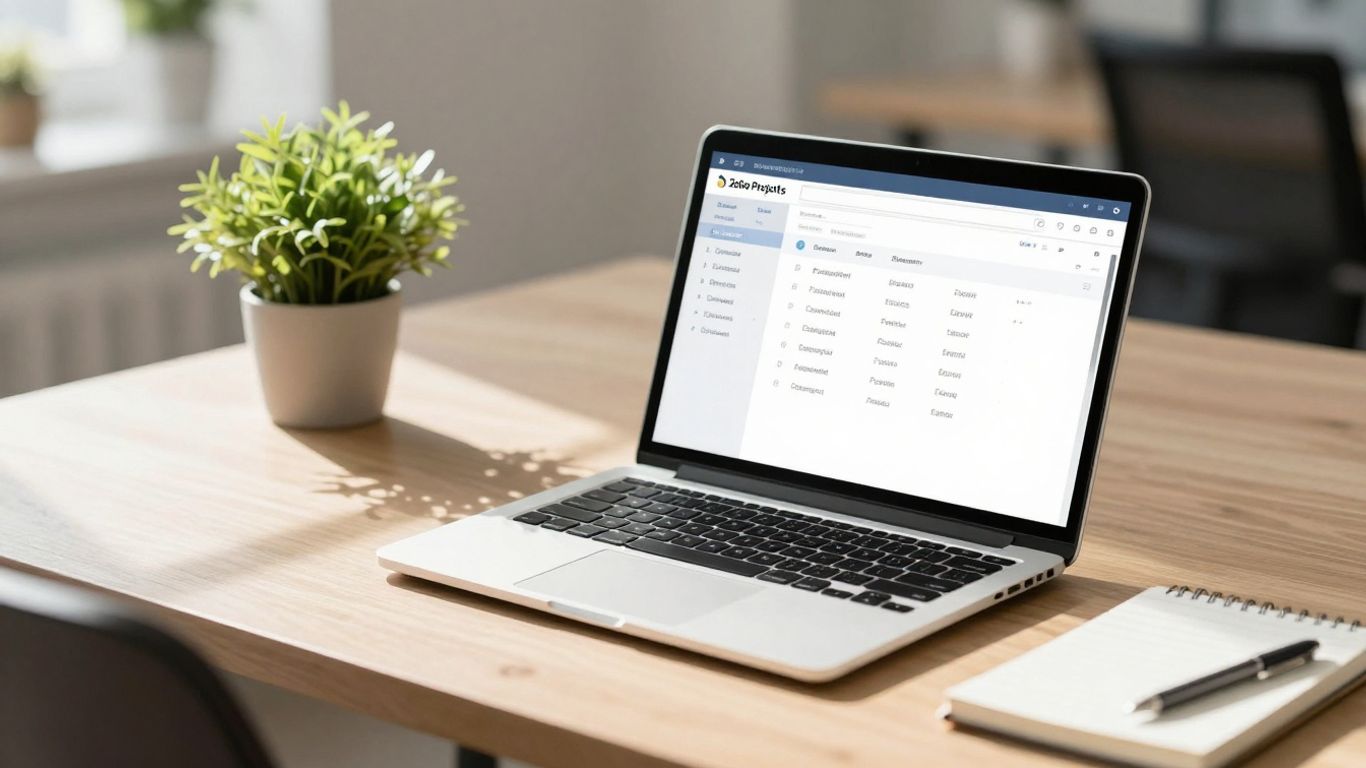
Zoho Projects is a solid contender if you’re looking for a project management tool that plays nicely with other business applications. It’s part of the larger Zoho suite, so if you’re already using their CRM or accounting software, the integration is pretty sweet. This means you can keep a lot of your business operations under one roof, which can really cut down on the mental overhead.
One of the standout features is its automatic time-tracking. This isn’t just a basic timer; it can help you log hours for timesheets and billing without you having to remember to start and stop it manually. This is a huge win for keeping projects on budget and ensuring accurate client invoicing.
Here’s a quick look at what you get:
- Task Management: Break down projects into manageable tasks, assign them to team members, and set deadlines.
- Gantt Charts: Visualize your project timelines and dependencies to keep everything on schedule.
- Collaboration Tools: Share documents, have discussions, and get real-time updates to keep everyone in the loop.
- Time Tracking: Automatic and manual options for logging hours, crucial for billing and project analysis.
The platform offers a free tier, which is great for small teams or individuals just starting out. Paid plans kick off at a very reasonable $4 per user per month, making it an accessible option for businesses of all sizes. It’s a tool that grows with you, adapting to your project needs as they evolve.
Zoho Projects also boasts native integration with other Zoho products, which is a major plus if you’re invested in their ecosystem. This interconnectedness can streamline workflows and reduce data silos. It’s a practical choice for teams aiming for better organization and clearer project oversight.
24. Slack
Slack is a communication tool that really changed how teams talk to each other. Instead of endless email chains, you get channels for different projects or topics, plus direct messages for quick chats. It’s all about making communication faster and more organized.
It’s a great way to keep everyone in the loop without overwhelming them.
Here’s a quick look at what makes Slack useful:
- Channels: Think of these as dedicated chat rooms for specific teams, projects, or even just social topics. This keeps conversations focused.
- Direct Messages: For one-on-one or small group chats that don’t need a full channel.
- File Sharing: Easily drop documents, images, or any file right into a conversation.
- Integrations: Connect Slack with other apps you use, like Google Drive or Trello, so you can get updates and take action without leaving Slack.
One of the biggest benefits is how it cuts down on internal emails. When everyone is using Slack, information flows much more freely, and it’s easier to find past conversations and files.
While Slack is fantastic for real-time chat, it’s important to remember that the free version only keeps about 90 days of message history. This means older information can get lost if you’re not on a paid plan. So, for long-term record-keeping, you might need to look at other solutions or upgrade.
Slack has a free tier, which is pretty generous for small teams or personal use. Paid plans start around $8.75 per user each month, offering more features and unlimited message history.
25. Discord and more
While many tools focus on structured project management or deep note-taking, sometimes you just need a place to chat and connect. That’s where platforms like Discord and Slack come in, offering more fluid communication channels that can surprisingly boost productivity.
Discord, originally a gaming hub, has become a surprisingly versatile tool for teams and communities. Its server-based structure lets you create dedicated spaces for different projects or topics. Think of it like having separate rooms for each discussion, keeping things organized and easy to follow. You get voice, video, and text chat, plus screen sharing, which is great for quick team huddles or showing someone how to do something.
Here’s a quick look at how these communication tools can fit into your workflow:
- Discord: Great for real-time chat, community building, and informal team discussions. Its free tier is quite generous, though paid plans offer more features.
- Slack: A more business-oriented platform, Slack excels at integrating with other work tools. It’s fantastic for keeping project-specific conversations out of your email inbox.
- Other Communication Tools: Depending on your needs, you might also look at tools like Microsoft Teams, which is often bundled with Microsoft 365, or even simpler chat apps if your team is small.
The key with these platforms isn’t just about talking; it’s about creating focused communication hubs. By setting up specific channels for different projects or teams, you reduce noise and make it easier for everyone to find the information they need, when they need it. This can prevent information silos and keep everyone on the same page without constant meetings.
While Discord’s free plan is robust, it does have limitations, like a 90-day message history cap on older plans, meaning older conversations can get lost. Slack also has a free tier, but paid plans are where you’ll find unlimited message history and more advanced features, starting around $8.75 per user per month. For Discord, paid plans begin at a very accessible $2.99 per month. These platforms are excellent for fostering a sense of connection and making collaboration feel more immediate and less formal.
Wrapping Up Your Productivity Journey
So, we’ve looked at a bunch of tools that can help you get more done. From apps that make focusing feel like a game to ones that help you organize your entire life, there’s really something out there for everyone. It’s not about finding the ‘perfect’ app, but rather the one that clicks with how you work. Don’t be afraid to try a few out. What works for one person might not work for another, and that’s totally fine. The main thing is to find what helps you stay on track and feel good about your progress. Happy focusing!
Frequently Asked Questions
What exactly is a productivity app?
Think of a productivity app as a digital helper. It’s a tool designed to make managing your tasks, your time, and all your stuff much easier. These apps can do a lot, like help you make to-do lists, schedule your day, take notes, and even work with others on projects. The main goal is to cut down on distractions and help you get more done.
Who can benefit from using productivity apps?
Pretty much anyone! If you have a lot of things to do and want to get them done more efficiently, these apps can help. Students can use them to keep track of homework and study times. Professionals can use them to manage work tasks and meetings. Even if you just want to get better at managing your daily chores or personal goals, a productivity app can be a great assistant.
How do these apps help me focus better?
Productivity apps are built to help you concentrate. They often have features that block out distractions, like website blockers or timers for focused work sessions. By organizing your tasks and giving you a clear plan, they help you stay on track with what you need to do, rather than getting sidetracked.
Can these apps help me and my friends or coworkers work together?
Yes, many productivity apps are great for teamwork! They often include ways to share tasks, chat with your team, and work on projects at the same time. This makes it easier for everyone to know what needs to be done and to stay on the same page, even if you’re not in the same place.
How do I pick the right productivity app for me?
Choosing the right app depends on what you need. Think about what you struggle with most: is it organizing tasks, managing time, or staying focused? Look for apps that have the features you need, like simple to-do lists, detailed project tracking, or even fun ways to stay motivated. It’s also good to try out free versions to see if you like how they work before committing.
Are there apps that make staying productive more like a game?
Absolutely! Some apps use games to make tasks more fun and motivating. You might earn points for completing tasks, grow virtual plants as you focus, or level up by sticking to your goals. These game-like features can make it easier to build good habits and stay committed to your work.




