

In today’s world, staying focused can feel like a superpower. So many things pull at our attention, making it tough to get important work done. That’s where a deep work timer comes in. It’s not just about setting a clock; it’s a tool that helps you train your brain to concentrate and get into a productive flow. This article is all about how to use a deep work timer to your advantage, making sure you get the most out of your work sessions and actually finish what you start.
Key Takeaways
- A deep work timer helps you create dedicated blocks of time for focused tasks, minimizing distractions.
- Understanding the science behind focused intervals, like ultradian rhythms, can help you set optimal work and break times.
- Integrating a deep work timer into your daily routine involves consistent practice and adapting it to your personal workflow.
- Social timers can add an element of accountability and motivation by connecting you with others working towards similar goals.
- Advanced techniques like ‘overlearning’ when tasks finish early and strategies for handling interruptions are vital for maximizing timer effectiveness.
Mastering the Deep Work Timer
So, you’ve heard about deep work, right? It’s that focused, uninterrupted time you need to really get things done, the kind of work that pushes your career forward. But how do you actually do it in a world that’s constantly buzzing with notifications and distractions? That’s where the deep work timer comes in. It’s not just about setting a clock; it’s about building a habit, understanding how your brain works best, and making focused time a regular part of your day.
Understanding the Core Principles
The main idea behind using a timer for deep work is pretty straightforward: create dedicated blocks of time for focused effort and then stick to them. It’s about training yourself to concentrate without looking at your phone or checking email. Think of it like training for a marathon; you don’t just show up and run 26 miles. You build up to it with shorter, consistent runs. The timer acts as your coach, guiding you through these focused sessions.
- Define Your Goal: Before you even start the timer, know exactly what you want to accomplish during that session. Vague goals lead to vague results.
- Eliminate Distractions: This is huge. Turn off notifications, close unnecessary tabs, and let people know you’re unavailable.
- Commit to the Interval: Once the timer starts, you’re in it. No checking social media, no quick email replies. You’re dedicated to the task at hand.
- Take Your Breaks: Breaks are just as important as the work. They let your brain rest and recharge, preventing burnout.
The timer isn’t a punishment; it’s a tool to protect your most valuable resource: your attention. It creates a clear boundary between focused work and the rest of your day.
The Science Behind Focused Intervals
Why do these timed intervals actually work? It has a lot to do with how our brains function. We’re not really built for constant multitasking. Our brains perform best in focused bursts. Research suggests that our attention spans naturally cycle. Using a timer aligns with these natural rhythms, allowing for periods of intense concentration followed by necessary rest.
- Ultradian Rhythms: Our bodies and minds operate on cycles of about 90-120 minutes, alternating between periods of high energy and fatigue. Timed work sessions, especially when paired with appropriate breaks, can align with these natural cycles.
- Cognitive Load: Deep work requires significant mental effort. Trying to sustain this for hours on end without breaks leads to diminishing returns and increased errors. Short, focused intervals help manage cognitive load.
- Dopamine and Motivation: Completing a timed session, especially when you see progress or maintain a streak, can provide a small dopamine hit, reinforcing the behavior and making you more likely to repeat it.
Integrating the Deep Work Timer into Your Routine
Getting started is simple, but making it a habit takes a little effort. You don’t need fancy software; a simple timer app or even a kitchen timer can work. The key is consistency. Start small, maybe with 25-minute work blocks and 5-minute breaks, and gradually increase the duration as you get more comfortable.
- Schedule It: Block out time in your calendar specifically for deep work sessions, just like you would for a meeting.
- Start Small: Don’t try to do 4-hour blocks on day one. Begin with shorter intervals and build up your focus muscle.
- Be Flexible: Some days will be easier than others. If you get interrupted, don’t beat yourself up. Just reset and try again. The goal is progress, not perfection.
- Review and Adjust: Pay attention to what works for you. Are you more focused in the morning? Do longer breaks help? Tweak your intervals and timing based on your own experience.
Leveraging Your Deep Work Timer for Peak Performance
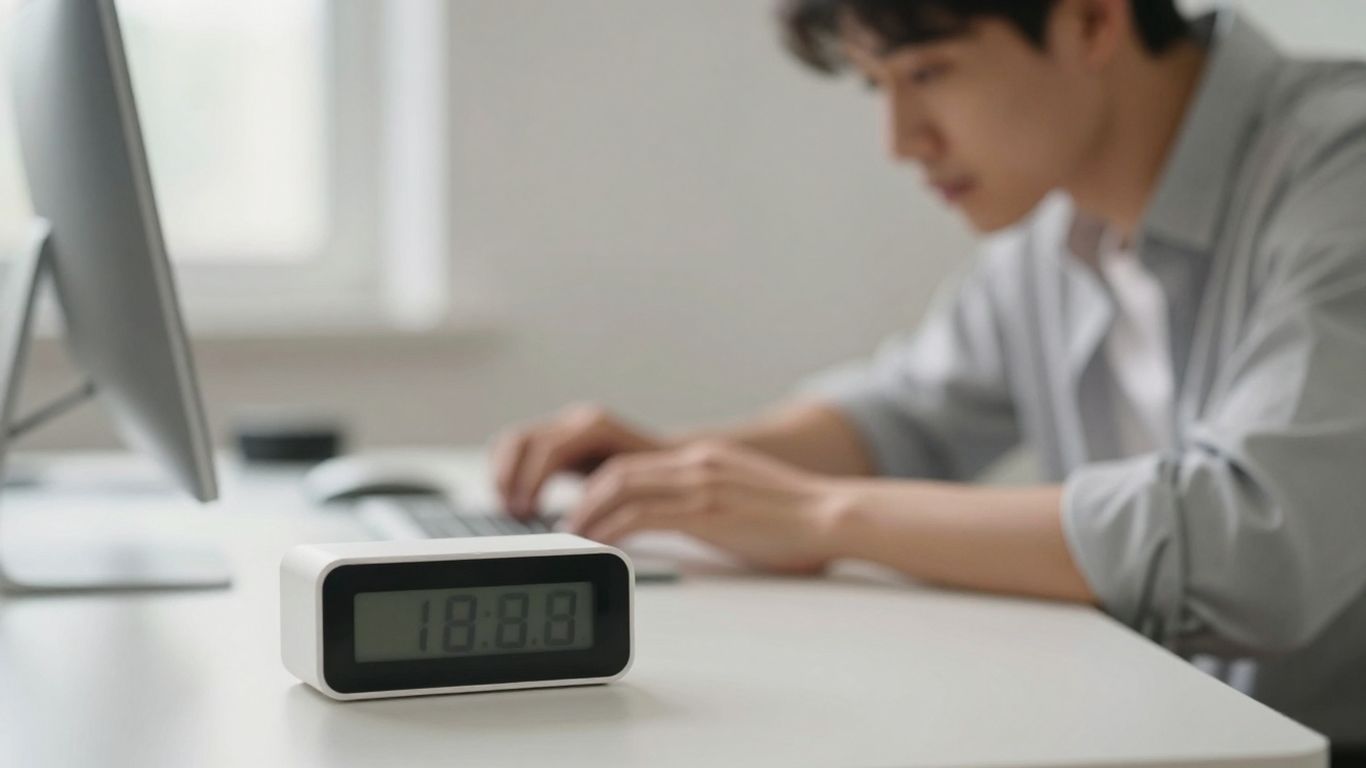
So, you’ve got your deep work timer set up. That’s awesome. But just having it isn’t the whole story, right? We need to actually use it in a way that makes a real difference in how much we get done. It’s about being smart with how you set those intervals and what you do during your breaks.
Customizing Intervals for Maximum Efficiency
Look, not all tasks are created equal, and neither are our brains. Sticking to the same timer setting for everything might not be the best approach. Think about what you’re actually trying to do. If you’re writing a report, you might need longer stretches of focus, maybe 45 or even 60 minutes. But if you’re just answering emails or doing some quick research, shorter bursts, like 25 minutes, might be more your speed. It’s about matching the timer to the task.
Here’s a quick way to think about it:
- Deep Focus Tasks: Writing, coding complex features, strategic planning. Try intervals of 45-60 minutes.
- Moderate Focus Tasks: Research, editing, data analysis. Intervals of 30-45 minutes often work well.
- Shallow Tasks: Email, scheduling, quick calls. Shorter intervals of 15-25 minutes can prevent burnout.
The key is to experiment and find what feels right for you and the specific work you’re doing. What works for one person might not work for another, and that’s totally fine.
Utilizing Break Times Effectively
Breaks are where the magic happens, or at least, where you recharge so the next work session is just as good. Don’t just scroll through social media or check your email during your break. That’s not really a break for your brain; it’s just switching to a different kind of distraction.
Try these ideas for your breaks:
- Move your body: Get up, stretch, walk around. Even a few minutes can make a big difference.
- Hydrate and snack: Grab some water or a healthy snack. Fueling your body helps fuel your brain.
- Rest your eyes: Look away from the screen. Focus on something in the distance for a minute or two.
- Mindful moments: Just sit quietly for a few minutes. Don’t think about work, just be.
Your breaks are just as important as your work sessions. They’re not downtime; they’re active recovery. Think of them as essential parts of the process, not just something to get through.
Tracking Progress and Analyzing Your Habits
This is where you really start to see the benefits. Most timer apps have some kind of tracking feature. Use it! See how many focus sessions you’re completing each day or week. Look at your streaks – those consecutive days of hitting your goals. It’s motivating to see that number go up.
Beyond just counting sessions, try to notice patterns. Are you more focused in the morning or afternoon? Do certain types of tasks consistently take longer than you expect? This kind of self-awareness is gold. It helps you adjust your schedule and your expectations to be more realistic and productive. For example, if you notice your focus dips significantly after lunch, maybe schedule your most demanding tasks for the morning and save lighter work for the afternoon.
Overcoming Distractions with a Deep Work Timer

It feels like there’s always something trying to pull us away from what we’re supposed to be doing, right? Phones buzzing, emails popping up, people stopping by your desk – it’s a lot. A deep work timer isn’t just about counting minutes; it’s a tool to help you build a shield against all that noise.
Strategies for Minimizing External Interruptions
Dealing with interruptions means being proactive. You can’t just hope they won’t happen. One simple thing is to turn off notification sounds. Seriously, just silencing your phone or computer can make a huge difference. Slack’s CTO even does this to keep focus. It’s about creating a signal to yourself and others that you’re in a zone. You can also set up ‘do not disturb’ modes on your devices. This tells apps and people that you’re not available for casual chats right now.
- Silence notifications: Turn off sound alerts for emails, social media, and messaging apps.
- Use ‘Do Not Disturb’: Activate this feature on your phone and computer during focus blocks.
- Communicate your availability: Let colleagues know when you’re in a deep work session and when you’ll be available.
- Close unnecessary tabs: Keep only the browser tabs open that are directly related to your current task.
The goal is to make it as difficult as possible for distractions to break your concentration. Every little barrier you put up helps.
Building a Distraction-Free Environment
Your physical space matters too. Think about where you work best. Is it a quiet corner? A coffee shop with background noise? Figure that out and try to replicate it. If you’re at home, maybe set up a dedicated workspace. Let people you live with know your focus schedule. Sometimes, just putting on headphones can signal that you’re busy, even if you’re not listening to anything. It’s a visual cue.
The Role of the Timer in Protecting Focus
The timer itself acts as a boundary. When you start a session, you’re making a commitment. It’s like saying, "For the next 45 minutes, this is my priority." If something comes up, you can quickly check if it’s urgent. If not, you can jot it down and deal with it after your focus block. This prevents you from getting sidetracked down a rabbit hole. It helps you stay on track with your planned tasks. The timer gives you permission to say "no" to distractions, knowing you’ll get back to them later.
Enhancing Productivity Through Social Timers
Sometimes, working alone just doesn’t cut it. You know, like when you’re trying to get that big report done, and your brain just keeps wandering off to check social media? That’s where social timers come in. They’re like having a study buddy, but for work. The idea is pretty simple: you connect with other people who are also trying to focus, and you all work together, virtually.
The Power of Community Accountability
It’s amazing how much difference it makes when you know other people are working at the same time as you. It’s not just about having someone to chat with (though that can be nice during breaks!). It’s more about that quiet understanding that you’re all in this together. This shared effort creates a kind of accountability. You’re less likely to get distracted by your phone or wander off for a snack when you see that others are powering through their tasks. It’s like a silent pact to stay focused.
Here’s how it helps:
- Shared Momentum: Seeing others actively working can give you a push to start and keep going.
- Reduced Isolation: For remote workers, it combats the feeling of working in a vacuum.
- Gentle Pressure: Knowing others are on the clock can make you more mindful of your own time.
Engaging in Focus Challenges
Many social timer tools offer challenges. These aren’t usually super intense, but they add a fun element. Think of it like a friendly competition. You might join a challenge to complete a certain number of focus hours in a week, or maybe a group challenge to finish a specific project. These challenges give you a clear goal and a reason to push yourself a little harder. Plus, when you succeed, you get that nice little hit of accomplishment, which is always a good motivator.
The gamified aspect of these challenges, with leaderboards and progress tracking, can turn what might feel like a chore into something more engaging. It taps into our natural desire for achievement and recognition, making the process of deep work feel less like a solitary struggle and more like a shared adventure.
Sharing Achievements and Staying Motivated
When you hit a milestone or complete a tough focus session, being able to share that with your community is really rewarding. It’s not about bragging; it’s about celebrating progress and getting encouragement. Other people in the group might share their own wins, which can inspire you, or they might offer tips if you’re struggling. This positive feedback loop is super important for staying motivated over the long haul. It helps you remember why you’re putting in the effort and keeps you coming back to your deep work sessions day after day.
Here’s a quick look at how different people use social timers:
| User Type | Benefit |
|---|---|
| Student | Stays on track during study sessions |
| Remote Worker | Combats isolation and maintains routine |
| Creative | Finds inspiration and shared energy |
| Developer | Minimizes context switching with peers |
Advanced Deep Work Timer Techniques
So, you’ve got your deep work timer set up, you’re getting into the zone, and things are humming along. But what happens when you hit those tricky situations? It’s not always a straight line to productivity. Let’s talk about some ways to handle those curveballs and really make your timer work for you.
The ‘Overlearn’ Principle When Tasks Finish Early
This one’s a bit counter-intuitive, but stick with me. You know how sometimes you breeze through a task way before the timer goes off? Instead of just stopping and waiting, the ‘overlearn’ principle suggests using that extra time to really dig into what you just did. Review your work, refine it, or even try to do it slightly better. It’s about reinforcing what you’ve learned and spotting small improvements. Think of it as a bonus round for quality.
Applying the Inform, Negotiate, Call Back Strategy
Interruptions are the enemy of deep work, right? But sometimes, they’re unavoidable. This strategy is your shield. When someone interrupts, the first step is to inform them you’re in a focus session. If possible, negotiate a new time to talk or help them out. Then, make sure you actually call back as promised. It’s about managing external distractions without completely derailing your progress. It takes practice, but it’s a game-changer for protecting your focus time.
Here’s a quick breakdown:
- Inform: Let the interrupter know you’re in a focused block.
- Negotiate: Agree on a specific time to reconnect.
- Call Back: Follow through on your commitment.
Voiding and Restarting Sessions When Interrupted
Sometimes, despite your best efforts, an interruption is so disruptive that it breaks your concentration entirely. The rule here is simple: if a focus session gets broken, it’s void. Don’t try to salvage it. Just stop the timer, take a moment, and start a fresh session. This might sound strict, but it trains you to truly defend your focus time. It’s better to restart than to push through a session that’s no longer truly deep work. You can track these instances to see patterns in your interruptions and work on preventing them in the future. This approach helps you control your time effectively.
The core idea behind these advanced techniques isn’t just about using a timer; it’s about building a robust system for protecting your most valuable resource: focused attention. By treating each focus block as indivisible and actively managing interruptions, you train your brain to stay on task and get more done.
Choosing the Right Deep Work Timer Tool
So, you’re ready to get serious about deep work, and that means picking the right timer. It sounds simple, but honestly, there are a ton of options out there, and they all promise the moon. You don’t want something that’s going to be more of a distraction than a help, right? The goal is to find a tool that just works with you, not against you.
Key Features for Uninterrupted Productivity
When you’re looking for a timer, think about what will actually keep you focused. A lot of these apps have fancy bells and whistles, but what you really need are the basics done well. Customizable intervals are a big one. Not every task needs the same rhythm, so being able to set your own work and break times is super important. Some timers let you set up presets for different kinds of work, like a "sprint" for quick tasks or a longer block for serious concentration. Also, look for features that help you stay in the zone, like auto-start for sessions so you don’t have to click around when you’re already in flow. Visual progress tracking can also be surprisingly motivating – seeing those completed sessions stack up can give you a little boost.
Here’s a quick rundown of what to look for:
- Customizable Intervals: Set your own work and break lengths.
- Preset Modes: Pre-configured timers for different work styles (e.g., 50/10, 25/5).
- Auto-Start: Automatically begin the next work or break session.
- Visual Progress: See how many focus blocks you’ve completed.
- Minimalist Interface: Avoid cluttered screens that pull your attention away.
Privacy-Focused Timer Options
In today’s world, privacy is a big deal, and that includes your productivity data. Some timers are great because they keep everything on your device. This means no personal information is being sent off to some server somewhere. You can find timers that don’t even require you to sign up, letting you jump right into focusing without giving away your email or name. If you’re working on sensitive projects or just prefer to keep your digital life private, this is definitely the way to go. It’s nice to know your work habits aren’t being tracked or sold.
It’s easy to get caught up in all the features a timer might offer, but remember the core purpose: to help you focus. If a tool requires a lot of setup or has too many options, it might actually be hindering your progress. Simplicity often wins when it comes to deep work.
Tools for Gamified Focus and Motivation
Sometimes, you just need a little extra push to stay consistent. That’s where gamified timers come in. These tools often use things like streaks, points, or challenges to make focusing feel more like a game. You might see your "streak" of focused days grow, or compete with friends or a community in focus challenges. Seeing your progress visualized, maybe on a heatmap showing your consistent work times, can be a real motivator. It turns the sometimes-lonely act of deep work into something more engaging and social, which can be surprisingly effective for building a lasting habit. It’s like having a little cheer squad in your pocket, reminding you to stay on task and celebrating your wins.
Keep That Focus Going
So, that’s the rundown on using a deep work timer. It’s not some magic bullet, but it’s a really solid tool to help you get more done without feeling totally drained. Think of it like training wheels for your focus. Start small, be consistent, and don’t get discouraged if you miss a session here or there. The main thing is to build a habit that works for you. Give it a try, see how it feels, and adjust as you go. You might be surprised at how much more you can accomplish when you just block out the noise for a bit.
Frequently Asked Questions
How can a focus timer help me get more done?
A focus timer, like a deep work timer, helps you by breaking your work into timed chunks. You focus hard for a set amount of time, then take a short break. This method stops you from getting tired and makes sure you’re always working on one thing. It’s like giving your brain short sprints to run, which is easier than running a marathon all at once.
What’s the deal with ‘deep work’?
‘Deep work’ means focusing really hard on a task without any distractions. It’s when you do your best, most important thinking and creating. A deep work timer helps you create these special times where you can really dive into your work and get a lot done without being bothered.
How do I start using a focus timer if I get distracted easily?
It takes practice! Start with shorter focus times, maybe 15 or 20 minutes, and build up. When you get distracted, just write down what popped into your head and get back to your task. The timer helps you notice when you get distracted, and over time, you’ll get better at ignoring those thoughts and returning to your work faster.
What are ‘social timers’ and why are they helpful?
Social timers are when you use a timer with other people. You might join a group session online or share your progress. Knowing others are also focusing can be really motivating. It’s like having a study buddy or a workout partner – it helps you stay on track and feel less alone in your efforts.
What if I finish my work before the timer goes off?
That’s a great problem to have! Instead of stopping, use the extra time to review your work, make it even better, or learn more about what you just did. This is called ‘overlearning.’ It makes sure you’re using your focus time to its fullest, not just waiting for the timer to beep.
Are there special tools for using a deep work timer?
Yes, there are many! Some are simple apps that just have a timer, while others have extra features like tracking your progress, offering different sounds, or even letting you connect with others for accountability. You can find ones that fit what you need, whether it’s just a basic timer or something more advanced.




