

Ever found yourself stuck in a study marathon, watching the minutes creep by, and wondering if there’s a smarter way to break the monotony?
That moment of frustration is exactly why we love the idea of an interval timer. It’s not just a gadget; it’s a tiny rhythm keeper that tells your brain when to sprint and when to breathe.
Picture this: you’re a student pulling an all‑night review session. You set a 25‑minute focus block, hit start, and suddenly the ticking feels like a friendly coach shouting “keep going!” When the timer dings, you give yourself a five‑minute stretch, a sip of water, maybe a quick glance at the chat. Then you dive back in, refreshed and less likely to drift.
Remote workers feel the same pull. Between Zoom calls and endless email threads, it’s easy to lose track of real work time. An interval timer slices the day into bite‑size pieces, making it clear when you’re in “do‑the‑thing” mode versus “break‑time” mode. You’ll notice fewer distractions and more momentum.
Freelancers juggling multiple projects often complain about “time‑blobs” – those vague periods where you’re not sure what you accomplished. By assigning each client a dedicated interval, you get a built‑in audit trail. At the end of the day, the timer’s log shows exactly how many focused minutes you gave to each gig.
And busy professionals? They’re constantly pulled in five directions at once. An interval timer acts like a gentle traffic light, turning green for the task at hand and red for the urge to check socials.
So, does an interval timer really make a difference, or is it just another app hype? In our experience, the simple act of hearing that quiet beep creates a psychological cue that tells your mind, “It’s time to lock in.” It’s a low‑tech, high‑impact habit that anyone can adopt.
Ready to try it out? Grab a timer, set a realistic interval, and watch how those small chunks add up to big progress. Let’s dive in and explore the best ways to use an interval timer for study, work, and life.
TL;DR
An interval timer turns chaotic work sessions into bite‑size focus blocks, giving students, freelancers, remote workers, and busy professionals a clear cue to start, pause, and track progress without distraction. By syncing simple beeps with the Pomodoro rhythm, you instantly boost productivity, reduce burnout, and see measurable results in minutes rather than hours.
1. 10 Benefits of Using an Interval Timer for Workouts
Ever felt your workout drift into a vague slog, where you can’t tell if you’re still sprinting or just scrolling? That’s where an interval timer steps in like a friendly drill sergeant, giving you clear start‑stop cues that keep the sweat honest.
1. Keeps Your Pace On‑Track
When the timer dings, you know exactly when to speed up or ease off. No more guessing if you’ve hit that 30‑second sprint window – the beep tells you, and you respond instantly.
You’ll notice you stop checking the clock, because the sound becomes your internal metronome. That freedom lets you focus on form, not on the passing minutes.
2. Boosts Mental Focus
Short, timed bursts force your brain to lock in. No more guessing if you’ve hit that 30‑second sprint window – the beep tells you, and you respond instantly.
That laser focus also translates to better technique, whether you’re lifting, cycling, or rowing. When the mind isn’t wandering, muscles fire more efficiently.
3. Increases Calorie Burn
High‑intensity intervals spike your heart rate, creating an afterburn effect that keeps metabolism humming long after the timer stops. It’s the reason HIIT workouts burn more calories in less time.
The afterburn, or EPOC, can keep your metabolism elevated for hours. That’s why even a short 10‑minute HIIT session can rival a full‑hour jog.
4. Helps Build Consistency
Seeing a consistent pattern of work‑rest cycles builds a habit loop. Your brain starts associating the beep with “time to move,” making it easier to stick with a routine week after week.
Consistency breeds confidence. Each completed cycle reinforces the belief that you can stick to a plan, which in turn fuels future workouts.
5. Reduces Overtraining Risk
Because the timer forces built‑in rest, you’re less likely to push through fatigue and damage muscle fibers. Those scheduled pauses give your body a chance to recover just enough to stay strong.
Rest isn’t lazy—it’s strategic. Those brief pauses clear lactic acid buildup, so the next sprint feels fresher, reducing the chance of injury over time.
6. Makes Tracking Simple
Every beep is a data point. After a workout you can glance at your timer log and see exactly how many intervals you completed, turning vague effort into measurable progress.
7. Adapts to Any Fitness Level
Whether you’re a beginner doing 20‑second jogs or an elite athlete sprinting 60 seconds, you just dial the numbers. The same device works for yoga flows, strength circuits, and even mobility drills.
8. Encourages Variety
Because you can set different lengths for work and rest, you’ll naturally mix cardio, strength, and core work. That variety keeps boredom at bay and challenges different muscle groups.
9. Improves Time Management Outside the Gym
When you get used to the interval rhythm, you start applying it to study sessions, freelance sprints, or even household chores. The habit spills over, making your whole day feel more structured.
10. Enhances Motivation
There’s something oddly satisfying about hearing that crisp beep signalling “you did it.” It gives instant positive feedback, nudging you to push that next interval a little harder.
So, next time you set up a workout, grab your interval timer and watch how these ten benefits turn an ordinary session into a focused, efficient, and surprisingly fun experience. Give it a try tomorrow and feel the difference.

2. How to Set Up Custom Intervals on Popular Timer Apps
Ever opened a timer app and felt the settings were a maze? You’re not alone. The good news is that most apps let you build exactly the work‑rest rhythm you need – you just have to know where to click.
1. Start With a Clear Goal
Before you tap any button, ask yourself: what am I trying to protect? A study sprint, a client call, or a quick body‑weight circuit? Write the numbers down – for example, 45 seconds on, 15 seconds off – and keep that sheet handy.
Having a concrete goal stops you from wandering through endless preset menus.
2. Choose an App That Supports “One‑Off” or “Custom” Workouts
Runkeeper calls these “One‑Off or Custom Intervals.” The process is surprisingly simple on both iOS and Android. After you tap “Create Workout,” you’ll see fields for work time, rest time, and number of rounds. Once you save, the workout appears under Custom > Saved Workouts on the start screen.
Need a step‑by‑step reference? The Runkeeper custom interval guide walks you through every screen.
3. Enter Your Numbers – Don’t Overthink It
Type the work duration (e.g., 30 seconds), then the rest duration (e.g., 10 seconds). If you’re a student, you might set 25 minutes work, 5 minutes break – that’s the classic Pomodoro twist.
Tip: Most apps let you copy a previous interval set, so you can tweak just one number instead of rebuilding from scratch.
4. Add a “Warm‑Up” or “Cool‑Down” Segment
Think of it like a mini‑agenda. A 5‑second prep beep before the first round helps you get into position. Some apps even let you name each segment – call it “Stretch” or “Deep Focus” so you know exactly what to do.
When you finish, the app usually shows a split view with your average pace per interval – handy for tracking progress over weeks.
5. Test It Out With a Real‑World Scenario
Imagine you’re a freelancer juggling three short tasks: email, design mockup, and code review. Set three 10‑minute work blocks separated by 2‑minute breaths. Hit start, and the timer silently nudges you from one task to the next. By the end of the hour you’ve actually completed three focused sprints instead of a vague “busy hour.”
Remote workers love this trick for Zoom‑back‑to‑back meetings – a 3‑minute “reset” interval between calls keeps the brain fresh.
6. Save, Name, and Share the Template
Most cloud‑enabled timers let you export a template link. If you’re coaching a study group, share the same 25/5 Pomodoro template so everyone stays in sync. The shared language cuts down on “when do we start?” questions.
And if you ever need to tweak the cadence, just open the saved workout and edit the numbers – no need to start from zero.
7. Keep an Eye on Metrics
After each session, glance at the split screen. You’ll see total work minutes, rest compliance, and sometimes even average heart‑rate if the app tracks it. Over a month you might notice you’re consistently adding five seconds to each sprint – a small win that adds up.
Those data points are gold for anyone who likes to see measurable progress, whether you’re a student aiming for a higher GPA or a professional trying to shave minutes off meeting prep.
8. Bonus: Use a Video Walkthrough for Visual Learners
Sometimes reading steps isn’t enough. Watching someone set up a custom interval can spark that “aha” moment. Below is a quick video that walks through the same process on a popular timer app.
Take a minute to pause, follow along on your phone, and then fire up your first custom interval. You’ll be surprised how fast the habit sticks.
9. Quick Checklist Before You Hit Start
- Define work and rest lengths.
- Choose the right app (Runkeeper, Focus Keeper, etc.).
- Save the template with a clear name.
- Do a 30‑second test run to confirm the beep timing.
- Review the split data after the session.
That’s it – you now have a repeatable system for any task, study session, or workout. Give it a try tomorrow morning and notice how the simple beeps keep you honest.
3. Top 5 Interval Timer Apps Compared
When you start looking for the perfect interval timer, the sheer number of options can feel overwhelming. You want something that nudges you forward without stealing your attention, right? Below we walk through five apps that many students, remote workers, freelancers and busy professionals swear by. We’ll break down pricing, customisation, and the little quirks that make each one click for a particular workflow.
1. Focus Keeper (our own app)
We built Focus Keeper around the classic Pomodoro rhythm, but we let you tweak every slice of the clock. Set a 45‑minute deep‑work block, add a 10‑minute stretch, and the app will automatically switch without you lifting a finger.
Why it shines for students: you can colour‑code subjects and see a tidy log at the end of the week. For freelancers: the built‑in tag system lets you label each client, then export a CSV for invoicing. The free tier gives you unlimited sessions; the Pro upgrade adds cloud sync across phone, tablet and desktop.
2. O’Coach HIIT Timer
Originally designed for high‑intensity interval training, O’Coach works surprisingly well for work sprints because it treats every interval as a ‘rep’. The app offers visual cue cards that show the current phase – perfect if you’re a visual learner.
Real‑world example: a remote worker sets 25‑minute coding bursts, 5‑minute breathing breaks, and the app flashes a quick animation that says “Breathe”. The free version is ad‑free, and a premium add‑on unlocks custom sound packs for those who love a drum roll instead of a beep.
3. Be Focused (iOS)
Be Focused lets you attach a task name to each interval, so you always know what you were working on when the timer rings. The app tracks daily totals and even lets you set a goal for how many intervals you’d like to hit each week.
Tip for freelancers: create a “Design Mockup” task with 3 × 50‑minute blocks, then watch the progress bar fill up as you move from concept to final draft. The basic version is free; the Pro upgrade removes ads and adds CSV export – handy for building a client report.
4. Tabata Timer for HIIT
Tabata Timer is built for sport, but its flexible configuration menu means you can define warm‑up, work, rest and cool‑down phases all in one screen. The app even supports “rest between sets”, which translates nicely to a 15‑minute brainstorming sprint followed by a 5‑minute mind‑map review.
What users love: the ability to save multiple templates and switch between them with a single tap. The free version covers most needs; a one‑time purchase unlocks unlimited saved workouts and removes the occasional purchase prompt.
5. Seconds Interval Timer (Android)
Seconds is a minimalist, no‑frills timer that focuses on speed. You tap ‘Add Interval’, set the length, and the app immediately starts counting down. There are no pop‑up tutorials, just a clean interface that lets you get to work fast.
Best for busy professionals who hate extra screens: you can create a “Meeting Prep” 10‑minute interval, hit start, and the device vibrates discreetly when it’s time to switch to the call. The app is free with an optional paid upgrade for background operation on newer Android versions.
Here’s a quick cheat‑sheet you can copy into your notes:
- Define the goal of each block (study, code, stretch).
- Pick an app that matches your preferred cue style (sound, visual, vibration).
- Save a template and name it clearly – e.g., “Deep Focus – 45/10”.
- Do a 30‑second test run to make sure the beep isn’t too jarring.
- Review the daily summary and adjust lengths if you notice fatigue.
Want a deeper dive into the basics of interval timers? Check out what is an interval timer for a quick refresher.
Below is a side‑by‑side comparison so you can pick the one that feels right for your routine.
| App | Free/Paid | Key Strength |
|---|---|---|
| Focus Keeper | Free / Pro | Custom tags, cross‑device sync |
| O’Coach HIIT | Free / Premium | Visual cue cards, sport‑focused UI |
| Be Focused | Free / Pro | Task‑linked intervals, CSV export |
| Tabata Timer | Free / One‑time purchase | Multi‑phase templates, warm‑up/cool‑down |
| Seconds | Free / Upgrade | Ultra‑minimalist, fast setup |
Take a few minutes today to install the one that resonates most with your workflow. Play with the settings, run a short test, and you’ll soon notice how those tiny beeps become a reliable rhythm that keeps you moving forward.
4. Interval Timer Workouts for Different Fitness Goals
Ever wonder how a simple beep can shape a workout that fits your exact goal? The trick is matching the interval pattern to what you’re trying to achieve.
1. Cardio & Endurance – The 30/60 Mix
Think about a 20‑minute session where you sprint for 30 seconds, then walk or jog for a full minute. Repeat eight times and you’ve got a classic HIIT cardio block.
Why it works: The short burst pushes your heart rate into the zone where you burn calories fast, while the longer recovery lets you keep the quality high for each round.
Pick a low‑tech move like jump rope interval or stair running – both need nothing but a rope or a set of steps. You’ll feel the burn in under ten minutes.
Tip: If you’re a student cramming between classes, set the timer for 30 s work, 60 s rest, and you use the rest to flip a flashcard.
2. Strength & Power – 40/20 Supersets
Want to add muscle without spending hours in the gym? Try 40 seconds of a strength move, followed by 20 seconds of a lighter, active recovery.
Example: Dumbbell squat‑to‑press for 40 seconds, then 20 seconds of marching in place or light lunges. The short rest keeps metabolic stress high, which is key for hypertrophy.
For those who only have bodyweight, combine push‑ups with a 20‑second plank hold. The timer cues you to switch, so you never lose momentum.
We’ve seen freelancers use this pattern during a quick “energy boost” break between client calls – it shaves off the need for a full‑blown gym session.
3. Flexibility & Mobility – 45/15 Flow
Mobility work often feels “optional”, but when you pair it with a timer it becomes a habit.
Set 45 seconds for a stretch (like a deep lunge or seated forward fold), then 15 seconds to roll onto the next pose. The rhythm forces you to move, not linger.
Remote workers love this: a 5‑minute mobility burst between back‑to‑back meetings can reset posture and keep the neck from screaming.
4. Fat‑Loss HIIT – 20/10 Blast
Short, savage intervals are perfect when you’re short on time but still want a calorie‑torching session.
Do 20 seconds of burpees, then 10 seconds of rest. Cycle through 8 rounds and you’ve burned a solid amount of energy while preserving muscle.
Research shows that even a 20‑minute interval mix of jump rope, burpees, and shuttle sprints can improve cardiovascular fitness fast (Verywell Fit). Pair it with a quick cool‑down and you’re done.
Busy professionals can slot this into a lunch break – no equipment, no excuses.
5. Core & Stability – 30/30 Circuit
Core work benefits from equal work‑rest ratios to keep the muscles under tension without over‑fatiguing.
Try 30 seconds of V‑sits, 30 seconds of rest, then move to Russian twists for the next round. After four moves, repeat the circuit twice.
This structure gives you a clear start/stop cue, which is especially helpful for freelancers juggling multiple tasks – you know exactly when the core session ends and you can jump back into design work.
So, which pattern feels right for your next workout? Grab your timer, pick a goal, and let the beeps do the scheduling. You’ll be surprised how a few minutes of structured intervals can line up with any fitness objective.
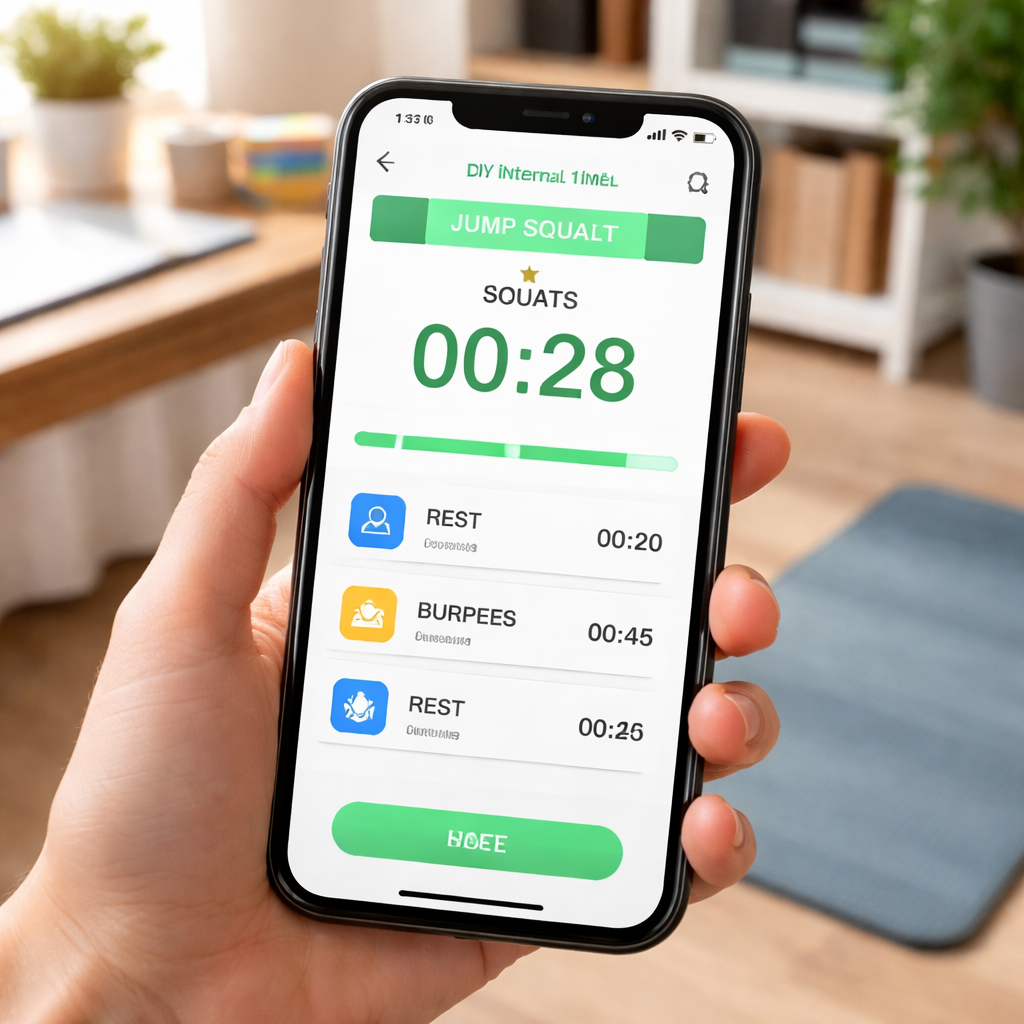
5. DIY Interval Timer: Building Your Own with Free Tools
Ever stared at a blank screen, wondering if you could ditch the pricey apps and still get a reliable interval timer? You’re not alone. The good news is that with a few free tools you can cobble together a timer that feels just as snappy as any paid version.
1. Decide What You Need It For
First, ask yourself: is this timer for a HIIT workout, a study sprint, or a quick stretch between Zoom calls? The answer will shape how many phases you need – a simple work/rest pair for most cases, or a multi‑phase set if you want warm‑up, high‑intensity, and cool‑down all in one.
2. Grab a Free Web‑Based Timer
If you prefer a plug‑and‑play solution, the online interval timer from Exercise Timer is a solid starting point. It lets you add as many intervals as you like, colour‑code each segment, and even enable a three‑second countdown sound so you’re never caught off guard.
Just hit “Add Interval”, type in the seconds for work and rest, set the total rounds, and you’re ready. The interface runs full‑screen, so you can keep your phone face‑down and stay focused on the movement.
3. Build a Custom Timer with a Spreadsheet
For the spreadsheet‑savvy, Google Sheets can become a surprisingly precise timer. Create three columns: “Phase”, “Duration (seconds)”, and “Round”. Fill in your pattern – e.g., “Work”, 30; “Rest”, 15; repeat for 8 rounds. Then use the built‑in =NOW() function combined with a simple script (Tools → Script editor) that triggers a pop‑up or sound when the cell value changes.
It sounds geeky, but once set up you have a reusable template you can share with teammates. Plus, you get a log of every session automatically saved in the sheet.
4. Code Your Own Timer for Total Control
Developers or anyone comfortable with a bit of Python can use the open‑source interval‑timer package. It gives you high‑precision intervals that stay in sync even if your code takes a moment to execute – perfect for building a desktop app or a command‑line tool that beeps exactly when you need it.
A minimal script looks like this:
from interval_timer import IntervalTimer
timer = IntervalTimer(30)  # 30‑second work phase
for i in range(8):
    timer.wait()          # blocks until 30 seconds elapsed
    print("Rest")        # you could play a sound here
    timer.wait(15)       # 15‑second rest
Run it, and you’ve got a no‑frills timer that you can extend with custom messages, CSV logging, or even integrate with your smart speaker.
5. Add Audio Cues Without Paying
Most operating systems let you schedule a sound file with a simple command. On macOS, the afplay command can play a beep; on Windows, PowerShell -c (New-Object Media.SoundPlayer “C:beep.wav”).PlaySync(). Tie those commands into your spreadsheet script or Python loop and you’ve got audible cues without buying a sound pack.
6. Keep It Visible – Use a Full‑Screen Overlay
Whether you’re on a laptop or tablet, a full‑screen overlay prevents you from checking the clock every few seconds. The Exercise Timer site already does this, but you can also create a simple HTML page that displays the current interval and a countdown timer. Paste the following into a blank .html file and open it in a browser:
<!DOCTYPE html>
<html><head><title>DIY Interval Timer</title></head>
<body style="font-size:3em; text-align:center;">
<div id="count">30</div>
<script>
let secs = 30;
const el = document.getElementById('count');
setInterval(()=>{ secs--; el.textContent = secs; if(secs===0){ location.reload(); } },1000);
</script>
</body></html>
Reloading swaps between work and rest phases, and you can tweak the numbers for any pattern.
7. Test, Tweak, and Save Your Template
Run through a full round before you hit the gym or the books. Notice if the beep feels too early, or if the rest feels too short. Adjust the seconds, add a “prepare” interval of 5 seconds, and lock it in. The beauty of DIY is that you own every tweak.
So, what’s the next step? Pick the tool that matches your comfort level, set up a 20/10 sprint, and see how the simple rhythm changes your focus.
FAQ
Here are the most common questions we hear about interval timers and practical answers you can start using today.
What exactly is an interval timer and how does it work?
An interval timer is simply a digital or app‑based clock that alternates between a work phase and a rest phase for a set number of rounds. You tell it how long each segment should be, hit start, and it cues you with a beep, vibration or visual change when it’s time to switch. The rhythm keeps your brain from drifting, so whether you’re lifting weights or drafting a proposal you always know exactly when to push and when to pause.
Can I use an interval timer for studying, not just workouts?
Absolutely. For students the timer becomes a study‑coach that marks a focused sprint—say 25 minutes—followed by a short break to stretch or review flashcards. Because the cue is external, you’re less likely to cheat yourself by checking social media during the sprint. Over a few days you’ll notice tighter concentration, fewer distractions, and a clearer sense of how much material you actually covered in each session.
How do I choose the right work‑rest ratio for my tasks?
In our experience the sweet spot depends on what you’re trying to achieve. For pure focus work, a 45‑minute work block with a 10‑minute pause mirrors the classic Pomodoro and gives enough time for deep thinking without burning out. If you’re doing high‑intensity cardio, a 30‑second sprint followed by 60‑seconds of active recovery keeps the heart rate in the fat‑burn zone. The key is to test a couple of ratios, note how you feel, and adjust until the beep feels like a helpful nudge rather than an interruption.
Is it okay to customize the beep sound or use vibration only?
Yes, you can tailor the cue to what works best for you. Some people find a sharp beep jarring, so they switch to a softer chime or even a gentle vibration on their smartwatch. The important thing is consistency—once you settle on a cue, your brain learns to associate that signal with the start or end of a segment, making the transition almost automatic.
What’s the best way to track progress without getting overwhelmed?
Treat the timer as a data point, not a full‑blown analytics suite. After each session, jot down the number of rounds you completed and note any fatigue level on a simple 1‑to‑5 scale. Over a week you’ll see trends—maybe you’re adding five seconds to each sprint or your breaks feel too short. If you prefer a digital record, most apps let you export a CSV; you can then filter for the metrics that matter, like total focused minutes per day.
How can I integrate an interval timer into a remote‑workday schedule?
Start by mapping your typical day into blocks: deep‑work, meetings, emails, and quick breaks. Then assign a timer pattern to each block—maybe 50 minutes of coding followed by a 10‑minute walk, or a 20‑minute brainstorming sprint with a 5‑minute stretch. When the timer dings, step away from the screen; the physical cue helps you respect boundaries even when your home office blurs the line between work and leisure.
Do I need to reset the timer every day, or can I reuse templates?
You can reuse templates as often as you like; the timer itself doesn’t care about the calendar. Just create a “Focus Sprint” template with your preferred intervals, save it, and pull it up each morning. If a particular day calls for a longer session, duplicate the template and tweak the numbers—no need to start from scratch. Consistency in the pattern is what trains your brain, not the date stamp.
Conclusion
So, you’ve seen how a simple beep can turn chaos into rhythm. Whether you’re a student cramming for exams, a remote worker juggling back‑to‑back calls, a freelancer switching between clients, or a busy professional squeezing in a quick stretch, the interval timer is the quiet partner that keeps you honest.
In our experience, the biggest win comes from consistency, not complexity. Pick a pattern that feels natural—25 minutes work, 5 minutes rest, for example—save it as a template, and let the timer do the reminding. Over a week you’ll notice fewer distractions, steadier energy, and a clearer sense of how much you actually accomplish.
What should you try tomorrow? Set up a 45/10 focus sprint for your biggest task, hit start, and walk away the moment the beep signals a break. Use that break to stretch, hydrate, or simply stare out the window. When the next beep sounds, dive back in with fresh focus.
Remember, the interval timer isn’t a magic bullet; it’s a habit‑builder. Pair it with a realistic to‑do list, and you’ll start measuring progress in minutes instead of vague hours. Ready to give your day a steady beat? Grab your timer, define one simple rhythm, and watch the momentum grow.




