

Let’s face it, our days are packed. Between endless emails, meetings that seem to go on forever, and that ever-growing to-do list, it’s tough to get anything meaningful done. Many of us feel burnt out and like we’re constantly playing catch-up. But what if there was a way to take back control? The time blocking method is gaining steam because it actually works, boosting productivity significantly. This guide will show you how to start using this approach to get a handle on your schedule, starting today.
Key Takeaways
- The time blocking method involves scheduling specific blocks of time for each task, rather than just having a general to-do list.
- To start, prioritize your tasks, estimate how long each will realistically take, and look for time you can reclaim on your calendar.
- Use buffer blocks to handle unexpected delays and consider theme days to group similar tasks together for better focus.
- Regularly review your schedule to see what worked and what didn’t, then adjust your time blocks for the following week.
- Future trends suggest AI will help with predictive scheduling and that recovery blocks will become more common for well-being.
Understanding the Power of the Time Blocking Method
What Exactly Is Time Blocking?
So, what is this time blocking thing everyone’s talking about? Basically, it’s like drawing lines on your day. Instead of just having a list of stuff you need to do, you decide when you’re going to do each thing. You take your to-do list and put it directly onto your calendar, assigning specific chunks of time to each task. Think of it as making appointments with yourself for your work. It’s not just about getting things done; it’s about being really intentional with every hour you have. This method is a step up from just a regular checklist because it gives your entire day a structure.
Why This Method Is Essential for Productivity
In today’s world, our attention is pulled in a million directions. Emails ping, messages pop up, and suddenly your planned work session is gone. Studies show people get interrupted a lot, and it takes a while to get back on track. A simple to-do list often doesn’t account for how much time things actually take or the reality of interruptions. Time blocking helps you fight back against that chaos. By pre-scheduling your tasks, you create dedicated focus periods. This means less switching between tasks, which is a huge time drain, and more deep work. It’s estimated that this can boost your productivity significantly, sometimes by as much as 80%.
The Psychological and Physiological Benefits
Beyond just getting more done, time blocking does some cool things for your brain and your overall feeling of well-being. When you know exactly what you should be working on and when, that nagging feeling of ‘what am I forgetting?’ or ‘am I doing the right thing?’ starts to fade. This reduces stress and anxiety. It also helps you build a better sense of control over your day. Psychologically, it’s like having a clear roadmap, which is way more comforting than wandering aimlessly. Physiologically, by dedicating blocks for focused work and also for breaks, you’re respecting your natural energy cycles. This can prevent burnout and make your work feel more sustainable. It’s about working smarter, not just harder, and feeling better while you do it.
Implementing the Time Blocking Method Effectively
So, you’ve decided to give time blocking a real shot. That’s awesome! But just slapping tasks onto your calendar isn’t quite the magic bullet. To really make this work, you need a bit of strategy. It’s about being smart with how you plan your day, not just filling it up.
Prioritizing Your Tasks for Maximum Impact
Before you even think about opening your calendar, you need to know what’s actually important. Trying to block out time for everything on your to-do list is a recipe for disaster. Instead, figure out what really needs to get done. Think about your big goals for the week or month. What tasks directly move you closer to those? Those are your priorities. You can use a simple system like the Eisenhower Matrix (Urgent/Important) or just ask yourself: "If I could only get three things done today, what would they be?"
- Identify your top 1-3 most important tasks for the day.
- Group similar, smaller tasks together (like answering emails or making calls).
- Schedule your most demanding work during your peak energy times.
Don’t get caught in the trap of thinking every task is equally important. A well-prioritized list makes your time blocks far more effective.
Estimating Task Durations Realistically
This is where a lot of people stumble. We tend to be overly optimistic about how long things will take. You know, "Oh, I can totally write that report in an hour." Then, surprise! It takes three. When you underestimate, your whole schedule starts to unravel. You end up running late for your next block, feeling rushed, and then you’re behind for the rest of the day. It’s better to overestimate a little. Think about past experiences. How long did a similar task actually take?
Here’s a rough guide for common task types:
| Task Type | Typical Time Estimate | Notes |
|---|---|---|
| Deep Work (Writing) | 1.5 – 3 hours | Requires focused, uninterrupted time. |
| Email/Messages | 30 – 60 minutes | Batch these to avoid constant checking. |
| Meetings | 30 – 90 minutes | Include prep and follow-up time if needed. |
| Admin Tasks | 1 – 2 hours | Can often be batched together. |
Auditing Your Calendar for Reclaimable Time
Take a good, hard look at your current calendar. Are there blocks of time that are just… gone? Maybe you have meetings that could be shorter, or perhaps you’re spending too much time on low-value activities. This is about finding pockets of time you didn’t even realize you had. Look for recurring meetings that might not be necessary anymore, or see if you can consolidate tasks. Sometimes, just noticing how much time you spend on certain things is enough to make a change. It’s like finding extra money in your pocket – you can then use that time for more important things.
- Review past weeks: Where did your time actually go?
- Identify time sinks: What activities consistently take longer than planned or offer little return?
- Look for overlaps: Are there meetings or tasks that could be combined or eliminated?
By being honest about how you’re currently spending your time, you can free up valuable hours for focused work and personal well-being.
Key Strategies for Successful Time Blocking
So, you’ve got the hang of what time blocking is and why it’s a game-changer for getting stuff done. Now, let’s talk about how to actually make it work for you, day in and day out. It’s not just about drawing lines on a calendar; it’s about building a system that sticks.
Leveraging Buffer Blocks for Flexibility
Look, life happens. That meeting you’re in might run a little long, or a quick question from a colleague could turn into a 20-minute chat. If your schedule is packed tighter than a rush-hour train, one small delay can throw everything off. That’s where buffer blocks come in. Think of them as little pockets of breathing room you build into your day. They’re usually 15 to 30 minutes, placed between bigger tasks or meetings. This way, if something spills over, you’ve got a cushion. It means you can handle unexpected issues without your entire plan collapsing. It’s a simple way to keep your schedule from becoming a source of stress.
Exploring Theme Days for Focused Work
Instead of just blocking out hours for specific tasks, why not block out entire days for certain types of work? This is called theme days, and it’s a strategy that really helps with deep focus. Imagine having a "Creation Wednesday" where you dedicate the whole day to a big project, with no meetings allowed. Or maybe "Finance Fridays" to wrap up all your administrative and financial tasks. This approach cuts down on the mental gymnastics of switching gears constantly. When you know Monday is for meetings and Tuesday is for deep analysis, you can get into the right headspace much faster. It makes your work more predictable and, honestly, a lot more efficient. Many people find this helps them get more done in less time.
The Importance of Regular Review and Refinement
Your time blocking system isn’t a set-it-and-forget-it kind of deal. The world changes, your priorities shift, and you learn what works and what doesn’t. That’s why you’ve got to look at your schedule regularly. Maybe you’re consistently underestimating how long certain tasks take, or perhaps you’ve found a particular time of day is way better for your focused work. A weekly review is a good starting point. Look at what you accomplished, what got pushed back, and why. Adjust your blocks based on this real-world data. It’s about making your time blocking method a living, breathing tool that adapts with you, not a rigid cage. This continuous improvement is key to long-term success with time blocking, helping you stay on track with your goals and achieve lasting habits.
A common pitfall is trying to schedule every single minute of your day. This leaves no room for spontaneity or unexpected events, leading to frustration when the schedule inevitably breaks. Building in flexibility through buffer blocks and regular reviews is more realistic and sustainable.
Tailoring the Time Blocking Method to Your Needs
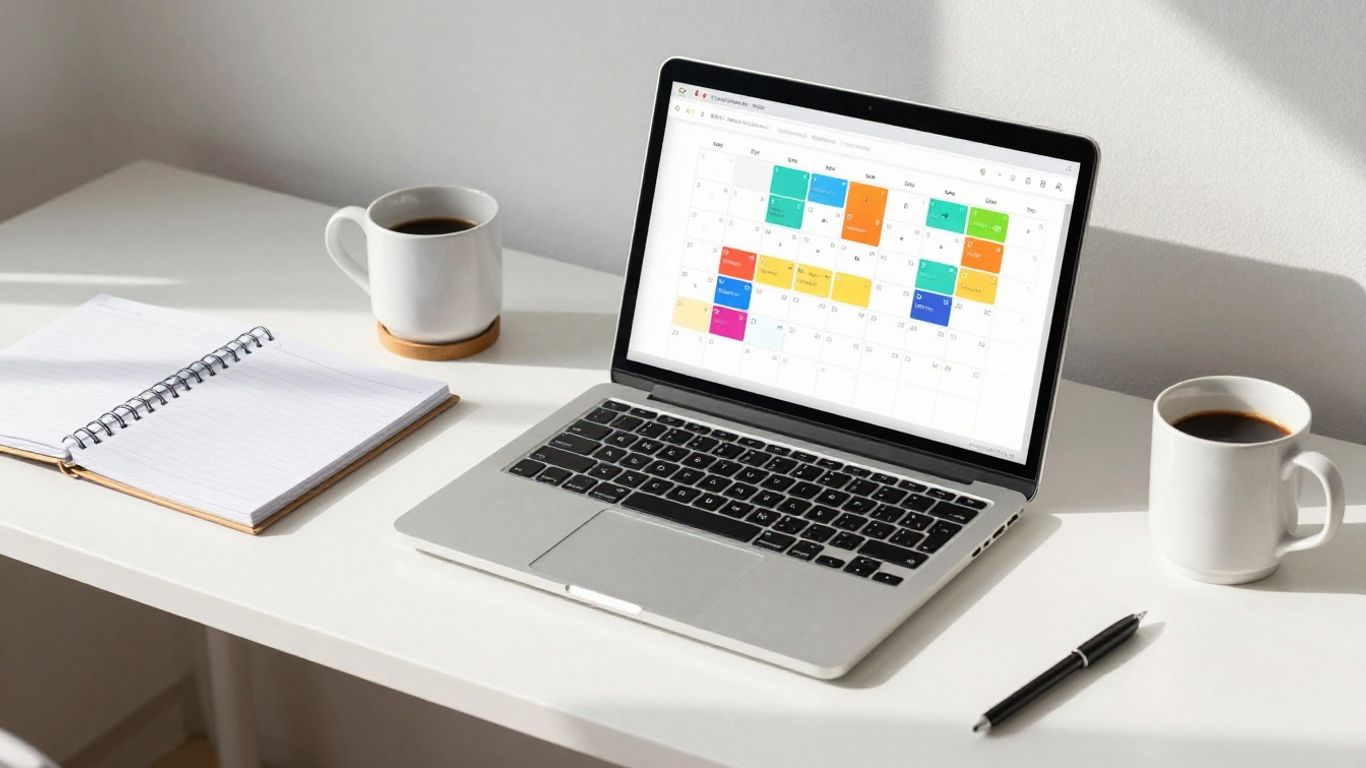
So, you’ve got the basics of time blocking down. You know what it is and why it’s a game-changer for getting stuff done. But here’s the thing: not everyone’s life looks the same, right? What works for a freelance writer might not be the best fit for a busy manager or someone working from home. This section is all about making time blocking work for you, not the other way around.
Who Benefits Most from Time Blocking?
Honestly, a lot of people can get a lot out of this. If you’re constantly feeling pulled in a million directions, like you’re always reacting to things instead of getting your important work done, time blocking can be a lifesaver. It’s great for:
- Knowledge Workers: Think programmers, designers, writers, researchers – anyone who needs solid chunks of uninterrupted time to really focus and create. You can actually carve out those deep work sessions.
- Busy Executives: Juggling meetings, strategy, and team management? Time blocking helps you make sure you’re allocating time for everything, including that critical thinking time that often gets pushed aside.
- Freelancers and Solopreneurs: Keeping work and personal life separate can be tough when you’re your own boss. Clearly defining blocks for client work, admin, and even breaks helps maintain boundaries and ensures you’re getting paid for your time.
- Students: Balancing classes, studying, projects, and a social life? Time blocking can help you map out your week so you’re not just cramming last minute.
The core idea is that by assigning specific tasks to specific times, you reduce decision fatigue throughout the day. You’re not constantly wondering what to do next; your schedule tells you. This clarity alone can be a huge relief.
Top Time Blocking Approaches to Consider
Time blocking isn’t a rigid, one-size-fits-all thing. People have found different ways to make it work. Here are a few popular methods:
- Theme Days: Instead of blocking out hours, you block out entire days for specific types of work. For example, Mondays might be all about meetings and planning, Wednesdays could be dedicated to creative work with no interruptions, and Fridays might be for administrative tasks and wrapping things up. This helps you get into a flow for a particular kind of work.
- Batching Similar Tasks: This is where you group similar, smaller tasks together into one block. Think of an hour dedicated solely to answering emails, responding to messages, or making phone calls. It cuts down on the mental switching cost between different types of activities.
- The "Deep Work" Block: This is a non-negotiable block of time set aside specifically for your most important, cognitively demanding tasks. It’s protected time, meaning you turn off notifications and avoid distractions to get your most impactful work done.
Here’s a quick look at how you might structure a week with theme days:
| Day | Focus |
|---|---|
| Monday | Meetings & Team Syncs |
| Tuesday | Project A: Deep Work |
| Wednesday | Project B: Deep Work & Creative Tasks |
| Thursday | Client Calls & Outreach |
| Friday | Admin, Planning & Review |
Adapting the Method for Remote Work Environments
Working remotely definitely changes the game for time blocking. The lines between work and home can get really blurry, and distractions are different. Here’s how to adjust:
- Be Explicit About Boundaries: Schedule blocks for
Evolving Time Blocking for the Future
Looking ahead, time blocking isn’t just about manually slotting tasks into your calendar anymore. Things are getting pretty interesting, especially with how technology is stepping in.
Predictive Scheduling and AI Integration
Imagine your calendar actually knowing when you’re at your best. That’s where predictive scheduling comes in. Apps are starting to use data, like from your smartwatch, to figure out your energy levels. If you had a rough night’s sleep, the app might suggest moving that big creative project to later in the day when you’re more alert. It’s like having a personal assistant who understands your biological rhythms.
Augmented Reality in Time Management
This is where things get a bit sci-fi, but it’s happening. With devices like the Apple Vision Pro, your schedule could literally float in front of you. You might be able to grab a ‘task block’ with your hand and move it around your virtual workspace. It makes planning feel more tangible, less like just staring at a screen.
Prioritizing Well-being with Recovery Blocks
The whole ‘hustle culture’ is thankfully fading. The next wave of productivity tools is focusing just as much on rest as on work. You’ll see more apps that make taking breaks mandatory, track your screen time more closely, and even suggest ‘recovery blocks’ after you’ve been doing deep work for a while. It’s about working smarter, not just harder, and making sure you don’t burn out.
The tools we use for time management will keep changing, but the core idea stays the same: being intentional with your time beats just reacting to whatever pops up. Whether it’s an AI-powered app or a simple paper planner, the goal is to take control.
Here’s a quick look at how these future trends might shape your schedule:
- AI-driven Adjustments: Your calendar automatically shifts tasks based on your predicted energy levels.
- AR Interface: Visualize and manipulate your schedule in a 3D space.
- Mandatory Recovery: Built-in prompts and blocks for rest and recharging.
- Biometric Integration: Wearables feeding data into scheduling apps for optimal task placement.
This evolution means time blocking will become even more personalized and responsive, helping you manage your day more effectively while also looking after your own well-being.
Ready to Take Control of Your Time?
So, we’ve gone over what time blocking is and why it’s such a game-changer for getting things done. It’s not about filling every single minute, but more about being intentional with your day. By setting aside specific times for specific tasks, you cut down on distractions and actually make progress on what matters. Remember to start small, be realistic with your time estimates, and don’t forget to build in some wiggle room for the unexpected. Give it a try for a week or two, and you might be surprised at how much more you can accomplish. Your future, less-stressed self will thank you.
Frequently Asked Questions
What exactly is time blocking?
Time blocking is like giving every part of your day a specific job and a set time to do it. Instead of just having a to-do list, you actually put tasks onto your calendar like appointments. So, you might block out 9 AM to 10 AM for writing a report, and 10 AM to 10:30 AM for checking emails. It helps you know exactly what you should be doing and when.
Why is time blocking so good for getting things done?
It’s great because it stops you from jumping between too many things at once. When you have a block of time for one task, you can really focus on it. This means you get more done and do a better job. Plus, seeing your whole day planned out makes it less overwhelming and helps you avoid wasting time.
How do I figure out how much time each task needs?
It can be tricky at first! A good starting point is to guess a bit longer than you think it will take. For focused work, maybe 60-90 minutes. For checking emails, 20-45 minutes. After you try it for a week, you’ll get a better idea of how long things really take and can adjust your guesses.
What happens if my schedule gets messed up by unexpected things?
That’s totally normal! The best way to handle this is to add ‘buffer blocks’ to your schedule. These are like little gaps, maybe 15-30 minutes, between your main tasks. If a meeting runs late or something urgent pops up, you can use that buffer time without your whole day falling apart.
Should I plan my time blocks way ahead of time?
Most people find it works best to plan their week ahead, maybe on Sunday. This gives you a good plan. But it’s also important to be flexible. You can quickly tweak your plan each evening for the next day. The goal is to have a plan, but be ready to adjust it when needed.
Is time blocking good for people who work from home?
Yes, definitely! Working from home can make it hard to separate work and personal time. Time blocking helps you create clear boundaries. You can set specific times for focused work, virtual meetings, and even breaks, making sure you don’t get distracted or feel burned out.




