
You know, sometimes you just get stuck. Like, you have a big project, and staring at it feels impossible. I’ve been trying out this thing called the Pomodoro Technique, and it’s pretty neat. It’s basically about breaking your work into short bursts, with breaks in between. But what’s really changed the game for me is using a pomodoro timer with history. It’s not just about timing your work; it’s about seeing where all that time actually goes. It’s kind of eye-opening, honestly.
Key Takeaways
- The Pomodoro Technique uses timed work intervals (usually 25 minutes) followed by short breaks to help you focus and avoid burnout.
- A pomodoro timer with history lets you track how long you actually spend on tasks, not just when you start and stop.
- Tracking your sessions helps you see patterns, like which tasks take longer than you thought or when you’re most productive.
- Many timers let you customize work and break times, add sub-tasks, and even play ambient sounds to help you concentrate.
- Looking at your past sessions can help you figure out how to plan your work better and improve your focus over time.
Understanding The Pomodoro Technique With History
The Origins Of The Tomato Timer
The Pomodoro Technique, a popular time management method, actually got its name from a simple kitchen timer shaped like a tomato. Back in the late 1980s, a university student named Francesco Cirillo was struggling to focus on his studies. He decided to use a timer to break his work into manageable chunks. The tomato timer he had on hand became his trusty sidekick, and thus, the "Pomodoro" (Italian for tomato) technique was born. It’s a pretty neat origin story for something that has helped so many people get more done.
Core Principles For Enhanced Focus
The whole idea behind the Pomodoro Technique is pretty straightforward. You work in focused bursts, traditionally 25 minutes long, followed by short breaks. These focused work periods are called "pomodoros." After completing about four pomodoros, you take a longer break. This structure helps combat procrastination and makes daunting tasks feel more approachable. It’s all about working with your attention span, not against it.
Here’s a typical breakdown:
- Work Interval (Pomodoro): 25 minutes of focused work on a single task.
- Short Break: 5 minutes to step away, stretch, or grab a drink.
- Long Break: 15-30 minutes after completing four pomodoros, for more substantial rest.
The key is to treat each pomodoro as an unbreakable unit of work. If you get interrupted, you either reset the timer or deal with the interruption and then restart. This discipline is what makes the technique so effective.
Benefits For Productivity And Well-being
Using the Pomodoro Technique isn’t just about getting more done; it’s also good for your mental state. By breaking work into smaller pieces, it reduces the anxiety that often comes with big projects. You feel a sense of accomplishment after each pomodoro, which keeps motivation up. Plus, those regular breaks are super important for preventing burnout and maintaining mental clarity throughout the day. It helps you stay engaged without feeling overwhelmed.
Some of the main advantages include:
- Improved Concentration: Short, focused bursts make it easier to stay on task.
- Reduced Fatigue: Regular breaks prevent mental exhaustion.
- Better Time Awareness: You start to get a feel for how long tasks actually take.
- Less Procrastination: The timer provides a clear starting point and a defined work period.
- Increased Motivation: Small wins add up, keeping you going.
Leveraging A Pomodoro Timer With History
So, you’ve got the basic idea of the Pomodoro Technique down. You know about the work intervals and the breaks. But what if you want to get more out of it? That’s where a Pomodoro timer with history really shines. It’s not just about ticking off minutes; it’s about understanding how you spend your time.
Customizing Your Focus And Break Intervals
One of the best things about using a dedicated timer app is that you’re not stuck with the classic 25-minute work, 5-minute break structure. Life isn’t one-size-fits-all, and neither is productivity. Maybe you find that 25 minutes flies by too fast for deep work, or perhaps you get restless during those short breaks. A good timer lets you tweak these settings.
- Focus Time: Adjust this to match your concentration span. Some people do better with 45-minute blocks, others with 90 minutes. Experiment to see what works for you.
- Short Break: This is for quick resets. 3-5 minutes is standard, but you might prefer a slightly longer stretch to grab a drink or walk around.
- Long Break: After a few work cycles, you need a more substantial break. Setting this to 15-30 minutes allows for a real mental reset before diving back in.
The key is to find a rhythm that feels sustainable and productive for you. Don’t be afraid to play around with these numbers until you hit that sweet spot.
Integrating Sub-Tasks For Granular Tracking
Ever feel like you’re working on a big project, but you’re not sure what you actually did during your Pomodoro sessions? This is where breaking down your main tasks into smaller, manageable sub-tasks comes in handy. Instead of just marking
Tracking Your Progress With Session History
So, you’ve been using the Pomodoro Technique with a timer that keeps tabs on your work sessions. That’s awesome! But what do you do with all that data? Just letting it sit there is like leaving money on the table. This is where looking at your session history really pays off. It’s not just about seeing how many times you hit the ‘start’ button; it’s about understanding how you actually work.
Analyzing Focus Time Distribution
Ever wonder where all your time goes? Your Pomodoro history can shed some light on that. It breaks down your focused work into manageable chunks, showing you exactly how much time you dedicated to specific tasks or projects. You can see patterns emerge, like how much time you spend on deep work versus administrative tasks. This isn’t just numbers; it’s a map of your workday.
- See total focused minutes per day.
- Identify your most productive hours.
- Spot periods where focus dips.
Looking at your focus time distribution helps you understand your natural work rhythms. Are you a morning person for focused tasks, or do you hit your stride in the afternoon? Knowing this lets you schedule your most demanding work when you’re naturally at your best.
Reviewing Completed Tasks and Projects
Beyond just tracking time, your session history is a record of what you’ve actually accomplished. Each completed Pomodoro session is tied to a task or project. This means you get a clear overview of your progress on larger goals. It’s a great way to feel a sense of achievement and to see how far you’ve come, especially on long-term projects.
Here’s a quick look at what you might see:
| Task Name | Pomodoros Completed | Estimated Time | Actual Time | Status |
|---|---|---|---|---|
| Article Draft | 8 | 200 mins | 195 mins | In Progress |
| Client Email | 2 | 50 mins | 48 mins | Completed |
| Project Planning | 5 | 125 mins | 130 mins | In Progress |
Identifying Productivity Trends Over Time
This is where things get really interesting. By looking at your history over weeks or months, you can spot trends. Are you getting more done in fewer Pomodoros than you used to? Are certain types of tasks consistently taking longer than you expect? This historical data is gold for making smart adjustments to your workflow. It transforms abstract goals into concrete, measurable progress.
- Track improvements in task completion speed.
- Notice if certain projects are consistently underestimated.
- See if your focus is improving over longer periods.
By regularly checking in with your session history, you’re not just using a timer; you’re building a personal productivity dashboard that helps you work smarter, not just harder.
Advanced Features For A Pomodoro Timer With History
Cross-Platform Synchronization For Seamless Access
Ever start a focused work session on your desktop, only to realize you need to switch to your tablet or phone to finish a related task? A Pomodoro timer with history that syncs across devices means your progress isn’t lost in translation. Imagine starting a 25-minute focus block on your laptop, then getting a notification on your phone that the session is complete and you can take your break. This kind of continuity is a game-changer for maintaining momentum. It means you can pick up right where you left off, no matter which device is in your hand. This feature is particularly helpful if you use different devices throughout your day, like a desktop for deep work and a mobile device for quick check-ins or task management.
Visualizing Progress With Gantt Charts
While simple lists of completed sessions are useful, some advanced timers go a step further by offering visual representations of your work. Think Gantt charts, often used in project management. These charts can map out your Pomodoro sessions over days, weeks, or even months, showing not just when you worked, but also how long each session lasted and which tasks or projects they were associated with. This visual approach can make it much easier to spot patterns, identify your most productive times, and see how your focus sessions contribute to larger project timelines. It turns raw data into an easily digestible picture of your work habits.
Utilizing Widgets For Quick Task Management
Sometimes, you just need to start a timer or mark a task as done without opening the full application. This is where widgets come in handy. A well-designed widget can sit on your home screen or desktop, giving you one-tap access to start your next Pomodoro, log a completed task, or even see your upcoming scheduled sessions. It cuts down on the friction of switching between apps and keeps your workflow smooth. For example, you might have a widget that shows your current task and a ‘Start Pomodoro’ button. Once clicked, it starts the timer and updates the widget to show the remaining time. This kind of quick access is surprisingly effective at keeping you in the zone.
The real power of advanced features lies in their ability to reduce friction and provide clearer insights. When a tool works with you, rather than getting in the way, it makes sticking to your productivity goals feel less like a chore and more like a natural part of your day. Features like cross-platform sync, visual charts, and quick-access widgets are designed to do just that, making your focus sessions more effective and your tracking more meaningful.
Maximizing Productivity Through Data Insights
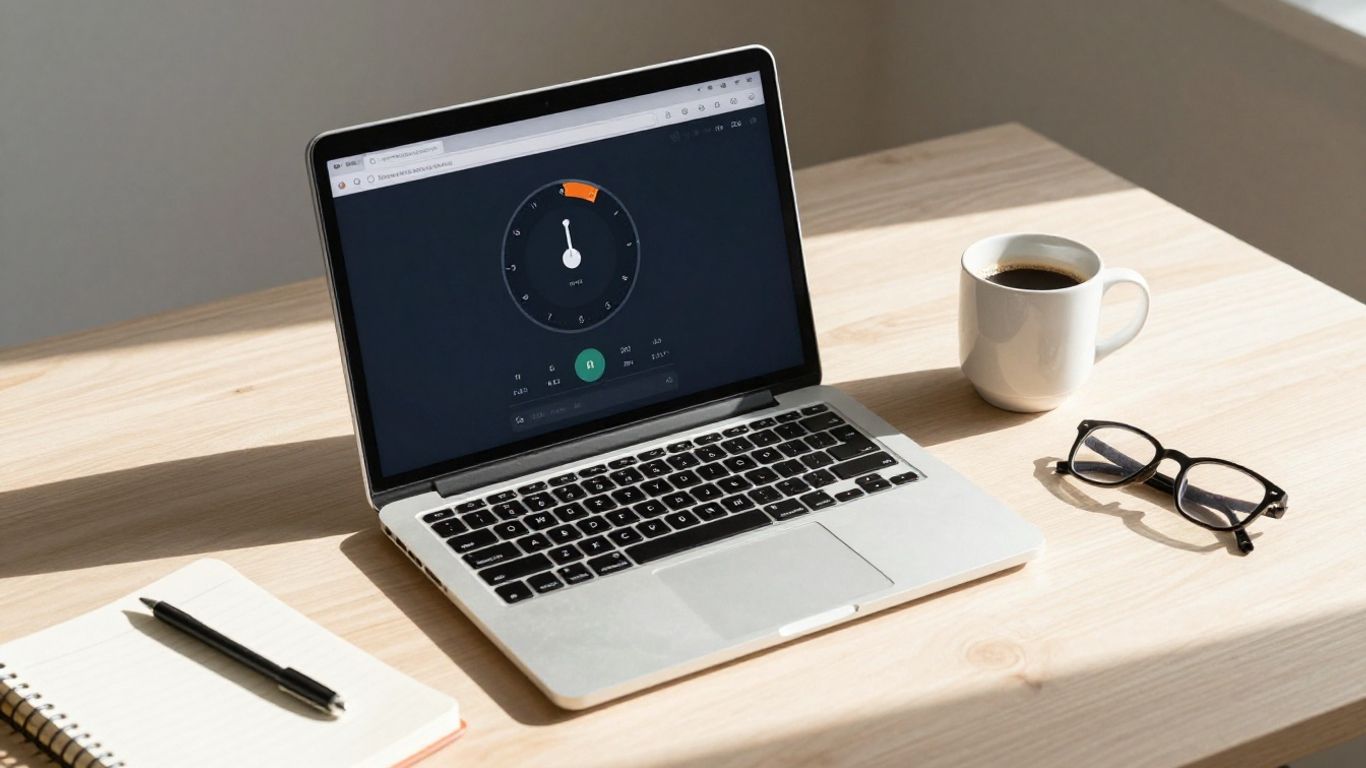
Looking at the numbers your Pomodoro timer collects can really show you where your time is going. It’s not just about counting completed sessions; it’s about understanding your work habits.
Understanding Daily and Weekly Reports
Your timer app likely spits out daily and weekly summaries. These reports are goldmines for figuring out your most productive times and days. Are you a morning person who crushes tasks before lunch, or do you hit your stride in the afternoon? Seeing this laid out can help you schedule your most demanding work when you’re naturally at your best.
Here’s a quick look at what a typical weekly report might show:
| Day | Total Focus Time | Tasks Completed | Average Session Length |
|---|---|---|---|
| Monday | 4h 15m | 8 | 25m |
| Tuesday | 5h 30m | 11 | 26m |
| Wednesday | 3h 50m | 7 | 24m |
| Thursday | 6h 05m | 12 | 25m |
| Friday | 4h 40m | 9 | 25m |
Gauging Time Spent on Different Categories
If you’ve been tagging your Pomodoro sessions with categories (like ‘Work Project A’, ‘Emails’, ‘Learning’, ‘Personal Errands’), the data becomes even more powerful. You can see exactly how much time you’re dedicating to different areas of your life or work. This helps in making conscious decisions about where your focus should be.
- Work Projects: Often the largest chunk, but is it balanced across different projects?
- Administrative Tasks: Emails, scheduling, etc. – are these eating up too much time?
- Learning & Development: Are you investing enough time in growing your skills?
- Breaks & Personal Time: While not tracked as ‘focus’ time, understanding your break patterns is also key.
The real value isn’t just in seeing the data, but in using it to make small, smart adjustments. It’s about working with your natural rhythms, not against them.
Refining Workflows Based on Historical Data
Once you’ve collected a good amount of data, you can start tweaking your approach. Maybe you notice that tasks tagged ‘creative’ always take longer than you initially estimate. You can then adjust your planning to allocate more Pomodoros for those types of tasks. Or perhaps you see that interruptions during your afternoon sessions are consistently high; this might prompt you to find a quieter workspace or set clearer boundaries with colleagues during those hours. It’s an ongoing process of observation and refinement, turning raw numbers into actionable improvements for your daily grind.
Choosing The Right Pomodoro Timer With History
So, you’ve decided to give a Pomodoro timer with history a shot. That’s great! But with so many options out there, how do you pick the one that actually fits your workflow? It’s not just about the ticking clock; it’s about finding a tool that helps you track your focus and understand your habits better.
Evaluating Key Features For Your Needs
When you’re looking at different apps, think about what you really need. Do you just want a simple timer, or are you looking for something more robust? Here are some things to consider:
- Customization: Can you change the work and break times? Some people swear by the classic 25/5 split, but others find 50/10 or even 90/20 works better for them. Look for flexibility.
- History Tracking: How detailed is the history? Does it just show completed sessions, or can you see how long you spent on specific tasks or projects? This is where the real insights come from.
- Task Management: Does it let you break down big tasks into smaller ones? This can be super helpful for staying organized and feeling like you’re making progress.
- Sound Options: Some timers offer ambient sounds like rain or forest noises. If this helps you focus, it’s a nice bonus.
Considering Customization Options
This is a big one. A timer that forces you into a rigid structure might not work for everyone. Think about your typical workday or study session. Are you someone who can focus for exactly 25 minutes, or do your tasks naturally take longer or shorter? The ability to adjust the length of your focus intervals and breaks is key. Some apps even let you set different profiles for different types of work – like a ‘deep work’ profile with longer focus sessions and a ‘quick tasks’ profile with shorter ones.
Don’t underestimate the power of a timer that adapts to you, rather than making you adapt to it. A tool that feels natural to use will be the one you stick with.
Exploring Integrated Task Management Capabilities
While the timer is the main event, how it interacts with your tasks can make a huge difference. Some timers are standalone, while others let you create to-do lists directly within the app. Look for features that allow you to:
- Assign Pomodoros to specific tasks.
- Mark sub-tasks as complete within a session.
- See which tasks took the most Pomodoros to finish.
This integration turns your timer from just a timekeeper into a productivity hub. It helps you see not just when you worked, but what you accomplished during those focused bursts.
Wrapping Up Your Focus Journey
So, that’s the rundown on using a Pomodoro timer with history tracking. It’s not some magic bullet, but it’s a solid way to get a handle on your work time. Seeing where your hours actually go can be pretty eye-opening, and it helps you figure out what’s working and what’s not. Give it a shot, play around with the settings, and see if this simple technique can help you get more done without feeling totally burned out. You might be surprised at the difference it makes.
Frequently Asked Questions
What exactly is the Pomodoro Technique?
Think of it like a study or work superpower! It’s a simple way to get more done by breaking your work into short, focused bursts. You work hard for about 25 minutes, then take a quick break. After a few of these work sessions, you get a longer break. It helps you focus better and avoid getting tired or bored.
Why is it called ‘Pomodoro’?
It’s a fun story! The person who came up with this method, Francesco Cirillo, used a tomato-shaped kitchen timer when he was a student. ‘Pomodoro’ is the Italian word for tomato. So, he named his technique after his trusty timer!
How does a Pomodoro timer with history help me?
Imagine having a diary for your work time! A timer with history keeps track of how long you focused on different tasks. This helps you see where your time goes, what you’re good at, and where you might be getting sidetracked. It’s like having a coach that shows you how to be even better.
Can I change the timer lengths?
Absolutely! Most of these timers are super flexible. You can set your work times and break times to whatever works best for you. Maybe you focus best for 30 minutes, or you need a 10-minute break. You get to decide!
What are ‘ambient sounds’ and how do they help?
Ambient sounds are like background noises, such as rain, forest sounds, or a crackling fireplace. Some people find that listening to these calm sounds helps them block out distractions and get into a deeper state of focus. It’s like creating your own peaceful work environment.
Is this technique good for all kinds of tasks?
Yes, it’s really versatile! Whether you’re studying for a big test, writing a report, coding a project, or even doing chores, the Pomodoro Technique can help. It’s all about managing your time and attention effectively, which is useful for almost anything you need to get done.




