

Imagine you’re stuck on a tough algebra problem. You stare at the equation, your mind drifts, and after ten minutes you’ve made no headway. You sigh, check your phone, and feel the stress rise. This is where the pomodoro timer for studying math can save the day. By breaking the work into bite‑size bursts, you keep focus sharp and avoid the mental fog that comes from long, unbroken study blocks. The timer gives you a clear start, a clear stop, and a short break to stretch or grab a drink. In the next hour, you might finish three problems that once seemed impossible. That’s the power of a simple kitchen timer turned study ally.
In this guide, we’ll walk through each step to set up, tweak, and master the pomodoro timer for studying math. You’ll learn how to pick the right topics, choose break activities that boost brain power, compare the best apps, and track your progress so you can see real improvement. We’ll also share handy tips, real‑world examples, and a few tools you can try right now. By the end, you’ll have a complete plan you can follow for any math class—whether it’s algebra, calculus, or geometry.
Let’s get started. Grab a timer, clear your desk, and get ready to turn those math frustrations into focused wins.
Step 1: Set Up Your Pomodoro Timer for Math Study Sessions
The first thing you need is a reliable pomodoro timer for studying math. The classic set‑up is 25 minutes of work followed by a 5‑minute break. After four rounds, take a longer break of 15‑30 minutes. This pattern keeps your mind fresh and stops burnout before it starts.
Start by picking a quiet spot. Turn off notifications on your phone and computer. If you need extra help, read the guide on how the Pomodoro Technique boosts math focus. The article explains why short bursts help with intense problem solving.
Next, write down the exact math task you’ll attack in each Pomodoro. For example, “solve five quadratic equations” or “prove the Pythagorean theorem.” Having a clear goal makes the timer feel like a coach shouting, “Go!”
Now set the timer. You can use a phone app, a web timer, or a kitchen timer shaped like a tomato. When the timer rings, stop immediately. No checking emails. Just stand, stretch, grab water, or do a quick mental puzzle that isn’t math. Then start the next Pomodoro.
Why does this work? Short, focused bursts match the brain’s natural attention span—about 20‑25 minutes for deep work. The break lets the brain rest and store what you just learned. Over time you’ll notice fewer distractions and better retention of formulas.
Here are three quick tips to fine‑tune your set‑up:
- Adjust the length. If 25 minutes feels too short for a complex proof, try 35‑40 minutes and a 7‑minute break.
- Use a visual cue. Write “Start” on a sticky note and flip it to “Done” when the timer ends.
- Log each session. Jot down the topic, how many problems you solved, and any hiccups.
And remember, the goal isn’t to rush through problems. It’s to stay fully present for each step.

Step 2: Choose the Right Math Topics and Break Activities
Now that your pomodoro timer for studying math is ready, pick the right topics for each session. Not all math work fits neatly into 25‑minute blocks. Break larger chapters into bite‑size chunks that you can finish in one or two Pomodoros.
Start with a quick audit of your syllabus. List out major units—like “linear equations,” “trigonometric identities,” or “probability basics.” Then rank them by difficulty and upcoming test dates. Tackle the hardest topics first when your mind is freshest.
For each Pomodoro, decide on a concrete goal. Instead of “study calculus,” write “derive the chain rule and solve three practice problems.” This specificity gives you a clear endpoint and makes the timer feel like a game timer.
Break activities matter too. A good break should move you away from the desk but not drain mental energy. Here are five break ideas that pair well with math study:
- Do a 30‑second stretch—reach for the ceiling, touch your toes.
- Walk to the kitchen and sip water.
- Play a quick rhythm clapping game to reset focus.
- Jot down a non‑math doodle or sketch.
- Take three deep breaths and count slowly.
Why these work: Physical movement boosts blood flow to the brain, while brief mental rests prevent the “mental fatigue” that often hits after solving equations.
Imagine you’re working on a geometry proof. You spend 25 minutes drawing diagrams and writing steps. When the timer rings, you stand, stretch, and glance at a window. After five minutes, you sit back down, refreshed, and finish the proof faster than before.
Two extra pointers:
- Match break length to task intensity. Hard proofs may need a 7‑minute break; routine drills can stick with five minutes.
- Track what you do. In a notebook, note the topic and break activity. Over weeks you’ll see which combos give the best scores.
And don’t forget—consistency beats marathon sessions. A steady rhythm of pomodoro timer for studying math will build stamina and confidence.
Step 3: Compare Popular Pomodoro Timer Apps for Math Students
Choosing the right app can make your pomodoro timer for studying math feel like a personal assistant. Below is a quick look at four apps that many students love.
First up, Pomodorofor. It’s a web‑based timer that runs right in your browser. No download needed. It automatically switches between work and break, and it logs each session so you can see totals at the end of the week. The simple UI means you won’t get distracted by ads or extra features.
Next, Forest. This mobile app turns each Pomodoro into a growing tree. If you stay focused, the tree lives. If you leave the app, the tree dies. The visual reward is great for younger learners who need a bit of fun.
Then there’s Otto, a Chrome extension that sits in your toolbar. It lets you set custom intervals—perfect if you want 35‑minute blocks for tough proofs. It also syncs with Google Calendar so you can plan study sessions alongside classes.
Finally, Toggl Track. While it’s a full‑blown time‑tracking tool, it has a built‑in Pomodoro mode. It’s handy if you also want to bill hours for tutoring or freelance work.
Below is a table that compares these apps on key factors for math students:
| App | Platform | Custom Intervals | Progress Log | Gamified Feature |
|---|---|---|---|---|
| Pomodorofor | Web | Yes | Basic count | No |
| Forest | iOS / Android | Yes | Tree growth chart | Yes (tree growth) |
| Otto | Chrome Extension | Yes | Export CSV | No |
| Toggl Track | Web / Mobile | Yes | Detailed reports | No |
And here’s a short video that shows how to set up a Pomodoro session in a typical app. It walks through choosing intervals, starting the timer, and logging a break.
When you pick an app, ask yourself three questions:
- Does it let me change the work length for long proofs?
- Can I see a quick summary of how many pomodoros I’ve done this week?
- Will the app distract me with notifications or ads?
For most math students, a simple web timer like Pomodorofor works best for pure focus. If you love a visual cue, Forest adds a fun twist. If you need calendar sync, Otto is the go‑to. And if you track study time for other projects, Toggl Track gives the most detail.
And don’t forget to explore the Pomodoro Timer for Studying: A Step‑by‑Step Guide for more tips on syncing your timer with class schedules.
Here are three actionable steps to pick the right app:
- Test each free version. Use a single Pomodoro with each app and note which feels least intrusive.
- Check export options. If you like to review data, pick an app that lets you download a CSV.
- Set a break reminder. Some apps let you add a short note for each break—use it to cue a stretch or a quick math flashcard.
And for a broader view of study tools, you might also check out “Books for Black History Month: A Curated Collection for Every Age” for ideas on how diverse reading can sharpen critical thinking, a skill that pairs well with math problem solving.
Step 4: Optimize Pomodoro Intervals for Math Problem Solving
The standard 25‑minute work block is a great start, but math often needs flexibility. Some proofs take 40 minutes, while quick drills need only 15. The key is to match the interval length to the cognitive load of the task.
Start by testing three lengths: 20, 30, and 45 minutes. Use a simple timer and note how often you feel “stuck” before the alarm. If you hit a wall at 20 minutes on a calculus proof, bump up to 30 minutes. If you breeze through algebra drills in 15 minutes, keep them short to keep the mind sharp.
When you extend a work block, also lengthen the break a bit. A 45‑minute focus session pairs well with an 8‑minute break. The extra rest helps you reset without losing momentum.
Another tweak is the “double‑Pomodoro” for deep dives. Set two back‑to‑back 25‑minute blocks with a single 5‑minute break in the middle. This gives you a 50‑minute stretch while still providing a micro‑pause.
Why this matters: Longer intervals give you time to carry a complex idea from start to finish without breaking the mental thread. Shorter intervals keep you from wandering off when the task is simple.
Here’s a quick decision tree you can sketch in your notebook:
- Is the problem a multi‑step proof? → Try 35‑45 minutes.
- Is it a set of practice drills? → Stick with 20‑25 minutes.
- Do you feel mental fatigue before the timer ends? → Shorten the interval.
Two more tips to fine‑tune intervals:
- Use a “warm‑up” Pomodoro. Begin with a 10‑minute warm‑up on a simple problem to get your brain in gear.
- Track success rates. After each week, note how many problems you solved per interval. Adjust lengths based on success.
And remember, the pomodoro timer for studying math is a tool, not a rule. Feel free to experiment until you find the sweet spot that lets you solve equations without stress.
Step 5: Track Progress and Adjust Your Study Plan
Tracking is the final piece that turns a pomodoro timer for studying math into a growth engine. Without data, you can’t tell what works and what doesn’t.
One easy method is a simple spreadsheet. Create columns for date, topic, interval length, number of pomodoros, problems solved, and notes on difficulty. Fill it in after each session. Over time you’ll see trends—maybe you solve more geometry problems in 30‑minute blocks, or you need longer breaks after calculus sessions.
Another option is a dedicated app like the one described on PomodoroTimer.online. It lets you log each pomodoro, add custom tags (like “trig” or “proof”), and view weekly charts. The visual graphs make it easy to spot when you’re improving.
When you review your logs, ask yourself three questions:
- Which topics have the highest completion rate?
- Do longer intervals correlate with better accuracy?
- Are there particular break activities that boost focus?
Based on answers, adjust your study plan. If you notice that “review mistakes” sessions produce the biggest gains, schedule an extra pomodoro each week for that purpose.
Here are three concrete actions you can take after a week of tracking:
- Re‑balance time. Shift 10 minutes from low‑yield topics to high‑yield ones.
- Swap break activities. If scrolling on phone hurts focus, replace it with a quick walk.
- Set a weekly goal. Aim for a certain number of pomodoros on “integration techniques” before the next test.
And for a visual cue, add this image placeholder to remind you of the habit:
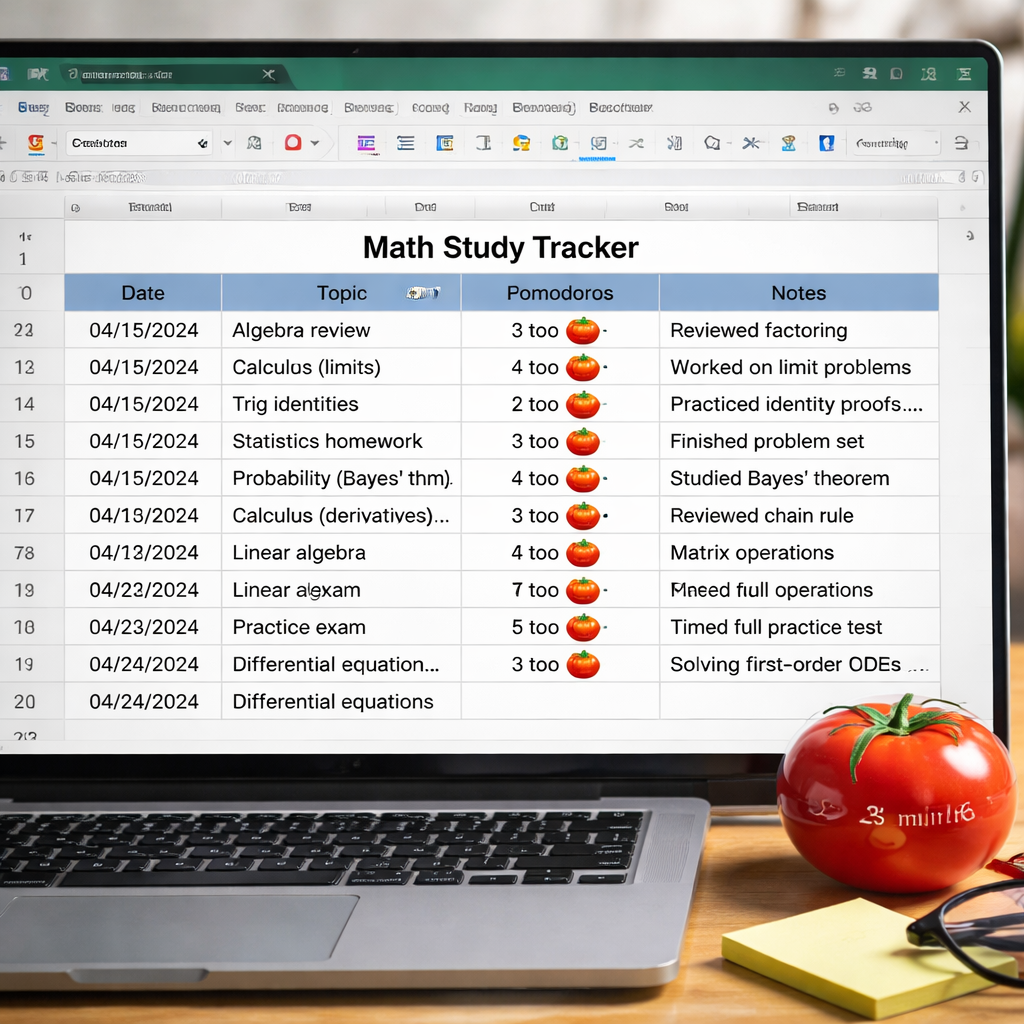
By looking at the data, you turn vague feelings of “I’m stuck” into clear actions. The pomodoro timer for studying math becomes part of a feedback loop that drives steady improvement.
Conclusion
The pomodoro timer for studying math is more than a clock—it’s a framework that helps you break down tough concepts, stay focused, and see real progress. We walked through setting up the timer, picking topics, choosing the right app, tweaking interval lengths, and tracking results. Each step builds on the last, creating a habit loop that keeps you motivated and reduces burnout.
Start small. Pick one math topic, set a 25‑minute timer, and watch how much you can get done. Then refine your intervals, try a new app, and log your results. Over weeks you’ll notice sharper focus, faster problem solving, and better grades.
Ready to give it a go? Grab a timer, open your favorite math textbook, and fire up a pomodoro. Your future self will thank you for the extra practice and the calm confidence that comes with a well‑structured study routine.
FAQ
How many pomodoros should I do for a typical math homework night?
Most students find four pomodoros (four 25‑minute blocks) work well for an average night of homework. That gives you two hours of focused work with short breaks, plus a longer break after the fourth session. If the homework feels light, you can stop after two or three pomodoros. If it’s heavy, add a fifth or sixth block, but be sure to keep breaks consistent.
Can I use a physical tomato timer instead of an app?
Yes. A kitchen timer shaped like a tomato works just as well as any app. The key is that it signals the start and end of each pomodoro timer for studying math without extra distractions. Many students like the tactile feel of a physical timer because it keeps their phone out of reach.
What if I get distracted during a pomodoro?
If a distraction pops up, note it on a sticky note, then get back to the problem right away. The pomodoro timer for studying math is designed to train you to return quickly. After the session ends, review your distraction list and see if you can eliminate the source—like silencing notifications or clearing your desk.
Is it okay to skip a break if I’m in the flow?
It’s tempting, but taking the break is important. Even when you feel “in the zone,” a short pause helps prevent mental fatigue later. Try a micro‑break—stand up, stretch, or sip water—for five minutes, then jump back in. You’ll likely keep the flow longer.
How can I combine pomodoro timer for studying math with spaced repetition?
Use the pomodoro sessions to focus on a set of flashcards or a concept, then after the break review the same cards again. Over multiple cycles, the spaced repetition naturally occurs because you’re revisiting material after short intervals. Track which cards you get right and adjust future pomodoros to target weak spots.
Do I need a different timer for long proofs?
Not necessarily. You can simply lengthen the work interval to 35‑45 minutes for long proofs, then keep the break at 7‑10 minutes. Some apps let you set custom intervals, so the pomodoro timer for studying math stays flexible for both short drills and lengthy derivations.




