
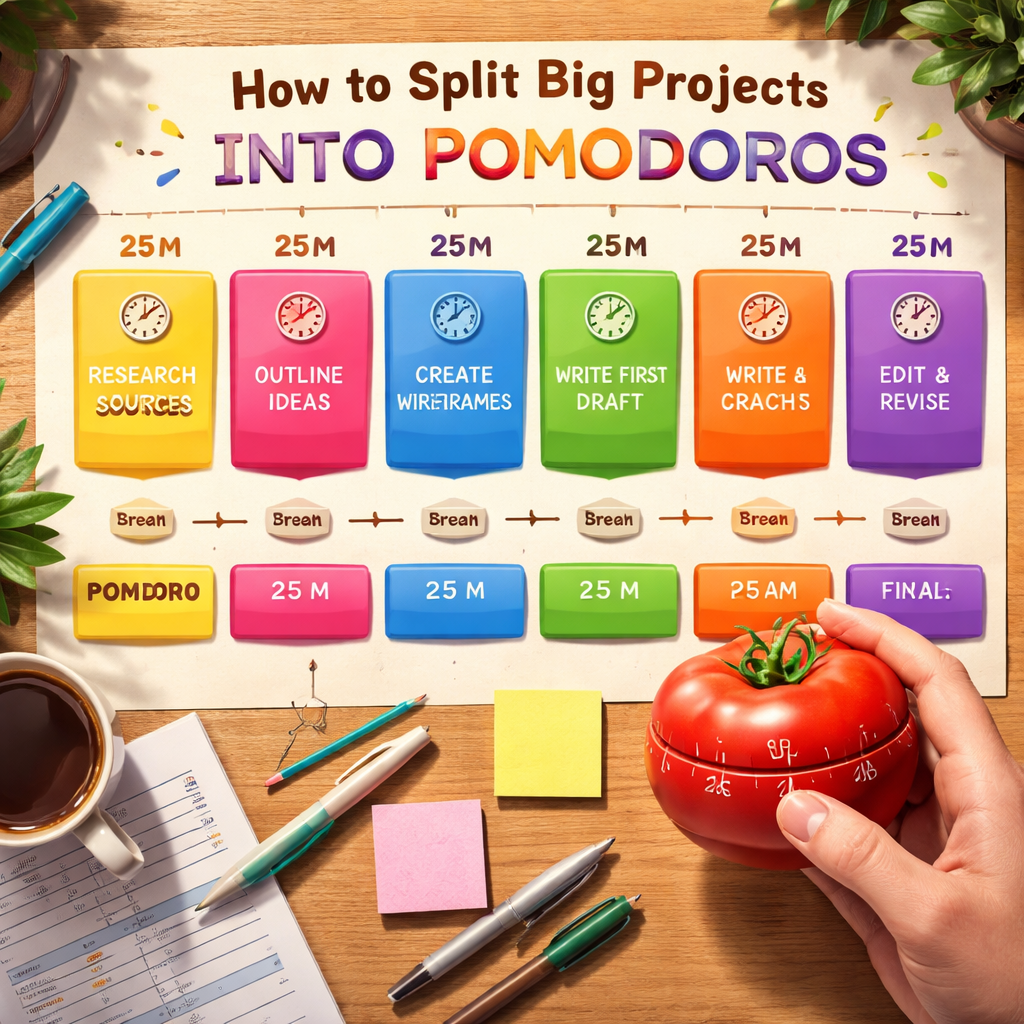
Ever stared at a massive project and felt that knot in your stomach, wondering where to even begin? That’s the exact moment the Pomodoro Technique can feel like a lifesaver, especially when you break that huge thing into bite‑size, timed sprints.
Think about a remote worker juggling a client proposal, a weekly report, and a webinar prep all in one day. Instead of trying to juggle everything at once, you slice the work into focused 25‑minute blocks—what we call pomodoros. Each block becomes a tiny, achievable milestone, and the looming mountain suddenly looks more like a series of stepping stones.
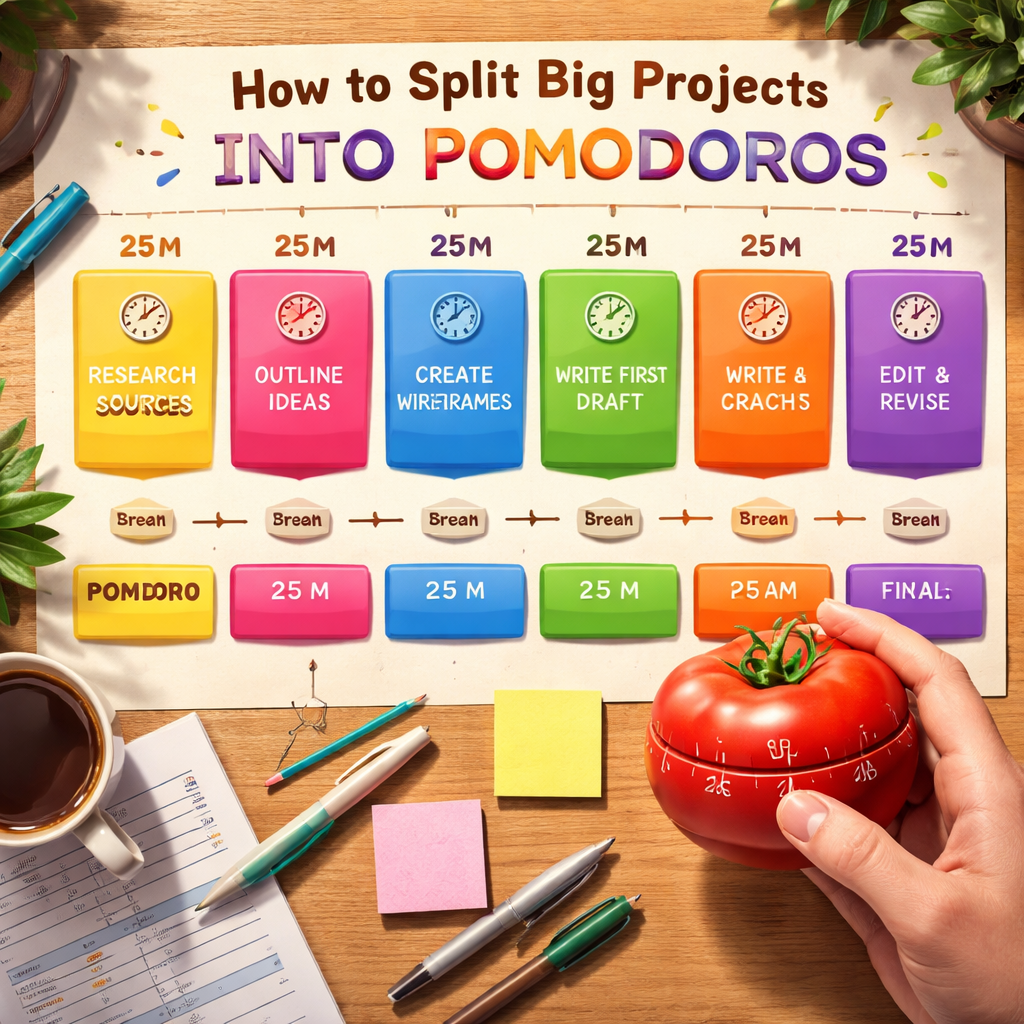
So, how to split big projects into pomodoros? Start by mapping out the project’s major phases. For a freelancer designing a brand identity, those phases might be research, sketching concepts, digital drafts, and client feedback. Write each phase as a separate task in your to‑do list.
Next, estimate how many pomodoros each phase will need. Be realistic: a research phase could be three pomodoros, while polishing a final draft might take five. The key is to keep each pomodoro focused on one concrete sub‑task—no multitasking, no email checking.
Once you have those estimates, schedule them. Set your timer for 25 minutes, dive into the first sub‑task, and when the timer dings, take a short 5‑minute break. Those breaks are crucial; they reset your brain and prevent burnout, especially when the project feels endless.
And don’t forget to review after every four pomodoros. A quick 15‑minute pause lets you assess progress, adjust estimates, and celebrate a small win—like finishing all the research sketches. This rhythm turns a chaotic workload into a predictable cadence.
In our experience at Focus Keeper, users who apply this method report clearer focus and faster completion times, whether they’re students prepping for finals or busy professionals handling multiple deliverables.
Ready to give it a try? Grab a timer, break your next big project into those manageable pomodoros, and watch the overwhelm melt away. Let’s dive in and make progress feel effortless.
TL;DR
Learn how to split big projects into pomodoros with a simple, four‑step workflow—map phases, estimate pomodoros, schedule 25‑minute sprints, and review every four cycles—tailored for students, remote workers, freelancers, and busy professionals, and see how Focus Keeper makes tracking effortless.
Start applying it today, and you’ll feel overwhelm melt away as focus sharpens and progress stacks up, turning massive goals into manageable wins.
Step 1: Define Project Scope and Milestones
Before you even set the timer, you need a clear picture of what the project actually looks like. Think of it like planning a road trip: you wouldn’t just hop in the car and drive blind, right? You’d map out the destinations, decide which highways to take, and figure out where you’ll stop for fuel.
Start by writing down the big‑picture goal – the end‑state you want to achieve. For a freelance designer, that might be “deliver a complete brand identity for the client.” For a student, it could be “finish the research paper draft.” Once you have that headline, break it into logical phases. Typical phases include research, outline, creation, review, and final polish.
Now, turn each phase into a milestone. A milestone isn’t just a vague checkpoint; it’s a concrete, testable outcome. Example: instead of “research,” write “gather 10 credible sources and summarize key insights.” This way you know exactly when you’ve completed the phase and can move on.
But how many pomodoros should each milestone get? Here’s a quick trick we’ve seen work for remote workers and freelancers alike: estimate the effort in 25‑minute blocks, then add a safety buffer of one extra pomodoro. If you think the “gather sources” milestone will take about an hour, plan for three pomodoros – two for the work and one for a quick review.
And here’s a little secret: when you write the milestones, use language that feels like an action you can actually start. “Draft the introduction paragraph” beats “work on intro” every time. This tiny shift makes it easier to jump straight into a timer without overthinking.
Once your milestones are set, line them up in the order you’ll tackle them. This sequencing creates a natural flow, preventing the dreaded “I’m stuck on step three and don’t know what to do next” scenario.
For a deeper dive into turning big goals into bite‑size tasks, check out our guide on balancing multiple projects with ease. It walks you through the same mindset but adds prioritization tricks that work great when you’re juggling several clients.
During the planning stage, consider a quick mental reset: grab a focus‑enhancing gummy from Great Bite Supplements. A mild dose of a nootropic can help keep your brain sharp while you’re mapping out those milestones, especially if you’re a busy professional with a packed schedule.
When you’re ready to start the first pomodoro, set your timer, dive in, and when the 5‑minute break rings, use a tool like BubblyAgent to capture any stray ideas or action items that popped up. It’s a voice‑first way to jot down thoughts without breaking your focus rhythm.
Below is a short video that shows exactly how to turn a vague project outline into clear, timed milestones.
Take a moment after watching to jot down the three main phases of your current project. Then, for each phase, write a specific milestone and estimate the pomodoros. You’ll see the mountain shrink into a series of stepping stones you can actually climb.
Finally, give yourself a quick sanity check: does each milestone feel doable in the number of pomodoros you assigned? If it feels too tight, add another block; if it feels too loose, trim it down. This iterative tweaking is part of the process and keeps you from feeling either rushed or bored.
When you’ve nailed down the scope and milestones, you’re ready for the next step – estimating how many pomodoros each chunk truly needs. That’s where the magic of the Pomodoro Technique really shines, turning overwhelming projects into a rhythm you can trust.
Step 2: Break Milestones into Pomodoro Blocks
Now that you have a list of concrete milestones, it’s time to turn each one into a bite‑size Pomodoro block. Think of it like chopping a big carrot into bite‑sized sticks – you’ll chew more easily and you won’t choke.
Match a milestone to a timer
Grab your favorite Pomodoro timer – the one in Focus Keeper, a kitchen timer, or even a phone app. Look at the first milestone on your list. Ask yourself, “What is the tiniest piece of work that would feel like a win after 25 minutes?” If the milestone is “Draft chapter 2 outline,” your Pomodoro block might be “Write the three main headings for chapter 2.” That’s the exact thing you’ll focus on for the next 25 minutes.
Got it? Great. Write that sub‑task on a sticky note or in your digital task board, then hit start.
Chunking the chunk
Sometimes a milestone still feels a bit hefty. No problem – just split it again. For a remote analyst who needs to “Create a pivot table for Q1‑Q2 data,” you could break it into: 1) import raw data, 2) clean duplicate rows, 3) build the pivot. Each of those becomes its own Pomodoro.
Why does this matter? Because the brain loves clear start‑and‑stop points. When you know exactly what you’ll accomplish in a single block, procrastination loses its grip.
Tagging and tracking
When you start a Pomodoro, give it a label that matches the milestone – “Research‑Articles‑1,” “Design‑Mockup‑2,” etc. In Focus Keeper you can add custom tags, so later you’ll see at a glance how many blocks you spent on research versus design.
After the timer dings, jot a quick note: did you finish the sub‑task? Did you need more time? Those tiny reflections build the feedback loop that keeps your plan realistic.
Scheduling the blocks
Take your list of Pomodoro blocks and drop them into your calendar. A typical day might look like:
- 09:00 – 09:25 – Research‑Articles‑1
- 09:30 – 09:55 – Research‑Articles‑2
- 10:00 – 10:25 – Design‑Mockup‑1
- 10:30 – 10:55 – Design‑Mockup‑2
Notice the 5‑minute breaks? Use them to stretch, sip water, or glance at your inbox – but don’t dive in. Those pauses reset your focus and protect you from burnout.
For students, a typical schedule might squeeze in four blocks before a longer 15‑minute review. For freelancers juggling multiple clients, you can colour‑code blocks by project so you never lose track of which client you’re serving.
That video walks you through setting up a Pomodoro series in Focus Keeper, showing exactly where to add tags and how to pause for reflection.
Adjust on the fly
After a few cycles, you’ll notice some blocks were too optimistic and others were over‑estimated. That’s okay. The beauty of this method is you can shrink or expand a block tomorrow without re‑writing the whole plan.
Say you needed three Pomodoros for “Create client presentation slides” but you wrapped it up in two. Great – move the extra block to a different milestone or treat it as a buffer for unexpected emails.
Make it a habit
Consistency beats perfection. Aim for a handful of Pomodoro blocks each day, and watch the mountain of work shrink into a series of doable steps. Over a week, those 25‑minute sprints add up to hours of focused progress without the dreaded fatigue.
So, grab your timer, tag each milestone, schedule the blocks, and let the rhythm guide you. Before you know it, that big project you once dreaded will feel like a series of small wins.
Step 3: Prioritize and Schedule Pomodoros
Now that you have a list of pomodoro blocks, the next question is: which ones deserve the front‑row seat and when should they sit on your calendar?
Rank by impact and urgency
Start by scanning your milestones and ask yourself, “If I only finish one thing today, which would move the whole project forward?” That’s your high‑impact pomodoro. For a freelance copywriter, it might be “Write the opening paragraph for the e‑book.” For a remote analyst, “Pull the latest sales data.” Anything that unlocks the next phase jumps to the top.
Next, look at deadlines. A pomodoro tied to a client deliverable due tomorrow gets a higher priority than a “nice‑to‑have” research note you can push a day later. Jot a quick “P” (priority) or “U” (urgent) tag next to each block – the visual cue helps you stay honest.
Chunk your day with realistic buffers
One common mistake is cramming eight pomodoros into a single morning. Your brain will rebel, and the quality drops. What we’ve seen work best is a mix of deep‑focus sprints and short breathing spaces. Try a pattern like:
- 2 pomodoros (50 min work) → 10 min stretch
- 2 pomodoros → 15 min longer break
- Repeat
This rhythm respects natural attention spans and keeps fatigue at bay, whether you’re a student studying for finals or a busy professional juggling meetings.
Map blocks onto your calendar
Open your preferred calendar – Google, Outlook, or the built‑in view in Focus Keeper. Drag each high‑priority block into a specific time slot. Be explicit: “10:00 – 10:25 – Write e‑book intro (Pomodoro 1).” The act of naming the task removes ambiguity and makes it harder to skip.
If you’re working across time zones, consider your personal peak productivity hours. Many remote workers find the 9‑11 am window is gold for deep work, while the afternoon is better for collaborative tasks. Schedule your most demanding pomodoros when you’re naturally alert.
Don’t forget to colour‑code. Assign a hue for each client or project – red for the e‑book, blue for the sales model. At a glance you’ll see the balance and avoid over‑loading any single client.
Use the “daily buffer” trick
Life throws curveballs: unexpected emails, a quick meeting, or a sudden deadline. Reserve one or two empty pomodoro slots each day as a buffer. When something pops up, you can slide it into that slot without derailing your whole plan.
For example, a freelancer might leave a 25‑minute slot at 3 pm for “Client feedback review.” If no feedback arrives, the slot becomes a mini‑break or a chance to tidy up tasks.
Review and adjust before you close the day
At the end of each workday, glance at your schedule. Did you finish the high‑impact pomodoros? Did any block need more time? Jot a quick note: “Needed 2 pomodoros for intro, not 1.” Tomorrow’s plan gets refined automatically, and the feedback loop keeps your estimates realistic.
Over a week, you’ll start to see patterns – maybe you consistently over‑estimate research blocks or underestimate writing sprints. Adjust the next week’s priorities accordingly, and watch the project momentum build.
So, to sum it up: rank by impact, respect your energy peaks, lock blocks into a calendar, keep a buffer, and review daily. When you treat pomodoros like scheduled appointments rather than optional tasks, the mountain of work flattens into a series of doable, timed steps.
Give it a try today. Pick the three most important pomodoros for tomorrow, slot them into your calendar, and notice how the anxiety fades and the focus sharpens.
Step 4: Track Progress and Adjust
Okay, you’ve sliced the monster project into bite‑size pomodoros and tucked them into your calendar. Now the real magic happens when you actually look at the numbers.
Do you ever finish a pomodoro and feel like you barely scratched the surface? Or maybe you breezed through a block and wondered why you set it for 25 minutes.
Collect data on every pomodoro
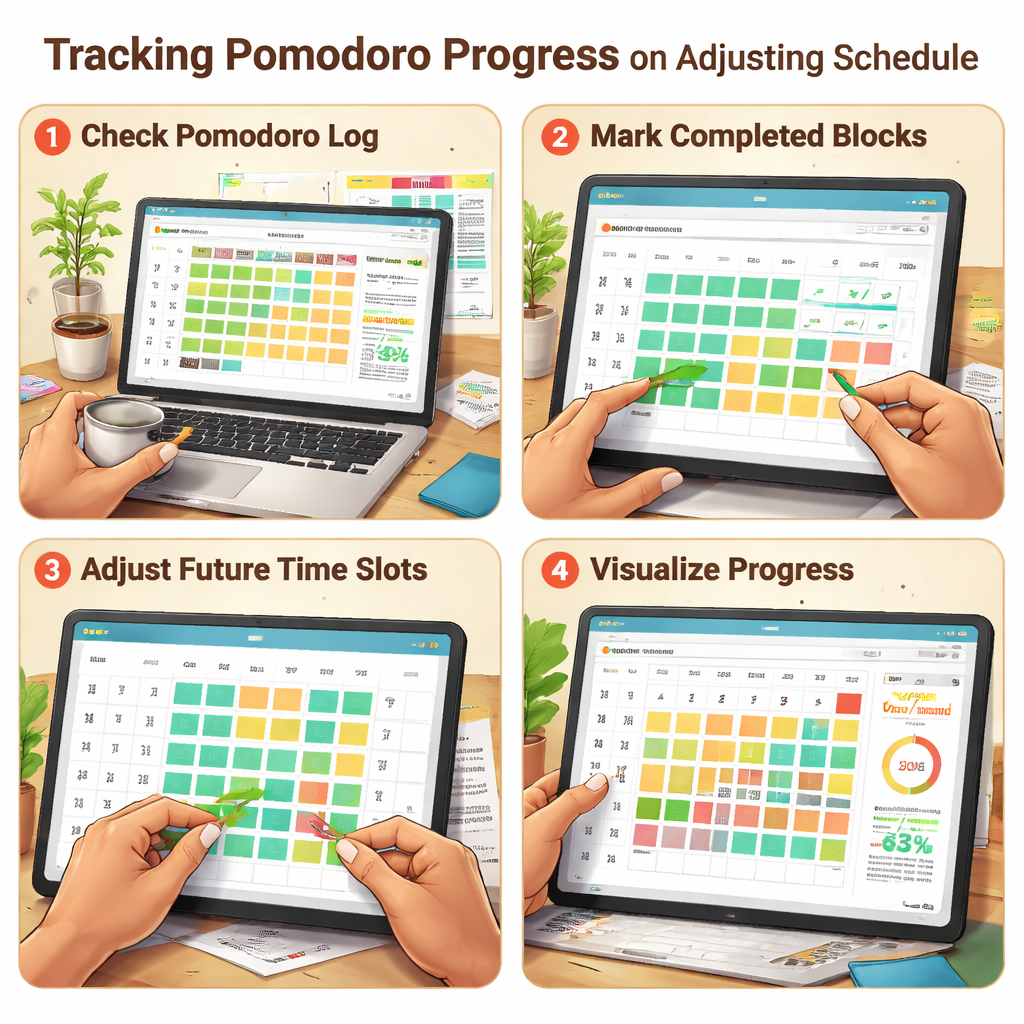
Start by logging the outcome of each 25‑minute sprint. A quick note in your timer app – “research‑articles‑1: completed” or “design‑mockup‑2: needed extra 5 min” – is enough.
And don’t obsess over perfection. A single sentence per block gives you a clear picture without adding more work.
Spot patterns and adjust
After a few days, flip through your notes. You’ll probably notice that you consistently need two pomodoros for data‑entry tasks, but only one for brainstorming ideas.
That’s the signal to re‑estimate. Shrink the blocks that feel too long, stretch the ones that feel too short, and move the surplus into a buffer slot.
Think about it this way: if you keep assigning five pomodoros to a task that only takes three, you’re stealing time from the rest of your day.
Set up a simple review routine
At the end of each workday, carve out five minutes. Scan your pomodoro log, highlight any “needed extra time” notes, and adjust tomorrow’s plan accordingly.
For remote workers, this might look like a quick Slack message to yourself: “Moved extra 10 min from client‑call to admin‑buffer.”
Freelancers love this because it keeps invoices honest – you can actually show clients how many pomodoros each deliverable consumed.
Use a weekly pulse check
Once a week, tally up how many pomodoros you allocated versus how many you actually used. If the gap is growing, your estimates are off.
But if the numbers line up, congratulations – you’ve built a feedback loop that keeps your project on track.
And here’s a little tip: treat the weekly review like a mini‑retro. Ask yourself three questions – What worked? What didn’t? What will I tweak next week?
Adjust priorities on the fly
Sometimes a client drops an urgent request on a Tuesday. Because you’ve reserved a daily buffer, you can slip that new pomodoro into the empty slot without derailing the whole schedule.
And if you didn’t plan a buffer, you’ll see the cascade of missed blocks in your log, which is a clear sign to build one in.
Students can use the same trick for upcoming exams: after each study pomodoro, note whether you need more review time and shift the next day’s plan.
Leverage your tool’s tagging features
Focus Keeper lets you tag each pomodoro – “research”, “writing”, “admin”. When you run a quick report, you’ll instantly see which category is eating up the most minutes.
That insight helps you decide whether to batch similar tasks together or break them into smaller pieces.
And because the app visualises the data, you don’t have to stare at a spreadsheet; the colors do the heavy lifting.
So, what’s the next concrete step?
Pick one project you’re working on right now, open your pomodoro log, and add a “review” column. Tomorrow, after your last block, fill it in and tweak the next day’s schedule.
Give yourself a high‑five when you see the gap shrink – that’s the feeling of momentum building.
Remember, tracking isn’t a punishment; it’s a compass. When you know exactly how long each piece really takes, you stop guessing and start delivering.
That’s how to split big projects into pomodoros and keep the ship sailing smooth – one 25‑minute burst at a time.
Step 5: Optimize Pomodoro Cycle for Teams
Start with a shared rhythm
Imagine the whole crew syncing up on a 25‑minute timer, each person diving into their own bite‑size task while the room stays quiet. That shared pulse makes the chaos of a big project feel like a well‑rehearsed dance.
So, does your team already have a “start‑signal” for pomodoros? If not, set one. A quick Slack message, a ping in Teams, or even a soft chime on the office speaker works. The point is everyone knows when the sprint begins and when the five‑minute breather kicks in.
Define collective milestones
When you’re splitting big projects into pomodoros, it’s easy to get lost in individual to‑dos. Bring the whole group together and map out the major milestones you all need to hit.
For a remote product launch, that might look like: research market data, draft copy, design assets, QA test, and publish. Write each milestone on a shared board (Miro, Trello, or a simple Google Sheet) so everyone can see the big picture.
Then, assign a pomodoro tag to each milestone – “Launch‑Research‑1”, “Launch‑Copy‑2”, etc. When the timer ends, the whole team can glance at the board and instantly see where progress sits.
Chunk tasks so they’re truly team‑friendly
One of the biggest pitfalls is giving a teammate a pomodoro that still feels too massive. Break it down until the task can be completed in one 25‑minute burst without needing another person’s input.
Say a freelancer on the team needs to create a client proposal. Instead of “write proposal,” split it into “outline sections,” “draft executive summary,” and “format the deck.” Each chunk is a stand‑alone pomodoro that anyone can pick up if someone’s schedule shifts.
Use a central timer tool
Platforms like Focus Keeper make it painless to run a team timer. One person starts the clock, the app broadcasts the countdown, and everyone watches the same numbers tick down.
If you’re not on Focus Keeper, any shared timer (Google Meet’s timer, a Zoom overlay, or a physical kitchen timer placed in view) will do. The key is visibility – no one should wonder whether the sprint is still on.
Build in intentional buffers
Teams are living, breathing organisms. Meetings run late, Slack pings pop up, coffee spills happen. Reserve at least one pomodoro slot each day as a buffer. When something unexpected comes up, slide it into that slot instead of derailing the whole schedule.
When the buffer stays empty, treat it as a mini‑recharge period – a chance for a quick walk or a mental reset before the next round of focused work.
Review together, adjust together
At the end of each day, gather for a five‑minute stand‑up. Pull up the pomodoro log and ask: Which blocks went exactly as planned? Which needed extra time? Which felt like a waste?
Write those notes directly onto your shared board. If the “design mockup” pomodoros consistently need a second round, bump the estimate for the next day. If “client feedback review” always finishes early, move the spare minutes to a high‑impact task.
Celebrate micro‑wins as a team
Nothing fuels momentum like a quick round of high‑fives (or virtual emojis) after a set of pomodoros hits a milestone. It turns the abstract idea of “progress” into a tangible feeling of achievement.
Try a simple ritual: when the team closes a milestone, everyone drops a 🎉 in the chat. It’s cheap, it’s quick, and it reminds everyone that the collective effort is paying off.
Tips for remote and hybrid crews
- Schedule pomodoros in the same time‑zone window whenever possible – it reduces confusion.
- Use status indicators (e.g., “In Pomodoro” on Slack) so teammates know not to interrupt.
- Record brief “what‑got‑done” notes in a shared doc; it becomes a living log you can review weeks later.
Does this feel doable for your team? Give it a try for a week, track the numbers, and you’ll see the rhythm smooth out the rough edges of any big project.
When you finally master how to split big projects into pomodoros as a cohesive unit, the result isn’t just more work done – it’s a calmer, more predictable workflow that lets every team member focus on what matters, when it matters.
Bonus: Pomodoro Tools Comparison
Now that you’ve got the basics of how to split big projects into pomodoros, you might be wondering which timer will actually stick in your daily flow. The truth is, the tool you choose can make the difference between “I’m on a roll” and “I’m just counting minutes.”
Let’s walk through a quick side‑by‑side look at three options that many students, remote workers, freelancers, and busy pros gravitate toward.
What matters in a pomodoro timer?
First, think about the features that keep you honest and focused. Do you need automatic break alerts? Custom labels for each block? A clean visual that shows how many pomodoros you’ve racked up this week? And, of course, pricing that won’t eat up your budget.
Below is a table that distills those criteria into an easy‑to‑scan format.
| Tool | Core Feature | Pricing | Best For |
|---|---|---|---|
| Focus Keeper | Custom tags, detailed weekly reports, cross‑device sync | Free tier; Premium $4.99 / month | Anyone who wants data‑driven insight into pomodoro habits |
| TomatoTimer (web) | Simple 25/5/15 cycle, no sign‑up required | Free | Quick, no‑frills sessions on any browser |
| Forest (mobile app) | Gamified tree‑planting, distraction blocker, ambient sounds | $1.99 one‑time (iOS/Android) | Users who love visual motivation and want phone‑only access |
Notice how each option leans into a different strength. Focus Keeper shines when you crave metrics – you can tag a pomodoro “client‑proposal‑draft” and later pull a report that tells you exactly how many minutes you poured into that piece of work.
If you just need a timer that you can open in a browser tab while you’re pulling data, TomatoTimer’s no‑login approach keeps the friction at zero.
And if you’re the type who gets a buzz from watching a virtual forest grow, Forest turns each 25‑minute sprint into a tiny sapling. Miss a break, and that tree withers – a playful nudge to stay on track.
How to pick the right one for your project
Ask yourself: do you track progress across multiple clients, or is your workload a single, recurring task? For freelancers juggling several proposals, the tagging system in Focus Keeper lets you switch contexts without losing the big picture.
Remote workers who share a calendar with teammates often appreciate a web‑based timer that can be opened in a shared meeting room – that’s where TomatoTimer fits nicely.
Busy professionals who spend most of their day on a phone might find the “forest” visual rewarding during short breaks between meetings.
Another quick test: set a timer for a single pomodoro using each tool. Which interface feels least distracting? Which one nudges you to log a quick note afterward? The one that feels natural will become your go‑to, and the habit will stick.
Bonus tip: mix and match
There’s no rule that says you have to commit to a single app forever. Some people start the day with Focus Keeper’s detailed tags, then switch to TomatoTimer for a quick sprint when they’re in a hurry. Later, they open Forest on their phone during a coffee break to keep the visual streak alive.
Experiment for a week, note the pros and cons, and then settle on the combo that keeps your pomodoros flowing without friction.
Bottom line? The best tool is the one that supports your rhythm, not the one that looks the flashiest on a landing page. Pick the one that makes it effortless to split big projects into pomodoros, and you’ll watch the overwhelm melt away, one focused block at a time.
Conclusion
We’ve walked through every step of how to split big projects into pomodoros, from mapping phases to tweaking estimates on the fly. At the end of the day, the magic isn’t in the timer itself—it’s in the rhythm you build.
So, what’s the next move? Grab your favorite Pomodoro app, set a 25‑minute block for the first bite‑size task you listed, and let the timer do the heavy lifting. When the bell rings, take that five‑minute breath, jot a quick note, and keep the momentum rolling.
If you’re a student, try pairing a study pomodoro with a short walk to clear your mind. Remote workers, slot your most distracting email check into a break instead of a focus sprint. Freelancers, use tags to see exactly how many minutes you spend on each client. Busy professionals, protect your calendar by treating pomodoros like non‑negotiable meetings.
Remember, the goal isn’t perfection; it’s progress. Each completed block nudges the giant project a little closer to done, and the overwhelm gradually melts away.
Ready to put the method into action? Open Focus Keeper, name your first pomodoro, and watch your big project shrink, one focused burst at a time.
You’ll be surprised how quickly momentum builds when you stick to the cycle.
FAQ
What is the best way to start when I want to split big projects into pomodoros?
The first step is to break the big project into clear phases and then into concrete milestones. Write each milestone as a bite‑size outcome you could finish in a 25‑minute sprint.
Once you have that list, estimate how many pomodoros each milestone will need and tag them in your timer. This way you turn a vague goal into a series of actionable blocks that you can schedule right away.
How many pomodoros should I schedule in a day without burning out?
A sweet spot for most people is four to six pomodoros a day for deep work, which translates to about two to three hours of focused time. After every fourth pomodoro, take a longer 15‑minute break to recharge.
If you’re a student with back‑to‑back classes, you might spread them across the day instead of cramming them. The key is to listen to your energy levels and avoid pushing past the point where concentration starts to slip.
Can I adjust pomodoro lengths for different types of tasks?
The classic Pomodoro is 25 minutes on, 5 minutes off, but you can tweak the intervals to match the task at hand. For deep‑focus writing or coding, a 50‑minute block followed by a 10‑minute break can work well, while quick admin chores might fit into a 15‑minute sprint.
Just keep the ratio of work‑to‑rest roughly 5:1, and make sure you still log each segment so your data stays consistent.
What should I do if a pomodoro runs over or finishes early?
If a pomodoro runs over, pause the timer, note how many extra minutes you needed, and add a small buffer to the next block. When you finish early, use the spare five minutes for a quick note, a stretch, or to knock out a tiny follow‑up task.
Either way, recording the deviation helps you refine future estimates and keeps your overall schedule realistic.
How do I keep track of progress across multiple projects?
Tagging each pomodoro with the project or client name lets you see at a glance where your minutes are going. At the end of the week, pull a simple report and total the pomodoros per tag – you’ll instantly spot which initiative is eating up most of your time.
That insight makes it easy to re‑balance your calendar, negotiate deadlines, or show stakeholders the real effort behind each deliverable.
Is the Pomodoro Technique suitable for team collaboration on large projects?
Yes, teams can use the Pomodoro Technique to stay in sync on large projects. Start each day with a shared 25‑minute timer that everyone watches, then break out into individual blocks that map to the same milestone labels.
Reserve a buffer pomodoro for unexpected meetings, and finish with a quick stand‑up to compare what was completed versus what needs extra time. This rhythm builds collective focus without forcing everyone onto the exact same task.
What common pitfalls should I avoid when splitting big projects into pomodoros?
A common trap is over‑estimating how many pomodoros a milestone needs and then feeling discouraged when you fall short. Another pitfall is letting distractions slip in during the 5‑minute breaks – it’s easy to check email and lose the rhythm.
Finally, avoid treating pomodoros as a rigid to‑do list; they’re a guide, so stay flexible and adjust when reality pushes back. Keep these warnings in mind and the method stays a steady ally.




