
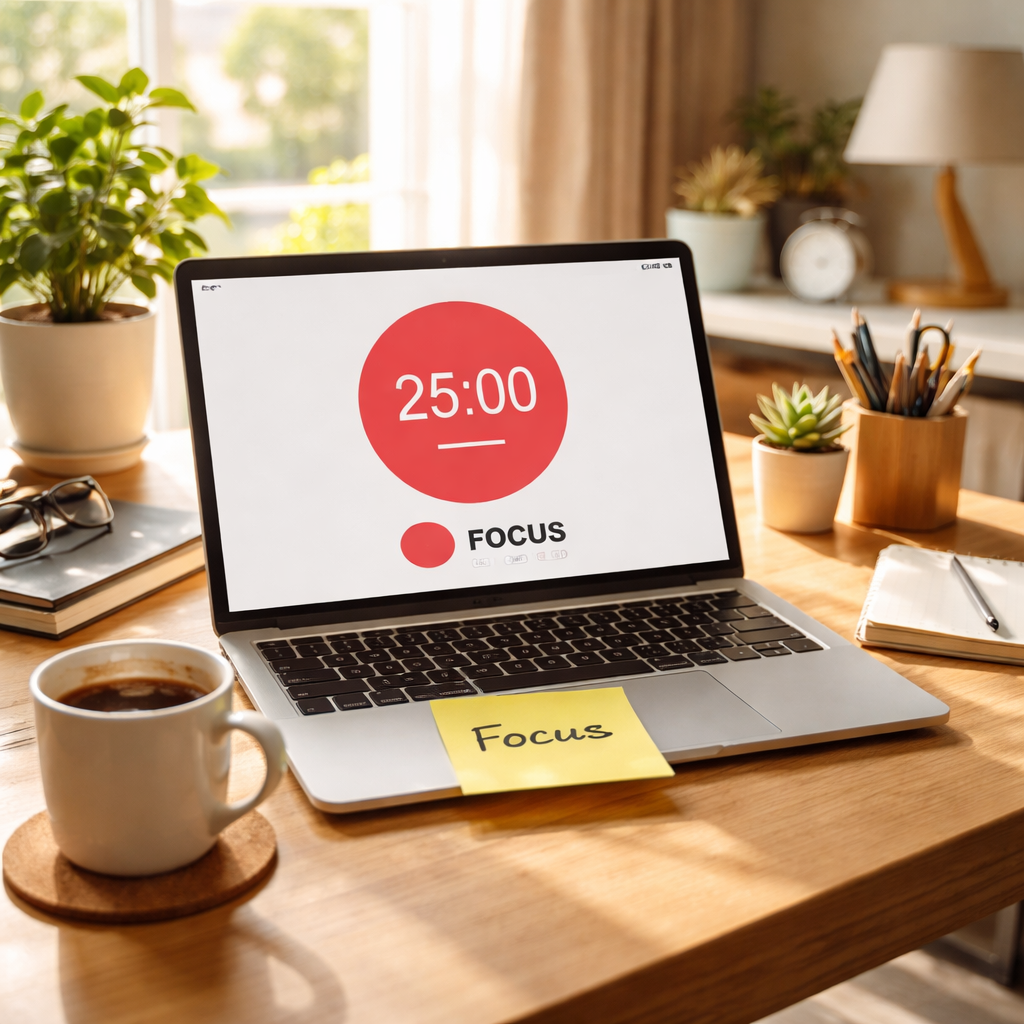
Ever feel like the minutes just melt away while your to‑do list keeps growing? That’s a common scene for adults living with ADHD, especially when work, errands, and digital distractions collide. In this guide we’ll explore how a simple pomodoro timer for ADHD adults can turn that chaos into bite‑size focus bursts.
The brain of someone with ADHD often craves novelty and struggles with time blindness, meaning an hour can feel both endless and invisible. Without a clear structure, tasks bleed into each other and motivation fizzles. That’s why a timer that creates defined start and stop points works so well.
The classic Pomodoro rhythm—25 minutes of focused work followed by a 5‑minute pause—gives your brain a predictable cadence. After four cycles you take a longer break, which lets you recharge without losing momentum. You can think of each interval as a mini‑mission: finish a specific piece of a project, then reward yourself with a quick stretch or a cup of tea.
Here’s a quick three‑step routine to get started: 1️⃣ Pick a single task you’ve been putting off—maybe drafting that client proposal or cleaning out your inbox. 2️⃣ Set the timer for 25 minutes, turn off notifications, and commit to working only on that task until the alarm rings. 3️⃣ When the timer ends, stand up, move around for five minutes, then note how much you actually accomplished. Jot the result in a notebook; seeing the numbers grow fuels motivation.
Take Maya, a freelance graphic designer who juggles multiple client briefs. She tried the Pomodoro method and discovered that after two 25‑minute sprints she could finish the initial sketch phase of a logo, something that used to take an hour of scattered effort. By logging each Pomodoro, she now knows exactly how many intervals a typical project requires, which helps her give realistic estimates to new clients.
Remote workers also benefit. Carlos, a software engineer, set his Pomodoro timer to 20 minutes because his sprint meetings often interrupt longer blocks. The shorter bursts keep his focus sharp, and the built‑in breaks give him a moment to stretch or glance at a chat without derailing the flow. Over a week he saw his ticket‑completion rate rise by roughly 15 % compared with his old ad‑hoc schedule.
If the classic 25‑minute slot feels too long, experiment. Some adults thrive on 15‑minute bursts for high‑energy tasks, while deep‑work sessions of 40 minutes work better for coding or writing. The key is to monitor energy levels: note when you start to feel mental fatigue and adjust the next interval accordingly.
If you want a deeper dive into how the Pomodoro technique aligns with ADHD brain patterns, check out our glossary entry What is pomodoro timer adhd? – Focuskeeper Glossary for science‑backed tips and customization ideas.
And remember, even the best timer can be derailed by technical hiccups. Pairing your focus routine with reliable IT support, like the services described at Your Trusted Guide to IT Services Monterey County, helps keep your computer and network running smoothly so your Pomodoro cycles stay uninterrupted.
So, grab a timer, set your first Pomodoro, and watch how those short bursts gradually build a rhythm of achievement. You’ll find that turning vague work into timed micro‑tasks makes it easier to start, stay on track, and finish with confidence.
TL;DR
A pomodoro timer for ADHD adults breaks work into focused bursts and breaks, turning to‑do lists into manageable steps that boost concentration and reduce fatigue.
Start with a 25‑minute interval, adjust the length to fit your energy, track each session, and watch productivity rise—whether you’re studying, coding, or juggling projects.
Step 1: Choose the Right Pomodoro App for ADHD Adults
Let’s be honest: choosing a pomodoro app isn’t just about timers. For ADHD adults, the tool you pick can make or break your momentum all day long. If you’re juggling classes, deadlines, or client briefs, you need something that respects your energy swings and helps you start fast.
In our experience, the right app should let you customize intervals, minimize distractions, and give you simple streaks you can rely on. It should also sync across devices so you can pick up where you left off, whether you’re studying at a desk or grinding through a remote work day. And yes, it should feel friendly, not punitive.
Focus Keeper is a natural starting point for many of our users. It’s built around the Pomodoro rhythm but designed to be forgiving: you can tweak lengths, disable noise-heavy notifications, and glance at progress without drowning in stats. For students aiming to improve study habits, a clean, predictable cadence keeps you from slipping into endless scrolling between tasks. For remote workers, it’s a reliable structure that travels with you from laptop to tablet to phone.
So, how do you pick the right one? First, decide your default interval. Do you prefer the classic 25/5, or would shorter bursts (like 15/3) suit your energy spikes? Second, check for focus features: do-not-disturb modes, distraction-free full-screen options, and a quick-start task that eliminates setup friction. Third, look for lightweight analytics: a quick snapshot of completed Pomodoros helps you size projects and communicate realistic timelines with clients.
If you want more perspectives, you can explore ADHD-focused app roundups—for example, XLR8Well offers insights on ADHD-friendly productivity tools. XLR8Well. And if you’d like a deep-dive before you decide, EchoApply has practical comparisons you can skim while sipping coffee. EchoApply.
In our testing, Focus Keeper consistently backed up what matters: clear start and stop points, quick setup, and a simple dashboard you don’t have to babysit. It’s not about cramming more features in; it’s about removing friction so you can focus on the task at hand. If you’re a freelancer juggling multiple projects, that clarity translates into fewer context-switches and more completed work.
What should you test today? Set up a single task and run a four-Pomodoro sprint. Note how easy it is to stay on task, how smooth the timer feels, and how motivating the post-interval breaks are. If you find yourself renegotiating the timer every day, try a shorter interval or a longer break and see if your momentum returns.
Watching a quick demo can crystallize why certain apps work better for ADHD brains—especially when you’re aiming to build a steady rhythm rather than a perfect schedule.
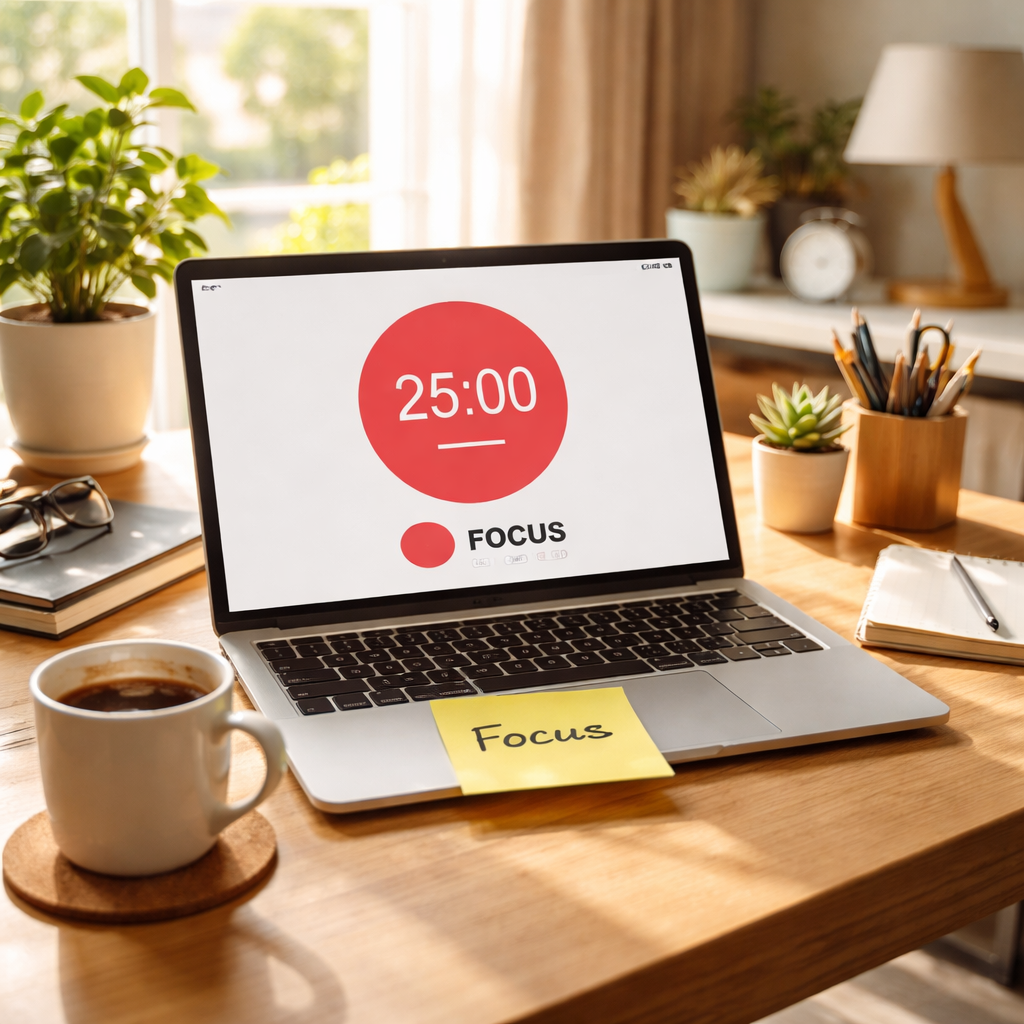
Okay, picture this setup in your own space: a tidy desk, a laptop showing a Pomodoro timer counting down, and a rhythm that makes you want to start the next sprint instead of fighting yourself to begin.
Step 2: Set Up Timer Intervals That Match Your Attention Span
If you’re reading this, you already know your attention with ADHD isn’t a straight line. Time can feel slippery, and long stretches of work drag on without delivering momentum. The smartest move isn’t brute force—it’s matching your work blocks to your brain’s natural rhythm.
So let’s start with a simple move: set timer intervals that you can actually sustain and ride through a full session.
- Choose an interval you can finish: 15, 20, 25, or up to 40 minutes.
- Pair it with calm breaks: 3–10 minutes, no doomscrolling.
- Link each interval to one concrete task to build momentum.
- Mute distractions during the block: silence notifications, close tabs.
In our experience with students aiming to improve study habits, remote workers seeking to boost productivity, and freelancers juggling multiple projects, 25‑minute blocks with a five‑minute break often balance focus and energy. If your brain feels hyperactive, shorter blocks can help you stay in flow. Does this really work for you? It’s worth testing before you commit to a long routine.
Finding your baseline interval
The first step is a tiny experiment. Pick a starting point in the 15–30 minute range, then run two full Pomodoro-like cycles. Note how easy it was to start, how engaged you stayed, and how rested you felt during the 5‑minute break. If you finished the task with energy left, push the interval up by 5 minutes next session. If you stalled, drop back a notch. The goal is a steady cadence you can sustain for 45–60 minutes at a time.
Test plan for a 7-day trial
Build a week-long test so you actually act on the results. Day 1–2: use 25 minutes with a 5‑minute break; Day 3–4: try 20 minutes; Day 5–7: experiment with 15 or 30 depending on energy. Keep a simple log: which task you completed, how energized you felt, and whether you stuck to the interval. At the end of the week, pick the pattern that produced the most consistent progress.
If you want a quick visual primer, check this explainer video below. It walks through the core idea without the fluff.
Focus Keeper helps you implement this by offering simple, distraction-minimizing timers and easy task integration so you can see progress in real time. The right interval isn’t a mystery—it’s a repeatable pattern you can tweak week to week.
For deeper science on how Pomodoro can support ADHD, this clinician overview provides context. Audhdpsychiatry overview
ADHDer.net also breaks down practical adjustments for AuDHD brains. ADHDer.net – The Pomodoro Technique and time management
Bottom line: start with a defensible interval, test, learn, and tune. With Focus Keeper, you’ll see a clear path from first timer to steady productivity.
Step 3: Add Visual Cues and Sound Alerts Tailored for ADHD
When ADHD brains process time, a timer isn’t just about counting minutes. It’s a visual and auditory cue your brain can latch onto. Visual cues help you see where you are in the cycle without squinting at a tiny clock. Subtle sounds give a nudge without pulling you out of flow.
Visual cues that work best for a pomodoro timer for ADHD adults are simple, readable, and non-distracting. Think high-contrast colors, bold numbers, and quick-glance progress indicators.
Color, contrast, and quick-glance progress
Use color to mark work blocks and breaks. Green or teal can signal focus; soft blues or grays signal rest. A large countdown or a progress ring that fills as you complete each Pomodoro gives you a moment-to-moment read of progress without counting on memory alone. Keep the UI uncluttered so your brain isn’t sorting clutter as you work.
Does this really work? It does when you keep the visuals calm and consistent. No flashing animations or noisy gradients—just steady cues you can rely on.
Sound alerts that respect focus
Choose gentle sounds for start and end cues, not loud beeps. A soft chime, a gentle bell, or a subtle notification ping can signal the end of a block without jolting your attention. If you need silence, use a vibration or a quiet reminder in place of audio.
Test different tones and volumes. Some people with AuDHD prefer a softer start cue and a slightly more noticeable end cue so they can plan the next action. The key is to avoid sounds that feel punitive or distracting.
Practical setup for your timer
In our experience, pairing visuals with audio works best when you customize both to your task and energy. If you’re studying, color-coding by subject can help you switch contexts without losing the cadence. Remote workers juggling calls and code can use a clear progress ring to see [how many Pomodoros remain] without peeking at the clock every minute.
Platforms like Focus Keeper make this easy by letting you tailor colors, sounds, and breaks, all tied to your task log. It’s not magic, but it is a repeatable pattern you can rely on.
So, what should you do next? Pick two visual cues (color and a progress ring) and one gentle sound set, then run a 7-day test. Track whether you start on time, complete the interval, and feel less fatigued after the day.

If you’re new to this, start small. Pick one task and one cue. After a week, review what shifted—did you finish more tasks, and did fatigue drop? You’ve got this.
Step 4: Use the Pomodoro Method with Complementary Productivity Tools
Alright, you’ve got your timer set and your visual cues in place. The next question is: what else can you bring into the mix to keep the momentum going without pulling you off track?
Think of it like building a small toolkit. Each tool should do one thing well and stay out of your way when it’s not needed. For ADHD adults, that usually means low‑friction, high‑clarity helpers – a task board that flashes the next Pomodoro, a gentle soundscape that signals a break, or a simple habit‑tracker that reminds you to stand up.
Pair a lightweight task manager
Instead of a massive project‑management platform that demands clicks and custom fields, try a minimalist list that you can drag into a Pomodoro slot. When you finish a sprint, you just check the box and move on. That instant visual feedback reinforces the habit loop: start → focus → complete → reward.
Do you ever feel the urge to open a new tab and read an article mid‑session? A tiny “focus‑only” mode on your task list can hide the “add new task” button until the timer rings. It’s a subtle nudge that says, “hold that thought, we’ll get to it in a minute.”
Integrate a gentle sound library
Sound is a double‑edged sword for many neurodivergent brains. A harsh buzz can feel like a jolt; a soft chime can feel like a friendly tap on the shoulder. Load a few low‑volume alerts – maybe a muted water drop for the start and a mellow bell for the break – and keep them consistent. Over time your brain will start to associate those tones with “it’s safe to focus” and “it’s safe to relax.”
Need a quick source for why sound matters? Tiimo explains how short bursts and regular breaks boost attention, and the same principle applies when you layer in soothing audio cues.
Use a visual progress ring or colour strip
We’ve already talked about colour blocks, but a circular progress ring gives you a glance‑at‑a‑glance sense of how many minutes are left. It’s less “digital clock” and more “you’re almost there” vibe. Choose a calming hue for work (teal, soft green) and a contrasting one for breaks (warm amber). The change itself becomes a cue that tells your brain, “switch mode.”
If you’re a remote worker, you can even add a tiny widget to your video‑call background that shows the ring – no one needs to know, but you get that silent reassurance.
Schedule micro‑break activities
Breaks are the secret sauce. The idea isn’t just “step away for five minutes,” it’s “do something that recharges the specific sensory system you’re using.” For a student, that might be a quick page‑turn in a physical textbook; for a freelancer, a stretch or a short walk to the kitchen; for a busy professional, a sip of water and a deep breath.
Write those micro‑break actions on a sticky note next to your timer. When the alarm goes off, you don’t have to think – you just follow the pre‑written prompt. Consistency here builds a rhythm that feels less like a chore and more like a built‑in reboot.
Automation for start‑stop signals
If you’re comfortable with a bit of tech, set up a simple automation (IFTTT, Zapier, or a native phone shortcut) that mutes notifications the moment your Pomodoro starts and restores them when the break ends. The automation runs in the background, so you never have to remember to toggle anything manually.
Even a one‑click “Do Not Disturb” button on your phone can become part of the ritual – press it, start the timer, and you’ve just removed a major distraction source.
Check‑in and adjust weekly
After a week of using these complementary tools, take five minutes to review. Which cue felt most natural? Which sound still felt intrusive? Did the progress ring actually help you stay on track, or did you find yourself glancing at it too often?
Write down one tweak for the next week – maybe a softer tone, a different colour, or swapping the task manager for a paper sticky‑note board. The point isn’t perfection; it’s incremental improvement that respects how your ADHD brain works.
So, what’s the next move? Pick one tool from each category – a simple task list, a calming sound, and a visual ring – and give them a 7‑day trial. You’ll likely notice you start on time more often, finish intervals with less mental fatigue, and feel a tiny boost of confidence each day. You’ve got everything you need to turn the Pomodoro method into a personalized productivity system.
Step 5: Track Your Sessions and Review Data Regularly
Alright, you’ve got your timer humming and your cues set. The next puzzle piece is actually looking at what you’ve done – not just hoping it worked.
Why does tracking matter? Because ADHD brains love patterns. When you can see a concrete line of progress, the vague “I’m getting stuff done” turns into “I completed 12 Pomodoros this week, and my focus spikes at 25‑minute intervals.” That visual proof fuels motivation.
So, grab your pomodoro timer for ADHD adults and make a habit of logging each session. You don’t need a fancy spreadsheet; a simple note‑taking app, a paper log, or the built‑in stats page in Focus Keeper will do.
Step‑by‑step logging
1. Start a session. As soon as you hit “go,” note the task name and the interval length (15, 20, 25 minutes – whatever you’re testing).
2. Mark the end. When the timer rings, tick a box or jot a quick “Done”. If you got distracted, add a brief note – “phone pinged” or “brain wandered”.
3. Rate energy. Give that block a 1‑5 rating for focus and fatigue. Over time you’ll spot which lengths keep you in the sweet spot.
4. Summarize the break. Did you stretch, sip water, or scroll social media? Recording break activities helps you fine‑tune recharge rituals.
Weekly review ritual
Set aside five minutes at the end of each week – maybe Sunday evening with a cup of tea. Open your log and ask yourself a few quick questions:
- Which interval length gave me the highest focus rating?
- Did any particular task consistently drag my attention down?
- Are my break activities actually recharging me, or just a quick dopamine hit?
Write down one concrete tweak for the coming week. It could be as simple as “switch to a 20‑minute timer for email triage” or “swap scrolling Instagram for a 30‑second breathing exercise during breaks.”
Does this feel like extra work? Not really – it’s a micro‑check‑in that takes less time than a missed deadline.
Turning data into action
When you see patterns, you can act. For example, a freelance designer might notice that 25‑minute sprints produce the best creative flow, while 15‑minute bursts feel too rushed for sketching. A remote worker could discover that their focus rating spikes after a 5‑minute stretch break, prompting them to add a quick desk‑yoga routine.
In our experience, users who actually review their numbers weekly report a 10‑15 % boost in completed Pomodoros after the first month. The numbers aren’t magic – they’re a mirror that reflects what’s working and what isn’t.
Tools that make tracking painless
Focus Keeper already logs each interval, shows cumulative totals, and charts focus ratings over time. If you prefer pen and paper, a small notebook with columns for “Task,” “Length,” “Rating,” and “Break” works just as well. The key is consistency, not complexity.
And remember, data is only as good as the honesty you bring to it. Don’t sugar‑coat a distracted session – note it. Those honest entries are the ones that guide real improvement.
So, what’s the next move? Start a simple log today, run it for a week, and then spend five minutes reviewing. You’ll be surprised how quickly the numbers start speaking for you, turning a vague sense of “I’m trying” into a clear roadmap of “I’m getting better.”
Step 6: Compare Pomodoro Apps Based on ADHD-Friendly Features
Alright, you’ve got a timer and you’ve tweaked the intervals. Now it’s time to see which app actually plays nice with an ADHD brain.
Do you ever feel like the app you chose is screaming for attention while you’re trying to stay in the zone? That’s a red flag. Below we walk through the core features that make a pomodoro timer for ADHD adults feel like a supportive partner rather than a noisy sidekick.
What to look for first
Distraction shielding. A solid app lets you mute notifications, block distracting sites, or even dim the screen during a work block. If you can’t silence the buzzes, the timer won’t help you focus.
Customisable intervals. ADHD brains vary wildly – some people thrive on 15‑minute bursts, others need a full 30‑minute stretch. The app should let you set work and break lengths on the fly.
Simple start/stop. The moment you decide to begin, you shouldn’t be hunting through menus. One‑tap launch is gold.
Does that sound familiar? You’ve probably tried an app that required three clicks just to start a timer, and then you lost momentum. That’s why we keep the list short and sweet.
Quick feature checklist
- One‑tap start and pause
- Adjustable work/break lengths (15‑40 min)
- Do‑Not‑Disturb mode or website blocker
- Clear visual cue (colour or progress ring)
- Basic analytics – total pomodoros, focus rating
Take a look at the table below for a side‑by‑side snapshot of three apps that hit these marks.
| Feature | App | ADHD‑Friendly Note |
|---|---|---|
| One‑tap start & pause | Focus Keeper | Minimal UI lets you launch a session with a single tap; perfect for quick switches between tasks. |
| Custom intervals + Do‑Not‑Disturb | ADHD Pomodoro (iOS) | Adjusts work blocks from 10‑45 min and automatically silences notifications during sessions. |
| Visual progress ring + analytics | Forest | Shows a growing tree as time ticks down; logs completed sessions for simple weekly review. |
Notice how each tool focuses on a different pain point. Focus Keeper leans on speed, ADHD Pomodoro leans on control, and Forest leans on visual motivation.
So, how do you decide which one fits you?
Step‑by‑step comparison test
1. Pick three apps. Grab Focus Keeper, the iOS ADHD Pomodoro, and Forest – all free to start.
2. Run a 7‑day trial. Use each app for two days, keeping the same work‑break cadence (e.g., 25 min work, 5 min break).
3. Score each feature. After each day, give the app a 1‑5 rating for start‑up speed, distraction control, and how motivating the visual cue felt.
4. Review the totals. Add up the scores; the highest‑scoring app is likely the one that meshes with your attention style.
In our experience, students love the visual progress ring because it feels like a game, while remote workers rave about the silent Do‑Not‑Disturb toggle that keeps Zoom calls from popping up mid‑session.
What if the scores are close? That’s where you can fine‑tune – maybe you keep Focus Keeper for quick tasks and switch to Forest when you need a morale boost.
Need some extra guidance on what makes a timer ADHD‑friendly? ADHD Flow State’s roundup of ADHD timers breaks down the same criteria we just covered, with real‑world user feedback.
Bottom line: the best pomodoro timer for ADHD adults isn’t the flashiest app, it’s the one that removes friction, respects your need for flexibility, and gives you a clear visual cue that says “you’ve got this.” Try the three‑app test, note the scores, and let the data tell you which tool will actually help you get more done.
FAQ
What is a pomodoro timer for ADHD adults and how does it differ from a regular timer?
A pomodoro timer for ADHD adults is a short‑burst timer that splits work into focused intervals (usually 15‑25 minutes) followed by brief breaks. Unlike a plain kitchen timer, it’s built to reduce decision fatigue, cue visual progress, and mute distractions—features that line up with the way ADHD brains crave structure and clear signals.
Can I use a pomodoro timer on any device, or do I need a special app?
You can start with any basic timer, but a purpose‑made app smooths the workflow. Mobile and desktop versions let you tap‑start, lock notifications, and see a progress ring without opening extra menus. That one‑tap start saves the mental energy you’d otherwise spend hunting settings, which is a big win for students, remote workers, and freelancers alike.
How long should my work intervals be if I’m new to the pomodoro method?
Begin with 20‑minute blocks and a 5‑minute break. After a couple of cycles, note whether you feel drained or still buzzing. If you’re sprinting through the last few minutes, bump the interval up by five. If you’re already checking your phone before the timer ends, drop it down. The goal is a sweet spot where focus feels steady, not forced.
What should I do during the five‑minute break to keep my momentum?
Pick a micro‑reset that recharges you without pulling you into a deep rabbit hole. Stretch, grab a drink, do a quick breathing exercise, or glance at a sticky note with a fun doodle. The key is a brief physical or mental shift that tells your brain, “Okay, we’re pausing, then we jump right back in.” Avoid scrolling social media; it can hijack the next work block.
How can I track my progress without getting overwhelmed by data?
Use a simple log: task name, interval length, and a one‑to‑five focus rating. At the end of the week, glance at the totals—how many pomodoros you completed and which interval gave the highest rating. Those two numbers are enough to spot patterns. If you notice 25‑minute sprints consistently score higher, make that your default.
Is it okay to mix different pomodoro apps for different types of work?
Absolutely. Some people keep a minimalist timer for quick email triage and switch to a feature‑rich app when they need task tagging or visual analytics. The trick is to keep the start/stop ritual identical so you don’t lose the habit loop. Just remember to close one app before opening the next to avoid notification overlap.
What if I forget to start the timer and get pulled into a distraction?
Don’t beat yourself up. Pause, jot a quick note about the interruption, and reset the timer. Over time you’ll see a pattern of what pulls you away—maybe a chat ping or a noisy environment. That awareness lets you add a guardrail, like a Do‑Not‑Disturb shortcut or a physical sign on your desk, so the next distraction hits a softer landing.
Conclusion
We’ve walked through picking an app, tweaking intervals, adding cues, and tracking results, all with the pomodoro timer for ADHD adults in mind.
So, where do you go from here? The simplest next step is to pick one of the three apps we tested, start a 7‑day log, and notice which interval leaves you feeling focused rather than frazzled.
If you’re a student juggling lectures, set a 20‑minute sprint for reading and a quick stretch break – you’ll see the pages move faster.
Remote workers often find that matching a Pomodoro block to a meeting agenda cuts down context‑switching; a 25‑minute focus session before a call keeps the mind clear.
Freelancers juggling multiple clients can tag each timer to a specific project, then use the built‑in summary to spot which client demands the most energy.
What we’ve seen work best is a tool that lets you start with one tap, mute distractions, and show a calm progress ring – that’s exactly what Focus Keeper offers out of the box.
Give yourself a tiny ritual: open the timer, set the interval, hit start, and when the chime sounds, take the prescribed break. Repeat for a week, then adjust the length or cue that feels most natural.
In short, the pomodoro timer for ADHD adults isn’t a magic bullet, but a lightweight framework you can shape to fit your own rhythm. Ready to try?




