
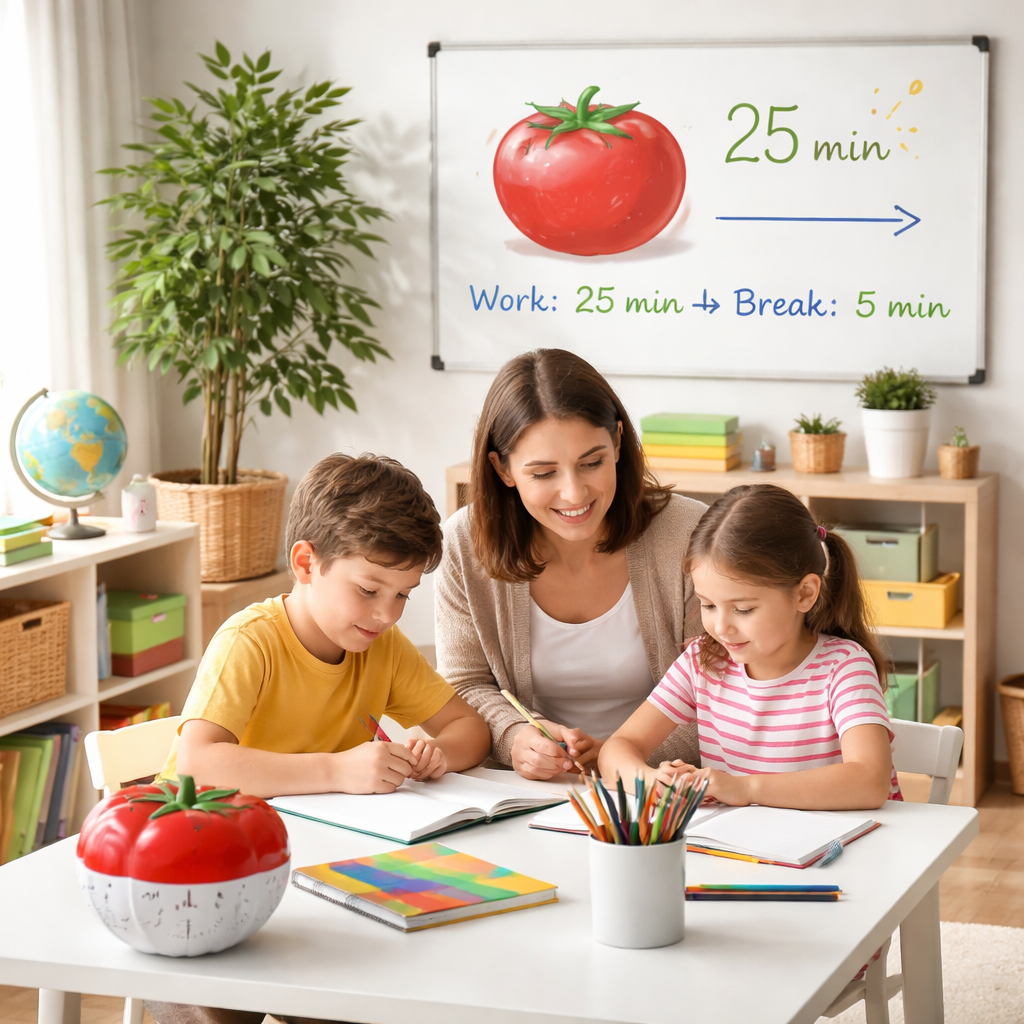
Ever feel like homeschooling turns your day into a juggling act, where lesson plans, chores, and snack breaks all collide? You’re not alone – many homeschool parents admit that staying focused while keeping the kids on track is a daily puzzle.
What if you could turn that chaos into a rhythm, like a well‑timed drumbeat, that keeps everyone moving forward without burning out? That’s the promise of the pomodoro technique for homeschool parents: short, focused bursts of work followed by purposeful pauses that let brains reset and bodies recharge.
Here’s how it works in a family setting. First, pick a task – it could be a math worksheet for the kids, a lesson prep for you, or even a quick tidy‑up of the playroom. Set a timer for 25 minutes (or adjust to 20 if that feels better for younger attention spans). During that window, everyone puts away phones, silences notifications, and dives in. When the timer dings, hit the break button: stretch, grab a snack, or do a quick dance‑off. Those five‑minute pauses aren’t wasted time; they give the brain a chance to consolidate what it just learned.
In our experience at Focus Keeper, families that pair pomodoros with a simple visual cue – like a colorful kitchen timer or a phone app – see a noticeable dip in “task‑switching” fatigue. One mom told us she went from fighting constant interruptions to enjoying smooth, 4‑pomodoro blocks of reading before the kids’ art projects, and she even found time to fit in a short yoga session.
Want to make it stick? Try these actionable steps:
1️⃣ Create a shared “pomodoro board” on the fridge. Write the task, draw a tomato icon, and check it off when the interval ends.
2️⃣ Align the hardest subjects with your natural energy peaks – many parents notice they’re sharper before lunch, so schedule science or reading then.
3️⃣ Use the break to do a quick family movement: a 2‑minute hallway stretch or a goofy joke round. It reinforces the pause as a fun reset, not a lull.
If you’re wondering how to fine‑tune the intervals, Pomodoro technique basics explains how to experiment with 20‑, 25‑, or 30‑minute work periods and match break lengths to task difficulty. Start with the classic 25/5 split, observe how the kids respond, and tweak as needed.
And while the timer does the heavy lifting, a little extra mental fuel can help both parents and kids stay sharp. Great Bite Supplements offer focus‑enhancing, nootropic gummies that are safe for busy families looking for an extra edge during study sprints.
Give it a try this week: pick one subject, set three pomodoros, honor the breaks, and watch how the household flow changes. You might just find that the once‑overwhelming homeschool schedule becomes a series of manageable, rewarding bursts.
TL;DR
The pomodoro technique for homeschool parents transforms chaotic study days into short, focused bursts followed by purposeful breaks, letting kids and you stay engaged without burning out.
Start with a 25‑minute timer, pick a single lesson, mark completion on a fridge board, then enjoy a 5‑minute family stretch or joke before moving on – simple, repeatable, and surprisingly effective.
Step 1: Set Up a Dedicated Learning Space
When the house feels like a circus, the first thing you can control is the space where learning happens. It doesn’t have to be a whole room – just a corner that says, “Here’s where focus lives.”
Start by picking a spot that gets natural light in the morning. Sunlight tricks our brains into waking up, and a bright area makes the pomodoro timer feel less like a chore and more like a friendly nudge.
Clear the surface. Pull away toys, dishes, and any stray paperwork. A clean desk is a visual cue that tells your brain, “It’s time to switch gears.” If you can’t clear a whole table, use a portable tray or a folding lap desk – anything that creates a defined boundary.
Next, add a few sensory touches that keep you and the kids calm. A small plant, a soft rug, or a scented candle (just keep it kid‑safe) can turn a bland table into a mini‑studio. The idea is to make the space inviting enough that you’ll actually want to sit down for the first 25‑minute sprint.
Now, bring the pomodoro timer into view. Whether it’s a classic kitchen timer, a phone app, or the Focus Keeper app on a tablet, place it where everyone can see the countdown. Seeing the seconds tick away builds a gentle pressure that keeps distractions at bay.
But a timer alone isn’t enough. You need a visual cue for what’s being tackled. A simple whiteboard or a sticky‑note board on the wall works wonders. Write the subject, the specific goal (like “solve 5 fractions” or “read pages 12‑15 of history”), and draw a tiny tomato icon next to it. When the timer dings, cross it off – the act of checking a box feels rewarding and signals progress.
Do you ever wonder why kids sometimes stare at a blank wall and drift off? It’s because their environment is too open-ended. By defining the space and the task, you give their brains a clear direction. That’s the magic behind the pomodoro technique for homeschool parents – it turns vague “study time” into a concrete, manageable sprint.
What about the inevitable interruptions? Keep a small “pause basket” nearby. When a sibling needs help or a pet wanders in, toss the distraction into the basket, finish the current pomodoro, then address it during the break. This way, you honor the interruption without breaking the flow.
Take a moment after each pomodoro to reset the space. Straighten papers, wipe the surface, and maybe add a quick doodle or a smiley face to the board. Those tiny rituals signal the end of a work block and the start of a mental reset.
Here’s a quick checklist to make the setup foolproof:
- Choose a well‑lit corner or table.
- Clear away non‑essential items.
- Add a calming sensory element (plant, rug, candle).
- Place a visible timer within reach.
- Set up a task board with specific goals.
- Keep a “pause basket” for interruptions.
- Refresh the space after each interval.
When you walk into that spot, you should feel a subtle shift – a sense that you’re stepping into a zone built for focus. That feeling alone can boost motivation, especially on days when the house feels chaotic.
And remember, the space can evolve. As kids grow, swap out the tabletop for a standing desk or a larger whiteboard. The key is to keep the core idea the same: a dedicated, distraction‑lighted area that pairs perfectly with the pomodoro rhythm.
Give it a try this week. Pick a corner, set up the timer, and watch how quickly the house settles into a rhythm of focused bursts and joyful breaks.
Step 2: Choose the Right Pomodoro Length for Kids
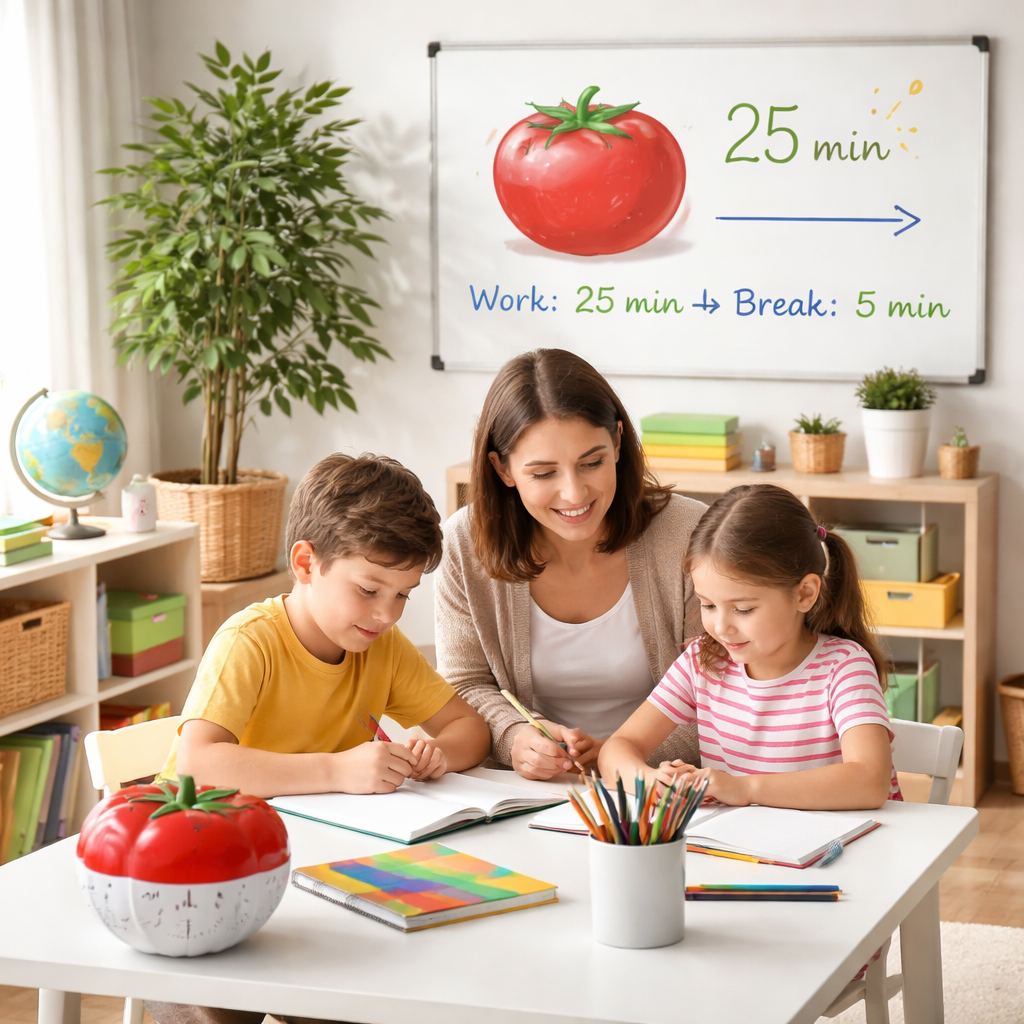
Let’s get practical here. The classic 25/5 split isn’t a universal truth for every kid or every subject in a homeschool day. Younger brains tire faster, and some topics demand deeper focus in shorter bursts. The goal isn’t to force a rigid timer, but to find a rhythm that feels doable and builds momentum over a whole afternoon of learning.
So, what should you try first? Start with shorter blocks for younger children and be ready to lengthen as their attention grows. You’ll know you’ve hit the sweet spot when you see fewer reminders to pause, fewer frayed nerves, and more completed mini‑wins—whether that’s finishing a page of math problems or finishing a paragraph of writing.
Does this really work? It does, especially when you pair the length with a clear, kid‑friendly goal. A 12‑ to 15‑minute sprint might cover a quick fact check in history, while a longer 20‑ to 25‑minute block could be perfect for reading a short story with a guided discussion. The trick is to match the pace to the task, not just to the clock.
Why one size rarely fits all
Think about the different subjects you’re teaching. Quick math drills can stay tight, but reading or writing may benefit from a slightly longer window while a concept is being explored. If a science experiment or a tricky problem set is on deck, you might opt for a 20‑ to 30‑minute sprint with a longer, purposefully screen‑free break. It’s not about chasing a perfect timer; it’s about carving out a flow that respects attention while nudging kids toward steady progress.
In our experience at Focus Keeper, families that experiment with interval length tend to spot faster resets and fewer mid‑session derailments. The platform makes it easy to adjust minutes on the fly, track how long each block lasts, and see which subjects respond best to which durations.
How to test lengths in a simple, repeatable way
- Pick two representative tasks that you’d normally run back‑to‑back—say, a short reading passage and a handful of math problems.
- Set a timer for 12–15 minutes for the first task, with a 3– to 5‑minute break.
- Switch to the second task for 18–22 minutes, then take a longer, 10‑minute break if needed.
- Reflect at the end of the day: did the kids finish more in less time? Was focus consistent, or did you notice frequent drift? Tweak by 2–5 minutes up or down and try again tomorrow.
To help you implement this, you can use a visual timer or Focus Keeper to toggle lengths and keep a quick log of what works. A visual cue—like a tomato graphic that you cross off after each interval—keeps focus tangible for kids and gives them a tiny sense of accomplishment.
For extra perspective, Rainbow Resource’s Pomodoro guidance for homeschoolers emphasizes the importance of restoration during breaks and the role of simple timers in training focus. It’s a handy read when you’re refining settings for your own family. Rainbow Resource: Pomodoro technique guide for homeschoolers.
Another thoughtful nudge from Rainbow Resource highlights the value of color‑coded timers and explicit restoration activities. Pomodoro guidance with timer tips is a quick read you can skim between planning sessions.
Now, grab a pencil, pick a subject, and pick a starting length. Try a couple of intervals this week, note what sticks, and you’ll build a personalized rhythm that makes focus feel natural—not forced.
Step 3: Create a Visual Timer System
Okay, you’ve set up a quiet nook and you’ve decided how long each pomodoro should be. Now comes the part that turns a plain timer into a classroom‑style traffic signal – a visual timer system that the whole family can see at a glance.
Why does a visual cue matter? Because kids (and adults) process pictures faster than numbers. When they can actually see the sand slipping or a tomato icon shrinking, the abstract idea of “time passing” becomes concrete. That little visual nudge is what keeps the brain from drifting off into the hallway.
Pick a timer that talks the language of your family
There are three popular flavors:
- Classic kitchen timer – the click‑click sound is loud enough to cut through a bustling kitchen.
- Time‑Timer – a clear disc that shows a disappearing colored band. It’s a favorite in many homeschool circles.
- Digital app – Focus Keeper lets you customize colors, add a tomato graphic, and even mute phone alerts so you’re not tempted to scroll.
In our experience, the visual impact of a Time‑Timer or a bright kitchen timer beats a silent phone alarm any day. If you’re looking for a quick read on why visual timers work, check out this Rainbow Resource guide on visual timers for homeschoolers.
Build a simple visual board
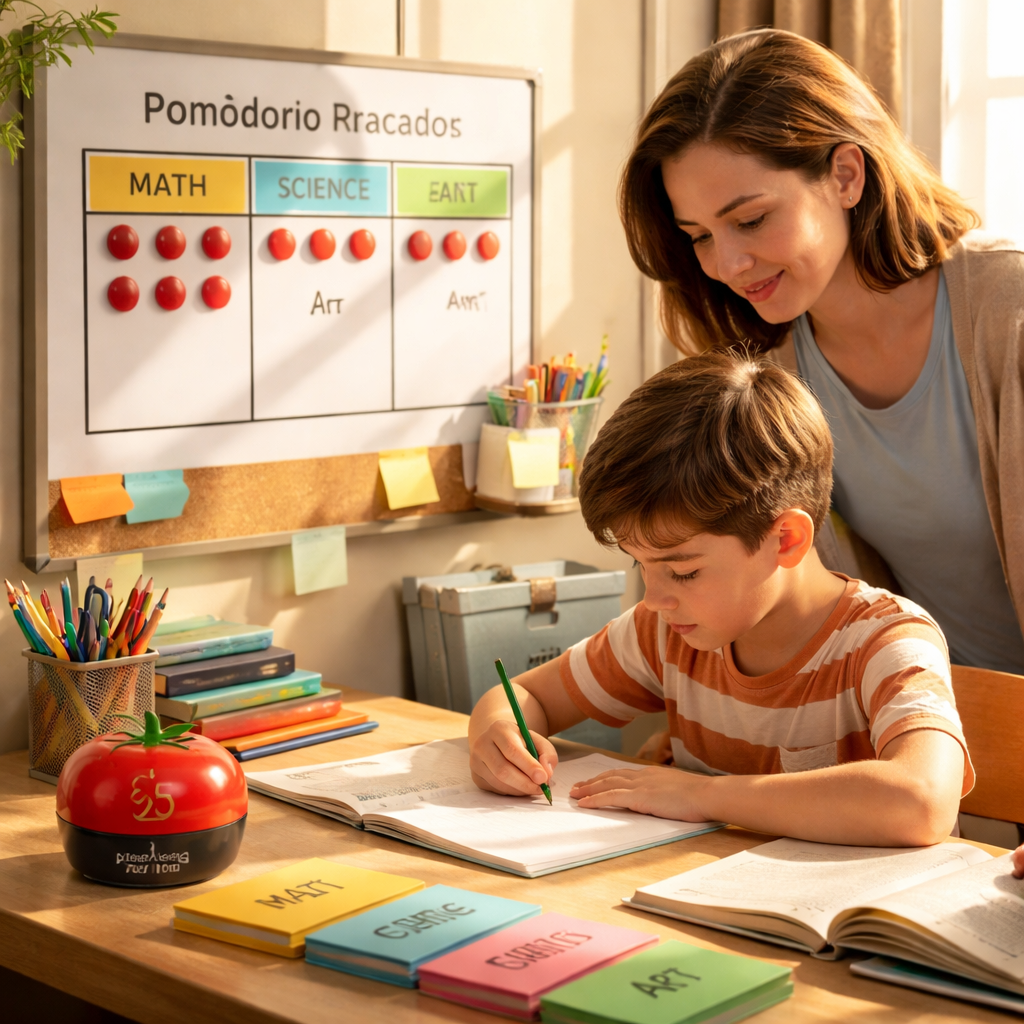
Grab a whiteboard, a sheet of poster board, or even a magnetic fridge surface. Draw a row of circles – each circle represents one pomodoro. Inside each circle, stick a small tomato sticker or draw a simple shape. When the timer starts, point to the first circle; when it dings, cross it off or shade it in. The act of marking progress is a mini celebration for kids.
Here’s a quick checklist you can tape next to the board:
- Timer set and visible.
- Circle or tomato for each interval.
- Break‑activity cue (stretch, snack, quick dance).
- “Reset” button – a bright marker to start the next round.
Notice how the board turns an invisible countdown into a game board. The kids know exactly how many rounds are left and can anticipate the longer break after the fourth pomodoro.
Color‑code for different subjects
One trick that families swear by is assigning a color to each core subject. Blue for math, green for reading, yellow for science. When the timer rings, you move the colored token to the next subject row. This visual cue not only signals a new task but also reinforces subject‑specific focus zones.
If you need inspiration on how to set up a color‑coded schedule, the Homeschool Made Simple article walks through a real‑world example of a fridge schedule that pairs colors with timer blocks.
Make the breaks as visual as the work
During the five‑minute pause, display a “break card” on the same board – a picture of a snack, a quick stretch diagram, or a doodle of a dancing robot. Kids love seeing what’s next, and it stops them from reaching for a screen out of boredom.
Try this: after the third pomodoro, the break card says “5‑minute hallway race.” The kids sprint, you all laugh, and the next timer starts feeling like a reward rather than a chore.
Step‑by‑step rollout
- Choose your visual timer (kitchen timer, Time‑Timer, or Focus Keeper app).
- Set up the board in the learning space – eye level for the kids.
- Create one circle or tomato per planned pomodoro for the day.
- Assign colors or stickers for each subject.
- Write a break‑activity cue next to each circle.
- Test it with a short 12‑minute interval first, then scale up.
After the first day, ask the kids: “Did the picture help you know when to stop?” If the answer is “yes,” you’ve nailed it. If not, tweak the size of the timer, the clarity of the icons, or the break cue.
Remember, the visual timer isn’t just a tool; it’s a communication bridge between you and your kids. It says, “We’re in this together, and we’ll see the finish line together.” When the timer glows, the whole family moves in sync, and the homeschool day feels less chaotic and more like a well‑orchestrated rhythm.
Step 4: Integrate Break Activities Aligned with Curriculum
Breaks aren’t just a pause. They’re an opportunity to reinforce what you’re teaching and keep momentum across the day. When breaks mirror the day’s curriculum, you turn a reset into a mini‑lesson in disguise.
In our experience at Focus Keeper, families that tie break activities to their lesson goals see fewer battles over starting again and more consistent progress. The timer keeps you moving, but the break cues keep learning moving too.
Why align breaks with curriculum?
Think about it this way: a math pomodoro ends, and the break is a quick problem sprint or a rapid-fire mental math game. That tiny cognitive reload cements the day’s concept. A reading break might become a two‑sentence write‑up or a quick summary sketch. Suddenly, the break isn’t a distraction; it’s a deliberate bridge back to the next concept.
Does this really work? Yes. It reduces post‑break inertia and helps kids see the connection between effort, rest, and understanding. It feels less like a pause and more like a natural part of your study rhythm.
Actionable steps to implement
- Map your day’s curriculum goals to break activities. For each pomodoro, decide what the break should reinforce—math fluency, science reasoning, or reading comprehension—and pick a matching 3–5 minute activity.
- Create a break‑activity bank for core subjects. For math, a quick flashcard race; for reading, a two‑sentence summary or a doodle diagram of the scene; for science, a quick prediction map or a tiny circuit sketch; for writing, a one‑sentence revision sprint.
- Color‑code the plan. Tag each pomodoro with a subject color and print a small break cue next to it so everyone knows what comes next without extra talking.
- Test and refine. Start with 12–15 minute work blocks and 3–5 minute breaks. Watch how easily you slide into the next task and tweak break activities if you notice friction.
Real‑world examples you can try this week
Example 1: After two math pomodoros, the 5‑minute break is a mini‑fluency sprint—say, 10 quick problems or a speed‑round with multiplication facts. Then you shift to a reading block with a short comprehension check in the break.
Example 2: Science day. One pomodoro tackles a concept, the next a quick drawing of the lab setup during the break. The act of sketching ties the hands and eyes to the idea, increasing retention by the next session.
Example 3: Writing workshop. Breaks become punctuation sprints or a one‑sentence revision challenge. When the next paragraph starts, the brain already knows what to fix and where to go next.
Tips that actually move the needle
Keep breaks screen‑free whenever possible. A quick walk, a stretch, or a hands‑on activity helps restore attention more effectively than scrolling. Rainbow Resource highlights restorative break ideas like snacks, movement, or quiet time—great for keeping mornings calm and focused. Rainbow Resource: Pomodoro guide for homeschoolers.
Platforms like Focus Keeper make this easier by letting you attach a break cue to each pomodoro and track which break types boost engagement for specific subjects. Try pairing your subject blocks with a consistent set of micro‑activities and review weekly to see what sticks.
So, what’s the first step? Map three core subjects to pomodoros this week and attach one concrete, curriculum‑aligned break activity to each. If you track outcomes, you’ll quickly learn which breaks drive the best re‑entry into learning and which need a tweak.
For deeper ideas on restoration and focus, Rainbow Resource’s guidance is worth a quick look—and it pairs nicely with the visual timer approach that many homeschool families already love.
Step 5: Track Progress and Adjust Schedule
Tracking progress isn’t about micromanaging. It’s about seeing patterns so you can adjust before burnout hits.
In our experience with Focus Keeper, the simplest moves yield big wins: log each pomodoro, note the subject, and jot a quick line about energy and interruptions. You’ll start to see what actually drags you down and what props you back up.
So, what should you track to make the pomodoro technique for homeschool parents more effective? Start with the basics, then layer in what matters for your family. First, capture how many pomodoros you complete per subject each day. Then note the overall completion rate for planned tasks. Finally, track energy levels and interruptions—the two sneaky culprits that derail momentum.
Does this really work? Absolutely when you keep it actionable. A quick daily snapshot is enough to reveal trends, like “math blocks hit a wall after lunch” or “reading blocks fly by when we pair them with a short movement break.”
What you measure shapes what you adjust. We’re not counting for the sake of counting; we’re learning where to move blocks, how long to let a break breathe, and which tasks deserve a higher energy slot.
To deepen the insight, track a few concrete data points you can act on right away: number of pomodoros completed, subject pairings, energy level (low/medium/high), and interruptions (noted as short, long, or unexpected). These simple markers turn a messy day into a clear map for improvement. And yes, you can use Focus Keeper to log these intervals and visualize daily patterns—without turning your schedule into a spreadsheet labyrinth.
Over time, your plan should feel like a natural rhythm rather than a rigid cage. So, what’s your week going to look like after you start tracking? For many families, the answer is a smoother flow where the hardest topics land in optimal blocks and breaks land on actual resets, not excuses to switch tasks mid‑sentence.
Rainbow Resource’s guidance on restoration and focus is a handy companion when you’re tweaking the rhythm. It highlights practical ideas for mindful breaks and concrete timer strategies that pair well with homeschooling. Rainbow Resource: Pomodoro guidance for homeschoolers.
Another Rainbow Resource page dives into restorative break ideas and color‑coded timers, which can complement your data review and help you test new rhythms with less friction. Rainbow Resource: Visual timers and restoration tips.
Now, let’s talk action. Track daily, review weekly, and adjust monthly. The aim isn’t perfection; it’s a sustainable pattern you can actually stick to.
 Alt: Realistic photo of a homeschool pomodoro setup for parents and kids.
| Aspect | Action | Why it matters |
|---|---|---|
| Review cadence | End-of-day quick check; weekly deeper review | Reinforces learning and reveals patterns for scheduling |
| Data points to collect | Pomodoros completed, subject, energy level, interruptions | Shows where you drift and when energy peaks |
| Adjustment rule | Adjust length by +/- 2–5 minutes; reorder subjects by energy | Keeps momentum without rigid rigidity |
Step 6: Involve the Whole Family for Support
Ever notice how a timer can feel like a solo sprint until the whole house starts cheering you on?
That’s the sweet spot of the pomodoro technique for homeschool parents – it works best when everyone’s on board, not just the kid who’s writing equations.
Why family buy‑in matters
When Mom, Dad, and even the teenager on the couch understand the rhythm, interruptions drop dramatically.
Kids learn that a 25‑minute focus burst isn’t a punishment; it’s a shared contract that the whole crew respects.
Does it sound too tidy? In our experience, a little planning turns that tidy vision into reality.
Step 1: Explain the game plan
Gather the family around the learning nook and lay out the pomodoro cycle: work, break, work, break.
Use simple language – “We’ll focus for a short burst, then we all get a quick stretch or snack.”
Ask each person what a rewarding break looks like for them. That way the pause feels like a win, not a timeout.
Step 2: Assign mini‑roles
Give siblings a “timer keeper” job. A bright kitchen timer or a visual Time‑Timer works well, and the child who flips it feels responsible.
Let a teen be the “break captain” – they pick a 5‑minute activity that doesn’t involve screens, like a hallway dance or a water‑break relay.
Parents can act as “check‑in coaches,” noting energy levels on a quick sticky‑note chart after each pomodoro.
Step 3: Build a family visual board
Take a magnetic fridge board and draw a row of circles for the day’s pomodoros.
Assign a colour to each family member – blue for Mom, green for Dad, yellow for the oldest, pink for the youngest.
When a timer ends, the person whose colour is next places a check‑mark. The visual progress turns the whole process into a low‑stress game.
Step 4: Choose breaks that reinforce togetherness
Instead of each child grabbing a snack alone, plan a 5‑minute “family reset.”
Ideas include a quick hallway stretch, a 30‑second joke round, or a mini‑dance‑off to a favorite song.
These shared moments keep the energy high and remind everyone that the break is part of the learning rhythm.
Step 5: Involve siblings in the subject matter
Older kids can become “topic buddies.” While the younger sibling works on a math worksheet, the older can quiz them or explain a concept in plain language.
This peer‑teaching twist reinforces the older child’s knowledge and gives the younger a sense of support.
Even a teen who’s not doing schoolwork can help by timing the session or setting up the next activity.
Step 6: Celebrate the collective milestones
After four pomodoros, schedule a longer 15‑minute family reward – maybe a board game, a quick walk outside, or a shared smoothie.
Mark the achievement on the visual board with a star sticker. The celebration feels communal, not just an individual pat on the back.
Seeing the whole family reach that milestone together builds a habit that lasts beyond any single lesson.
Real‑world tip from the field
Special Ed Resource points out that short, timed intervals help kids stay focused and avoid burnout, especially when the whole family respects the structure research on kids’ focus.
Rainbow Resource also recommends visual timers and colour‑coded boards to make the system transparent for every family member Rainbow Resource guide.
How Focus Keeper fits in
Platforms like Focus Keeper let you customise interval lengths, add a label for each family member, and log who completed each pomodoro – a tiny data set that makes tweaking the schedule painless.
All you need is a phone or tablet, a timer, and the willingness to treat the day as a series of shared sprints.
Quick checklist to get the whole clan on board
- Explain the pomodoro cycle in plain language.
- Assign a timer keeper and a break captain.
- Create a colour‑coded visual board.
- Pick screen‑free, family‑friendly break activities.
- Plan a longer reward after four pomodoros.
- Log who completes each interval and adjust as needed.
Start tonight: set a 25‑minute timer, get the kids to help you start it, and watch how a simple shared rhythm can turn chaos into collaboration.
Conclusion
We’ve walked through every piece of the pomodoro technique for homeschool parents, from setting up a dedicated nook to tweaking intervals and tracking progress.
So, what does it all mean for you? It means you now have a simple rhythm that turns chaotic study days into bite‑size, focused sprints you can actually enjoy.
When a 25‑minute block ends, you’ve already checked off a clear micro‑goal – whether that’s reading a paragraph, solving a handful of math problems, or sketching a science diagram. The five‑minute break that follows isn’t a waste; it’s a mental reset that keeps fatigue at bay.
In our experience, families that treat the timer as a shared game see fewer power struggles and more smiles around the kitchen table.
Ready to try it tonight? Grab a timer, pick one subject, set a single pomodoro, and honor the short break. You’ll feel the difference before dinner rolls around.
Remember, the pomodoro technique for homeschool parents is flexible – adjust the length, swap the break activity, and let the system grow with your kids. Keep experimenting, keep logging, and let the habit do the heavy lifting.
Give it a go this week and watch chaos turn into collaboration.
And if you ever hit a snag, just reset the timer, revisit your visual board, and jump back in – the process is forgiving, not rigid.
FAQ
What is the pomodoro technique for homeschool parents and how does it differ from the classic method?
It’s the same core idea – break study time into focused bursts followed by short breaks – but you tailor the length, tasks, and rewards to fit a family’s rhythm. Instead of a rigid 25‑minute timer, you might use 15‑minute sprints for younger kids or swap a five‑minute stretch for a quick kitchen dance. The goal is to keep everyone engaged without feeling trapped.
How long should each pomodoro be for kids of different ages?
Little learners usually thrive on 10‑ to 15‑minute intervals with 3‑minute breaks; middle‑grade children often handle 20‑ to 25‑minute blocks; teens can stretch to 30‑minute sessions. Watch for signs of fatigue – if eyes wander or sighs start, shorten the next interval. The key is to experiment and note which length matches your child’s attention span.
What kind of break activities work best for homeschool families?
Pick quick, screen‑free actions that reset energy. A five‑minute hallway race, a family stretch, a short song‑and‑dance, or a snack‑prep together all work well. The break should be fun but brief, so the kids return to the timer feeling refreshed rather than distracted. You can even tie the activity to the subject, like a science‑themed “guess‑the‑element” game.
How can I track progress without turning homeschooling into a spreadsheet nightmare?
Use a simple visual board: draw circles for each pomodoro and shade them in as you finish. A magnetic fridge board or a whiteboard works great. If you prefer digital, a lightweight app like Focus Keeper lets you tap a button to log the interval and add a quick note about the task. The point is to see progress at a glance.
What should I do when a pomodoro gets interrupted?
Pause the timer, note the interruption, and quickly decide if it’s worth finishing the current block or resetting. If a sudden noise or bathroom break occurs, give yourself a one‑minute reset, then restart the same interval. Consistency is more important than perfection – the habit stays strong as long as you return to the timer promptly.
How can I involve siblings or a partner in the pomodoro routine?
Assign mini‑roles like “timer keeper” or “break captain.” Let older kids choose the next break activity, and let parents act as gentle check‑in coaches, noting energy levels on sticky notes. When everyone has a part, the process feels less like a solo task and more like a family game, reducing power struggles.
When should I adjust the schedule or length of pomodoros?
Review at the end of each day: did subjects feel rushed? Did energy dip after lunch? If math blocks consistently stall, try a shorter interval or move them to a morning peak. After a week of notes, tweak one variable – either length or order – and observe the change. Small, regular tweaks keep the system flexible and sustainable.
Can the pomodoro technique be combined with other homeschooling tools like curriculum planners?
Absolutely. Start by mapping your weekly curriculum on a planner, then slot pomodoro blocks into the open slots. When a math unit is scheduled for Tuesday morning, assign two 25‑minute intervals with a 5‑minute break in between, and mark them on the planner with a colored sticker. This visual alignment lets you see both the big picture and the micro‑tasks, making it easier to stay on track and adjust as needed.




