
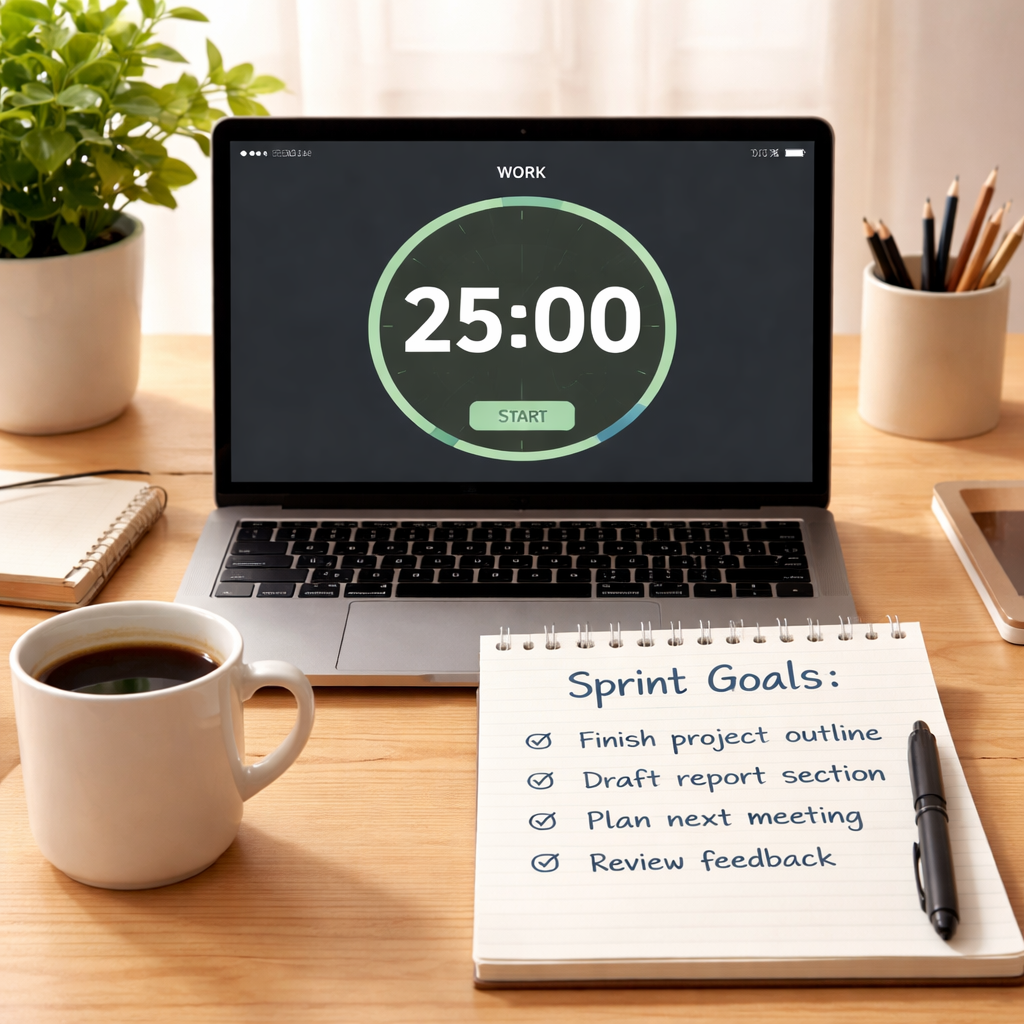
Ever stared at a to‑do list that feels more like a mountain than a roadmap?
You know that moment when the day starts bright, but by lunchtime the focus has already slipped away, and you’re left wondering where all the time went.
That’s the exact spot where a solid work sprint schedule can turn chaos into a clear, bite‑size plan.
Think of it like slicing a pizza: each slice is a focused work interval, and the crust—those short breaks—keeps you from feeling stuffed.
In our experience with students, remote workers, freelancers, and busy professionals, the biggest productivity boost comes not from working longer, but from structuring those hours into intentional sprints.
So, what does a work sprint schedule actually look? Imagine you’re a remote designer juggling client revisions, a coding sprint, and a quick stand‑up meeting. You’d block 45 minutes for the design task, hit a 10‑minute break, then jump into a 30‑minute coding burst, followed by another short pause.
Those pauses aren’t wasted time; they’re the brain’s reset button, letting you return to the next sprint refreshed and less prone to distraction.
If you’re a student cramming for exams, try a 25‑minute study sprint followed by a five‑minute stretch. Stack a few of those together, and you’ll notice the material sticks better than when you try to marathon‑read for hours.
Freelancers often juggle multiple projects. A work sprint schedule lets you allocate distinct blocks to each client, so you never feel like you’re pulling the same rope in two directions at once.
Busy professionals can use the same principle to protect deep‑work time. Schedule your most critical tasks during the first sprint of the day, when energy is highest, and reserve email or admin work for later, lighter sprints.
Here’s a quick cheat‑sheet: pick a sprint length (25‑50 minutes works for most), set a timer, focus until it rings, then take a 5‑10 minute break. Repeat four times, then enjoy a longer recharge.
That simple rhythm is the backbone of any effective work sprint schedule, and it’s surprisingly easy to adopt once you see the pattern in action.
Ready to give it a try? Grab a timer, map out your day in sprint blocks, and watch how the fog lifts from your workflow.
TL;DR
A work sprint schedule breaks your day into focused 25‑50 minute blocks with short breaks, letting students, freelancers, remote workers and busy professionals stay sharp, avoid burnout, and get more done.
Try it now—pick a timer, map your tasks into sprint intervals, and watch productivity rise without feeling overwhelmed today.
Step 1: Define Sprint Goals and Outcomes
First thing you need to do before you even set the timer is pin down what you actually want to get out of the sprint.
It’s tempting to say “I’ll just work on whatever feels urgent,” but without a clear target you’ll end up hopping from task to task and the sprint loses its power.
So, ask yourself: what’s the single outcome that would make this block of time feel like a win?
For a student prepping for finals, it might be “finish the chapter summary and solve five practice problems.”
A remote worker could aim to “complete the client’s design mock‑ups and get them into the feedback loop.”
A freelancer juggling multiple gigs might set “send three invoices and outline the next deliverable for Project A.”
And a busy professional could decide on “draft the quarterly report’s executive summary and clear inbox of high‑priority emails.”
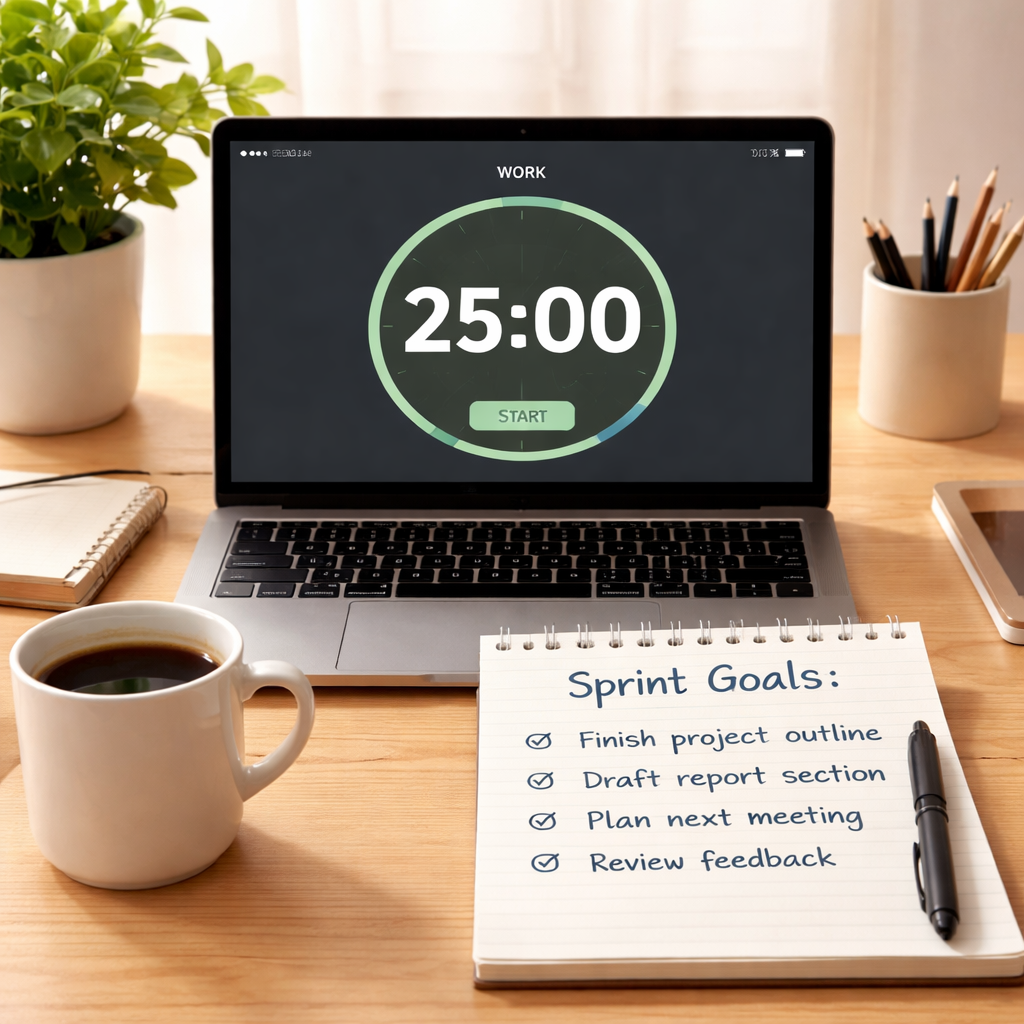
Writing the goal down is key. Grab a sticky note, a digital note, or open your Focus Keeper app and type it out in plain language.
Notice how the phrasing matters: “write” vs “work on.” The former creates a concrete finish line, the latter feels endless.
Next, break that outcome into tiny, measurable checkpoints. If your goal is “solve five practice problems,” list the problem numbers you’ll tackle.
These checkpoints become your sprint checkpoints – tiny wins you can tick off as you go, keeping momentum alive.
Now think about the “why” behind the goal. Connecting the outcome to a larger purpose (like “pass the exam with a B+” or “keep the client happy”) adds emotional fuel.
When the purpose clicks, you’ll notice the sprint feels less like work and more like progress toward something you care about.
Here’s a quick template you can copy:
Goal: [Specific outcome]
Checkpoints: 1. … 2. … 3. …
Why it matters: [Personal or professional reason]
Take a moment to fill it out for today’s first sprint. You’ll be surprised how quickly the vague “I need to study” becomes “I’ll finish Chapter 4 notes and answer the review questions.”
Once the goal is set, share it with a teammate, a study buddy, or even just a post‑it on your monitor. Public commitment raises the stakes and makes it harder to bail.
If you’re using Focus Keeper, the app lets you add a short description to each timer – perfect for popping that goal right where you see the countdown.
Now, schedule the sprint. Pick a length that matches the complexity of your goal – 25 minutes for a quick task, 45 minutes for deeper work.
Remember, the goal isn’t set in stone. If you finish early, celebrate and move on to the next checkpoint. If you run out of time, note what’s left and roll it into the next sprint.
Finally, evaluate the outcome right after the timer dings. Did you hit the goal? Which checkpoints slipped? Jot a one‑line reflection so you can tweak the next sprint.
Over time you’ll build a personal library of goal‑templates that you can plug into any day, making the planning phase almost automatic.
With the goal‑setting ritual nailed down, the rest of your work sprint schedule falls into place – you know exactly what to focus on, how long, and why it matters.
Step 2: Structure Your Sprint Timeline
Now that you’ve nailed a crystal‑clear sprint goal, it’s time to give that goal a shape on the clock. Think of a sprint timeline like a road map you actually can drive on – not a vague sketch, but a line‑up of concrete blocks that tells you exactly when to start, when to pause, and when to celebrate.
First, decide how long each work interval will be. Most of us swing between 25‑minute Pomodoro bursts and 45‑minute deep‑focus windows. The sweet spot depends on your stamina and the task at hand. If you’re a student cramming flashcards, 25 minutes feels just right. If you’re a remote designer polishing a client mock‑up, 45 minutes might let the creative flow settle.
Next, plot those intervals onto a visual timeline. Grab a piece of paper, a whiteboard, or a quick spreadsheet and draw columns for each sprint, then slot in a short break column after every work block. The visual cue of a filled‑in row does wonders for motivation – you literally see progress stacking up.
Pro tip: colour‑code your timeline. Green for completed sprints, amber for “in‑progress,” and red for anything that slipped. That colour language mirrors what many Agile teams do in their Sprint Timeline PPT templates, which you can download for free and customise to match your own workflow (see examples). It’s not just pretty; it makes bottlenecks pop out at a glance.
Now, break each sprint into three tiny steps: prep, focus, review. Spend the first minute jotting the exact task you’ll tackle, then dive in. When the timer dings, use the next minute to note what you achieved and what’s left. That micro‑review keeps the next sprint honest and prevents “I thought I finished” moments.
Here’s a quick checklist you can copy into your notes:
- Pick sprint length (25, 35, 45 min…) – match energy levels.
- Assign a specific task to each block.
- Insert a 5‑10 min break after every sprint.
- Colour‑code or tag each row for quick visual scanning.
- Do a 1‑minute post‑sprint review.
Does that feel a bit much? Don’t worry – you can start with a single column for the day and expand as you get comfortable. The key is consistency: the more you repeat the pattern, the more your brain learns to slip into “focus mode” the moment the timer starts.
Below is a handy comparison of three common ways to visualise a work sprint schedule. Pick the one that fits your style, then tweak it until it feels like an extension of your own rhythm.
| Format | Pros | Cons |
|---|---|---|
| Paper board (sticky notes) | Highly tactile, no screen fatigue, easy to move blocks around. | Harder to archive, less portable. |
| Digital spreadsheet | Quick copy‑paste, searchable, works on any device. | Requires a device, can feel too “grid‑y” for some. |
| PPT sprint timeline template | Visually striking, colour‑coded, shareable with teammates. | Initial setup takes a minute, needs PowerPoint‑compatible software. |
Once you’ve chosen a format, lock it in at the start of each day. I like to spend the first five minutes of my morning coffee ritual mapping the day’s timeline. It feels like setting the GPS before a road trip – you know exactly when you’ll hit the next rest stop.
And remember, the timeline isn’t set in stone. If a client call runs long, slide the next sprint forward or shrink its length. Flexibility is built into the process; the only thing that stays firm is the rhythm of work‑block → break → review.
Give it a try tomorrow. Sketch a simple three‑column table, colour the first sprint green, and watch how the visual cue nudges you to start without overthinking. That’s the magic of a well‑structured work sprint schedule – it turns vague intention into a concrete, doable plan you can actually see.
Step 3: Allocate Tasks and Resources Efficiently
Now that your sprint timeline is painted on the wall, the next puzzle is deciding who does what and with which tools. If you throw every task onto a list and hope the universe sorts it, you’ll end up with bottlenecks, burnt‑out moments, and a lot of “who’s on deck?” confusion.
Start by grouping tasks into logical buckets –‑ client deliverables, admin chores, learning blocks, or creative deep‑work. For a freelance graphic designer, that might look like client mock‑ups, invoice processing, and skill‑up tutorials. For a student, think lecture review, practice problems, and quick flash‑card sprints. The idea is to keep similar activities together so you can allocate resources (people, tools, energy) in a predictable rhythm.
Next, match each bucket to a sprint length that feels natural. Research shows that 45‑minute bursts work well for creative tasks, while 25‑minute intervals keep repetitive work sharp. If you’re juggling a remote‑worker role that involves both coding and answering emails, schedule a 45‑minute code sprint followed by a 25‑minute inbox sprint. The key is to let the nature of the work dictate the block size, not the other way around.
Once you have buckets and lengths, it’s time to assign ownership. Here’s a quick three‑step method that teams love:
1️⃣ Identify capacity
Take a quick pulse of how many hours each person can realistically dedicate to focused work today. In a solo setting, that’s you –‑ ask yourself, “How many sprint blocks can I sustain without losing steam?” A common rule of thumb is to reserve 70 % of your available hours for deep work and leave the rest for meetings or ad‑hoc tasks.
2️⃣ Prioritise by impact
Rank each bucket against the sprint goal you set in Step 1. A remote developer might rank “client‑ready prototype” above “team Slack cleanup.” Use a simple “high / medium / low” label; the high‑impact items get the longest, freshest blocks.
3️⃣ Sign‑up in pencil
Instead of hard‑wiring every task to a name at planning time, let people choose the next bucket when a sprint finishes. This mirrors the “sign‑up in pencil” approach advocated by Mike Cohn –‑ it keeps the plan flexible while still giving a clear path forward. When the timer dings, you either jump to the next high‑impact bucket you’ve earmarked or, if you’re feeling the energy dip, swap to a lighter admin sprint.
Real‑world example: Jane, a busy professional, blocks her morning into three sprints –‑ 45 min strategy review, 30 min email triage, and 25 min report automation. After the first sprint, she realises the strategy review needs an extra 15 minutes, so she shifts the email block later and uses a 10‑minute micro‑break to reset. By the afternoon she’s still on track because she never locked every minute in stone.
Another example: Alex, a freelance writer, uses a weekly “task pool” spreadsheet. He tags each article idea with an estimated word count and difficulty level. On Monday he allocates two 45‑minute research sprints to the toughest pieces, then a 25‑minute editing sprint for a finished draft. The flexible sign‑up system means if a client calls for a quick rewrite, Alex can pull the 25‑minute sprint without derailing the whole week.
To keep the whole process transparent, jot down the allocation on your sprint board –‑ a sticky‑note column for “Owner,” another for “Estimated Time,” and a third for “Resources.” If you’re using a digital template, the Sprint Planning Template: A Practical Guide for Agile Teams from Focus Keeper gives you a ready‑made table that you can copy into Google Sheets or Notion.
Tip: At the end of each day, run a 2‑minute “capacity check.” Ask yourself, “Did I over‑commit? Did I finish the high‑impact bucket?” If the answer is yes, shave a sprint off tomorrow. If no, consider adding a bonus block for that lingering task.
Finally, remember to factor in non‑task resources –‑ your brain, your coffee, and even your environment. Studies show that a well‑lit, low‑noise workspace can boost focus by up to 20 %. So, when you allocate a sprint, also allocate a quiet corner or a pair of noise‑cancelling headphones. The more you treat focus as a resource, the smoother the schedule runs.
Bottom line: allocate tasks and resources the way you’d staff a small crew on a film set –‑ match the right talent to the right scene, keep the script flexible, and always leave room for a quick coffee break. When you do, your work sprint schedule becomes a living, breathing plan rather than a rigid checklist.
Step 4: Implement Tracking and Communication Tools
Okay, you’ve got your sprint blocks set up and your tasks bucketed. The next puzzle is making sure you actually see what’s happening in real time and that everybody stays in the loop.
Why tracking matters
Imagine you’re a freelancer juggling three client mock‑ups. Without a quick way to see which sprint is on fire, you’ll waste precious minutes wondering, “Did I finish the design or am I still on the brief?” A simple tracker turns that guesswork into a visual cue.
And what about remote workers? A shared board that shows each sprint’s status helps teammates spot bottlenecks before they become roadblocks.
Pick a tool that fits your rhythm
Not every tool is built for a 25‑minute Pomodoro‑style sprint. Look for something that lets you label a block as “focus” and then automatically rolls over to a “break” column. Jotform’s roundup of sprint planning tools includes a few lightweight options that play nicely with timer‑based workflows.
For teams that already use Atlassian products, the Atlassian sprint planning guide shows how to set up a Scrum board that highlights sprint start‑times, progress bars, and burndown charts – all of which can be filtered to the 25‑50 minute intervals you love.
In our experience, the best setup is a hybrid: a simple timer app for personal focus, paired with a shared board for the bigger picture.
Set up communication channels that don’t drown you
Think about the last time a Slack notification popped up right as you were about to hit the 5‑minute break. Annoying, right? The trick is to create a “sprint channel” that only surfaces high‑level updates: “Sprint 3 done, moving to review,” or “Need a quick 5‑minute sync before the next block.”
For freelancers, a quick email thread titled “Sprint 4 Status” keeps the client in the loop without constant ping‑pong. Remote workers can use a dedicated Teams channel that’s muted outside of sprint windows.
Tip: Use status emojis or colour tags (green = in‑progress, amber = needs‑review, red = blocked). It’s a tiny habit that saves a lot of back‑and‑forth.
Integrate tracking with your work sprint schedule
Here’s a step‑by‑step cheat sheet you can drop into any board:
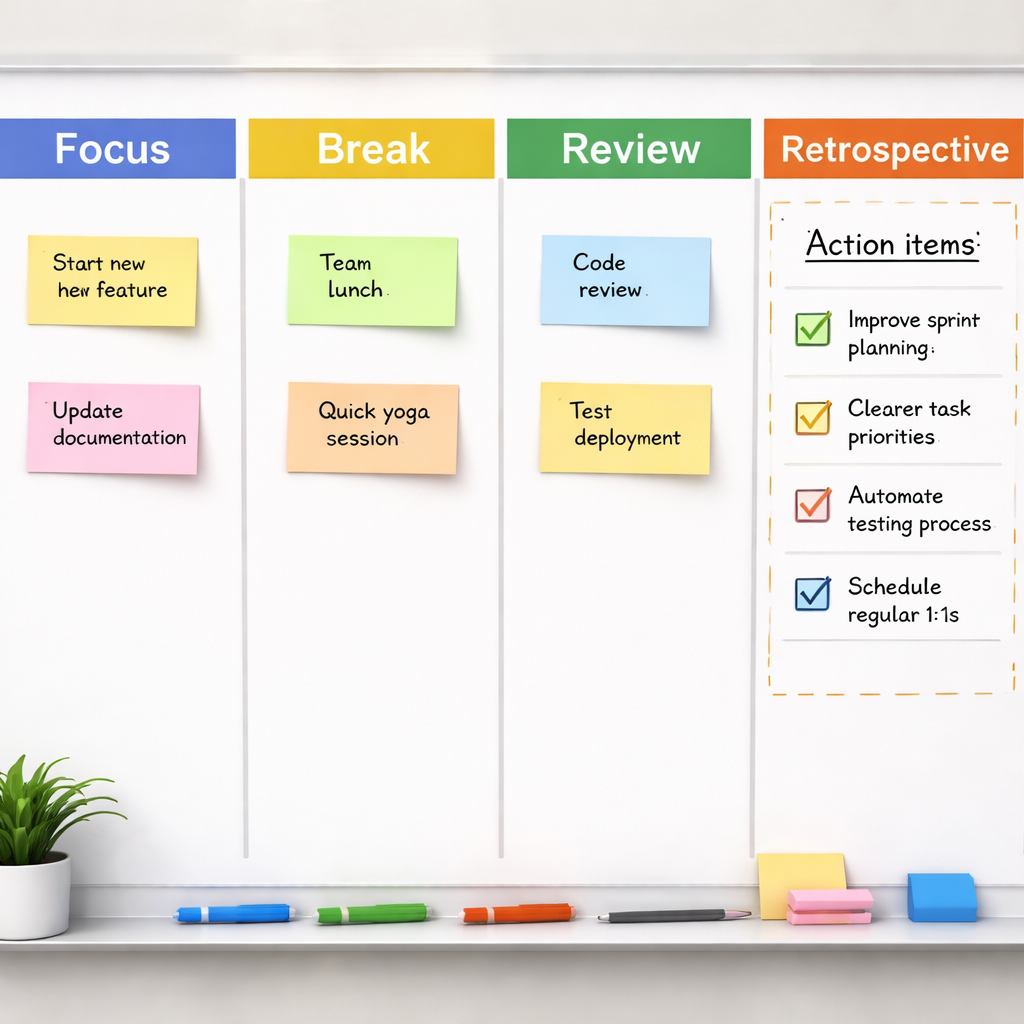
- Create a column named “Focus Sprint” and set the default duration to 25‑50 minutes.
- Add a “Break” column that auto‑moves the card after the timer ends.
- Tag each card with the sprint goal you defined in Step 1.
- At the end of each sprint, move the card to “Review” and jot a one‑sentence note on what got done.
Does that sound like a lot? Start with just the “Focus Sprint” column and the break automation. Once you’re comfortable, layer on the colour tags and review notes.
And remember, flexibility is key. If a client call runs over, simply drag the current sprint card back a slot and let the next one start a minute later. The board will still show you exactly where you are in the day.
Quick audit checklist
Before you close the day, run through these three questions:
- Did every sprint have a visible start and end time?
- Were any blockers flagged in the communication channel?
- Did the review notes line up with the original sprint goal?
If you can answer “yes” to all three, your tracking and communication setup is doing its job. If not, tweak one element and try again tomorrow.
Bottom line: a solid work sprint schedule isn’t just about blocking time; it’s about seeing that time move, sharing the progress, and adjusting on the fly. With the right tracking board and a lean communication channel, you’ll know exactly where you stand – and you’ll spend less energy chasing updates and more time actually getting things done.
Step 5: Review, Retrospect, and Optimize Your Sprint
Alright, you’ve just wrapped the last sprint of the day. Before you close your laptop, ask yourself: did that block feel smooth, or did something keep pulling you off track?
This is the moment where a quick review does more than just tick a box—it gives you the data you need to sharpen the next round of work. In other words, it’s the secret sauce that turns a “good enough” work sprint schedule into a high‑performing habit.
Why the review matters
Think of a sprint like a short race. You wouldn’t finish without checking your split times, right? A sprint retrospective lets you spot patterns –‑ maybe you’re always losing focus right before the break, or perhaps a certain type of task consistently overruns.
When you surface those patterns, you can tweak the schedule before the next day’s sprint even starts. That’s how you move from “I’m trying this” to “I’ve got a system that actually works.”
Running a sprint retrospective
Grab a sticky note or open a digital board and run through three simple questions:
- What went well in this sprint?
- What held me back?
- What one tweak can make the next sprint smoother?
Even if you’re flying solo, answering these out loud (or typing them into a note) creates the same reflective pause a team would get in a formal meeting.
If you need a bit of structure, the sprint retrospective guide from Atlassian breaks it down into methods like “4 Ls” or “Sad‑Mad‑Glad.” Pick the one that feels least like a chore and most like a quick chat with yourself.
For students, the “what held me back” might be a noisy dorm room; for freelancers, it could be an unexpected client email. Write that blocker down and decide on a concrete fix –‑ maybe a noise‑cancelling headphone for the next study sprint, or a “no‑interrupts” email filter before you start a design sprint.
Turning insights into action
Once you’ve listed the three answers, turn the biggest blocker into an action item. Use the classic “If‑Then” format: “If I get a Slack ping during a sprint, then I’ll mute notifications for the next 45 minutes.”
Schedule that action as its own tiny sprint on your board. By treating the fix like any other task, you give it the same visibility and accountability.
And here’s a little trick we’ve seen work for remote workers: set a recurring 5‑minute “optimisation sprint” at the end of each day. During that micro‑sprint you revisit the day’s notes, adjust the next day’s timeline, and even move a colour tag on your board to signal the change.
Quick optimisation checklist
- Did you capture a one‑sentence win for the sprint?
- Did you note the top blocker and a concrete fix?
- Did you update your sprint board to reflect any timing shifts?
- Did you schedule the next day’s first sprint based on today’s learnings?
If you can answer “yes” to all four, you’re basically running a self‑optimising engine. If something feels off, give yourself permission to experiment –‑ maybe shorten the break, or try a different timer sound. The key is to keep the loop tight: sprint → review → tweak → next sprint.
Remember, the whole point of a work sprint schedule isn’t to lock yourself into a rigid timetable. It’s to create a feedback‑rich rhythm that evolves with you. So next time you move that card to “Review,” think of it as a tiny checkpoint on a longer journey, not the finish line.
Ready to make your next sprint smarter? Take five minutes tonight, jot those three questions, and set one actionable tweak for tomorrow. You’ll be surprised how quickly those small adjustments add up to big gains.
Conclusion
We’ve walked through every piece of the work sprint schedule puzzle, from setting a razor‑sharp goal to tweaking the tiny breaks that keep your brain fresh.
So, what does all this mean for you right now? It means you can stop guessing whether a sprint will work and start seeing concrete results—like finishing a client mock‑up before lunch or cracking that study chapter without the afternoon slump.
Remember the quick optimisation checklist: one‑sentence win, top blocker fix, board update, and a next‑day tweak. If you can answer “yes” to each, you’ve built a self‑optimising engine that runs on habit, not willpower.
For students, that might look like a 25‑minute study sprint followed by a five‑minute stretch, then noting which concept still feels fuzzy. Remote workers could stack a 45‑minute coding burst with a brief walk, then log any latency hiccup. Freelancers often find a 30‑minute proposal sprint paired with a coffee break fuels creativity. Busy professionals can protect their strategic hour with a focused sprint and use the break to clear inbox noise.
Want a simple next step? Tonight, jot down three sprint ideas for tomorrow, pick the one you’re most excited about, and set your timer. Trust the rhythm, tweak as you go, and watch productivity rise without the burnout.
When the day ends, give yourself a quick retrospective—what worked, what didn’t, and one tiny adjustment. That habit turns every work sprint schedule into a growth loop, and before long you’ll wonder how you ever managed without it.
FAQ
How do I start building a work sprint schedule from scratch?
First, grab a timer—or the Focus Keeper app if you have it—and write down the three biggest outcomes you want today. It could be finishing a study chapter, polishing a client mock‑up, or clearing inbox noise. Then split each outcome into 25‑ to 45‑minute blocks, inserting a 5‑minute breather after every sprint.
Think of it like a mini‑road‑trip: you set the destination, map the stops, and know exactly when to refuel. Keep the list on your desk or a sticky note so you can tick off each sprint as you go.
What sprint length works best for students versus remote workers?
Students often thrive on 25‑minute bursts because the brain can hold a single concept without drifting. After the sprint, a quick stretch or flash‑card review cements the material. Remote workers, especially those tackling creative or coding tasks, usually prefer 40‑45 minutes; that window lets deep focus settle without feeling cramped.
Try both lengths for a week and note which feels less forced. The sweet spot is the one that leaves you energized, not exhausted, when the timer dings.
How can I keep my focus sprint timer from becoming a distraction?
Set the timer, then mute every notification channel—Slack, email, social media—until the sprint ends. If a truly urgent matter pops up, pause the timer, handle it, then restart. The key is treating the timer as a guard, not a nag.
When the alarm sounds, resist the urge to check your phone immediately. Instead, stand, stretch, and jot a one‑sentence win. That tiny pause reinforces the habit and keeps the timer from feeling like a babysitter.
What’s the best way to track progress without over‑complicating things?
Use a simple column on a paper board or a single spreadsheet tab labeled “Sprint”, “Break”, and “Result”. After each sprint, write a brief note: what you completed, any blockers, and a quick rating of focus (1‑5). No fancy charts—just a line of text that you can glance at at the end of the day.
This low‑friction log gives you a clear picture of patterns while staying out of the way of actual work.
How often should I adjust my work sprint schedule?
Do a quick 2‑minute retrospective at the end of every day. Ask yourself: Did the sprint length feel right? Did breaks leave me refreshed? If you notice a pattern—like repeatedly running out of time on a particular task—tweak the next day’s blocks accordingly.
In practice, most people find a weekly tweak is enough, but you can fine‑tune mid‑week if something urgent shifts your priorities.
Can a work sprint schedule help prevent burnout, and how?
Absolutely. By enforcing regular short breaks, you give your brain a chance to reset before fatigue sets in. Those micro‑recharges prevent the mental overload that comes from marathon sessions. Over time, the rhythm of “focus → break → review” becomes a protective habit, keeping stress levels low.
Pair the schedule with a simple self‑check: after each sprint, note your energy level. If it’s consistently dipping, shorten the next sprint or lengthen the break. Small adjustments add up to a big difference in long‑term wellbeing.




