
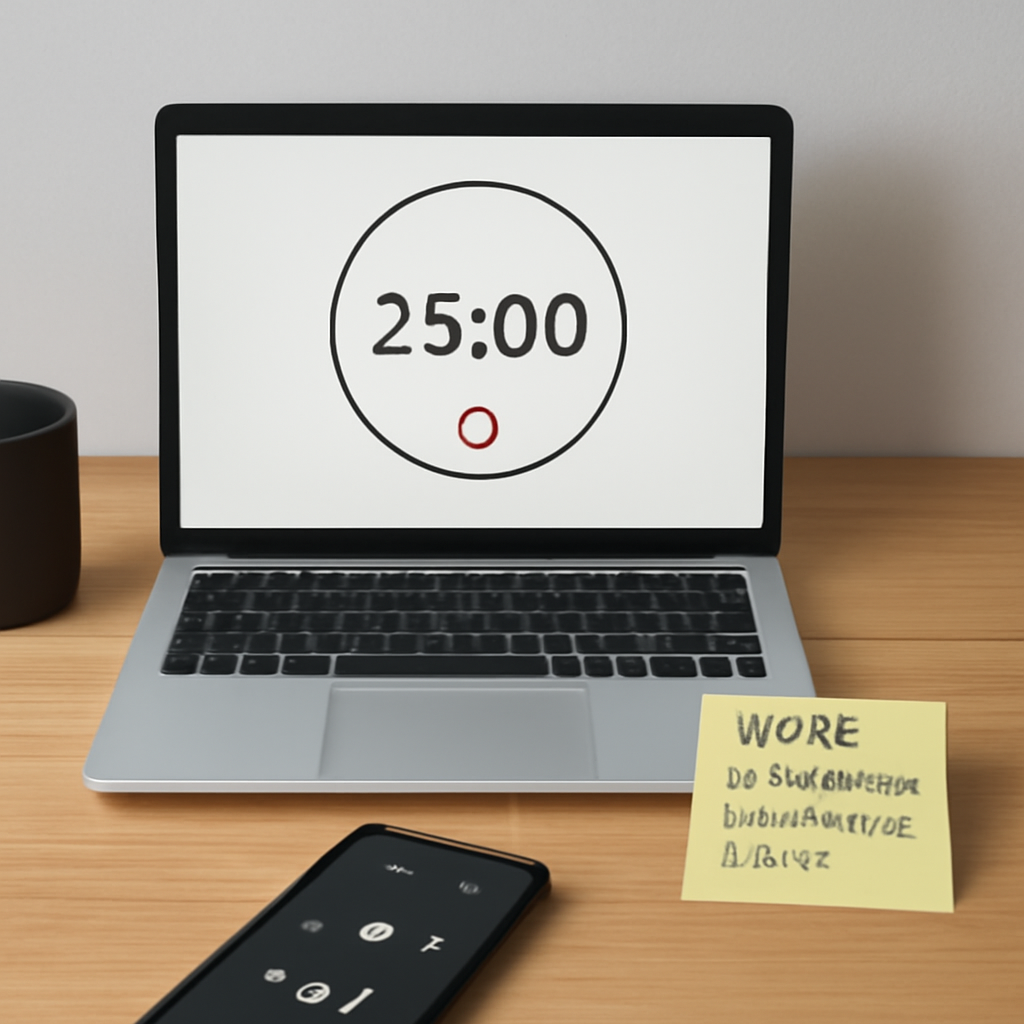
Let me be real. The idea of a 25‑minute timer with music feels like a modern study hack that suddenly turns a chaotic study session into a focused groove. You’re probably thinking, “But will music actually help?” The truth? A short burst of background beats can create a rhythmic cue that tells your brain when to dive in and when to pause. That’s the core magic of the Pomodoro Technique with a musical twist.
Imagine hitting “start” on a timer and hearing a gentle soundtrack that syncs with the 25‑minute countdown. The timer becomes more than a countdown; it’s a companion that signals, “Go, you’ve got 25 minutes.” The truth? It is a quick escape from the endless scroll of email.
The beauty lies in the simplicity. Just pick a genre that doesn’t distract—classical, lo‑fi, or even a soft playlist—then let the timer play. It’s a quick habit you can build in under a minute, and the music cue helps anchor your focus. You’ll find yourself naturally stopping exactly when the timer rings, instead of lingering on the next task.
And if you’re a freelancer juggling multiple gigs, that same 25‑minute music timer can help you keep each project on track. By marking the end of a session with a song change, you create a mental boundary that signals “time’s up.” You can then move on to the next invoice or client call with a clear head.
Now, you might wonder about the best way to pair music with the timer. One simple trick is to let the music fade out right before the 25 minutes hit the end. That subtle cue trains your brain to recognize the timer’s close. Over time you’ll notice less reliance on the actual alarm and more on the rhythmic rhythm.
The key takeaway? A 25 minute timer with music isn’t just a gimmick; it’s a proven framework that blends time management and auditory stimulation. It’s especially handy when your desk is cluttered with notifications. With a consistent routine, you’ll feel the difference in both productivity and mood.
So, next time you open your productivity app, set a 25‑minute timer, and cue a calming playlist. Watch how the minutes melt into one focused block, and how the music makes the work feel less like a chore. You’ll start to appreciate the rhythm of your day. That’s the promise we’re making.
TL;DR
A 25‑minute timer paired with calming music turns scattered work into focused, rhythmic bursts that keep students, remote workers, freelancers, and busy professionals on track.
Just start a session, let the playlist fade before the bell, and you’ll notice less distraction and more creative flow—your productivity will rise, mood will lift, and deadlines feel lighter.
Step 1: Setting Up Your Timer Environment
You’ve already decided that a 25‑minute timer with music can turn your scattered work into a focused groove. Now you need to set up the environment so that the timer and the soundtrack become a single, reliable partner.
Pick Your Timer Platform
There are a few ways to run a timer. You could use a phone app, a desktop widget, or even a browser extension. Whatever you pick, make sure it can be set to 25 minutes and gives you a clear, audible alert.
If you’re already using Focus Keeper, you’ve got an elegant solution built right in. It’s a Pomodoro timer that lets you customize intervals and add a music track that fades right before the bell.
Select a Music Source
Your music choice matters. Go for something low‑key: ambient, lo‑fi, or even classical. The goal is to keep the beat steady without stealing your focus.
Many people lean on streaming services like Spotify or Apple Music, but you can also create a local playlist on your device. If you prefer a quiet, no‑ads vibe, check out the free tracks on xlr8well.com that are designed to help you stay in the zone.
Align the Timer with Your Music
Once your timer is set, set your music to start at the same time. That way, when the beat drops, you know a 25‑minute session is underway. If you’re using a desktop app, you can even automate the start with a single click.
A trick that really helps is to let the music fade out 10 seconds before the timer rings. That subtle cue tells your brain that it’s time to wrap up, and you’ll find yourself naturally stopping right on the bell.
Test and Tweak
Run a test session with a task you normally struggle to finish. Pay attention to how the music and timer interact. If the song feels too distracting, swap it out. If the timer feels too abrupt, lower the volume or choose a softer track.
Create a Distraction‑Free Zone
Close the tabs that are not part of the task, turn off notifications, and set your phone to ‘Do Not Disturb.’ The more you limit external noise, the more the timer and music can do their magic.
Get Started Now
Open your chosen timer, load your playlist, hit start, and let the rhythm guide you. The first session might feel a bit odd, but the habit will settle in fast.
Remember, the key is consistency. Use the timer every day, tweak the music until it feels just right, and watch the productivity lift. If you’re ready to take your prep to the next level, grab the coaching bundle at payhip.com/COACHDPREPCOREGPT and see how structured sessions can transform your study or work rhythm.
Step 2: Choosing the Right Music Playlist
So, you’ve got your timer set and you’re ready to dive into that 25‑minute block. The next trick? Picking the playlist that keeps the rhythm flowing without stealing the spotlight.
First off, think of music like a silent coach. You want it to nudge, not shout. That means low‑key, lyric‑free tracks that sit in the background. Instrumental jazz, lo‑fi hip‑hop, ambient synths, or even nature sounds work great. If you’re a student cramming for exams, a soft piano loop can be a steady companion. Remote workers battling noisy cafés might prefer gentle ocean waves. Freelancers juggling design briefs could lean on a steady drum‑beat. Busy managers need something that keeps the brain alert without pulling focus away.
What’s the best way to test a track? Open the timer, drop in your chosen song, and hit start. Let it run for a full 25 minutes. Notice if you start humming or if the music feels like an extra task. If it does, swap it out. A quick swap saves frustration and keeps the flow intact.
Keep the Volume Low
We’re talking background chatter, not a concert. If it’s too loud, your brain will fight it. If it’s too quiet, you might ignore it and start scrolling. A good rule of thumb is to set the volume to a level where you can still hear your own thoughts.
Use Genre Shifts as Signals
Imagine starting with a calm ambient piece for the first 10 minutes, then sliding into a mid‑tempo jazz for the last 15. The shift itself cues the brain that the session is winding down. It’s like a mini‑break within the block.
Loop Short Tracks for Focus
Short loops—30 to 60 seconds—are perfect for tasks that require constant mental energy, like coding or editing. The repetition keeps the mind from wandering without feeling like a lullaby. If you’re brainstorming, choose longer, evolving tracks that stay interesting without intruding.
Leverage Built‑in Timer Sites
If you’re hunting for a quick setup, the Timer with Music site offers a pre‑loaded 25‑minute countdown with relaxing background tracks. It’s free, works offline after the first load, and lets you pause or resume while the music follows suit. It’s a handy tool when you’re on the go or don’t want to fuss with multiple apps.
Tailor by Task Type
- Deep study sessions: Lo‑fi or ambient synth to block out external noise.
- Creative writing: Light piano or string pads that inspire without intruding.
- Data crunching or coding: Minimal techno or subtle drum loops keep the beat.
- Brain‑breaks: Nature sounds or a gentle hum help reset focus.
Do you wonder if a playlist can actually boost productivity? The science behind music and focus isn’t about the genre, but the consistency and predictability it introduces. By pairing a timer with a familiar track, you’re essentially training your brain to sync its internal clock to the external beat.
So, what should you do next? Sketch out a mini‑playlist grid. Map each genre to a task category. Test each in a real 25‑minute block. Record how you feel—was the music a helper or a distraction? Adjust and repeat. The goal is a seamless, repeatable rhythm that feels natural.
And remember, the best playlist is the one that feels like an extension of your workflow, not a competing task. Keep it simple, keep it low‑key, and let the music do its part while the timer keeps you in motion.
Step 3: Fine‑Tuning Timing and Audio Settings
So you’ve got the timer set and a playlist humming in the background. Now it’s time to dial in the details that keep the rhythm smooth and the brain glued.
1. Sync the Fade to the Countdown
Most people get a jolt when the alarm blares. Instead, let the music taper off 5‑10 seconds before the 25‑minute mark. It’s like a gentle hand‑shake that tells your brain, “Finish up, it’s almost done.” Test this by running a single block and noticing if the fade feels natural. If it feels abrupt, bump the fade to 15 seconds.
Why does this matter? Studies on cue‑based timing show that a subtle cue is more effective at triggering the “close‑down” phase than a loud alarm. It reduces the cognitive load of hearing a jarring noise and keeps your focus intact.
2. Set the Volume for Background, Not Conversation
Think of the volume as a background conversation you can’t miss but also don’t have to follow. A good rule is to keep the music at about 30–40 % of your phone’s maximum. If you’re in a quiet office, you can go a little higher; if you’re at a noisy café, lower it a touch.
In practice, try a 25‑minute block with the music at 35 % and note how your attention shifts. If you find yourself scrolling or checking notifications, lower the level. If the music feels like a second task, raise it a bit.
3. Layer in Genre Shifts as Natural Breaks
One clever trick is to change the track mid‑session. For instance, start with a calm ambient loop for the first 10 minutes, then switch to a slightly more rhythmic beat for the last 15. The transition itself is a cue that the session is winding down and the brain can prepare for the next block.
Remote workers who juggle back‑to‑back meetings often use this trick to signal the end of a prep block before a call. It’s a soft reset that keeps the mind from over‑staying in one groove.
4. Use Short Loops for High‑Intensity Tasks
When you’re coding, editing, or crunching data, 30‑ to 60‑second loops can keep your pulse steady without getting stale. Looping forces your brain into a repetitive pattern that’s great for sustained attention. For creative writing, on the other hand, you might favor longer, evolving tracks that allow the mind to wander just enough.
In our experience, students who study math benefit from looping synths that don’t change pitch, while writers find a slow piano piece helps spark ideas.
5. Create a Mini‑Playlist Map
Write down a quick grid: Task Type → Genre → Loop Length → Fade Timing. Then test each row with a real 25‑minute block. Keep a simple log of how you felt: energized, distracted, or stuck. This data becomes a personal playbook you can revisit.
For example, a freelancer might log that a techno loop during a 30‑minute design sprint keeps the timer aligned but the music doesn’t distract. If a new client’s brief comes in, a brief 5‑minute break with nature sounds resets focus before the next block.
6. Use the Timer App’s Built‑In Settings to Your Advantage
Many Pomodoro apps now let you set a custom “pre‑alarm” fade or a “soft stop” cue. Turn on these features to avoid that harsh buzzer. If your app lacks this, use a separate music player that supports fade‑out.
Want to dig deeper into how to pair music with timers? Check out How to Use a 25 Minute Timer to Maximize Focus and Productivity for a step‑by‑step guide that builds on what we’ve covered here.
7. Pair Digital With Physical Tracking
Even the best digital routine can feel abstract. A quick visual agenda—think a simple whiteboard or a printed calendar—lets you see the blocks, breaks, and goals at a glance. For those of you who thrive on paper, the visual agenda can be the missing piece that turns audio cues into concrete milestones.
Students, remote workers, freelancers, and busy professionals alike will notice that a tangible map reduces the mental effort of remembering when a block ends. It’s a simple, low‑tech layer that complements the 25‑minute timer with music.
8. Review and Iterate Weekly
Set a weekly review: open your timer app, look at how many blocks you hit, and note any patterns. Did you start humming when the track changed? Did the fade feel too early or too late? Adjust accordingly. The key is to treat fine‑tuning like a habit—just as you schedule Pomodoro blocks, schedule a time to tweak audio and timing.
When the tweaks feel right, the timer becomes a second‑nature cue. You’ll find that you’re less likely to drift, and more likely to finish a block feeling accomplished.
Ready to give it a go? Set up your next 25‑minute session, apply these tweaks, and watch the flow settle. If you hit a snag, remember that the process is iterative—every tweak brings you closer to that sweet spot where music and time work hand‑in‑hand to keep you on track.
Step 4: Customizing Music for Focus
Now that you’ve got your timer set, it’s time to make the music feel like an extension of your workflow.
Think of the 25‑minute timer with music as a dance partner that knows when to step forward and when to bow out. If the beat feels off, your concentration will skip a beat too.
1. Pick the Right Tempo
In our experience, tracks that sit around 60‑80 beats per minute match the natural pace of a work sprint. Too fast and you’ll feel jittery; too slow and you’ll drift.
Try looping a 25‑minute piece that builds gently over the first 20 minutes and then eases into a calmer resolution. That subtle shift signals the end of the session without a jarring alarm.
2. Use the “No‑Resolution” Trick
Many 25‑minute tracks, like those on Soundcloud’s curated 25‑minute focus tracks, avoid fully resolving to a tonic until the last few minutes. This keeps you in a state of mild anticipation, which actually keeps the mind engaged.
So, when you’re deep in a coding sprint, that unfinished chord just nudges you to keep going instead of checking your phone.
3. Layer in Genre Swaps as Natural Breaks
Start with a soft ambient loop for the first ten minutes, then slide into a light rhythmic beat for the last fifteen. The genre change itself becomes a cue that the session is winding down.
Remote workers can use this trick when a meeting is about to kick off: the music’s shift signals it’s time to transition.
4. Keep Volume at the Right Level
Set the volume to about 30‑40 % of your device’s maximum. If it’s louder, it becomes a second task; if it’s too quiet, you’ll forget it’s even there.
When you’re in a noisy café, lower it a touch. In a quiet home office, you can push it up slightly without it taking over.
5. Test, Tweak, Repeat
Run a single 25‑minute block, then jot down how you felt. Did the music keep you humming or did you feel distracted? Adjust tempo, volume, or track choice based on that note.
Build a quick log: track name, tempo, volume level, mood at the end. Over time you’ll spot patterns—maybe lo‑fi beats work best for math, while piano loops fuel creative writing.
6. Combine Audio with a Visual Cue
Even the best audio routine can feel abstract. Pair your timer with a simple visual agenda—a printed page or a whiteboard—so you see the blocks, breaks, and goals in one glance.
When the timer’s countdown reaches the 23‑minute mark, the visual cue reminds you that the music’s fade is almost there.
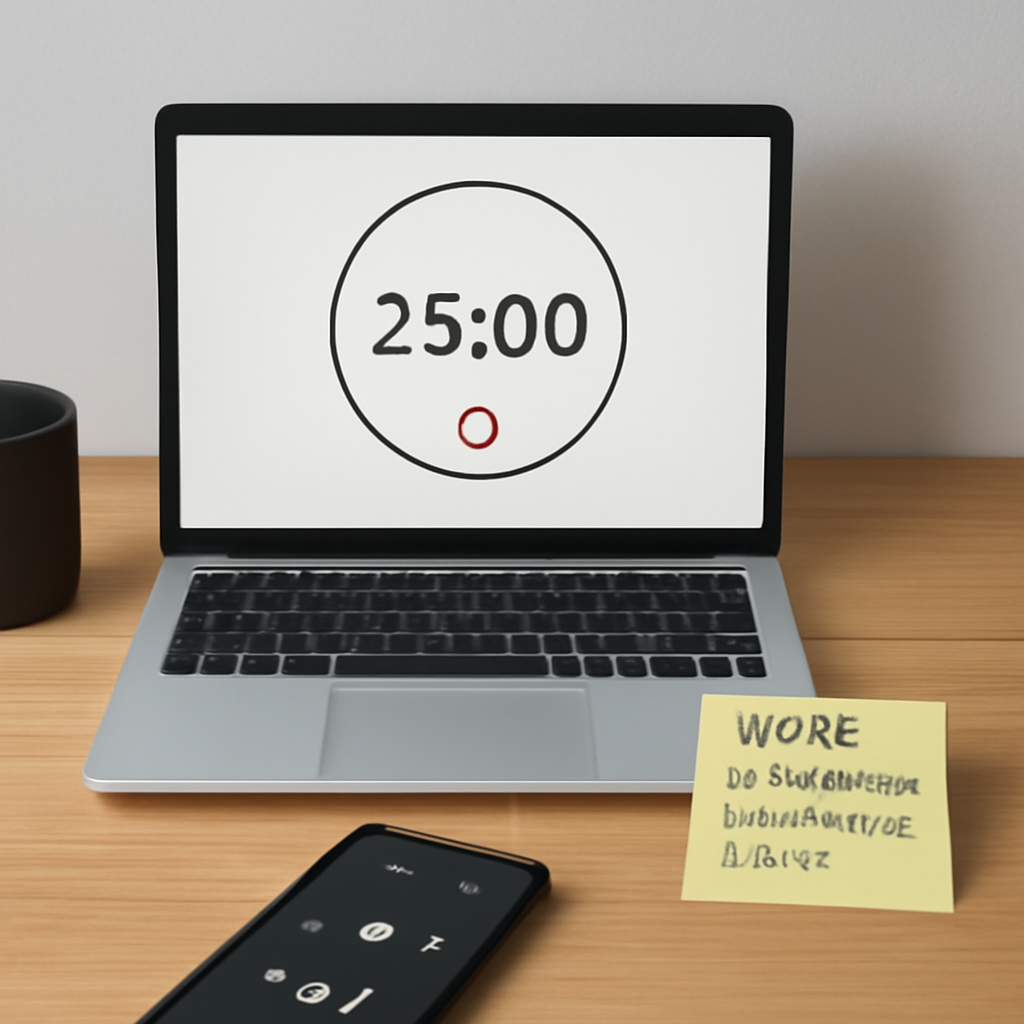
Remember, customizing music is a personal thing. What works for a freelancer juggling design briefs might not work for a student studying biology. Keep experimenting until you find that sweet spot where the beat feels like a gentle hand guiding you to the finish line.
Once you’ve dialed in the perfect mix, you’ll notice the timer’s click sound becoming almost comforting rather than intrusive. The 25‑minute timer with music will then feel less like a gimmick and more like a trusted companion that keeps you on track, no matter how many emails or coffee breaks come your way.
Schedule a weekly review, maybe at the end of your Friday, to check which tracks made you feel most productive. Use that insight to refine your playlist for the next week. If you find that your music choice starts to feel stale, consider rotating tracks weekly to keep the rhythm fresh.
Comparison: Timer Apps With Music Features
Ever felt stuck picking between a plain timer and one that plays music while you work? You’re not alone. The market’s flooded with options, each promising a smoother Pomodoro flow. Let’s cut through the noise and see what really matters for the 25‑minute timer with music.
What do you actually need?
First, the core of every timer: reliable countdown, clear alerts, and minimal distractions. Then, music. But not just any music—something that syncs, fades, and never steals the focus. A good app blends these two smoothly.
Timer‑Only vs. Music‑Integrated
Apps that offer only a timer (think classic phone timers or basic web widgets) get the countdown spot on. But they leave the “beat” to your imagination. You’ll likely turn to Spotify or YouTube, which means extra clicks and the risk of losing the flow when you switch tabs.
Music‑integrated timers bundle the two. You set the session, hit start, and the timer begins a soft soundtrack that fades just before the bell. That seamless start‑stop keeps your brain from hunting for a cue. It’s especially handy for remote workers who need a signal that the work block is ending without popping a browser window.
Key Features to Compare
| Feature | Timer‑Only App | Music‑Integrated Timer | Why it matters |
|---|---|---|---|
| Custom Interval Length | Yes, but often via manual reset | Yes, with preset 25‑minute default | Quick adjustments save friction. |
| Built‑in Music Library | No | Yes—lo‑fi loops, ambient tracks | Reduces the need to juggle two apps. |
| Fade‑out Control | No | Yes—automatic 5‑10 second fade | Soft cue for closing the session. |
| Notification Style | Hard beep or visual pop‑up | Gentle chime, optional visual cue | Keeps flow from breaking. |
Real‑World Scenarios
Take Maya, a freelance designer. She starts a 25‑minute block on a music‑integrated timer, and the beat fades at 23:50. That subtle cue tells her she’s done, so she can switch to a new client file without the mental lag of a sharp alarm. A timer‑only app would leave her hunting for the timer’s bell, pulling focus out of her creative groove.
Now look at Alex, a remote software engineer. He’s juggling a code sprint and a daily stand‑up. A music‑integrated timer keeps his mind anchored while the background hum lets him glance at the meeting screen without feeling interrupted. Switching between apps would fragment his attention, especially in a noisy home office.
Actionable Decision Checklist
- Do you need a built‑in soundtrack that syncs with the countdown?
- Is a soft fade important to keep your flow?
- Will you benefit from a single‑app interface for quick start‑stop?
- Do you work in a setting where notifications can be disruptive?
- Are you okay with manually managing music in a separate app?
Answer “yes” to the first three and you’ll likely prefer a music‑integrated timer. If you’re a student who likes to pair a timer with a custom Spotify playlist, a timer‑only app might suffice—but you’ll need to juggle a second window.
Bottom Line
A 25‑minute timer with music isn’t just a gimmick; it’s a workflow enhancer that stitches the cue and the soundtrack into one tidy routine. For students, remote workers, freelancers, and busy professionals, the integrated experience reduces the mental cost of switching apps and gives you a subtle rhythm that signals both start and finish.
So, are you ready to give your Pomodoro sessions a soundtrack that keeps you moving? If the answer is yes, try a timer that plays music from the get‑go and watch your focus climb.
Step 5: Integrating the Timer Into Your Workflow
Okay, you’ve got your timer humming and your playlist set. The next big step is making that rhythm a natural part of your day, not a side‑kick.
Lock the Timer to Your Daily Rituals
Think of the timer like a metronome that sits next to your coffee mug. Every morning, hit “start” as soon as you pull up your laptop. That little click tells your brain, “We’re on the clock.”
Does this feel a bit too theatrical? Not really. It’s just a simple cue that turns a vague “time to work” into a concrete signal.
Set Up a Dedicated Workspace
Grab a small table, a good chair, and make that spot your work zone. Keep the timer visible—on a tablet or a pinned window—so you don’t have to hunt for it mid‑task.
What if you’re in a shared office or a noisy café? In those cases, use a noise‑cancelling headset and pin the timer to the top of the screen. That way the music and countdown stay in your focus bubble.
Use Visual Cues to Reinforce the Audio
Pair the audio fade with a subtle visual indicator, like a flashing border that lightens two minutes before the timer hits zero. If you don’t want extra tools, simply set a browser widget that counts down beside your playlist.
Why bother with visuals? The brain loves redundancy; the extra cue helps you transition smoothly without a jarring alarm.
Plan Your Work in 25‑Minute Bites
Start each block with a quick “what I’ll finish.” Write a sentence or two in a notepad or your task manager. When the timer starts, you’re already locked in.
At the end, jot down what you accomplished. This tiny habit turns each session into a measurable win and builds momentum over the day.
Schedule Breaks That Fit Your Rhythm
Set a 5‑minute break right after the timer rings. Use that time for a quick stretch, a splash of water, or a coffee sip—anything that physically signals the end of the block.
Does that feel restrictive? Think of it as a reset button; your brain needs that short pause to re‑charge before the next 25‑minute burst.
Automate the Process with a Single App
If you’re a student or a freelancer juggling multiple tasks, consider a platform that blends timer, playlist, and task list in one place. This reduces the mental load of switching windows and keeps your focus tight.
In our experience, students who keep all three—timer, music, and task list—tend to finish assignments faster and with higher quality.
Track Your Progress in a Quick Log
Every week, spend five minutes reviewing how many blocks you completed. Look for patterns: did the music help on math problems? Did the visual cue feel necessary for design work?
Use a simple table: Date, Task Type, Music Genre, # of Blocks, Outcome. This log becomes a personal cheat sheet for tweaking future sessions.
Make Adjustments on the Fly
Don’t be afraid to swap music or change break length if you notice the rhythm slipping. The 25‑minute timer is flexible—think of it like a coffee cup that can be refilled.
When you feel stuck, pause, breathe, and decide: do I need a different tempo or a longer break? That’s the power of an integrated system.
Wrap It Up With a Consistent End-of-Day Routine
After your last block, do a quick “wrap up” ritual: review what you achieved, clear your desk, and set the next day’s first task. The timer’s rhythm will naturally lead you from work to wind‑down.
Does that sound doable? It’s all about turning the timer into a companion that walks you through each phase of your workday.
So, what’s the next move? Set your timer, pick your soundtrack, and let the rhythm guide you. The 25‑minute timer with music isn’t just a tool—it’s a habit builder that turns scattered effort into focused, productive bursts.
Visual Guide: Example of a 25 Minute Timer Setup
Picture this: your laptop screen is split into two tidy columns. One half shows a 25‑minute countdown, the other a looping track you love. That’s the sweet spot where focus meets flow.
Step 1: Pick a Timer That Feels Natural
Most people gravitate to the phone’s built‑in timer or a web widget. Pick whatever sits comfortably in your workflow. If you’re a student, the phone timer keeps you anchored between classes. Remote workers can lean on a browser extension that stays visible while you video‑call.
Step 2: Load the Music You Can’t Live Without
Open your favorite music app and create a 25‑minute loop. Lo‑fi hip‑hop, ambient synth, or gentle piano work well because they keep the brain humming without stealing the show. Keep the track lyric‑free so your thoughts aren’t hijacked by a chorus.
Tip: Set the volume so the music feels like background chatter—noticeable, but not demanding.
Step 3: Align the Fade With the Countdown
Most timers let you choose how many seconds before the alarm the music fades. Set it to 5‑10 seconds. That subtle dip tells your brain, “Hey, we’re almost done.” If it still feels jarring, bump the fade to 15 seconds.
Step 4: Run a Quick Pilot
Run a single block on a task you’ve struggled to finish. Watch the timer tick, listen to the music, and note how you feel when it ends. If you’re still scrolling, swap the track. If the beat feels like a second task, lower the volume.
Step 5: Capture the Setup With a Quick Visual Cheat Sheet
Print a one‑page cheat sheet that lists: Timer app, music track, volume level, fade time. Hang it beside your workspace. When you see the list, you’re nudged into the rhythm without having to think about it.
Do you wonder why a simple visual cue helps so much? Our brains love redundancy—sight plus sound lock the habit faster.
Step 6: Make It a Habit With Consistency
Use the same timer and playlist every day for the first week. Consistency turns the routine into muscle memory. After that, feel free to tweak the track or fade length to keep the experience fresh.
Remember: the goal isn’t perfection, just a steady groove that lets you finish the block feeling accomplished.
Concrete Example: Alex’s Library Routine
Let’s walk through a quick example. Meet Alex, a college sophomore who spends a lot of time in the library. He opens the Focus Keeper app, sets a 25‑minute timer, and loads a lo‑fi playlist from Spotify. The timer’s visual bar fills in sync with the music’s beat. At 23:50, the music fades gently while a soft chime rings, cueing Alex to jot down what he’d tackle next and grab a cup of coffee. By the time the 25 minutes hit the reset button, Alex feels ready to dive back into the next chapter without the mental reset that a sudden alarm would cause.
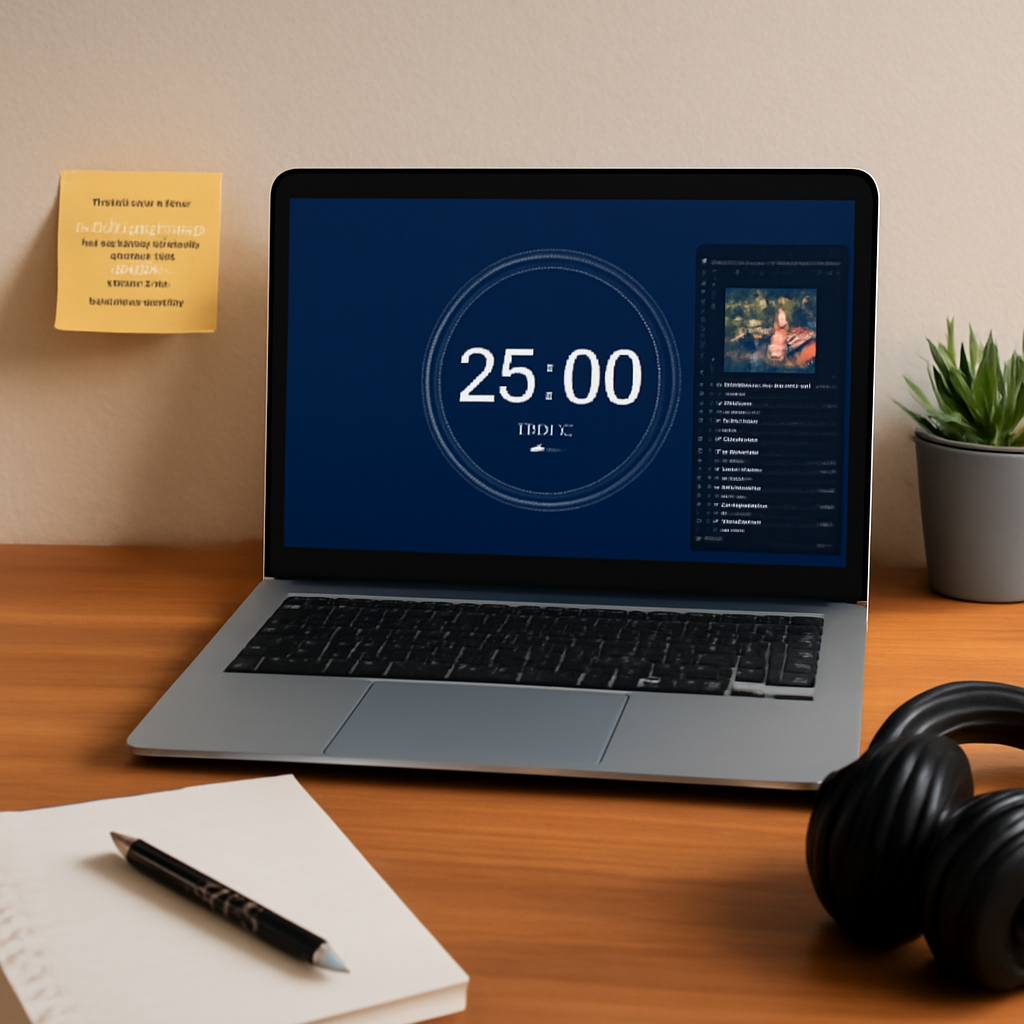
What’s the next move? Grab your laptop, hit “start,” and let the countdown and melody carry you through the next 25 minutes. The timer will tell you when to pause, and the music will keep you grounded. After a few cycles, you’ll find that you’re no longer scrambling to decide when to take a break. The rhythm has become your workflow’s silent coach.
Feeling ready to set up your own visual guide? Follow the steps above, tweak where needed, and watch your focus climb.
Conclusion
So, after all that listening, listening, listening, what’s the takeaway? A 25‑minute timer with music isn’t just a gimmick; it’s a rhythm that nudges your brain into a steady groove.
Remember the first block with that lo‑fi loop and the soft fade at 23:50? That subtle cue does the heavy lifting—signals you’re almost done without a jarring alarm. It’s the same trick Focus Keeper’s users love when juggling study sessions, client briefs, or daily reports.
What’s next? Treat each session like a mini‑performance: set a clear goal, pick a track that feels like background chatter, and let the timer do the counting. If the beat feels off, swap it. If the volume feels like a second task, lower it. A quick note at the end—“did I stay on track?”—turns habit into data.
Ask yourself: are you letting music become a distraction, or is it the cue that keeps your focus humming? Test, tweak, repeat. That’s the real power. It only takes a few minutes a day to notice the shift.
Bottom line: the 25‑minute timer with music is a simple, repeatable hack that can turn scattered effort into focused bursts. Give it a try, tweak it for your rhythm, and watch your productivity climb.




