
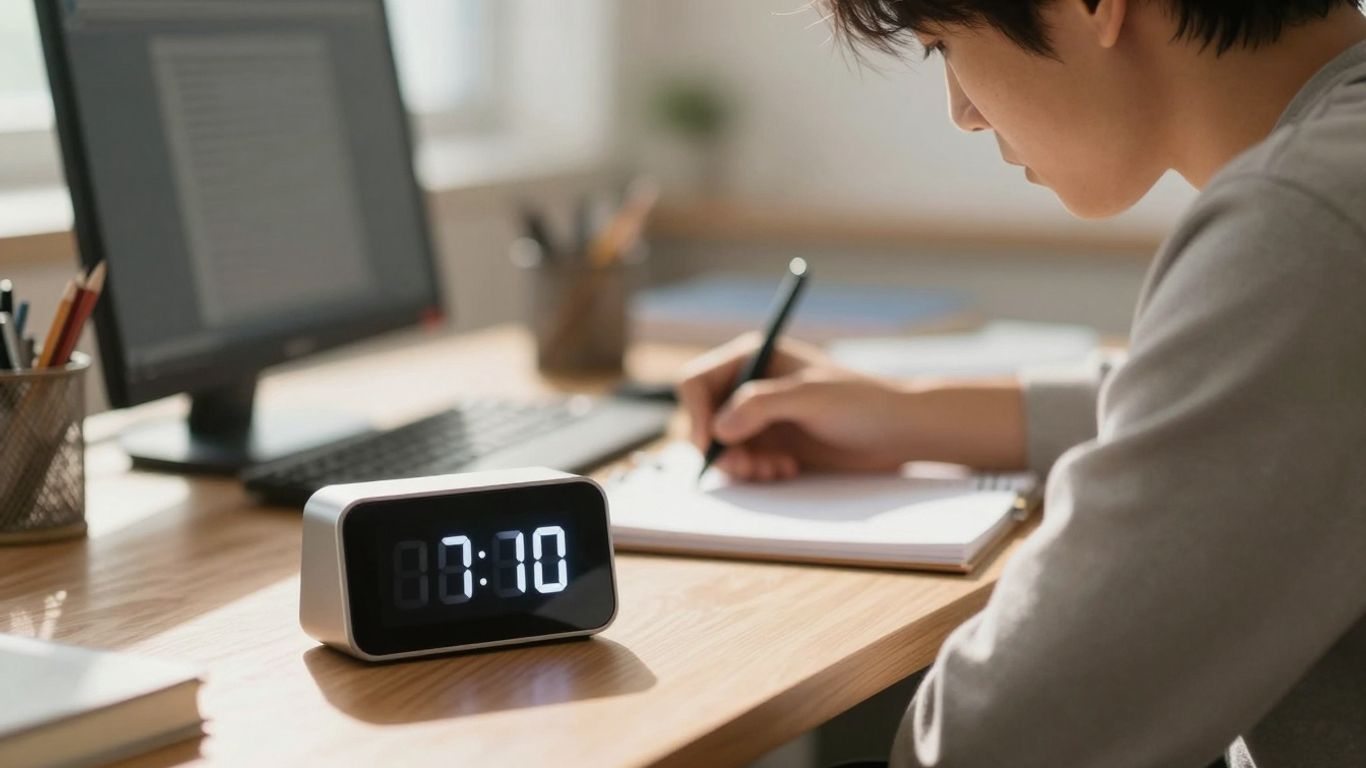
Trying to get work done when your brain feels like a pinball machine? You’re not alone. For folks with ADHD, focusing can feel like a constant battle. That’s where a good study timer for ADHD comes in. It’s not magic, but it’s a tool that can really help make your study or work time more productive. We’re going to look at how these timers work and how to pick one that actually helps instead of just being another thing to ignore.
Key Takeaways
- A study timer for ADHD breaks down work into manageable chunks, making tasks less overwhelming.
- Using a timer can help build focus and reduce distractions, especially when using methods like Pomodoro.
- Visual timers and simple interfaces are often best for ADHD brains, cutting down on unnecessary mental clutter.
- Look for timers that let you adjust session lengths and include useful features like soundscapes or task tracking.
- The right study timer for ADHD should fit your personal work style and help you reach your specific goals.
Understanding the ADHD Study Timer
What is a Study Timer for ADHD?
So, what exactly is a study timer tailored for ADHD? Think of it as a specialized tool, not just a regular clock. It’s designed with the unique challenges of ADHD in mind, aiming to help individuals manage their focus and time more effectively. These timers often incorporate features that make them more engaging and less overwhelming than standard options. The core idea is to provide structure and external cues to help regulate attention and task completion. They can be digital apps, physical devices, or even simple visual aids, all built to support better concentration during study or work periods.
Benefits of Using a Timer for Focus
Using a timer can really change the game when you’re trying to get things done, especially with ADHD. It breaks down the daunting expanse of study time into smaller, more manageable chunks. This makes tasks feel less overwhelming and easier to start. Plus, the clear start and end times for each work period can create a sense of urgency and accountability.
Here are some key benefits:
- Reduces task initiation difficulty: Knowing you only have to focus for a short burst makes starting much easier.
- Improves time awareness: It helps you get a better feel for how long tasks actually take.
- Minimizes procrastination: The structured intervals encourage consistent work rather than putting things off.
- Prevents burnout: Scheduled breaks are built-in, allowing your brain to rest and recharge.
The consistent rhythm of work and break periods can act as an anchor, helping to keep your mind from drifting too far off course. It’s like having a gentle nudge to stay on track without feeling pressured.
Key Features of ADHD-Friendly Timers
When looking for a timer that actually works for ADHD, certain features stand out. Standard timers just don’t cut it. You need something that understands how your brain works. Good ADHD-friendly timers often have highly customizable settings. This means you can adjust the work and break times to fit your personal energy levels and attention span, which can vary a lot day-to-day. Visual timers are also a big plus. Instead of just numbers counting down, they might show a progress bar or a filling circle, giving you a clear, at-a-glance sense of time passing. This visual feedback can be much more effective than just auditory cues for some people. Many also offer a clean, uncluttered interface to avoid adding to sensory overload. Some even include features like soundscapes or gentle alerts that are less jarring than loud alarms.
Leveraging the Pomodoro Technique for ADHD
The Science Behind Pomodoro Intervals
The Pomodoro Technique is a time management method that breaks work into intervals, traditionally 25 minutes in length, separated by short breaks. This structure is surprisingly effective for folks with ADHD. Why? Because it creates a sense of urgency and provides clear start and end points for tasks. Instead of facing a huge, overwhelming project, you’re just tackling a 25-minute chunk. This makes it easier to get started and stay engaged. The short breaks are just as important; they give your brain a chance to reset, preventing burnout and helping you maintain focus for the next work interval. It’s like giving your mind little mini-vacations throughout the day.
Customizing Sessions for Your Workflow
While the classic 25-minute work, 5-minute break structure is a great starting point, it’s not a one-size-fits-all solution, especially with ADHD. Some people might find 25 minutes too long to maintain focus, while others might need longer. The key is to experiment. Try shorter work intervals, maybe 15 or 20 minutes, if you’re just starting or tackling a particularly difficult task. If you find yourself in a really good flow state, you might extend a session a bit longer, but always be mindful of not pushing too far. The goal is sustainable focus, not exhaustion. It’s about finding that sweet spot where you’re productive without feeling overwhelmed.
Integrating Breaks for Mental Clarity
Breaks aren’t just downtime; they’re active recovery periods. For someone with ADHD, these breaks are vital for preventing mental fatigue and maintaining motivation. Don’t just scroll through social media, though. Try something that actually helps you recharge. This could be a quick walk around the room, stretching, grabbing a glass of water, or even a few minutes of mindful breathing. The idea is to step away from the task completely and give your brain a different kind of stimulation. This helps to clear your head, reduce the urge to switch tasks impulsively, and prepare you for the next focused work session. Think of it as hitting the refresh button for your brain.
The structure of the Pomodoro Technique provides a predictable rhythm that can be very grounding. Knowing that a break is coming soon can make it easier to resist distractions and stay on task during the work interval.
Visual Cues and Distraction Management
When you’ve got ADHD, your brain can sometimes feel like a busy highway with cars going in every direction. That’s where visual cues come in handy. They’re like traffic signals for your attention, helping to guide it where you want it to go.
Designing a Distraction-Free Interface
Think about the apps you use. Some are cluttered, right? Lots of buttons, flashing lights, pop-ups. For someone with ADHD, this can be overwhelming. A good study timer should have a clean look. This means simple colors, clear fonts, and not too many options staring you in the face all at once. The goal is to make the timer itself disappear into the background, so you can focus on the task, not the tool.
- Minimalist design: Fewer buttons and options mean less to get sidetracked by.
- Clear progress indicators: Seeing how much time is left without needing to read numbers can be helpful.
- Customizable themes: Sometimes, a calming color scheme can make a big difference.
Utilizing Visual Timers Effectively
Numbers on a clock can be abstract. A visual timer, on the other hand, shows you time passing in a more concrete way. Imagine a bar slowly shrinking or a circle filling up. This makes time feel more real and less like a concept you can ignore. This visual feedback helps you stay aware of time without constantly checking the clock. Many apps offer different visual styles, like a shrinking circle or a progress bar, so you can pick what works best for you. Using a visual timer set for 25-minute intervals can make time more concrete and less intimidating, aiding study focus [1101].
Minimizing Cognitive Load
Cognitive load is basically how much your brain has to work to process information. If a timer is complicated, it adds to that load. You have to figure out how it works, what the buttons do, and then remember to actually use it. A timer that’s easy to start and understand from the get-go reduces this mental effort. This frees up brainpower for your actual studying. It’s like having a helpful assistant who handles the small stuff so you can concentrate on the big picture.
When choosing a timer, think about how much mental energy it takes just to operate it. If it’s a lot, it’s probably not the right fit. You want a tool that supports your focus, not one that demands it just to be used.
Beyond Basic Timing: Advanced Features
Task and Habit Tracking Integration
Sure, a timer is great for telling you when to start and stop, but what about what you’re actually doing during those times? Many advanced timers go beyond just counting minutes. They can help you link specific tasks to your focus sessions. Imagine setting a timer for "Study Chapter 5" or "Write Project Proposal." This makes it way easier to see where your time is going. Plus, some timers let you track habits. Want to drink more water or take short breaks to stretch? You can build those into your routine and have the timer remind you. It’s like having a little digital assistant keeping you on track with both big projects and small daily goals. This kind of integration can really help make your study sessions more productive and less overwhelming. It’s a smart way to manage your workload and build better routines.
Utilizing Soundscapes for Focus
Sometimes, silence is just too loud, right? For folks with ADHD, a completely quiet environment can actually be more distracting than helpful. That’s where soundscapes come in. Think beyond just a simple alarm sound. Many timers now offer a library of background sounds designed to help you concentrate. We’re talking about things like gentle rain, ambient coffee shop chatter, or even white noise. These sounds can help mask distracting noises from your surroundings and create a consistent auditory environment. Some apps even have unique sounds, like a "Wooden Fish" sound, which can act as a rhythmic aid to keep your mind from wandering. Finding the right sound can make a huge difference in your ability to stay zoned in.
Here’s a quick look at common soundscape types:
- Nature Sounds: Rain, ocean waves, forest ambiance.
- Ambient Noise: Coffee shop buzz, library quiet, city hum.
- White/Brown Noise: Steady, consistent tones.
- Rhythmic Sounds: Unique sounds designed for focus.
Monitoring Progress with Statistics
It’s one thing to use a timer, but it’s another to know if it’s actually working for you. This is where statistics and progress tracking become super useful. Good ADHD timers will show you data about your focus sessions. You might see how many sessions you completed, how long you stayed focused, and maybe even patterns in your productivity throughout the day or week. This information isn’t just numbers; it’s feedback. You can see which times of day you’re most productive, or if certain types of tasks seem to take longer than you expect. This kind of insight helps you adjust your schedule and your timer settings to work with your natural rhythms, not against them. It’s about making informed decisions to improve your study habits.
Tracking your progress helps you understand your own focus patterns. This data can be really motivating, showing you how far you’ve come and where you can still improve. It turns time management from a chore into a data-driven strategy for success.
Choosing the Right Study Timer for ADHD
So, you’ve decided a timer is the way to go for managing study sessions with ADHD. That’s a big step! But with so many options out there, how do you pick the one that actually works for you? It’s not just about finding any timer; it’s about finding one that clicks with how your brain works.
Evaluating Timer Customization Options
This is probably the most important part. ADHD brains often need things to be just right, and a one-size-fits-all approach rarely cuts it. Look for timers that let you tweak things.
- Session Lengths: Can you adjust the focus time and break times? While the classic 25/5 Pomodoro is a starting point, you might find 45/15 or even 15/5 works better for your focus span on different days or for different tasks.
- Break Activities: Some timers suggest break activities, while others just give you a blank space. If you tend to get lost during breaks, a timer that offers guided, short activities (like a quick stretch or a mindful moment) could be a lifesaver.
- Sound and Alerts: Are the alert sounds jarring or gentle? Can you change them? Some people with ADHD find certain sounds incredibly distracting, while others need a more insistent alert to pull them back from a hyperfocus rabbit hole.
Considering User Interface and Experience
How the timer looks and feels matters a lot. A cluttered or confusing interface can be a major turn-off and add to that feeling of being overwhelmed.
- Visual Simplicity: Does it have a clean, uncluttered design? Visual timers that show progress without being overly busy are often best. Think clear progress bars or simple countdown clocks.
- Distraction Management: Does the app itself have distracting elements? Ads, pop-ups, or too many buttons can pull your attention away from the task at hand. Look for apps that prioritize a distraction-free zone.
- Ease of Use: Can you start, stop, and adjust the timer with minimal fuss? If it takes five steps to begin a focus session, you’re less likely to use it consistently.
Finding a Timer That Supports Your Goals
Think beyond just the ticking clock. What else do you need to support your study habits?
- Task Integration: Does the timer allow you to list out your tasks for the session? Being able to see what you need to accomplish can be really motivating.
- Progress Tracking: Some timers offer stats on how much time you’ve spent focusing. Seeing that data can be a great motivator and help you understand your own work patterns.
- Soundscapes: Beyond just alerts, some apps offer ambient sounds or white noise to help block out distractions. This can be a game-changer for creating a focused environment.
Ultimately, the best timer for you is the one you’ll actually use. Don’t be afraid to try out a few different ones. What works for someone else might not be your perfect fit, and that’s totally okay. Experimentation is key!
Finding the right tool is like finding the right key for a lock. It needs to fit perfectly to open up possibilities. If a timer feels like a struggle to use, it’s probably not the right one for you right now. Keep looking until you find one that feels natural and supportive.
Keep Going and Stay Focused
So, we’ve talked about how a good study timer can really make a difference, especially when your brain works a little differently. It’s not about forcing yourself to be someone you’re not, but about finding tools that work with how you learn best. Using something like a Pomodoro timer, with its set work and break times, can break down big tasks into smaller, less scary chunks. Plus, having visual cues or even just a simple countdown can help keep you from getting sidetracked. Remember, it’s okay to experiment and find what clicks for you. This isn’t a magic fix, but it’s a solid step towards managing your time and getting things done without feeling totally overwhelmed. Keep trying, adjust as needed, and celebrate those small wins along the way.
Frequently Asked Questions
What exactly is a study timer for ADHD?
Think of a study timer for ADHD as a special helper tool. It’s designed to make studying easier for people who have ADHD. It breaks down study time into smaller chunks, with built-in breaks, to help you stay focused and avoid getting overwhelmed.
How can using a timer help me focus better?
When you have ADHD, focusing can be tough. A timer helps by giving you clear signals. It tells you when to start working and, just as importantly, when to take a break. This makes big tasks feel less scary and helps your brain stay engaged without getting tired.
What’s the Pomodoro Technique, and why is it good for ADHD?
The Pomodoro Technique is a popular method that uses timed intervals. Typically, you study hard for 25 minutes and then take a 5-minute break. This pattern helps prevent burnout and makes it easier to get started because you know a break is coming soon. It’s great for ADHD because it provides structure and rewards focus.
Can I change the timer settings to fit my needs?
Absolutely! Many ADHD-friendly timers let you customize the work and break times. You can adjust them to match how long you can focus best. Some even let you pick different sounds or visual styles to make the timer more appealing and less distracting for you.
What are visual timers, and how do they help with focus?
Visual timers show you time passing in a way you can see, like a shrinking bar or a changing color. For people with ADHD, seeing time tick away can be more helpful than just hearing a sound. It makes time feel more real and less abstract, helping you stay aware of how much time you have left.
Besides timing, what other features might a good ADHD study timer have?
A great timer might also help you keep track of your tasks, so you know what to work on next. Some offer special sounds, like nature sounds or white noise, to block out distractions. Others provide reports on how you’re doing, so you can see your progress and stay motivated.




