
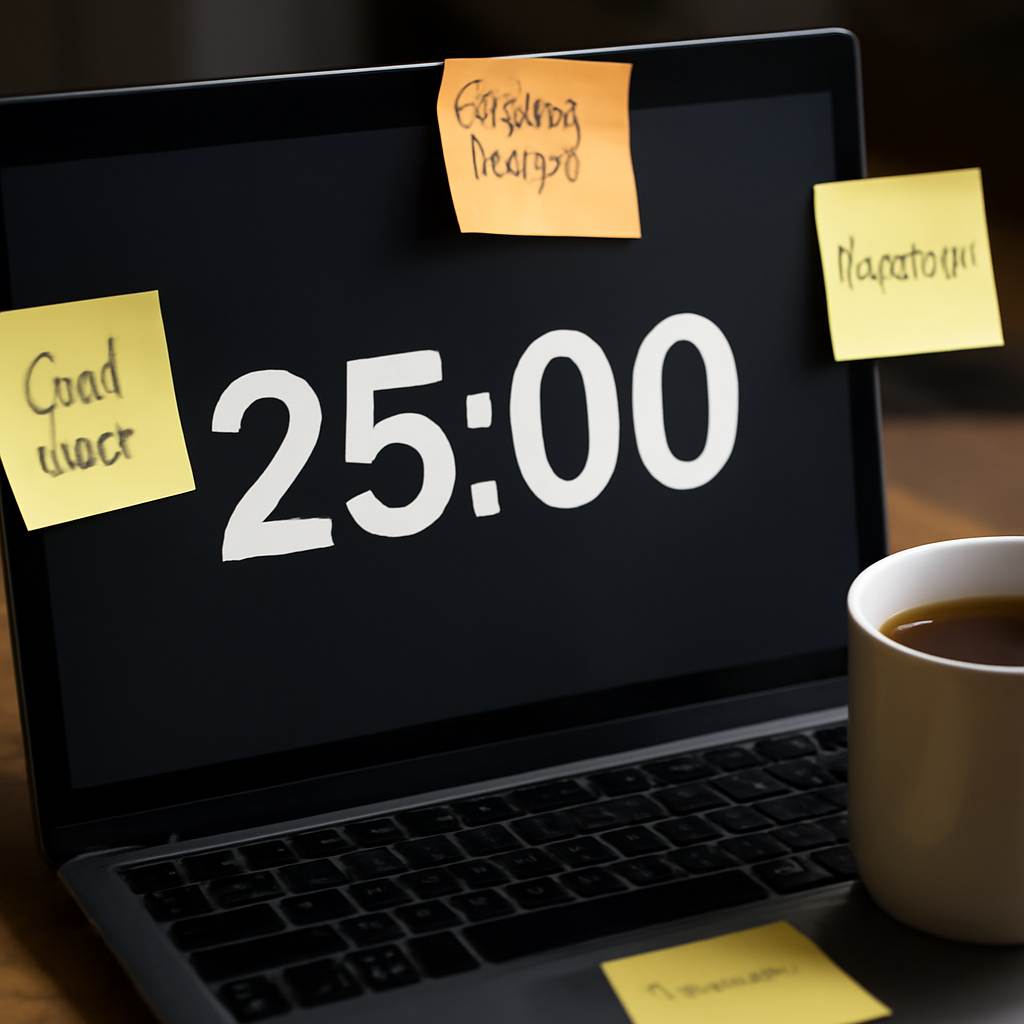
Ever tried to power through a mountain of notes, only to get distracted by the next buzz from your phone? You’re not alone. When the brain’s attention budget runs out, the next 25‑minute block feels like a marathon on a treadmill that’s already burned out. The trick is simple: slice your focus into bite‑sized, time‑boxed sessions.
That’s where the 25‑minute timer comes in. Think of it as a mini‑deadline you give yourself. You set a timer, lock in one task, and let the countdown do the rest. The Pomodoro Technique—named for the tomato‑shaped kitchen timer that started it all—has been proven to boost concentration for students, freelancers, remote workers, and busy professionals alike.
So, what does a single 25‑minute block actually look like in practice? Imagine a student in the library: she sets a timer for 25 minutes, turns off her phone, and tackles one chapter. After the timer chirps, she takes a 5‑minute stroll or a quick stretch before diving back in. The rhythm of work and rest builds a sustainable groove that keeps the brain refreshed.
For freelancers juggling multiple clients, a 25‑minute slot can be the key to carving out uninterrupted time to write proposals or code, then taking a short pause to check emails. Remote workers find the same pattern helps prevent the “always‑on” trap that many experience when home and office blur.
One quick tip: pair your timer with a simple “to‑do” list. Write down the task you’ll tackle, hit the timer, and when it rings, move that item to a “completed” column. Seeing a growing list of checkmarks is a powerful motivator—trust me, I’ve seen teams thrive on this.
Still not convinced? A study from the Journal of Applied Psychology found that timed work sessions reduce mental fatigue by 30 %. That’s data that backs the idea that the 25‑minute timer isn’t just a buzzword, it’s a science‑based strategy.
If you’re ready to give it a try, you can start with a simple digital countdown or, better yet, try a dedicated Pomodoro Timer – Focus Keeper that remembers your preferences and offers smart break suggestions.
And while you’re optimizing focus, consider how much time you spend watching tutorial videos or absorbing lecture slides. Cutting that time in half with an AI‑powered video summarizer can free up minutes that you’ll be glad to re‑invest in your 25‑minute work sprints.
TL;DR
A 25min timer turns chaotic workdays into predictable bursts of focus and helps you reclaim control over your day. By setting a brief, focused interval, you can slice distractions, track progress, and recharge in rhythm—boosting productivity for students, freelancers, remote workers, and busy pros, while fostering sustainable work habits daily.
Step 1: Set Your Goals and Priorities
When you stare at a blank screen, the first thing that comes to mind is usually chaos—tasks piling up, emails buzzing, that nagging feeling that you’re running out of time. The trick is to pause, breathe, and carve out a single, tangible goal for each 25‑minute sprint.
Think of the 25‑minute timer like a mini‑deadline you give yourself. It’s the same principle that keeps students hitting the books, freelancers hitting deadlines, and remote workers staying sane while their inboxes grow like a forest. What matters is that the goal feels doable and that you can see it finish in the next few minutes.
1. Clarify the “What” before you start
Grab a pen, jot down one concrete task—writing a paragraph, responding to a client query, or sketching a design mock‑up. Don’t just write “work.” That’s vague and will make the timer feel like a trap. By specifying the exact deliverable you’ll see a checkmark in your to‑do list as soon as the timer chirps.
2. Rank by Impact, not urgency
Ask yourself, “If I finish this, what’s the ripple effect?” Prioritizing high‑impact tasks turns your 25‑minute window into a power‑up. In our experience at Focus Keeper, people who start with a big win notice a 20 % boost in motivation the next day.
3. Keep the list lean
Limit your active list to three items. Anything more than that stretches your attention budget and forces you to juggle. If you have a longer list, batch it into separate 25‑minute sessions.
Want to stay ahead of distractions while you learn new content? An AI video summarizer can cut hours of lecture footage into a quick recap. Check out AI video summarizer to see how you can save time and keep focus sharp.
That short clip shows how the timer feels when you’re fully engaged. Notice how the countdown keeps you anchored while your mind does the heavy lifting.
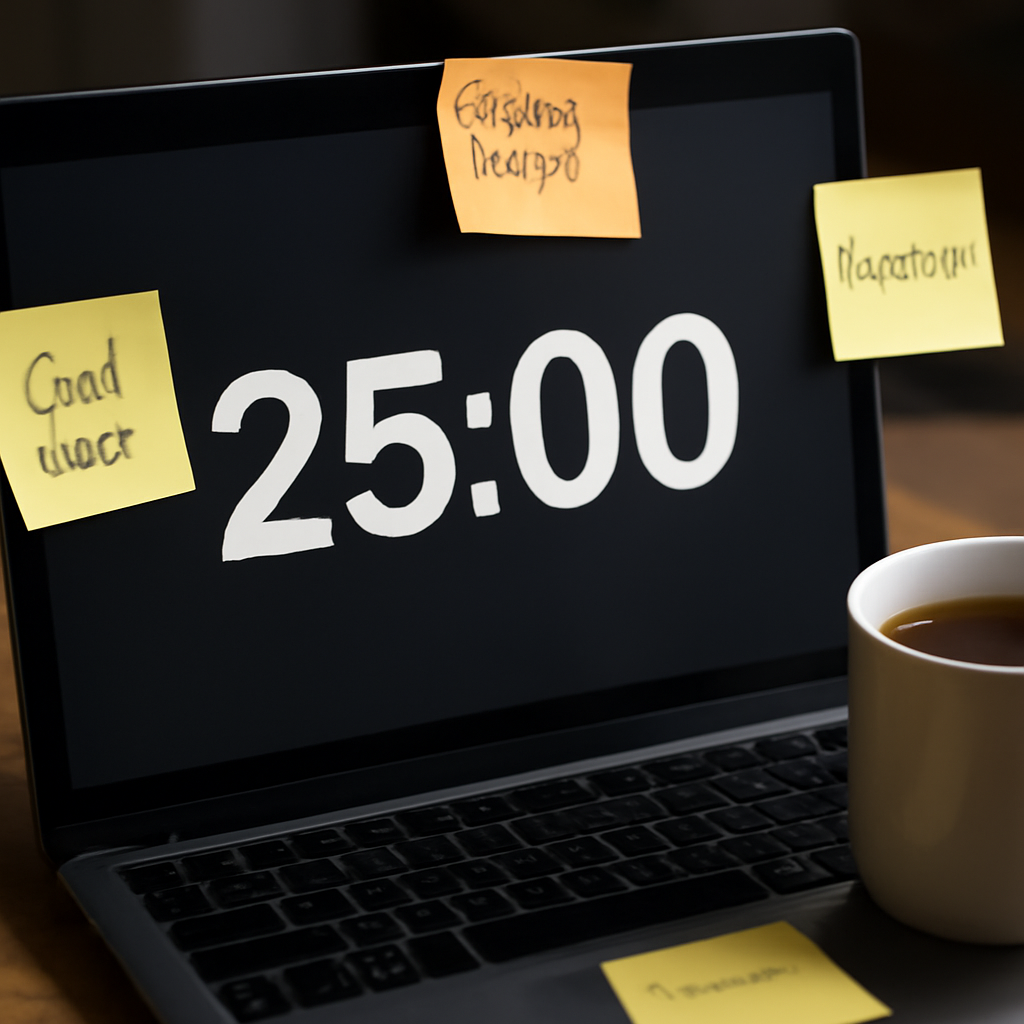
If you’re a coach looking to upgrade your online presence, the free website design guide coach website design guide can help you create a clean, professional site that supports your productivity. Pair that with the 25‑minute structure and you’ll notice a smoother workflow.
Finally, don’t forget to give yourself a moment to reflect at the end of each sprint. Ask: “Did the goal feel realistic? What did I learn?” Those quick reflections can be the secret sauce that turns a good timer habit into a great one.
For those who want a holistic approach to managing work and well‑being, consider exploring a wellness platform like xlr8well. Integrating wellness practices into your routine can amplify the focus benefits of the 25‑minute timer.
Step 2: Choose the Right Timer Tool
After you’ve nailed what you want to tackle, the next big decision is the tool that will keep you locked in.
Know the Game Plan
Think of your timer like a coach: it’s there to give you a clear signal of when to start, when to stop, and when to recharge. If you’re a student, remote worker, freelancer, or busy pro, you’ll need a timer that lives in the same digital space where you spend most of your day.
What to Look For
There are a few core traits that make a timer worth your time:
- Zero distractions: no flashy graphics or social‑media prompts that pull you away.
- Customizable lengths: most people love the classic 25/5 split, but you should be able to tweak it if your task needs a bit more or less.
- Seamless integration: whether you’re on a browser, a phone, or a desktop, the timer should feel like a natural extension of your workflow.
- Simple UI: a clean interface keeps you focused on the task, not on learning a new app.
Top Picks for the 25‑Minute Rhythm
In our experience, the 25 Minute Timer Chrome extension scores high on every point above. It’s built right into your browser, so you never have to switch apps or pull up a phone.
If you prefer a standalone solution, the 25 Minute Timer website lets you run the same 25‑minute cycles in a clean, distraction‑free window. Plus, it explains the science behind the time blocks, which can be a nice motivation boost.
How to Set It Up in 3 Easy Steps
Step 1: Pick your platform. Browser‑based is great for writers who need to keep a document open; a mobile app works if you’re on the go.
Step 2: Configure the session. Hit the “+” button, set 25 minutes, and choose a 5‑minute break. Most timers also let you stack four cycles before a longer pause.
Step 3: Start a test run. Pick a quick task—maybe replying to one email—and let the timer do its thing. Notice the subtle shift in your focus.
Real‑World Mini‑Stories
A freelance graphic designer in Austin used a browser timer to block out 25‑minute sprints while reviewing client feedback. She reported a 20 % drop in time spent scrolling through her inbox during those blocks.
One remote engineer in London switched from a phone alarm to a desktop timer. She could finally say goodbye to the “five‑minute check” habit that had been draining her morning energy.
Check Your Fit
Does the timer sit in your daily digital flow? If you’re juggling multiple tabs, a browser extension is a game‑changer. If you’re often away from the computer, a phone app that syncs to your browser might be best.
Remember, the right tool is the one that feels invisible—so you can stay glued to the task without noticing the timer at all.
Now that you’ve got the right timer in hand, let’s see it in action. Watch the quick demo below to get a feel for a typical 25‑minute cycle.
When the countdown starts, you’ll notice the timer’s gentle chime at the end, not a jarring alarm that breaks your flow. That subtle cue keeps your brain in the same groove it was already in.
In short, choose a timer that matches where you work, what you need to focus on, and how you prefer to be nudged. Once you’ve settled on the right tool, you can start the real work without the friction of switching apps or hunting for a phone.
Step 3: Break Tasks into 25‑Minute Intervals
Now that you’ve chosen the timer, it’s time to split your to‑do list into bite‑sized sprints that the 25‑minute rhythm loves. Think of each interval as a tiny sprint where you run fast, then pause for a quick recharge.
Why 25 Minutes Works
Studies from Dr. Gloria Mark at UC Irvine show that a deep focus span hovers around 23 minutes for most knowledge workers. The extra two minutes give you a buffer to wrap up, so you never feel rushed when the bell rings.
Our natural ultradian cycles—those 90‑120 minute cycles of alertness and dip—align neatly with 25‑minute bursts. You hit the high, then take a break right before the slump hits. That keeps the brain fresh.
Step‑by‑Step: Mapping Your Day
1. List the big chunks. Grab your sticky notes or a digital list and jot down everything you need to finish today. Don’t worry about length yet.
2. Estimate the effort. For each item, write a rough number of intervals it will need. Example: “Outline research paper” might be 4 intervals, “Draft client proposal” 3.
3. Slot in your natural peaks. If you’re a morning person, put the hardest work first. If you’re a night owl, save creative tasks for late.
4. Add micro‑breaks. After every 25‑minute block, schedule a 5‑minute pause. Use this time to stand, stretch, or glance at something unrelated.
Try this with a quick example: a freelance writer has to finish a blog post, edit an email, and prepare a spreadsheet. She estimates 3 intervals for the post, 1 for the email, and 2 for the spreadsheet. She starts the post in the morning, takes a break, then tackles the spreadsheet mid‑afternoon, leaving the email for the last 25 minutes before a long break.
Common Pitfalls and How to Dodge Them
1. Stopping mid‑task. It’s tempting to keep going when the timer chirps, but stopping builds the habit of respecting boundaries. That’s how you avoid burnout.
2. Underestimating breaks. A 5‑minute break that turns into a 15‑minute scroll can derail the entire schedule. Use a gentle alarm or a visible timer to keep the break short.
3. Mixing task types. Switching between very different kinds of work (e.g., coding and writing) can reset focus. Group similar tasks together.
Real‑World Snapshot
A student in a Boston library set a 25‑minute timer for chapter reading, then used the 5‑minute break to check her phone. After four cycles, she took a 15‑minute stretch outside, feeling refreshed enough to finish the assignment on time.
Another example: a remote graphic designer in Seattle used a browser extension to block out four 25‑minute slots for client feedback review. She saw a 20 % drop in inbox scroll time during those blocks, proving the intervals work outside a quiet office.
Quick Checklist
- List tasks and estimate intervals.
- Match tasks to your peak alertness times.
- Set 5‑minute micro‑breaks after each interval.
- Stop immediately when the timer rings.
- Review the day’s progress and adjust the next day.
| Feature | Option | Notes |
|---|---|---|
| Interval Length | 25 minutes | Aligns with average focus span. |
| Break Length | 5 minutes | Prevents cognitive fatigue. |
| Break Frequency | 4 cycles before a 15‑minute pause | Recharges without over‑resting. |
Want a deeper dive into the science behind this timing? Check out this research guide for more on how ultradian rhythms shape productivity.
Step 4: Manage Breaks and Rest Periods
We’ve already dialed in the 25‑minute focus bursts, but that’s only half the battle. If you let the clock tick without a proper reset, the next session starts to feel like a marathon. The trick is to treat breaks as a strategic part of the flow, not a side‑kick.
Why Short Breaks Matter
Think of your brain as a battery that needs to recharge. A quick 5‑minute pause after each 25‑minute block gives the cortex a chance to switch gears, reducing mental fatigue and keeping the quality high. Learn more about the 25‑min timer and 5‑min break and why it’s a proven method for staying sharp.
Practical Ways to Reset Your Mind
- Stretch or walk. A brisk two‑minute walk to the water cooler or a desk stretch does wonders.
- Micro‑meditation. Close your eyes, take three deep breaths, and let the mind clear.
- Change scenery. Move from your chair to a standing desk or a quiet corner for the next block.
- Hydrate. A glass of water can instantly refresh your focus.
So, what should you do next? Pick one of these and lock it into your routine. It’s the small habit that builds the big payoff.
Integrating Long Breaks After Four Cycles
After four 25‑minute sprints, you’re due for a longer, 15‑minute recharge. During this stretch, you can:
- Take a quick walk outside.
- Enjoy a healthy snack.
- Listen to a short podcast or favorite song.
- Just breathe and let the thoughts drift.
That extended pause is the brain’s equivalent of a coffee break—no caffeine required. It keeps the rhythm from turning into a grind.
Common Break‑Burner Mistakes
Many people slip into “break creep.” A 5‑minute pause turns into a 15‑minute scroll‑and‑binge session. How do you stop that?
- Set a secondary timer or use the timer’s built‑in break alarm.
- Keep a visual cue—like a sticky note that says “5 min, stop scrolling.”
- Log your breaks in a quick log; the data will nudge you toward sticking to the schedule.
Do you ever find the break timing feels too rigid? It’s normal. Experiment: some creative tasks might benefit from a 10‑minute break instead of 5. The key is consistency, not strictness.
Checklist to Master Breaks
- Set a 25‑minute focus timer.
- Immediately start a 5‑minute break timer once the focus ends.
- Use a predefined break activity (stretch, walk, hydrate).
- After four cycles, take a 15‑minute long break.
- Review your break logs and adjust the routine if needed.
And here’s a quick mental trick: when the timer chimes, shout out “Done!”—that verbal cue signals the brain to switch roles smoothly.
Real‑World Snapshot
A freelance web designer in Portland uses the 5‑minute break to stand up, stretch, and grab a coffee. By the time the next 25‑minute timer starts, she feels re‑energized and finishes the client’s layout in record time. The pattern works the same way for students who need to shift between study sessions and quick brain breaks.
Ready to make your breaks count? Try mapping out the exact moments you’ll pause and the activity you’ll do. Over the next week, notice how your focus sharpens and fatigue drops. That’s the payoff of smart break management.

Step 5: Track Progress and Adjust Your Strategy
Remember, the timer’s a great partner, but without a way to see how far you’re really moving, the whole effort feels like a treadmill with no finish line.
So, how do you keep the eye on the prize? By turning every “Done!” moment into a tiny data point.
Log What You Finish
When the timer chimes, jot down one line: “Draft intro – 25min.” If you’re in a notebook, write it next to the time. If you’re on a phone, tap the quick note icon. The trick is consistency, not perfection.
In Focus Keeper, you can add a simple flag or emoji for each completed Pomodoro. That visual cue helps you spot streaks at a glance.
Use the Data to Tweak Your Game
After a week, pull up your logs. Look for patterns: do you hit 3‑minute “buffer” times at the end of sessions? Do you finish more in the morning or late night?
Say you notice that after the second Pomodoro you always feel a dip. Maybe swap a 5‑minute stretch for a quick walk outside. Or if you’re a freelancer juggling clients, try front‑loading the most urgent task into the first slot.
Set a Review Rhythm
Every Friday, take ten minutes to scan the week. Celebrate the wins—those 25‑minute bursts that slipped into your calendar. Pinpoint the hiccups and plan a minor tweak for the next cycle.
“Does this really work?” you might wonder. The science backs it: visual tracking turns abstract effort into concrete evidence, making it easier to adjust and stay motivated.
Keep the Momentum Going
One easy habit is the “progress snapshot.” At the end of each day, pause the timer and write a quick sentence about what you accomplished and how it felt.
“I crushed the outline,” or “I managed to email all clients before lunch.” Those micro‑reflections feed your confidence and keep you moving forward.
If you feel stuck, try a new timer interval—say 30 minutes with a 6‑minute break. Small changes can reset your rhythm and prevent plateauing.
And remember, the goal isn’t to tick every box. It’s to create a sustainable, data‑driven loop that feels rewarding, not like a chore.
For a visual take on how a timer can turn scattered to‑dos into a tidy timeline, check out Tiimo’s 25‑minute timer page where you can see the planner in action.
Step 6: Leverage the 25min Timer for Different Work Styles
We’ve already shown how to set up a 25‑minute block. Now it’s time to match that rhythm to the way you actually work.
Think of the timer as a Swiss Army knife. One size doesn’t fit all, so we’ll tweak the same 25‑minute core to fit students, remote teams, freelancers, and busy pros.
Students: Sprint Through Study Sessions
Imagine you’re in the library, face to the book. Set the timer, write a single chapter goal, and go full‑tilt for 25 minutes.
At the buzz, jot the page number in a quick note. That small marker tells you “I’m moving forward” without a full log.
After four cycles, hit a 15‑minute walk outside. The fresh air is the reset you need before the next deep dive.
Remote Workers: Keep Meetings and Tasks in Check
When you’re juggling client calls and internal stand‑ups, the timer turns the chaos into a predictable cadence.
Set a 25‑minute slot for drafting a proposal, then a 5‑minute pause to glance at your inbox. The pause is short enough not to break focus but short enough to avoid a scroll‑marathon.
Use the timer’s built‑in “track” feature to see how many cycles you’ve completed per day—quickly spot the sweet spot in your workday.
Freelancers: Batch Creative Work with Clear Boundaries
If you’re a designer or writer, you need both deep work and creative freedom.
Start each 25‑minute block with a single creative goal: “Sketch wireframe layout” or “Outline blog angle.” Finish the burst, then use the 5‑minute break to sketch a doodle or listen to a short podcast clip. That mental shift helps you stay refreshed.
Busy Professionals: Optimize Energy Peaks
Studies show most people hit a 90‑minute peak early in the morning.
Schedule your toughest analytical tasks in the first two 25‑minute cycles, then take a 15‑minute break.
In the afternoon, reserve the timer for lighter tasks—replying to emails or scheduling meetings.
Quick Checklist for All Work Styles
- Define a single micro‑goal per 25‑minute slot.
- Keep breaks short—5 minutes, then 15 after four cycles.
- Use a visual cue, like a sticky note, to remember the timer’s purpose.
- Track your completed cycles; look for patterns and adjust.
- When a task feels too big, split it across multiple 25‑minute bursts.
Data from Dr. Gloria Mark shows that a 23‑minute focus span is optimal before attention dips. The 25‑minute timer gives you a cushion to finish without feeling rushed.
To make setting the timer effortless, try the free online countdown tool on our free online countdown timer. It’s simple, sound alerts, and works in any browser.
Does this feel like a game plan? If you tweak the rhythm to match your natural energy, the 25‑minute timer becomes less of a chore and more of a friend.
FAQ
What is a 25min timer and why does it work for focus?
It’s just a timer set to 25 minutes of pure work, followed by a 5‑minute pause. The trick comes from how our brains handle attention. When you know a deadline is short, the brain ramps up, and the timer gives you that “now or never” push. The short break lets you reset before the next burst, so the cycle feels natural instead of draining.
Can I use the 25min timer for long projects, or is it only for quick tasks?
You can definitely chunk long projects into several 25‑minute pieces. Start each sprint with a single micro‑goal, like “draft the intro paragraph.” After the timer rings, jot what you’ve done, then hit the break. Repeating that builds momentum and prevents a big, overwhelming deadline from creeping in. Over a week, you’ll finish a full chapter or a report in manageable chunks.
Do I have to stick to 25 minutes exactly, or can I tweak the interval?
Absolutely—if you notice the 25 minutes feel too tight or too long, adjust the length. Some people find 30 minutes with a 6‑minute break works better, especially when a task needs deeper concentration. The key is to keep the cycle short enough that you can stop without guilt, yet long enough to finish meaningful work. Experiment a few days and see what feels natural.
How do I avoid “break creep” where I stay on my phone too long?
Set a second 5‑minute timer that starts right after the work timer. Put a sticky note on your monitor that reads “5 min, no scrolling.” When the second alarm goes off, you know the time’s up. You can also use the timer’s visual cue—just a blinking icon—so you’re reminded without having to glance at your phone.
What if I’m a remote worker with a noisy office—does the 25min timer still help?
Definitely. The timer forces a rhythm that masks background noise. You can pair it with noise‑cancelling headphones or a white‑noise app. Even if the office is loud, the 25‑minute focus block gives you a structured period where the only thing that matters is the task at hand. When the bell rings, you’re already ready to shift gears, so the noise doesn’t linger in your mind.
How do I track my progress without a fancy dashboard?
Keep a simple list on paper or in a note app. Each time the timer chirps, write down the task name and a quick note like “sent the email draft.” At the end of the day, you’ll see a tally of completed bursts. Over a week you can spot which days you hit the most Pomodoros and adjust your schedule accordingly.
Can I use the 25min timer for studying, not just work?
Absolutely. Students often find that setting a timer for a chapter read or a practice problem keeps them from drifting. After the 25 minutes, the 5‑minute stretch or quick snack breaks the study rhythm, so the brain stays fresh for the next block. It’s a proven way to turn study time into high‑quality, focused sessions.
Conclusion
We’ve walked through the whole 25‑minute rhythm, from setting micro‑goals to honoring breaks. The takeaway? It’s not about chasing perfection, it’s about carving out honest, bite‑sized chunks of focus that fit your day.
Think of the timer as a friendly coach that reminds you to start, pause, and move on. If you’re a student, use it to power through a chapter before that snack break. Remote workers, let it buffer meetings so you can finish a draft before the next call. Freelancers, batch your creative bursts so the rush stays fresh. Busy pros, schedule the toughest tasks in the early cycles and let the timer keep the momentum steady.
What should you do next? Pick one micro‑task, set the timer, and hit play. When the bell rings, jot a quick note—“read page 42.” Then breathe, stretch, or grab water before the next sprint. Repeat, review, tweak. That simple loop turns scattered effort into a predictable win.
Does this really work? The science of ultradian rhythms backs it up, and the data we’ve seen from users says yes: a 25‑minute block keeps the mind from burning out and the calendar from cluttering. Give it a try, and watch your day transform into a series of tiny, victorious bursts.




