

Trying to get stuff done when your brain feels like it’s got a million tabs open? Yeah, me too. For folks with ADHD, staying focused can feel like a daily battle. But what if there was a way to make it a little easier? We’ve been digging into apps that use the Pomodoro Technique – those timed work and break sessions – to see which ones are actually helpful. Forget those complicated systems that just add to the overwhelm. We’re looking for the best pomodoro app for ADHD that’s simple, effective, and doesn’t make things harder. Here are some top picks for 2026 that might just help you get in the zone.
Key Takeaways
- Focus Keeper offers a straightforward Pomodoro timer with customizable settings, making it a solid choice for managing tasks with ADHD.
- Forest gamifies focus sessions, encouraging users to stay off their phones by growing virtual trees, which can be motivating for ADHD brains.
- TickTick combines task management with a built-in Pomodoro timer, providing a structured approach to getting things done.
- Habitica turns productivity into a role-playing game, helping users build habits and complete tasks with rewards and social accountability, which can be great for ADHD.
- Amazing Marvin is highly customizable, allowing users to tailor productivity strategies, including Pomodoro timers, to their specific ADHD needs.
1. Focus Keeper
Focus Keeper is a straightforward Pomodoro timer app that really gets the job done. It’s built around the classic Pomodoro Technique, which means you work in focused bursts, usually 25 minutes long, followed by short breaks. This structure can be a lifesaver for anyone whose brain tends to wander, like those of us with ADHD. The app makes it super simple to start a session – just pick your task and hit go.
What’s cool is how customizable it is, even though it looks pretty basic. You can tweak the timer settings to fit your own rhythm, which is way better than being stuck with rigid defaults. Plus, they’ve added features like app blocking to help keep those tempting notifications at bay. It’s like having a little digital gatekeeper for your attention span.
Here’s a quick look at how the core Pomodoro cycle works with Focus Keeper:
- Work Session: Set your timer for a focused work period (default is 25 minutes).
- Short Break: After the work session ends, take a brief 5-minute break to stretch or grab some water.
- Long Break: After completing four work sessions, you get a longer break, usually 20-30 minutes, to really recharge.
They’ve also been busy updating it. Recently, they’ve improved the timer’s stability and performance, meaning fewer glitches to break your concentration. You can even sync it with your Google or Apple Calendar to plan your focus time right alongside your other appointments. It’s a solid choice if you want a no-fuss tool that helps you get into the zone and stay there.
The simplicity of Focus Keeper is its biggest strength. It doesn’t try to do too much, which is exactly what someone with ADHD needs. It provides a clear structure without overwhelming you with options, making it easier to just start working.
2. Forest
Forest is a really neat app that turns focusing into a bit of a game. The whole idea is that you plant a virtual tree when you start a focus session. As long as you stay on the app, your tree grows. But if you get distracted and switch to another app, your tree dies. It’s a simple concept, but for folks with ADHD, that visual consequence can be a surprisingly strong motivator to stay on task.
It’s not just about growing trees, though. Forest has a cool feature where the virtual coins you earn from successful focus sessions can actually be used to plant real trees. They partner with a real-world tree-planting organization, so you’re contributing to something good while you work on your own productivity. It’s a nice way to feel like you’re making a difference.
Here’s a quick look at what makes it work:
- Gamified Focus: The core mechanic is planting and growing virtual trees.
- Visual Consequence: Seeing your tree wither if you get distracted is a powerful nudge.
- Real-World Impact: Earned coins can help plant actual trees.
- Progress Tracking: You can see your focus history and how many trees you’ve grown.
The app is pretty straightforward. You set a timer for how long you want to focus, hit start, and your tree begins to grow. If you leave the app before the timer is up, the tree dies. It’s that simple, and honestly, it works better than you might expect for keeping you off social media or other time-sinks. It’s a great tool for anyone looking to improve their self-control.
Forest offers a free version, but if you want more features, like the ability to block certain distracting apps, you can get the Pro version for a one-time fee. It’s a small price to pay for something that can genuinely help you get more done.
3. TickTick
TickTick is a pretty solid to-do list app that also packs in some neat features for folks who find their focus wandering. On the surface, it looks like a lot of other task managers – you get lists, tasks, and tags. But where it really shines for ADHD brains is in how it helps you actually do the tasks, not just list them.
One of the standout features is its built-in Pomodoro timer. You can estimate how long a task should take, and then use the timer to work in focused bursts. This is super helpful for breaking down big projects into smaller, manageable chunks. Plus, it has this cool achievement system that gives you a little pat on the back when you finish things, which can be a nice little boost.
Here’s a quick look at what makes it work:
- Task Management: Simple lists, tasks, and tags to keep things organized.
- Pomodoro Timer: Built-in timer to work in focused intervals.
- Achievement System: Rewards you for completing tasks, adding a bit of fun.
- Eisenhower Matrix: Helps you sort tasks by importance and urgency, which is a lifesaver for executive dysfunction.
- Daily Summary: Generates a report of your completed tasks, great for reflection or sharing.
TickTick also offers a calendar view, which is a big plus if you like to see your tasks laid out visually. You can even sync it with other calendars to get a clearer picture of your whole day. It’s a good way to avoid that feeling of being overwhelmed by a never-ending list.
The free version is pretty generous, but if you want to sync calendars or use some of the more advanced features, you’ll need to go for the Premium plan. It’s not the cheapest, but for what you get, it’s a pretty good deal.
4. Todoist
Todoist is a really solid choice for anyone who feels like their brain is a browser with too many tabs open. It’s designed to be a place where you can just dump all those thoughts and tasks the moment they pop into your head, without having to worry about organizing them perfectly right away. The app understands natural language, so typing "Call mom tomorrow afternoon" feels pretty much like just telling yourself to do it. Once your tasks are in there, Todoist sorts them into clear views like "Today" and "Upcoming," which really helps cut down on that feeling of being totally swamped.
For folks with ADHD, this app works wonders as a kind of mental dump. You don’t have to rely on your memory, and you can stop stressing about forgetting things. Plus, your tasks sync across all your devices, so you can jot down an idea on your phone while you’re out and then sort it out later when your brain is feeling a bit calmer. It’s all about getting things out of your head and into a system that works for you. This app stands out because it fits into your daily routine instead of making you change your habits to fit the app Todoist stands out as the top to-do list app.
Here’s how Todoist can help manage your day:
- Quick Capture: Add tasks instantly using natural language. No need for complex formatting.
- Clear Views: "Today" and "Upcoming" views help you focus on what’s next without getting lost in a giant list.
- Organization: Use projects to separate work, personal life, and hobbies. Filters let you see only the tasks that match your current energy or focus level.
- Routine Building: Set up recurring tasks for habits and daily chores, so you don’t have to remember to add them every single time.
- Planning Ahead: A calendar layout helps you visualize your week, making planning feel less abstract.
Todoist lets you start super simple and then build up a system as you go. It doesn’t force complicated features on you from the get-go, which is a big plus when you’re trying to manage ADHD. You can keep it basic or slowly add more complexity as your needs change.
5. Habitica
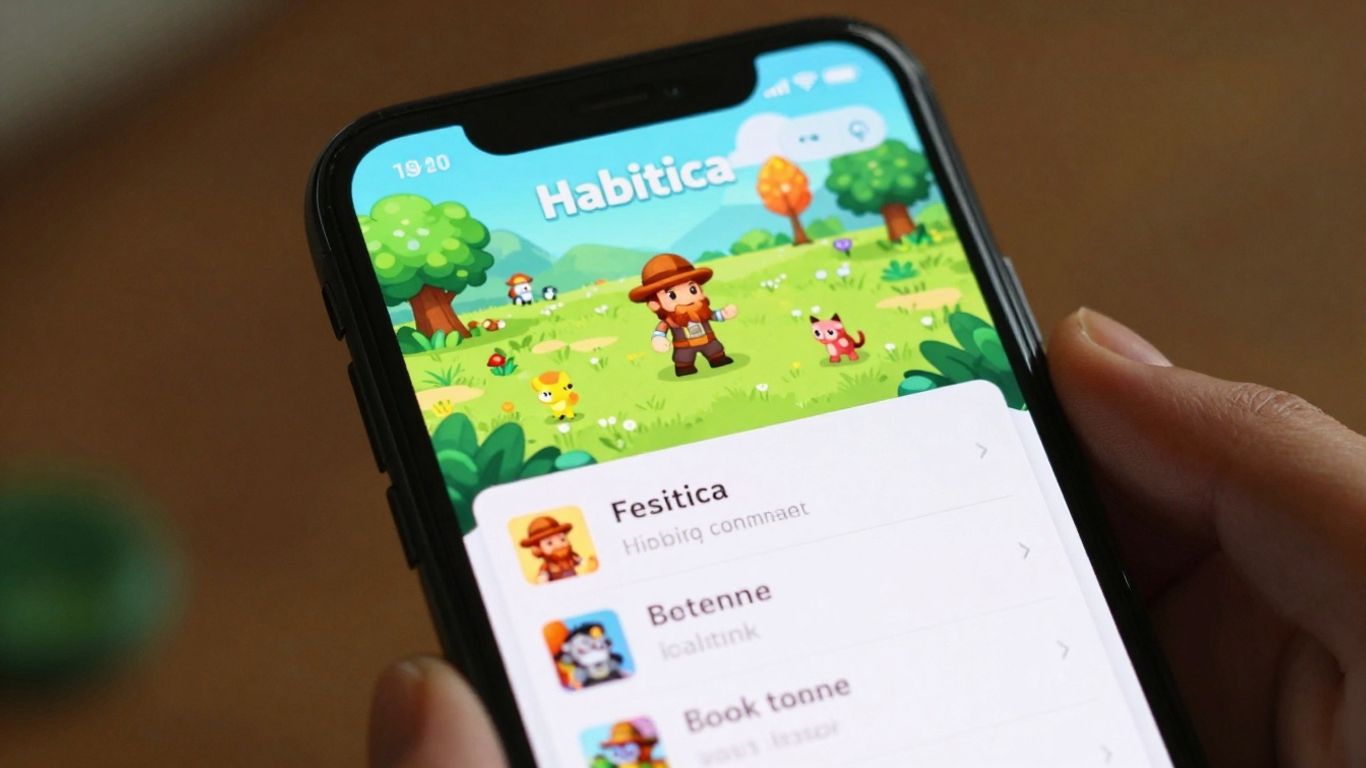
Habitica takes a different approach to getting things done, turning your to-do list into a role-playing game. If you’ve ever found traditional task managers a bit dry, this might be the spark you need. You create an avatar, and then you assign your real-life tasks and habits to quests and challenges within the game.
Completing tasks earns you experience points and in-game currency, which you can use to level up your avatar, buy virtual gear, or even unlock pets. It’s a fun way to get those little dopamine hits that can be so motivating when you’re struggling with focus.
Here’s a quick look at how it works:
- Daily Habits: These are things you want to do regularly, like drinking water or exercising. You can mark them as completed or failed each day.
- To-Dos: These are one-off tasks that you need to get done. They can be simple or complex, and you can break them down into smaller steps.
- Dailies: These are tasks that need to be done on a recurring basis, but not necessarily every single day. Think of them as recurring to-dos.
The social aspect is a big plus for many users, allowing you to team up with friends for group quests or join guilds. This can add a layer of accountability and shared motivation that’s hard to find elsewhere. It’s not just about ticking boxes; it’s about embarking on an adventure together. The game elements might not be for everyone, but for those who respond well to rewards and a bit of fantasy, Habitica can be surprisingly effective at keeping you on track.
6. Brain.fm
Brain.fm isn’t your typical music app. It’s built on science to help your brain get into a specific state, whether that’s focus, relaxation, or sleep. For those of us with ADHD, this can be a game-changer. The music is designed to work with your brainwaves, using techniques like neural phase-locking to keep you engaged without being distracting. It’s like a custom soundtrack for your attention span.
Instead of just playing random songs, Brain.fm creates functional music that adapts. This means the soundscapes are engineered to help reduce distractions and keep you in a flow state for longer periods. It’s not about catchy tunes; it’s about creating an auditory environment that supports cognitive tasks. They have different channels specifically for focus, which can be really helpful when you need to buckle down on a project.
The science behind Brain.fm is pretty interesting. They use research to craft music that aims to positively influence brain activity. For ADHD brains, which often struggle with focus and can be easily overstimulated, this kind of targeted audio can make a noticeable difference. It helps quiet the internal noise and create a more stable mental space for work or study.
While it’s a subscription service and doesn’t have a free tier, the monthly or yearly plans are reasonably priced. It’s a straightforward platform – you pick your goal (focus, relax, sleep) and press play. You can check out their science-backed audio to see what makes it tick. It’s a solid option if you find traditional music too distracting but still want some background sound to help you concentrate.
7. Focus@Will
Sometimes, the biggest hurdle for an ADHD brain isn’t the task itself, but the sheer noise of the world around us. That’s where Focus@Will comes in. It’s not just another music app; it’s built on the idea that specific sounds can actually help tune out distractions and get your brain into a productive groove. They use what they call "neuroscience-based music" – basically, tunes designed to occupy the parts of your brain that tend to wander off, while still letting you concentrate on what you’re doing.
Think of it like this: instead of fighting a noisy environment, you’re using sound to create your own focused bubble. They have different channels, each aiming for a slightly different effect, so you can experiment to see what works best for you. It’s a subscription service, so there’s no free version to try out, but they do offer various plans.
The core idea is to provide an auditory backdrop that helps quiet the mental chatter, making it easier to stay on task without feeling like you’re missing out on something else. It’s about creating an optimal soundscape for concentration.
Here’s a quick look at what they offer:
- Personalized Music Tracks: Designed to boost focus and productivity.
- Research Basis: The music is developed with scientific principles in mind.
- Variety of Channels: Different soundscapes to suit various preferences and tasks.
- Team Plans: Options available if you want to use it in a workplace setting.
While it doesn’t have the task management features of other apps on this list, Focus@Will tackles a different problem: the internal and external distractions that can derail even the best intentions. If you find yourself constantly battling background noise or a mind that jumps from one thought to another, giving Focus@Will a try might be a good move.
8. Inflow
Inflow is a bit different from the other apps on this list. It’s not just about ticking off tasks; it’s more about understanding and working with your ADHD brain. Think of it as a science-backed program designed to help you get a handle on focus, procrastination, and actually following through on things. It uses techniques from cognitive behavioral therapy (CBT), which can be super helpful for understanding why certain things are tough and then learning strategies to manage them.
This app offers a bunch of features that are pretty unique:
- Learning Resources: Inflow provides a library of articles and modules that explain ADHD in a clear way. It’s like having a guide that helps you figure out your own brain.
- CBT Modules: These are structured exercises that help you build skills for managing focus, impulsivity, and emotional regulation. They’re designed to be practical and easy to apply.
- Community Support: You can connect with other people who have ADHD, which can be really validating and provide new perspectives.
- Live Events: They host live sessions with experts, which is a great way to get direct advice and ask questions.
It’s a really solid choice if you’re looking for a more therapeutic approach to managing ADHD symptoms alongside your productivity goals. While it might be a bit pricier than some other options, the clinical advisory team behind it means the advice and tools are grounded in solid research. If you’re looking for a way to manage ADHD, Inflow is definitely worth checking out.
9. Remember The Milk
Remember The Milk is a straightforward to-do list app that’s been around for a while. It’s pretty good at helping you get tasks out of your head and into a list where you can actually see them. For folks with ADHD, this can be a lifesaver because it helps cut down on that feeling of being completely swamped.
It lets you create lists, set due dates, add notes, and even prioritize what needs doing. The interface is pretty clean, which is a big plus when your brain is already juggling a million things. You can add tasks quickly, almost like a thought dump, and then sort them out later. The ability to sync across all your devices means your to-do list is always with you, whether you’re on your phone, computer, or tablet.
Here’s a quick look at what it offers:
- Task Management: Create, organize, and prioritize your to-do items.
- Reminders: Set due dates and get notified so things don’t slip through the cracks.
- Notes & Details: Add extra information to tasks so you don’t forget the specifics.
- Syncing: Access your lists from anywhere, on any device.
While the free version is quite capable, some of the more advanced features, like location-based reminders or recurring tasks, are part of the paid plan. It might take a little bit of time to get used to all the options, but once you do, it can really help keep things on track.
Sometimes, the simplest tools are the most effective. Remember The Milk doesn’t try to be fancy; it just focuses on getting your tasks organized so you can actually get them done. It’s a solid choice if you need a reliable place to put all those things you need to remember.
10. Amazing Marvin
Amazing Marvin is a bit of a hidden gem, and honestly, I’m surprised it’s not talked about more. It’s like the Swiss Army knife of productivity apps, especially if your brain works a little differently, like mine with ADHD.
What really sets Amazing Marvin apart is its "Strategies" feature. Think of it as a buffet of productivity tools. You can pick and choose different methods and combine them to build a system that actually fits how you work, not some generic mold. It’s not just about ticking boxes; it’s about making the process work for your brain.
Here are some of the cool ADHD-friendly features you can add:
- Task Jar: Feeling overwhelmed and don’t know where to start? Throw your tasks into a virtual jar and pick one out when you’re ready.
- Procrastination Warnings: Get a gentle nudge when you’ve been staring at the same task for too long.
- Reward Tasks: Set up little rewards for completing certain tasks, which is great for that dopamine hit we often need.
- Beat the Clock Challenges: Add a bit of urgency and fun to your tasks.
The little marshmallow mascot doing a happy dance when you finish a task is surprisingly motivating. It sounds silly, but that small visual cue really helps create a sense of accomplishment that many other apps miss. It’s simple, but it works.
While it might not have the most polished calendar integration compared to some others, its sheer adaptability is its superpower. You can really tailor it to your specific needs, whether you’re using Pomodoro, time blocking, or just trying to get through the day. It’s a paid app, but honestly, the flexibility it offers makes it worth the investment if you’ve struggled to find a system that sticks.
The beauty of Amazing Marvin is its ability to morph. It doesn’t force you into a rigid structure. Instead, it provides a playground of features that you can assemble into a workflow that feels natural and effective for your unique brain. It’s about building your own productivity fortress, brick by customizable brick.
Wrapping Up Your Focus Journey
So, we’ve looked at a bunch of apps that might just be the ticket for managing ADHD. It’s not about finding one magic fix, you know? It’s more about trying out different tools and seeing what clicks with how your brain works. Whether it’s breaking tasks down with a Pomodoro timer, getting lost in some focus music, or just having a clear list of what needs doing, there’s something out there. Don’t get discouraged if the first app you try isn’t perfect. Keep experimenting, find what helps you stay on track, and remember that these tools are there to support you, not to be another thing to stress about. Here’s to finding your focus flow in 2026!
Frequently Asked Questions
What is the Pomodoro Technique and how does it help with ADHD?
The Pomodoro Technique is a way to manage your time by working in short bursts, usually 25 minutes, followed by short breaks. For people with ADHD, this helps break big tasks into smaller, easier steps. It makes it simpler to focus for a short time and then rest, which can prevent feeling overwhelmed and keep you on track.
Are these apps only for people with ADHD?
While these apps are great for people with ADHD because they offer specific features to help with focus and organization, anyone can use them! If you find yourself easily distracted or need help managing your time better, these tools can be super helpful for boosting productivity.
Do I have to pay for these apps?
Many of these apps offer a free version with basic features, which is a great way to try them out. Some also have paid versions or subscriptions that unlock more advanced tools and customization options. You can usually find a plan that fits your needs and budget.
Can these apps really help me focus better?
Yes, these apps are designed to help you focus. They use different methods like timed work sessions, blocking distractions, or playing focus-enhancing music. By providing structure and reducing things that pull your attention away, they can make a big difference in your ability to concentrate on tasks.
How do gamified apps help with ADHD?
Gamified apps turn tasks into games by adding points, rewards, or progress tracking. This can be really motivating for people with ADHD because it taps into the brain’s need for rewards and novelty. Seeing progress and earning ‘points’ can make boring tasks more engaging and help you stick with them.
What if I don’t like the music in a focus app?
Some apps, like Focus@Will and Brain.fm, offer music specifically designed to help focus. If you find the music repetitive or not to your taste, check if the app allows you to customize the type of music or soundscapes. Many apps also let you adjust the volume or choose different sound options to find what works best for you.




