
Being a student is tough, right? Between classes, assignments, and trying to have a life, it feels like there’s never enough time. Your phone, often seen as a big distraction, can actually be a huge help if you use the right tools. We’ve looked into some of the best focus apps for students out there that can help you get organized and actually get things done. Think of these apps as your new study buddies, ready to help you tackle your workload and hopefully make school a little less stressful. Let’s see how technology can actually make your student life easier.
Key Takeaways
- Use apps to manage your schedule and tasks so things feel more organized and less overwhelming.
- Some apps help with specific study needs, like making flashcards or finding homework answers.
- Music apps designed for focus can help block out distractions and improve concentration.
- Good note-taking apps keep all your class information in one place and easy to find.
- Tracking your sleep might seem unrelated, but getting enough rest is key to being productive.
1. GoodNotes
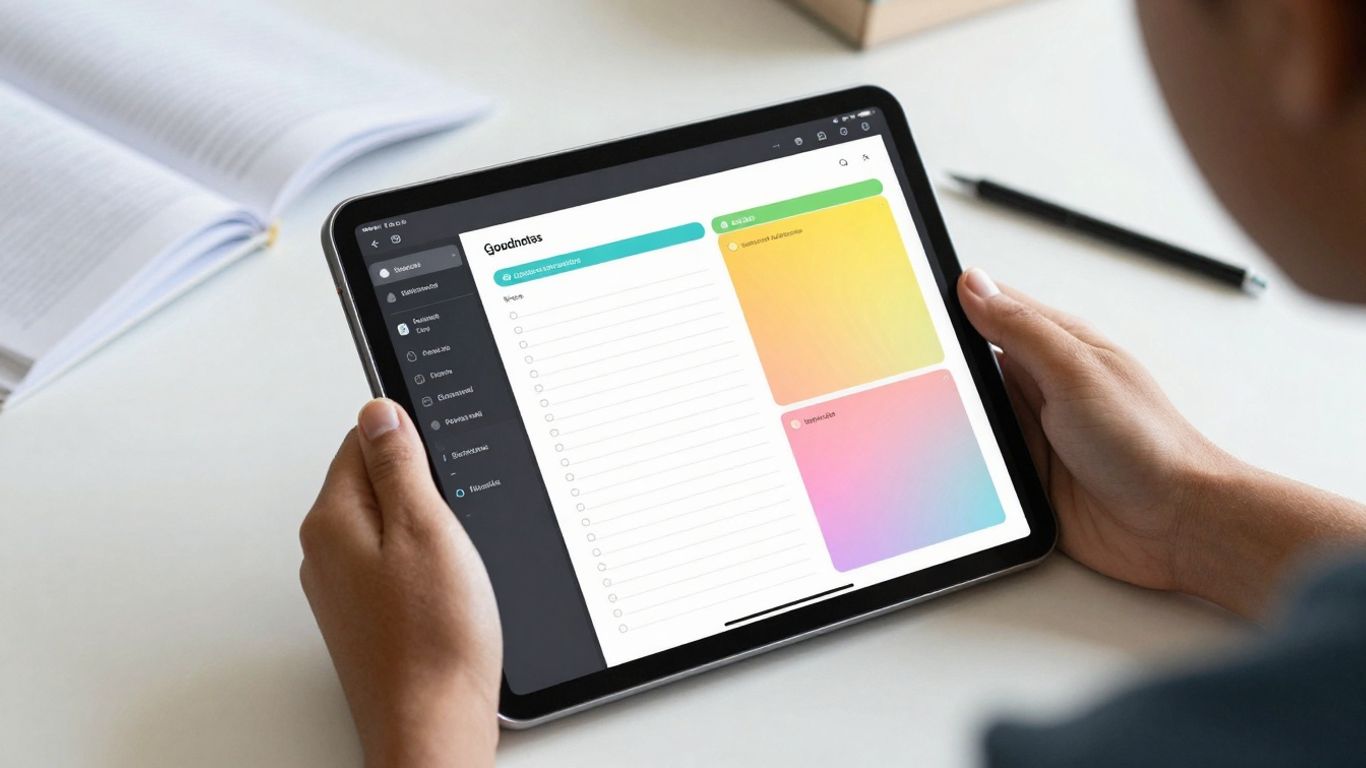
GoodNotes is a really solid choice if you like the feel of writing by hand but want all the benefits of digital organization. It lets you jot down notes, sketch out ideas, or even type things out, and it all syncs up across your devices. So, whether you’re on your laptop or tablet, your notes are right there.
One of the best things about it is how it handles organization. You can create different notebooks and folders, which is super helpful for keeping track of different classes or projects. It’s like having a digital binder that never gets messy.
GoodNotes makes it easy to mark up PDFs, add images, and even search through your own handwriting. This means you can annotate lecture slides or textbook chapters directly, making your study materials more interactive and personalized.
Need to find something specific? The search function is pretty good, even with handwritten notes, which is a lifesaver when you’re cramming for an exam and need to find that one key point you scribbled down weeks ago. It also plays nice with PDFs and images, so you can import documents and add your own notes right on them. It’s a straightforward app that gets the job done without a lot of fuss.
2. Notion
Notion is kind of like a digital Swiss Army knife for students. It’s not just for taking notes; you can build entire systems for managing your academic life. Think of it as a blank canvas where you can create your own personal dashboard for everything school-related. You can set up pages for each class, link them to assignment trackers, and even build a personal wiki for all your study materials. The real magic happens when you start using its different views for your data.
One of the coolest things about Notion is how flexible it is. You can look at your information in a bunch of ways:
- Table View: Great for seeing lists of assignments, readings, or project tasks.
- Calendar View: Perfect for visualizing deadlines and class schedules.
- Board View: Useful for tracking project progress, like a Kanban board for your studies.
- Gallery View: Good for organizing visual notes or research papers with cover images.
It also has a feature called Notion AI. This can help you summarize long articles, brainstorm ideas for essays, or even generate study guides from your notes. It’s like having a little assistant built right into your workspace. You can also collaborate with classmates on projects, share notes, and keep everything synced across your devices. It even works offline, which is a lifesaver when Wi-Fi is spotty.
While Notion can feel a bit overwhelming at first because there are so many options, taking the time to learn its basic structure can really pay off. It’s worth experimenting with templates or building your own system piece by piece to see what works best for your study habits. The initial setup might take a bit, but the long-term benefits for organization are huge.
3. Quizlet
Quizlet is a pretty solid choice if you’re looking to just drill down on memorizing stuff. Think vocabulary lists for Spanish class, historical dates, or even complex scientific terms. It basically takes whatever you throw at it – notes, textbook pages – and turns it into study materials. The AI-powered flashcard generation is a real time-saver. You can upload your own notes, and it spits out study sets, which is way better than staring at a blank page trying to figure out where to start.
It’s not just flashcards, though. Quizlet has a bunch of different ways to practice, like quizzes and games. This makes studying feel less like a chore and more like, well, a game. It keeps track of what you know and what you’re still shaky on, so you can focus your energy where it’s needed most. This adaptive learning approach is pretty smart for making sure you’re not wasting time on stuff you’ve already mastered.
Here’s a quick look at what you get:
- AI Flashcard Creation: Upload your own content and let the AI build study sets.
- Adaptive Study Modes: Focuses on the material you find difficult.
- Practice Tests & Games: Makes reviewing information more engaging.
- Vast Study Set Library: Access millions of pre-made study sets from other users.
While Quizlet is fantastic for memorization, it’s not the best tool if you’re trying to grasp complex concepts or write essays. It really shines when you need to recall specific facts or terms quickly. For that kind of learning, it’s hard to beat.
There’s a free version that gets you most of the basics, which is great for trying it out. If you want to go ad-free and get unlimited AI study sets, there’s a paid option, Quizlet Plus. It’s a popular tool, with a huge number of students using it to get better grades, so it’s definitely worth checking out for your own study needs.
4. Chegg Study
Chegg Study is a pretty popular resource for students, especially when you’re stuck on a tough problem late at night. It’s basically a huge library of textbook solutions and expert Q&A. Think of it as having access to a bunch of tutors who have already answered millions of questions.
When you’re staring at a math problem or a physics concept that just isn’t clicking, Chegg can be a lifesaver. You can search for specific questions or problems from your textbooks, and chances are, someone has already asked it and gotten a detailed answer. This can save you a ton of time when you’re trying to get homework done.
Here’s a quick look at what it offers:
- Textbook Solutions: Step-by-step answers for problems found in many popular textbooks.
- Expert Q&A: Ask your own questions and get answers from subject matter experts.
- Study Tools: Access to flashcards, practice problems, and study guides.
It’s important to remember that Chegg Study is best used as a tool to help you understand the material, not just to get answers. If you find yourself relying on it too much without trying to figure things out yourself, you might miss out on actually learning the concepts.
Using Chegg Study effectively means using it to check your work or to get unstuck when you’ve genuinely tried to solve a problem. It’s about supplementing your learning, not replacing it. The goal is to understand the ‘why’ behind the solution, not just the final answer.
5. Brain.fm
Sometimes, you just need to get into the zone, right? Studying can be tough, and distractions are everywhere. That’s where Brain.fm comes in. It’s not just background noise; it’s music designed by scientists to help your brain focus. They use special technology to create sounds that actually help you pay attention to what you’re doing.
Instead of music that pulls your attention away, Brain.fm’s tracks are made to guide your brain into a state of concentration. It’s like having a soundtrack for your study session that helps you stay on task without even realizing it’s there. The music adapts, too, which is pretty neat. It works with your brain’s natural rhythms to keep you in that productive headspace.
Here’s what makes it stand out:
- Science-backed: Developed with neuroscientists to support focus.
- Adaptive: Music adjusts to help maintain your mental state.
- Distraction-free: Designed to blend into the background, not interrupt.
- Multiple Modes: Offers options for focus, relaxation, and sleep, so it’s useful beyond just study time.
It’s a pretty interesting approach to using sound to improve your concentration. If you find yourself struggling to stay focused, giving Brain.fm a try might be a good idea. It’s a different way to approach study music, aiming to make your brain work with the sound rather than fighting against it.
6. RefME
Referencing can be a real pain, right? Especially when you’re juggling multiple sources for a big paper. RefME aims to take that headache away. This app is built specifically to help students manage their citations without all the usual fuss. It works across different devices, so you can use it on your phone or tablet.
What’s cool is how many ways you can add sources. You can search for books or journals, paste a web link, or even scan a barcode if you have the physical item. RefME then automatically pulls the details needed for your bibliography. It supports a ton of different citation styles, like APA, MLA, and Chicago, so you don’t have to stress about getting them right. It just handles it for you.
Here’s a quick look at what it offers:
- Multiple Input Methods: Search, URL paste, or barcode scan for easy source entry.
- Extensive Style Support: Covers hundreds of citation formats, from APA to Harvard.
- Cross-Platform Availability: Use it on Android, iPhone, and iPad.
- Open Educational Resources: Access to free academic materials to get you started.
For students who find referencing a chore, RefME can really simplify things. It’s about making sure your work is properly cited without taking up too much of your study time.
7. Anki

Anki is a flashcard app that uses a smart system to help you memorize things. It’s not just about making digital flashcards; it’s about how it shows them to you. The app tracks which cards you get right and which ones you struggle with. Then, it shows you the tough ones more often and the easy ones less. This way, you spend your study time on what you actually need to learn, not on stuff you already know cold.
It’s pretty neat because it uses something called Spaced Repetition. Basically, it figures out the best time to show you a card again so it sticks in your brain. This is way more efficient than just flipping through a stack of cards randomly.
Here’s what makes Anki stand out:
- Customizable Cards: You can add text, images, and even audio to your flashcards. This makes studying more engaging and helps different types of learners.
- Vast Library: There are millions of pre-made flashcard decks available online for almost any subject you can think of. You can also create your own from scratch.
- Cross-Platform Sync: Your study progress syncs across your computer, phone, and tablet, so you can study whenever and wherever you have a moment.
- Progress Tracking: Anki shows you how you’re doing after each study session, so you can see your improvement.
Anki’s strength lies in its adaptive nature. It learns your study habits and tailors the review schedule to your personal memory retention. This means less wasted time and more effective learning, especially for subjects that require a lot of memorization like languages, science terms, or historical facts.
8. Sleep Cycle
Getting enough quality sleep is a big deal for students, and that’s where Sleep Cycle comes in. It’s not just about tracking how long you sleep, but understanding the quality of that sleep. The app listens to your sleep sounds to figure out your sleep cycles. This helps it wake you up during your lightest sleep phase, so you don’t feel like a zombie when your alarm goes off. Waking up feeling refreshed can make a huge difference in your ability to focus and learn throughout the day.
Sleep Cycle provides graphs and data about your sleeping habits. This information can help you see why you might not be feeling rested and give you ideas on how to improve your sleep routine. It’s all about helping you get better rest so you can be more productive.
- Analyzes sleep patterns using sound.
- Wakes you during your lightest sleep phase.
- Provides data to understand and improve sleep quality.
- Offers relaxation aids like music and meditations.
The app’s smart alarm feature is a game-changer for students. Instead of a jarring wake-up call, it gently rouses you when your body is naturally ready to wake up, leading to a smoother start to your day and better overall alertness for classes and studying. You can find more information on apps that support academic success here.
If you’re struggling with feeling tired all the time, Sleep Cycle might help you figure out what’s going on and make some positive changes. Better sleep really does lead to better academic performance.
9. Google Keep
Google Keep is a super straightforward app that’s great for jotting down quick thoughts or making to-do lists. It’s not fancy, but that’s kind of its charm. You can create notes, add checklists, and even pop in a quick drawing if that’s your thing. The real strength here is its simplicity and how easily it syncs across all your devices.
Students can use it for all sorts of things:
- Reminders for assignments or study sessions
- Grocery lists for late-night snack runs
- Brainstorming ideas for projects
- Keeping track of group project tasks
One of the neatest features is the ability to color-code your notes. So, you could have all your class notes in blue, your personal to-dos in green, and your project ideas in yellow. It makes finding what you need a lot faster. Plus, sharing notes with classmates is pretty easy, which is handy for group work. It really is a good way to capture ideas the moment they come to you. If you’re looking for a simple way to manage your daily tasks and notes, Google Keep is definitely worth checking out. It’s a solid choice for basic organization and can be a real help when you need to keep track of smaller details without getting bogged down in complex features. You can find out more about how it blends note-taking and task management on Google Keep’s capabilities.
Sometimes, the best tool is the one that gets out of your way. Google Keep fits that bill perfectly. It doesn’t try to be everything to everyone, but what it does, it does well. For students who just need a reliable place to dump information and organize simple tasks, it’s a winner.
10. iStudiez Pro
iStudiez Pro is a pretty solid app for keeping track of your school life. It’s like a digital planner that also keeps an eye on your grades. If you’re the type of student who likes to see everything laid out, this app might be for you. It shows your daily schedule and tasks in a clear way, and you can even use little colored dots on the calendar to quickly see what’s coming up. No more guessing what’s due when.
Here’s what you can do with it:
- Sort your homework by date, how important it is, or by the class it belongs to.
- Input the grades you expect to get, and it’ll calculate your GPA for you.
- Keep track of class times, locations, teacher information, and even holidays.
The built-in grade calculator is a real lifesaver, handling both letter grades and percentages. It’s nice not having to do that math yourself. Plus, there are widgets for your assignments and schedule, so you can get a quick look without opening the main app.
iStudiez Pro syncs with your macOS Calendar, which is handy. It also works across your iPhone, iPad, Windows PC, and Android devices, so your schedule is always with you, no matter what gadget you’re using.
Wrapping It Up
So, there you have it. Schoolwork can feel like a lot sometimes, right? But with the right apps, it doesn’t have to be a constant struggle. We looked at some really helpful tools that can make a big difference, whether you’re trying to stay focused during study sessions, keep your notes tidy, or just manage your time better. Picking even one or two of these can really change how you approach your classes. Don’t let your phone just be a distraction; turn it into your secret weapon for getting things done and actually enjoying your student life a bit more. Give them a try and see what works best for you.
Frequently Asked Questions
Which of these apps are totally free to use?
Many of these apps offer free versions that are great for students! Apps like Notion, Google Keep, and Quizlet have robust free options. Some apps might have extra features behind a paywall, but you can usually try them out first to see if the free version works for you.
What’s the best app if I struggle with remembering things?
If you find it hard to memorize information, apps like Quizlet and Anki are fantastic. They use flashcards and smart study methods to help you recall information better. Quizlet is super popular, and Anki uses a special system to help your brain remember things over time.
How can apps help me stay organized with my classes?
Apps like GoodNotes and iStudiez Pro are lifesavers for organization. GoodNotes lets you take notes digitally, organize them into notebooks, and even search your handwriting. iStudiez Pro helps you keep track of your schedule, assignments, and grades all in one place.
Are there apps that can help me focus better when I study?
Absolutely! Brain.fm creates special music designed by scientists to help you concentrate. It’s different from regular music because it helps your brain pay attention to what you’re doing, making study sessions more productive.
What if I need help with homework problems?
Chegg Study is a go-to for homework help. It offers step-by-step solutions for tons of subjects, expert Q&A, and even video explanations. It’s like having a tutor available whenever you’re stuck.
Can any of these apps help me manage my time better?
Yes, many of them do! Apps like iStudiez Pro and even general note-taking apps like Google Keep can help you create to-do lists and set reminders. Notion is also great for building custom planners and calendars to keep your whole schedule in check.




