
Dealing with ADHD can make focusing and managing time feel like a constant uphill battle. You know, that feeling when a task seems to stretch on forever, or you completely lose track of where the last hour went? Yeah, that’s time blindness, and it’s a real thing for many of us. Luckily, there are some pretty neat tools out there designed to help. We’re talking about ADHD timers and productivity apps that can make a big difference in getting things done. Let’s check out some of the best ADHD timer options that might just help you stay on track.
Key Takeaways
- Visual timers help bypass internal time sense issues common with ADHD.
- Adding extra time to estimates, like 50% more, can help with underestimation.
- Creating routines around transitions can reduce lost time.
- Using different sounds for alerts can make them more noticeable.
- Trying a few different methods is key, as there’s no single perfect solution.
1. Focus Keeper – Pomodoro Timer
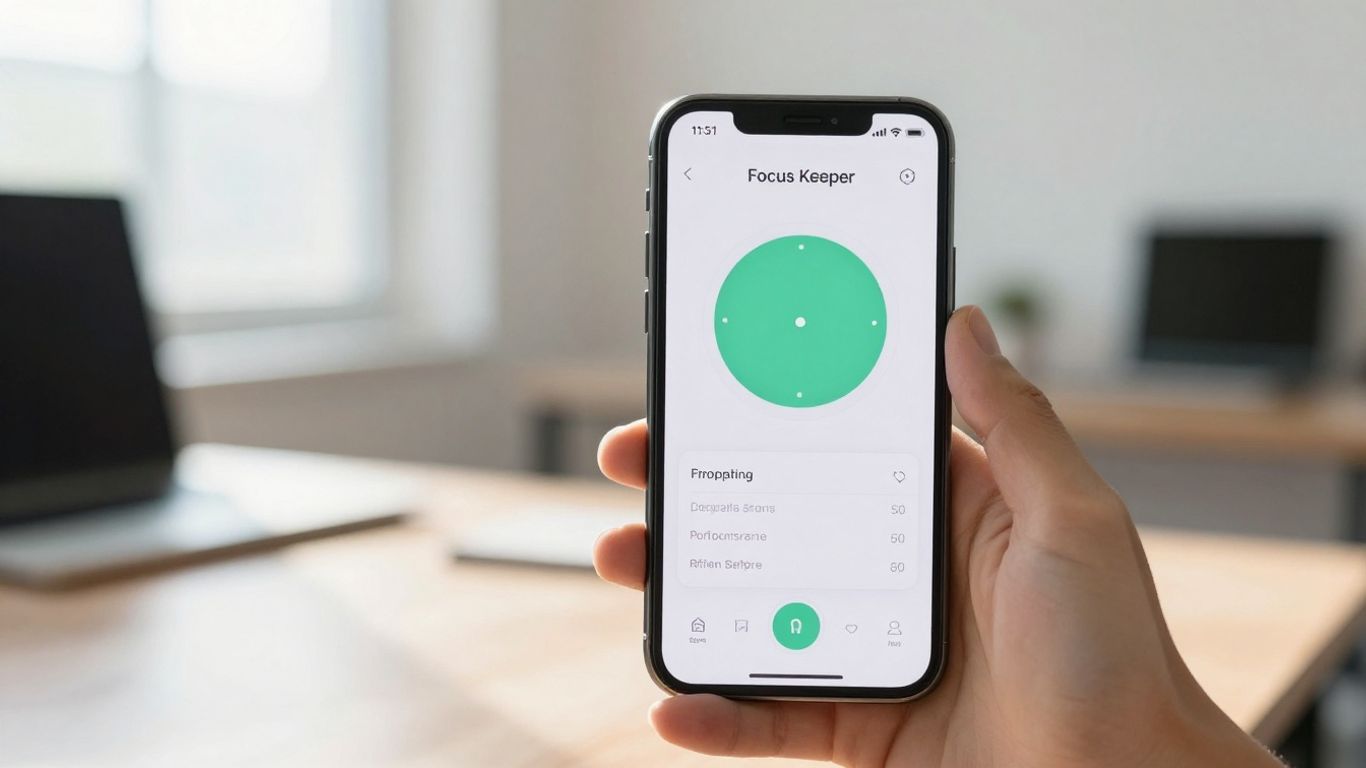
When you’ve got ADHD, staying on task can feel like trying to catch smoke. That’s where Focus Keeper comes in. It’s built around the Pomodoro Technique, which is basically a fancy way of saying you work in focused bursts with short breaks in between. Think 25 minutes of work, then a 5-minute breather. After a few of those cycles, you get a longer break. This structure can really help with that feeling of being overwhelmed by a big task.
What’s cool about Focus Keeper is how customizable it is. You can tweak the work and break times to fit your own rhythm. Plus, it offers different background sounds, like ticking or rain, which some people with ADHD find really helps block out distractions and create a consistent work environment. It’s a free app, which is always a plus, and you can use it on your phone or computer. For anyone struggling with time blindness, this app can be a lifesaver, helping you see how much time you’re actually spending on things. It’s a solid tool for getting into a productive groove without feeling like you’re constantly fighting your own brain. Many users have found it effective for completing multiple work cycles, especially when paired with ambient sounds.
The Pomodoro Technique, at its core, is about breaking down work into manageable chunks. For those with ADHD, this structured approach can combat the feeling of being lost in a task and provide a clear path forward.
Here’s what makes Focus Keeper stand out:
- Customizable Intervals: Adjust work and break lengths to match your focus span.
- Ambient Sound Options: Choose from various sounds to create your ideal work atmosphere.
- Cross-Platform Availability: Use it on your mobile device or desktop.
- Free to Use: Access all core features without any cost.
It’s a straightforward way to introduce structure into your day and make time feel more tangible. If you’re looking for a simple yet effective way to manage your time and boost concentration, give Focus Keeper a try.
2. Forest App
If you find yourself constantly reaching for your phone when you should be working, the Forest app might be a game-changer. It’s built around a simple, yet effective, idea: you plant a virtual tree when you want to focus. You set a timer for how long you want to concentrate, and your tree starts to grow. The catch? If you leave the app before your timer is up, your tree dies. It sounds harsh, but it’s a surprisingly good motivator to stay on task.
Here’s a quick rundown of how it works:
- Set your focus time: Decide how long you need to concentrate, from 10 minutes to a couple of hours.
- Plant your tree: Start the timer, and your virtual tree begins to grow.
- Stay focused: Keep the app open and avoid switching to other apps. If you do, your tree withers.
- Build your forest: Successfully completed focus sessions result in a growing virtual forest. Over time, you can see a collection of all the trees you’ve grown.
What’s really neat is that Forest has partnered with a real tree-planting organization. You earn virtual coins for your focus sessions, and you can use these coins to contribute to planting actual trees in the real world. It adds a whole other layer of purpose to staying focused.
The app gamifies focus, turning a potentially tedious task into a rewarding experience. The visual representation of your growing forest, and the knowledge that you’re contributing to environmental efforts, can be a powerful incentive for people who struggle with maintaining attention.
3. Memtime
Memtime is a bit different from the other timers on this list. Instead of just being a timer, it’s more like a memory assistant for your computer. It runs in the background and keeps track of what you’re doing on your computer – which apps you’re using, which websites you’re visiting, and for how long. This can be super helpful for people with ADHD who struggle with time blindness, that feeling of time just slipping away.
It’s designed for professionals, especially in fields like software development, law, and creative agencies, who need to track their time accurately for billing or project management. But honestly, anyone who wants a clearer picture of where their day goes could benefit.
Here’s a quick rundown of what it does:
- Automatic Time Tracking: Just set it up and let it run. It captures your activity without you needing to manually start and stop timers.
- Activity Log: It shows you exactly what you did and for how long, broken down into 1-60 minute intervals.
- Project Integration: You can export your time entries to over 60 different project management tools or use Memtime’s own project logging if you don’t use another app.
- Calendar Sync: It pulls events from your connected calendars, giving you a combined view of your scheduled time and your actual work time.
- Productivity Insights: Get a look at your productivity over different periods to see where you’re spending your time.
If you’re someone who gets lost in hyperfocus or finds yourself wondering where the last few hours went, Memtime offers a way to get that information back. It’s like having a detailed diary of your computer usage, which can be eye-opening for time management.
They offer a 2-week free trial, which is great for seeing if it fits your workflow. Pricing starts around $11 per user per month for their basic plan.
4. TickTick
TickTick is a pretty solid all-around app that can help you get a handle on your tasks and manage your time better. It’s not just a simple to-do list; it actually packs in a bunch of features that are super helpful for folks who struggle with focus and organization, which, let’s be honest, is a lot of us with ADHD.
One of the standout things about TickTick is how it combines task management with a built-in Pomodoro timer. This means you can break down your work into focused bursts, which is a game-changer for staying on track. You can create tasks, set priorities, and even break bigger projects into smaller subtasks. It really helps make things feel less overwhelming.
Here’s a quick look at what makes TickTick useful:
- Task Organization: Create lists, use color-coding, and set priority levels to keep your tasks visually organized.
- Pomodoro Timer: Integrate focused work sessions directly into your task management workflow.
- Habit Tracking: Build and maintain positive habits alongside your daily tasks.
- Calendar View: See your tasks and schedule laid out in a clear calendar format.
The app’s flexibility is a big win, allowing you to switch between list views and Kanban boards, which can really help visualize your progress. It’s also available on pretty much every platform you can think of, so your to-do list is always with you. You can get started with the free version, which is quite capable, or upgrade for more advanced features if you find it fits your needs. It’s a good option if you’re looking for a tool that can do a bit of everything without being too complicated. You can find out more about its features on their website.
Sometimes, the sheer number of options in productivity apps can be overwhelming. TickTick manages to offer a lot without feeling cluttered. It strikes a good balance between having enough features to be powerful and being simple enough to actually use day-to-day.
5. Time Timer
Sometimes, the most straightforward tools are the most effective, especially when dealing with ADHD. The Time Timer is a prime example. It’s a physical timer, often with a bright, colored disk that disappears as time passes. This visual representation of time is incredibly helpful because it makes the abstract concept of time concrete and observable. For many with ADHD, understanding how much time is left can be a real challenge, and this timer tackles that head-on.
The core benefit of the Time Timer is its intuitive visual display, which helps build time awareness without needing constant mental calculations. It’s not about complex features; it’s about making time tangible.
Here’s why it stands out:
- Clear Visual Countdown: The disappearing colored disk provides an immediate, at-a-glance understanding of time elapsed and remaining. No ticking, no numbers to constantly check – just a visual cue.
- Reduces Time Anxiety: By making time visible, it can lessen the anxiety that comes with feeling like time is slipping away unnoticed.
- Versatile Use: It’s great for managing homework sessions, work blocks, transitions between activities, or even just ensuring you don’t spend too long on one thing.
While it’s fantastic for tasks where you’re stationary and can see the timer, it might be less useful for highly mobile activities or complex, multi-step processes where you’re away from the device. Still, for many daily routines and focus sessions, the Time Timer offers a simple yet powerful way to manage time more effectively.
6. Focus@Will
Focus@Will is a bit different from the other apps we’ve looked at. Instead of just a timer or a task manager, it uses music to help you get into the zone. The idea is that specific types of music, designed by music producers and backed by scientists, can actually help your brain focus better and tune out distractions. It’s not just background noise; it’s music made for concentration.
The app claims that during a typical hour-long session, users see about a 75% increase in productivity. That’s a pretty big number, right? It feels like a cool way to tackle tasks, especially if you find silence or random playlists just aren’t cutting it. You can even track your productivity over time to see how it’s working for you.
Here’s a quick rundown of how it works:
- You create an account and log in.
- Set the timer for how long you want to focus.
- Pick the kind of music you want to listen to – they have different channels for different moods or tasks.
- Start your session and work until the alarm rings.
- After the session, you can rate how productive you felt.
It’s a neat approach if you’re someone who needs a bit of auditory stimulation to concentrate. They offer different subscription plans, and there’s usually a free trial so you can test it out before committing. It’s definitely worth checking out if you’re looking for a unique way to boost your concentration.
The science behind Focus@Will suggests that by providing a consistent, non-distracting auditory environment, it can help regulate brain activity, making it easier to enter and maintain a flow state. This is particularly beneficial for individuals who struggle with maintaining focus due to external stimuli or internal restlessness.
7. Brili
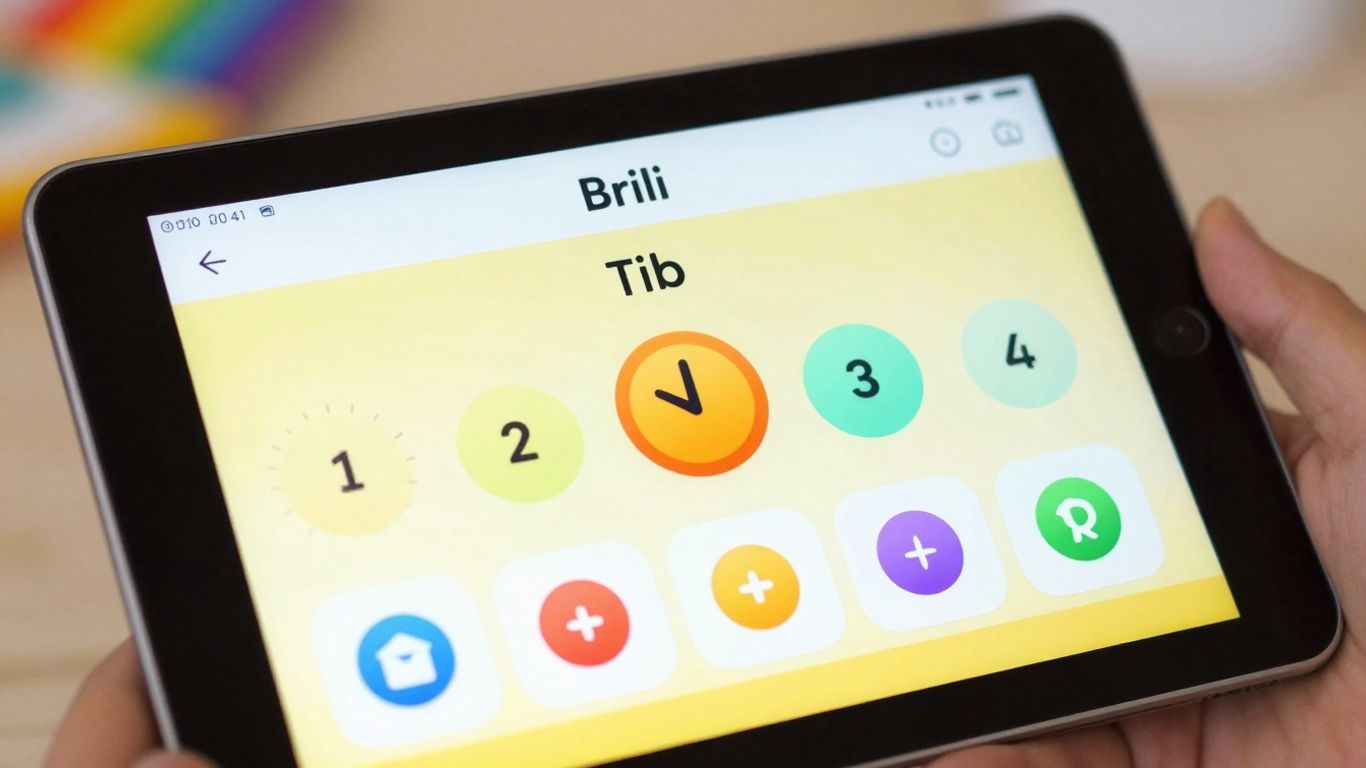
Brili is an app that really focuses on building routines, which is a big deal for folks with ADHD. You know how it is – sometimes just getting started with a task feels like climbing a mountain. Brili helps by letting you map out your day, either by creating your own schedule from scratch or by picking from templates made by people who actually get ADHD. You can drag and drop tasks, set start times, and decide how long each one should take. This is super helpful for fighting off that feeling of being overwhelmed and for dealing with time blindness, that weird thing where time just seems to slip away.
One of the coolest parts is the reward system. You can set up little rewards for yourself, and then earn stars as you tick off tasks. Those stars can then be cashed in for your rewards. It’s like a little game to keep you motivated. Plus, Brili tracks your progress, showing you how many routines you’ve actually completed and giving you achievements along the way. It’s a nice way to see that you’re making progress, even if it feels slow sometimes.
Brili is designed to make daily tasks feel less daunting by breaking them down into manageable, timed steps within a structured routine. The gamified elements and visual progress tracking are key to maintaining engagement and building consistent habits.
Here’s a quick look at what Brili offers:
- Routine Creation: Build your own daily schedules or use expert-designed templates.
- Time Management: Set specific start times and durations for tasks to combat procrastination.
- Gamified Motivation: Earn stars and rewards by completing tasks and routines.
- Progress Tracking: Visualize your accomplishments with completed routines and achievements.
Brili offers an annual subscription for around $50, which gives you access to all its features for a year. It’s a solid option if you’re looking for a structured way to manage your day and build better habits.
8. Tiimo
Tiimo is a visual daily planner that really helps people with ADHD get a better handle on their time. It’s designed to make routines and schedules feel less overwhelming. Instead of just abstract numbers on a clock, Tiimo uses visual cues and timers to show you what’s happening and when.
This app is great because it breaks down your day into manageable chunks. You can set up visual schedules for everything from getting ready in the morning to homework time, or even just taking a break. It’s all about making time visible and predictable.
Here’s how it helps:
- Visual Timers: See time passing with clear, colorful graphics instead of just numbers.
- Routine Building: Create repeatable daily or weekly routines that make transitions smoother.
- Activity Planning: Plan specific activities with estimated times, helping you stay on track.
- Customizable Alerts: Get gentle reminders for upcoming activities without being jarring.
Tiimo is built with the idea that seeing time can be just as important, if not more so, than hearing or thinking about it, especially when focus is a challenge. It aims to reduce the mental load of time management.
It’s available on most devices, so you can use it on your phone, tablet, or computer. The interface is pretty straightforward, which is a big plus when you don’t want to spend a lot of time figuring out a new tool. It’s a solid choice if you need a visual way to manage your day and make time feel more concrete.
9. Habitica
Habitica takes a different approach to time management and task completion by turning your to-do list into a role-playing game. If you’ve ever found traditional productivity apps a bit dry, this might be the change of pace you need. It gamifies your life, making mundane tasks feel more engaging.
Here’s how it works:
- Habits: These are things you want to do more often (like exercising) or less often (like biting your nails). You can mark them as positive or negative.
- Dailies: These are tasks you need to do every day, like taking medication or completing a specific work task. They reset each day, and you get penalized if you miss them.
- To-Dos: These are your standard tasks that you can complete once. You can add due dates and break them down into subtasks.
When you complete tasks, earn rewards, or stick to your habits, your avatar gains experience points and gold. You can use these to level up, buy gear, and customize your character. On the flip side, if you miss your dailies or fail to complete tasks, your avatar can lose health. It’s a pretty clever way to build accountability.
The core idea is to make productivity fun. By adding elements of gaming, like rewards and consequences, Habitica taps into our natural desire for achievement and progress. This can be particularly helpful for individuals with ADHD who might struggle with motivation or maintaining focus on tasks that don’t offer immediate gratification.
This app is great for tracking habits and making sure you’re staying on top of your daily responsibilities. You can even join parties with friends to tackle challenges together, adding a social accountability layer. If you’re looking for a way to make your daily grind feel less like a chore and more like an adventure, Habitica is definitely worth checking out as part of your ADHD productivity toolkit.
10. MotivAider
MotivAider is a bit different from the other tools we’ve talked about. Instead of a visual timer or a gamified app, it uses vibrations to give you discreet reminders. This can be super helpful if you find visual or auditory cues too distracting, or if you need something that works without drawing attention.
Think of it like a silent nudge. You set it up to vibrate at specific intervals or when a certain time is approaching. This is especially useful for tasks where you need to maintain focus without constant visual interruptions, or for people who are more sensitive to sound.
Here’s how it can help:
- Discrete Alerts: Get reminders via vibration, so you don’t have to look at a screen or hear a sound.
- Customizable Intervals: Set up vibrations for specific time blocks or to signal transitions.
- Portable and Simple: It’s a small device that you can wear or keep with you, making it easy to use anywhere.
Sometimes, the most effective tools are the ones that work in the background, providing just enough of a prompt to keep you on track without pulling you out of your flow. MotivAider fits that bill perfectly, offering a subtle yet powerful way to manage your time.
It’s a straightforward approach, but for many with ADHD, that simplicity is exactly what makes it work. It bypasses the need for complex interfaces or engaging visuals, focusing purely on the core function of time awareness.
Wrapping Up Your Time Management Journey
So, we’ve gone through a bunch of different timers and tools that can really help when you’re trying to get stuff done with ADHD. It’s not about finding some magic bullet, you know? It’s more about trying out a few things and seeing what clicks for you. Maybe it’s a simple timer that just counts down, or maybe it’s something more involved like a gamified app. The main thing is that these tools can make a real difference in managing that tricky time blindness and just generally feeling more in control of your day. Don’t get discouraged if the first thing you try doesn’t work perfectly. Keep experimenting, find what fits your brain, and you’ll start seeing those tasks get checked off your list.
Frequently Asked Questions
What exactly is ‘time blindness’ and how does it relate to ADHD?
Time blindness is like not having a good internal clock. People with ADHD often struggle to tell how much time has passed or how long a task will take. It’s not on purpose; it’s just how their brain works with time. It can make you late or feel like tasks take forever.
Why are visual timers helpful for people with ADHD?
Visual timers are great because they show time passing in a way you can see, like a countdown bar or a changing color. Since the internal sense of time is tricky with ADHD, seeing time tick away helps you stay aware of how much time you have left without needing to constantly check a clock.
Can these timer apps really help me focus better?
Yes, many of these apps are designed to help you focus! Tools like the Pomodoro technique (work for a set time, then take a break) or apps that reward you for staying on task can make focusing feel less like a chore and more like a game. They break down work into manageable chunks.
Are there any free ADHD timer apps available?
Absolutely! Many of the apps mentioned, like Focus Keeper, offer a free version with core features. Some apps have free basic plans, and others might offer a free trial. It’s worth checking out the free options first to see what works for you.
How can gamified apps like Forest or Habitica help with ADHD?
Gamified apps turn tasks into games. For example, Forest lets you grow a virtual tree while you focus, and if you get distracted, the tree dies. Habitica turns your to-do list into a role-playing game. This makes tasks more interesting and rewarding, which is super helpful for ADHD brains that need extra motivation.
What if I get distracted by the timer itself? Are there alternatives?
That’s a common issue! If a ticking clock or constant alerts are too much, try apps that use subtle cues or gamification. Some tools, like MotivAider, use vibration. Others focus on visual progress without loud noises. The key is finding a tool that adds structure without becoming another distraction.




