
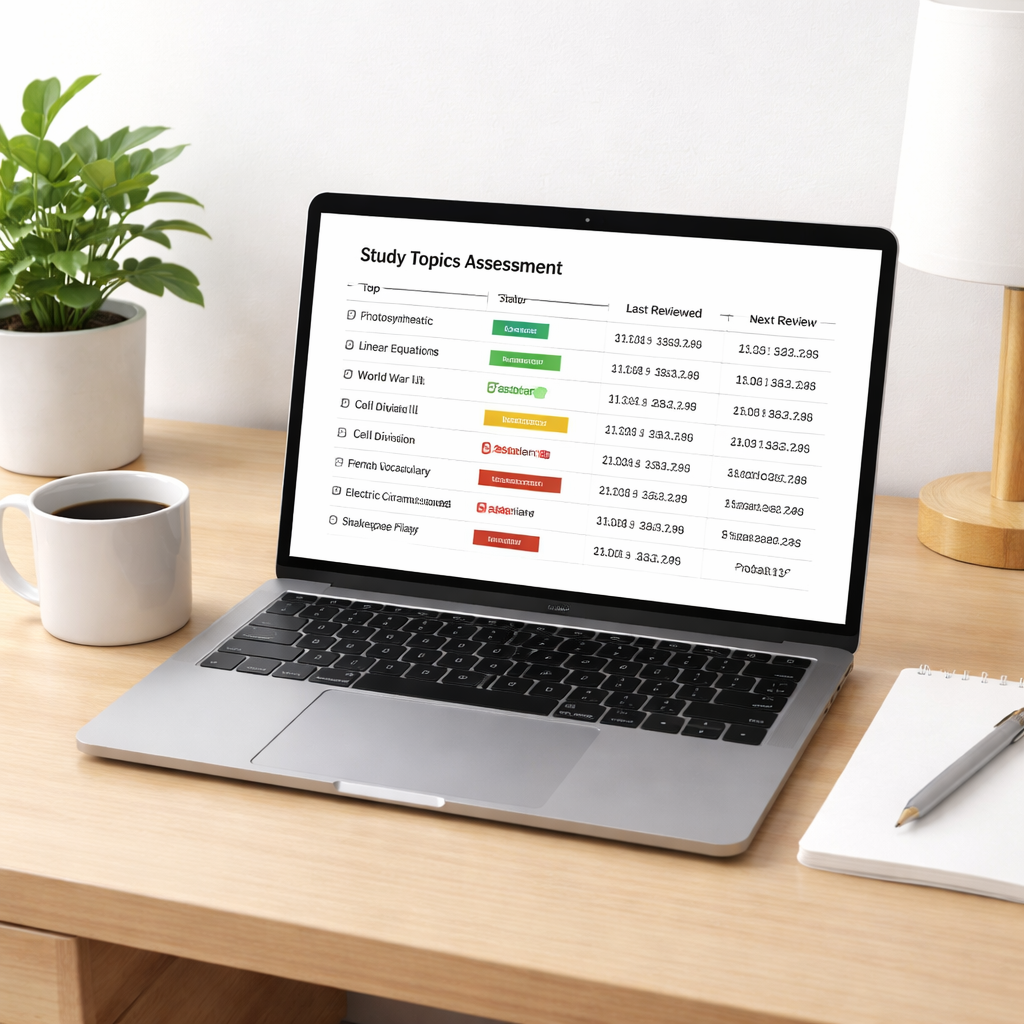
Ever felt like you cram a night before an exam, only to forget everything by Monday? That’s the frustration most of us know too well.
What if there was a way to study that feels less like a marathon and more like a series of short, purposeful sprints? That’s exactly what a spaced repetition schedule promises.
At its core, a spaced repetition schedule spaces out review sessions so that each time you revisit material, the interval has lengthened just enough to force your brain to work a little harder. The result? Longer‑term retention with less overall time.
Think about Maya, a remote worker who needs to master a new software tool. She sets a schedule: review the tutorial after 1 hour, then after 1 day, then after 3 days, then a week. By the time the project deadline hits, the knowledge is solid, and she didn’t waste hours re‑reading the same page.
Students benefit in a similar way. A biology major can break down a chapter into 10‑minute chunks, then schedule reviews using the classic 1‑2‑4‑7‑14 day pattern. Studies show that learners who follow such intervals improve recall by up to 50% compared to cramming.
Freelancers juggling multiple clients can apply the same principle to client briefs. After the first read, set a reminder to glance at the brief after 12 hours, then after 48 hours, and again after a week. That keeps the project scope fresh without constant re‑reading.
So how do you build your own schedule? Start with a master list of topics, assign each a priority level, then plot the first review for tomorrow. Use a simple spreadsheet or a timer app – even the Pomodoro timer in Focus Keeper can cue you when it’s time to switch from work to review.
If you need a deeper dive into the mechanics, check out our guide on the spaced repetition method. It walks you through creating custom intervals and explains why the spacing curve matters.
And when your study material includes video lectures, you don’t have to watch them twice. A quick summary from a YouTube Video Summarizer can give you the key points to feed into your next review session.
Give it a try this week: pick one subject, map out a 4‑step schedule, and watch how your confidence grows. You’ll soon notice you spend less time re‑learning and more time applying what you know.
TL;DR
A spaced repetition schedule lets you review material at increasing intervals, turning cramming into short, focused sprints that stick in memory.
Set simple reminders, like 12 hours, 48 hours, then a week, and let tools such as Focus Keeper’s Pomodoro timer cue each review, so you spend less time rereading and more time applying what you’ve learned.
Step 1: Assess Your Learning Material
First thing’s first – you need to know exactly what you’re trying to remember. It sounds obvious, but we’ve all opened a textbook only to stare at a wall of text and wonder, “Where do I even start?” The trick is to break that wall down into bite‑size pieces that you can actually work with.
Grab a notebook or a digital note‑taking app and list every topic, chapter, or module you plan to master. Don’t worry about order yet; just get everything out of your head and onto paper. For a student tackling a biology chapter, that might mean jotting down “cell membrane,” “photosynthesis steps,” and “mitosis phases.” A freelancer reviewing a client brief could note “project goals,” “key deliverables,” and “deadline milestones.”
Now, ask yourself: which items are new, which are fuzzy, and which feel solid? Highlight the new or fuzzy ones – those are the pieces that will benefit most from a spaced repetition schedule. If you’re a remote worker learning a new SaaS tool, you might mark “navigation shortcuts” and “report‑generation workflow” as fuzzy.
Next, think about the format of each piece. Is it a dense paragraph, a diagram, a short video, or a list of definitions? Different formats need different review tactics. For example, a video lecture can be summarized with a quick bullet list, while a diagram might be redrawn from memory.
Here’s a quick checklist to run through:
- List every learning item.
- Rate familiarity (new, fuzzy, solid).
- Identify the content type (text, video, diagram, etc.).
- Note any supporting resources you already have.
Does this feel like a lot? It’s actually a moment of clarity. You’ve turned a vague mountain of material into a clear roadmap. That’s the foundation of any effective spaced repetition schedule.
Once you have your list, prioritize based on urgency and difficulty. If an exam is next week, push the high‑stakes topics to the front of the line. If a client deadline is two weeks away, flag the deliverable‑related items accordingly. This prioritization step ensures your review intervals line up with real‑world timelines.
And here’s a little secret: even if you don’t have a fancy tool, a simple spreadsheet can do the heavy lifting. Create columns for “Item,” “Familiarity,” “First Review,” and “Next Review.” Fill in the dates as you go, and you’ll have a visual schedule that’s easy to follow.
Now, before we move on, let’s watch a short video that walks through how to turn your raw list into a concrete review plan. It’s only a couple of minutes, but it’ll give you a visual sense of the process.
Got the gist? Great. The next step is to match each item with the right interval – that’s where the spaced repetition schedule really starts to shine. But first, let’s make sure you’ve captured everything you need to review.
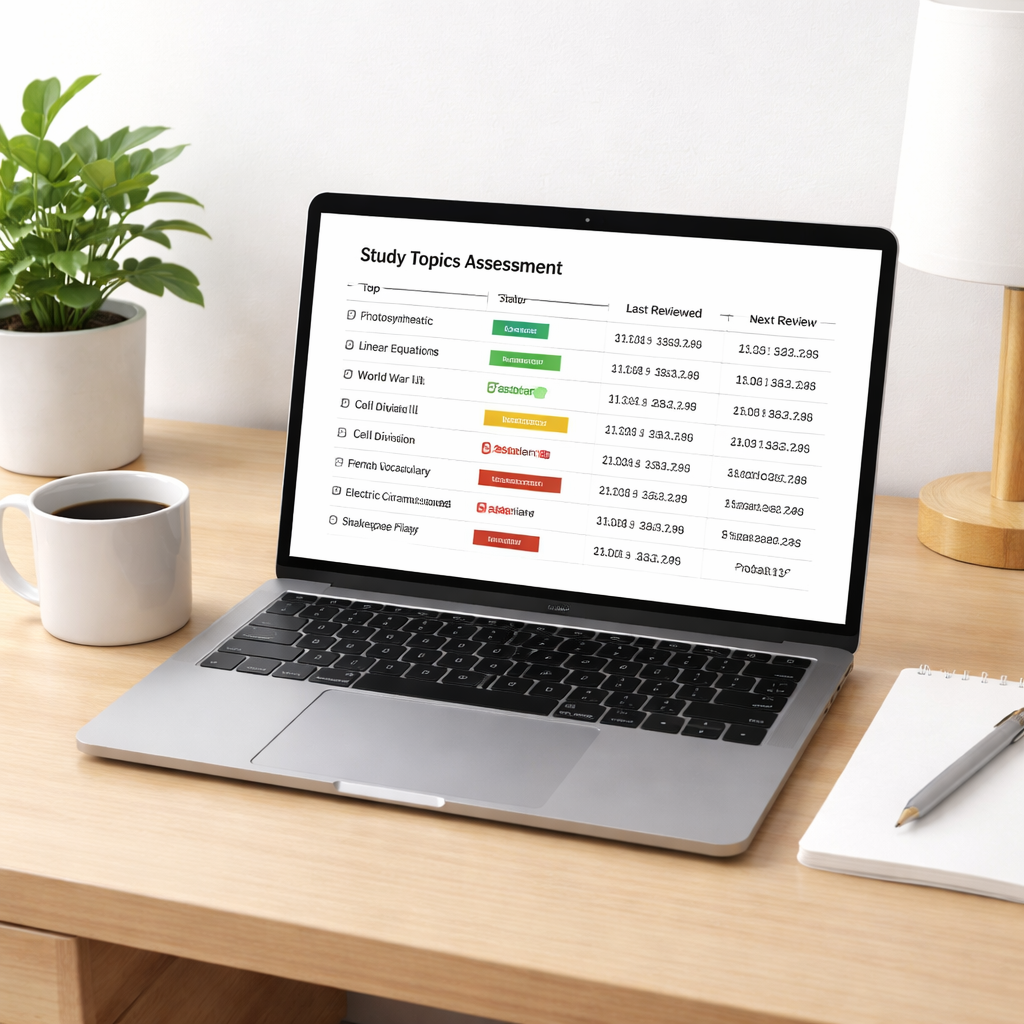
Take a moment now to glance over your list. Does anything feel missing? Maybe a quick summary of that YouTube lecture you just watched? If so, add it to the list and flag it as “new.” By the time you finish this assessment, you’ll have a concrete inventory ready to feed into the spaced repetition engine – whether that’s a Pomodoro timer, a dedicated app, or good old‑fashioned paper cards.
Remember, the goal isn’t to over‑engineer; it’s to create a clear snapshot of what you need to remember. Once that snapshot exists, the rest of the schedule will fall into place like puzzle pieces snapping together.
Step 2: Choose an Effective Interval Strategy
Alright, you’ve got your material sorted and tagged – now it’s time to decide *when* you’ll revisit each piece. That’s the heart of any spaced repetition schedule: the intervals.
Think about it like a garden. You plant a seed, water it, then come back a few days later to check the sprout. If you wait too long, the plant might wilt; if you check too often, you waste water. The same principle applies to your brain.
Start with a proven pattern
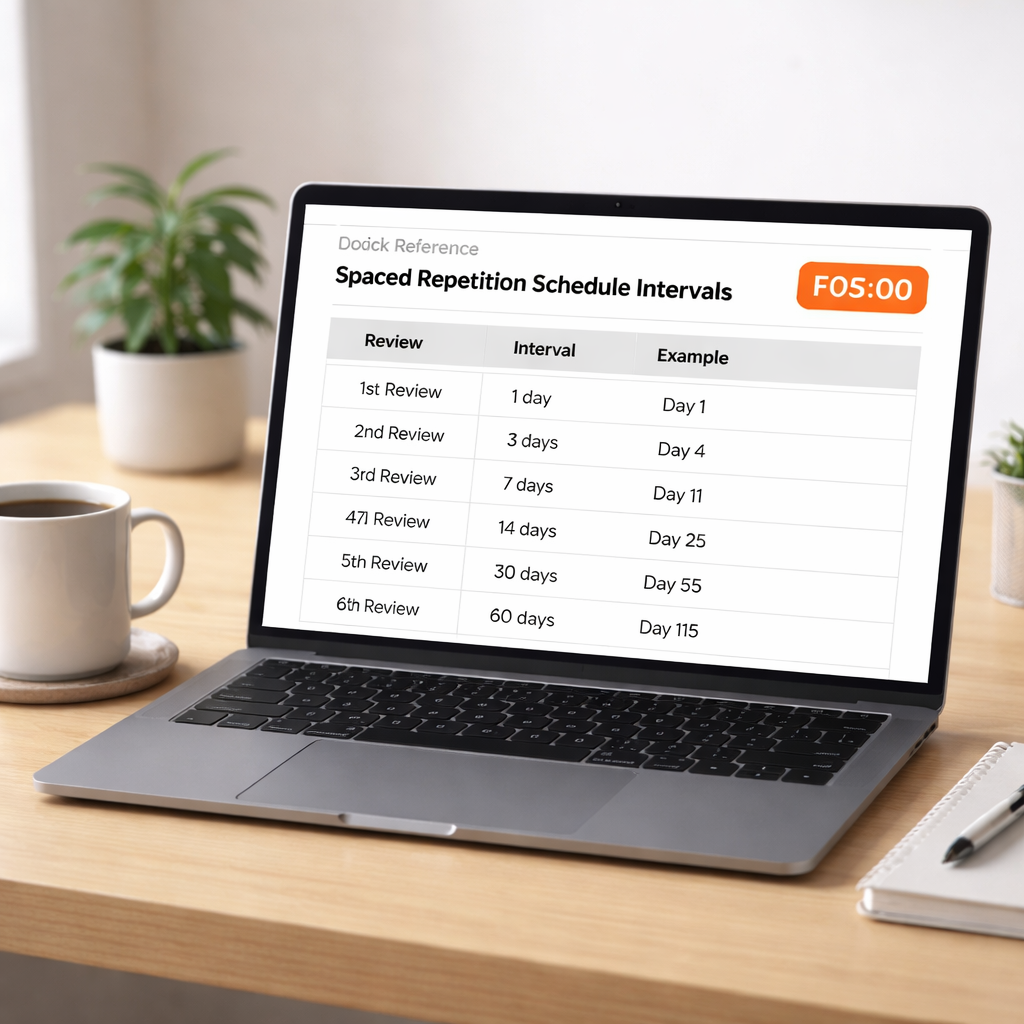
Most of us find the “1‑2‑4‑7‑14” day curve works nicely. Review the material after one day, then two days later, then four, then a week, and finally two weeks. Those gaps are long enough to make your mind work a bit, but not so long that you’ve forgotten everything.
Students often love this because it fits neatly into a semester calendar. Remote workers can map the same pattern onto sprint cycles, and freelancers can align it with project milestones.
Adjust for difficulty
If a concept feels “hard,” compress the gaps a bit – maybe 12 hours, 1 day, 3 days, 7 days. For stuff you already know well, you can stretch further – 2 days, 5 days, 10 days, 20 days. The key is to listen to that little voice that says “that felt fuzzy” and give it a quicker follow‑up.
One trick we’ve seen work: add a “confidence rating” next to each item (1‑5). Anything scoring 3 or lower gets the tighter schedule; 4‑5 gets the wider gaps.
Use your Pomodoro timer as a cue
Because you’re already using Focus Keeper for work sprints, let the same timer nudge you when it’s review time. Set a short 10‑minute “review Pomodoro” for each interval. When the timer dings, switch from coding or note‑taking to active recall – no need to open a new app.
This tiny habit keeps the transition smooth. You’ll notice the brain switches into “retrieval mode” automatically, and the 25‑minute work blocks stay untouched.
Make it visual
Grab a simple spreadsheet or a physical whiteboard and colour‑code the intervals. Green for “on track,” amber for “needs a quick check,” red for “still fuzzy.” The visual cue does two things: it tells you at a glance what’s due, and it makes you accountable.
Freelancers juggling multiple briefs love a colour‑coded column that lines up with client deadlines. Busy professionals can slot the review Pomodoros right after their daily stand‑up or post‑lunch lull.
Test and iterate
Don’t expect the first pattern to be perfect. After a week, glance at your confidence ratings. If you’re consistently scoring low on a topic, shrink its gaps. If you’re breezing through, stretch them out.
It’s a bit like adjusting a thermostat – a few degrees here, a few minutes there, until it feels just right.
Quick checklist for setting your intervals
- Pick a base pattern (e.g., 1‑2‑4‑7‑14).
- Rate each item’s difficulty/confidence.
- Compress or expand gaps based on the rating.
- Schedule short review Pomodoros in Focus Keeper.
- Colour‑code your calendar or spreadsheet.
- Review weekly and tweak as needed.
When you lock in a rhythm that matches your workload, the spaced repetition schedule becomes almost invisible – you just follow the cues and keep moving forward. And the best part? You’ll start to notice concepts sticking without the dreaded “I‑just‑forgot‑it‑again” feeling.
Step 3: Set Up Your Schedule Using Digital Tools
Pick a tool that talks the language of spaced repetition
First question: do you want a simple calendar or a full‑blown spaced‑repetition engine? For most of our students and remote workers, a hybrid approach works best – a Pomodoro timer for the work blocks and a lightweight app that can automatically push review cards when the interval rolls around. Apps that combine both, like a spaced repetition app with built‑in reminders, save you the mental overhead of juggling two separate systems.
Freelancers often gravitate toward tools that sync across laptop, phone, and tablet because they hop between client sites. Busy professionals like to see a colour‑coded view right inside their Outlook or Google Calendar, so they never miss a review during a meeting.
Build a review calendar that lives alongside your work calendar
Open your favourite digital calendar (Google, Outlook, Apple) and create a new series called “Review Sprint.” Drag the series into the same time slot you reserve for a Pomodoro session – usually a 10‑minute slot right after a focus block. That way the transition feels natural: you finish a deep‑work sprint, the timer dings, and the next beep tells you it’s review time.
Here’s a quick way to map the classic 1‑2‑4‑7‑14 pattern:
- Day 1: schedule a 10‑minute review after today’s study session.
- Day 2: add a second slot for the same material tomorrow.
- Day 4: copy the event two days later.
- Day 7: repeat one week out.
- Day 14: final check two weeks later.
When you copy‑paste the event, the title can include the topic name and a confidence rating – e.g., “Review – Photosynthesis (3/5).” That tiny detail gives you a quick visual cue without opening the source file.
Automate reminders so you don’t have to remember the reminders
Most calendar apps let you set a custom notification sound or a pop‑up banner. Choose something that’s distinct from your regular meeting alerts – maybe a soft chime that you’ve associated with “brain‑reset.” If you’re using Focus Keeper, you can create a “Review Pomodoro” timer that automatically starts when the calendar alert fires. The timer will count down 10 minutes, then switch you back to your next work block.
For a more data‑driven approach, export your review events to a CSV and import them into a simple spreadsheet that tracks completion rates. A column for “Done?” and another for “Score (1‑5)” gives you a quick dashboard you can glance at every Sunday.
Fine‑tune the schedule with real‑world feedback
After the first week, ask yourself two questions: Did any review feel too easy? Did any slot clash with a client call? If a card was a breeze, stretch its next interval by a day or two. If you kept missing a slot, move it to a quieter time of day – perhaps right after lunch when your inbox is empty.
Data from the spaced‑repetition app we referenced shows that learners who adjust intervals based on confidence scores see up to a 20 % boost in long‑term retention compared to static schedules. That’s why we recommend a brief “post‑review note” where you jot down a quick rating; the app will then shift the next reminder accordingly.
Here’s a compact checklist to get your digital schedule live today:
- Choose a calendar that syncs across all devices.
- Create a recurring “Review Sprint” event series.
- Map the 1‑2‑4‑7‑14 intervals as separate events.
- Link each event to a Focus Keeper “review” timer.
- Set a unique notification sound for review alerts.
- After each review, record a confidence rating.
- Weekly, adjust intervals based on the ratings.
And remember: the goal isn’t to build a rigid timetable that feels like a chore. It’s to create a gentle rhythm that nudges your brain just before it starts to slip. When the digital tools handle the timing, you can focus on the real work – recalling, applying, and building on what you’ve learned.
Give it a try this week: pick a single topic, set up the five review events in your calendar, and let Focus Keeper’s Pomodoro timer cue you. You’ll likely notice the material sticking sooner than you expected, and the satisfaction of crossing each “Done?” box will keep you coming back for more.
Step 4: Monitor Progress and Refine Intervals
Now that your spaced repetition schedule is live, the real magic happens when you start watching the data it produces. Think of it like a fitness tracker for your brain: you’re not just doing the work, you’re listening to how well you’re recovering.
Log a quick confidence rating after each review
Right after each Pomodoro‑style review, give the material a 1‑to‑5 score. Did it feel fresh (4‑5) or fuzzy (1‑2)? A one‑sentence note is enough – “photosynthesis steps still hazy.” This tiny habit takes less than ten seconds, but it gives you a numeric signal you can act on later.
Spot patterns in the numbers
After a week you’ll have a handful of scores. Pull them into a simple spreadsheet or even a paper list. Look for two trends: topics that consistently score low, and topics that quickly climb to 5. Low‑scoring items deserve a tighter interval; high‑scoring items can be stretched a day or two.
If you want a quick academic definition, check out the University of York’s guide on spaced repetition.
For example, a freelance copywriter might notice that brand‑voice guidelines stay at a 2 for three reviews in a row. That tells you the interval of 7 days is too long – drop it to a 3‑day gap and try again.
Adjust the intervals on the fly
Because your schedule lives in a digital calendar, changing an event is a drag‑and‑drop away. If a topic earned a 5, copy the next review slot and push it forward by two days. If it earned a 2, duplicate the current slot and place the new one one day later. Over time you’ll see a personalised curve that matches your own forgetting rate.
What we’ve seen work best is a “confidence‑based buffer” – add an extra day to any interval that scored 4 or 5, and subtract a day for scores of 3 or below. This keeps the rhythm gentle but responsive.
Use a simple dashboard to stay accountable
Export your calendar events to a CSV (most calendar apps have this feature) and import them into a tiny dashboard. Add columns for “Score” and “Adjusted Gap.” A quick glance on Sunday shows you how many reviews you completed, where you slipped, and which gaps you need to tighten.
Even a free tool like Google Sheets can colour‑code rows: green for scores 4‑5, amber for 3, red for 1‑2. The visual cue does two things – it reminds you to act, and it makes the process feel less like a chore and more like a game.
Weekly review ritual
Set aside 15 minutes at the end of each week – maybe right after your Friday focus sprint – to run through the dashboard. Ask yourself:
- Which topics stayed solid?
- Which ones kept slipping?
- Do the current gaps feel too tight or too loose?
Answering those questions lets you tweak the intervals before the next week rolls around. It’s a tiny habit that prevents the schedule from becoming static.
When to trust the data vs. your gut
Numbers are helpful, but they’re not the whole story. If you feel unusually confident about a concept, you can give it a longer gap even if the score was a 3. Conversely, if a topic feels “sticky” despite a 4 score, consider external factors – maybe the material is conceptually dense.
The goal isn’t perfection; it’s progress. Each adjustment nudges the spaced repetition schedule closer to your personal learning curve.
Bonus tip: combine with Focus Keeper’s review timer
When the calendar alert pops, let Focus Keeper launch a 10‑minute “review” Pomodoro. The timer’s gentle chime signals the brain to shift into retrieval mode, and the built‑in pause keeps you from drifting into distraction.
That tiny loop – rating, recording, adjusting, and timing – turns a static schedule into a living learning system. You’ll start noticing that material stays fresh longer, and you’ll spend less time re‑reading the same notes.
Give it a spin: after your next review, jot a quick score, update the spreadsheet, and move the next event a day forward or back. In a few weeks you’ll have a customised spaced repetition schedule that feels almost instinctive.
Step 5: Compare Interval Options – Quick Reference Table
Alright, you’ve tweaked a few gaps already – now it’s time to line them up side by side so you can actually see which pattern fits your life. A quick reference table does the heavy lifting for us, turning a bunch of numbers into a visual cheat sheet.
Why a table helps
Ever felt overwhelmed looking at three different interval schedules on separate notes? It’s like trying to compare three recipes written on napkins – you miss the nuance. Putting them in a table gives you a single glance at the trade‑offs, and you can tick off the one that feels right for today’s workload.
Think about it this way: you’re a freelancer juggling client briefs, a student juggling lecture slides, or a remote worker juggling stand‑ups. Each of those roles has a different rhythm, and the table lets you match the rhythm without rewriting everything.
Here’s the quick‑look table you can copy straight into your spreadsheet:
| Interval Pattern | Best For | Typical Gap Sequence |
|---|---|---|
| Classic 1‑2‑4‑7‑14 | Students who need a semester‑long cadence | 1 day, 2 days, 4 days, 7 days, 14 days |
| Compressed 12h‑1‑3‑7 | Remote workers with fast‑moving projects | 12 hours, 1 day, 3 days, 7 days |
| Confidence‑Based Custom | Anyone who wants the schedule to react to scores | Starts at 1 day, then adds or subtracts a day based on a 1‑5 rating |
Does that table spark any ideas? Maybe you’re leaning toward the compressed version because you’ve got daily stand‑ups and can’t afford a two‑day gap. Or perhaps you love the flexibility of the confidence‑based approach – it’s like giving your brain a say in the schedule.
How to use the table in practice
Grab your favourite note‑taking app or a simple Google Sheet. Paste the table, then add a column for “Next Review Date” that you’ll fill in as you schedule each event.
Next, assign a colour to each pattern: green for the classic, blue for compressed, orange for custom. Colour‑coding lets you spot at a glance which pattern you’ve applied to which topic.
Now, ask yourself: Which pattern feels too tight? Which feels too loose? Adjust the gaps directly in the table – no need to hunt through calendar events.
And here’s a neat trick: after each review, pop a quick “5‑point confidence rating” into the same row. If the score is 4‑5, shift the next gap forward by a day. If it’s 1‑2, pull it back. The table becomes a living dashboard.
Want proof that this kind of visual comparison works? research on spaced learning shows a gentler forgetting curve when intervals are deliberately spaced, and the numbers line up with what the table is telling you.
Another quick read: a LinkedIn pulse post outlines how spaced repetition improves vocabulary retention and why the spacing effect matters in practice. The takeaway? The right interval pattern can boost long‑term recall by a noticeable margin.
Quick checklist before you lock in the table
- Pick the pattern that matches your current workload.
- Copy the gap sequence into your calendar or Pomodoro timer.
- Add a confidence‑rating column.
- Colour‑code rows for instant visual cues.
- Review the table weekly and tweak gaps based on scores.
Does that feel doable? If you’ve ever felt stuck choosing between “just one more day” or “maybe I’m over‑thinking it,” this table removes the guesswork. You’re not winging it; you’ve got a concrete map.
And remember, the goal isn’t perfection. It’s a schedule that nudges you just before the forgetting curve starts its steep dive. With a quick reference table, you can keep that nudge consistent without drowning in details.
Give it a spin today: open a blank sheet, paste the table, and fill in the first three topics you need to review. You’ll see how quickly the chaos turns into clarity.
Once the table is live, the rest of your spaced repetition schedule practically runs itself – you just need to click “Start Review” in Focus Keeper and let the Pomodoro timer do the rest.
Ready to compare and choose? The table is waiting.
Bonus Tips: Advanced Scheduling Techniques
Okay, you’ve got a basic spaced repetition schedule humming along. It works, but you’re probably thinking, “Can I squeeze even more juice out of this system?” The answer is a resounding yes – if you’re willing to get a little fancier with how you time those reviews.
First, let’s talk about mixing things up. The classic 1‑2‑4‑7‑14 pattern is solid, but research shows that sprinkling different intervals and even shuffling the order of topics can boost retention. In a study from MIT, students who practiced with both spaced and interleaved sessions outperformed those who stuck to a single pattern (MIT research on spaced and interleaved practice).
1. Layered Intervals for Different Difficulty Levels
Instead of treating every item the same, create tiered tracks. For “easy” concepts, stick with a longer gap – maybe 3‑5‑10‑20 days. For “hard” items, compress the early gaps to 12 hours, 1 day, 2 days, then back to the standard curve.
How does this look in practice? Imagine you’re a remote worker learning a new API. You rate the authentication flow as “hard” and the data‑fetch routine as “easy.” Set two calendar series: one called “API‑Hard” with tighter intervals, another “API‑Easy” with looser ones. When the review alarm rings, you’ll be tackling the right level of challenge each time.
2. Confidence‑Based Adaptive Shifts
After each review, give yourself a quick 1‑5 confidence rating. If you score 4‑5, add a day to the next interval. If you drop to 2‑3, pull the next review forward by a day.
It sounds like a lot of bookkeeping, but you can automate it. Export your calendar events to a CSV, add a “Score” column, and let a simple Google Sheet formula calculate the new dates. The sheet becomes a living scheduler that nudges you forward or backward based on real‑time feedback.
3. Pair Reviews with Micro‑Pomodoros
Here’s where Focus Keeper shines. Instead of a generic 25‑minute work block, spin up a 10‑minute “review Pomodoro.” The timer’s gentle chime tells your brain it’s time to retrieve, not to create new content. You finish the sprint, the timer dings, and you instantly switch to active recall – no mental lag.
Try this with a freelance copywriter. After a client brief, schedule a 10‑minute review Pomodoro the next morning, then another after two days, and so on. You’ll notice the brief’s key points staying fresh without the dreaded “I forgot what the client wanted” moment.
4. Use Dual Calendars for Work vs. Review
Separate calendars keep the mental context clean. One calendar houses your deep‑work blocks, the other contains all review events. When you glance at the “Review” calendar, you instantly know it’s a retrieval session, not a new task.
Pro tip: colour‑code the review calendar by confidence tier – green for high confidence, amber for medium, red for low. The visual cue alone can trigger you to adjust the interval before you even open the material.
5. Batch Reviews on Low‑Energy Days
Everyone has those afternoons when focus drifts. Instead of fighting it, schedule a “batch review” window on those days. Pull together 3‑5 items that all scored low last time, and run through them in one focused Pomodoro.
For a busy professional juggling meetings, this might mean a 30‑minute slot after lunch on Tuesdays. The batch approach prevents the feeling of “just one more review” from spiralling into endless scrolling.
6. Leverage the Forgetting Curve Data
Studies consistently show that the biggest memory drop happens right before the next scheduled review. Use that knowledge to place alerts slightly earlier than the theoretical interval. If your schedule says “review in 7 days,” set the reminder for day 6. That tiny buffer catches the brain right before it starts to slip.
In practice, a student prepping for finals might set a calendar alert for “Day 6” on a 7‑day interval, then a “Day 13” on a 14‑day interval. The extra day feels negligible but dramatically reduces the chance of a blank‑out.
7. Quick Checklist for Advanced Scheduling
- Identify difficulty tiers and create separate interval tracks.
- After each review, record a 1‑5 confidence score.
- Adjust the next interval (+1 day for high scores, ‑1 day for low scores).
- Run each review inside a 10‑minute Focus Keeper Pomodoro.
- Keep work and review events on separate, colour‑coded calendars.
- Schedule batch‑review windows on low‑energy days.
- Set alerts a day before the theoretical interval to beat the forgetting curve.
Give one of these tweaks a spin today. Pick the technique that feels most doable – maybe it’s the confidence‑based shift, or perhaps the dual‑calendar split. In a week you’ll start seeing smoother recall, fewer “what‑was‑that?” moments, and a spaced repetition schedule that feels almost intuitive.
And remember, the goal isn’t to build a rigid machine that screams at you every few hours. It’s to create a gentle rhythm that nudges your brain just enough to stay sharp, without stealing your focus from the work that matters.
FAQ
What exactly is a spaced repetition schedule and how does it differ from regular study planning?
A spaced repetition schedule is a timing system that spaces review sessions just before you’re about to forget something. Instead of cramming all the material in one marathon, you break it into short bursts that re‑appear at increasing intervals –‑ like 1 day, 3 days, 7 days, and so on. The key difference is the intentional gap: regular planning often focuses on covering topics, while a spaced schedule targets memory retention by leveraging the brain’s forgetting curve.
How can I build a spaced repetition schedule using only a digital calendar and a Pomodoro timer?
Start by picking the core pattern you like – the classic 1‑2‑4‑7‑14 series works for most learners. Open your Google or Outlook calendar and create a series called “Review Sprint”. Duplicate the event for each interval, adjusting the date each time. Attach a 10‑minute Focus Keeper Pomodoro timer to the event description so when the alert pops you jump straight into a short review sprint. After each sprint, jot a quick 1‑5 confidence rating in the calendar notes; this tiny habit lets you tweak future gaps without any extra software.
What’s the best way to adjust intervals when I keep scoring low on certain topics?
If a topic consistently lands at a 2 or 3 on your confidence scale, shrink the next gap by a day or two. For example, if you planned a 7‑day review but scored a 2, move the follow‑up to day 5 instead. Conversely, items that regularly hit a 4 or 5 can afford an extra day added to their interval. Keep a simple spreadsheet or the notes field in your calendar to record the score and the new date – the adjustment becomes a one‑click edit.
Can I combine spaced repetition with other study techniques like interleaving or active recall?
Absolutely. Think of spaced repetition as the timing backbone, then layer active recall inside each Pomodoro sprint – ask yourself to retrieve the concept before you flip a page. Interleaving works by mixing subjects within the same review slot, so you might schedule a 10‑minute sprint that covers a biology fact, then switches to a coding snippet, then back to a language rule. The brain has to re‑orient each time, which reinforces memory even more.
How do I know if my spaced repetition schedule is actually improving retention?
Track a simple metric: after each review, rate your recall on a 1‑5 scale and note whether you needed to glance at the source. Over a week, calculate the average score for each interval length. If the numbers climb as the gaps grow, you’re solidifying memory. If scores dip sharply at a certain point, that’s a signal to tighten the interval or add a quick “micro‑review” a day before the planned session.
What role does a Pomodoro timer play in a spaced repetition schedule?
A Pomodoro timer gives you a clear cue to switch from work mode to review mode. Set a 10‑minute timer right after your main focus block; when it dings you know it’s time to retrieve the material you scheduled. The short burst keeps the session intense but brief, preventing fatigue. Because the timer is visual and audible, it also trains your brain to associate that sound with the act of recall, making the habit stick.
How can I keep my spaced repetition schedule flexible when my workload changes week to week?
Treat the schedule as a living document, not a rigid rule. Because you store reviews in a digital calendar, you can drag an event a day forward or back with a single click. If a heavy client deadline pops up, shift the upcoming review to a lower‑energy time slot—perhaps after lunch instead of first thing in the morning. Then, when things calm down, add a quick “catch‑up” sprint so you never lose the momentum.
Conclusion
So, you’ve built your spaced repetition schedule, linked it to a Pomodoro timer, and watched the confidence scores climb. Does it feel like magic? It’s really just a habit you taught your brain.
The biggest takeaway? Keep it simple, stay flexible, and let the data speak. If a gap feels too tight, slide it a day later; if you keep scoring 5s, stretch it a bit. This back‑and‑forth is what turns a rigid calendar into a living learning system.
Remember, the schedule lives in the tools you already use. A quick 10‑minute review sprint in Focus Keeper is enough to trigger the retrieval effect without breaking your flow.
A habit‑check each week—look at your confidence column, note any patterns, and adjust one or two intervals. Even a five‑minute audit keeps the momentum rolling.
Finally, don’t treat the schedule as a chore. Think of it as a friendly reminder that your next big project, exam, or client pitch will feel less like a scramble and more like a conversation you already had with yourself.
Ready to lock in the rhythm? Set your first review Pomodoro today, watch the scores improve, and let the spaced repetition schedule do the heavy lifting for the rest of 2026.
If you need a quick way to add review events, our calendar templates are just a click away.




