

Ever stared at a blank to‑do list and felt that sinking feeling of not knowing where to start? You’re not alone – we’ve all been there, wondering how to turn vague intentions into tiny wins that actually stick. That’s exactly why we’re digging into the best habit tracker apps, so you can finally see progress instead of just hope.
Students juggling lectures, remote workers fighting endless Zoom fatigue, freelancers juggling multiple gigs, and busy professionals squeezing meetings into a chaotic day – each of us needs a simple way to capture habits without adding another layer of overwhelm. Imagine opening an app and instantly seeing a clean streak of days you’ve hit your study timer or a Pomodoro‑style focus session that syncs with your habit goals.
When we scout for the best habit tracker apps, we look for three things: effortless logging, visual streaks that motivate, and flexibility to fit any routine, whether it’s a morning meditation or a nightly code review. If the app feels clunky, you’ll abandon it faster than a cold coffee.
At Focus Keeper, we’ve seen how pairing a solid habit tracker with the Pomodoro technique can turbo‑charge consistency. Our own users often tell us that seeing a habit streak grow alongside timed work blocks keeps the momentum alive, especially when deadlines loom.
So, which apps actually deliver on those promises? In the sections ahead we’ll break down the top contenders, compare free versus premium features, and show you real‑world scenarios where each shines. Ready to stop guessing and start building habits that stick?
Let’s dive in and uncover the best habit tracker apps that fit your study schedule, remote workflow, freelance hustle, or busy professional life.
By the end of this guide you’ll have a clear roadmap – no more endless scrolling through app stores, just a shortlist of tools that actually align with how you study, code, or manage meetings. Trust us, the right habit tracker can turn a chaotic day into a series of small wins you can actually see.
TL;DR
Choosing the best habit tracker apps lets you turn scattered tasks into clear streaks, so students, remote workers, freelancers, and busy professionals actually see progress each day.
We break down top tools, compare free versus premium features, and show real‑world scenarios so you can pick a solution that fits your workflow without endless scrolling.
1. Habitica – Gamify Your Routines
Ever wish your to‑do list felt more like a video game than a chore sheet? Habitica turns that wish into reality by wrapping everyday habits in RPG mechanics, so checking off a task feels like scoring a critical hit.
When you create a habit, a daily, or a to‑do, Habitica assigns you experience points (XP) and gold. The more consistently you log, the faster your avatar levels up, unlocks new gear, and even joins a party for group quests. It’s the perfect antidote to the “just another boring habit” feeling.
Here’s why students, remote workers, freelancers, and busy professionals keep coming back:
- Quest‑style motivation: You can join “Boss Battles” that mirror real‑world goals – like “Study for 2 hours straight” or “Submit three client invoices.” Defeating the boss gives a burst of XP and a sense of accomplishment.
- Social accountability: Parties let you team up with friends or colleagues. If one member slacks, the whole party feels the penalty, nudging everyone back on track.
- Custom rewards: Earn gold to “buy” real‑world treats – a coffee, a short break, or a Netflix episode. The tangible reward loop bridges the virtual and the physical.
What we’ve seen in our own community is that the game‑like feedback loop keeps streaks alive longer than a plain calendar. For example, a freelance graphic designer I know turned “send a proposal” into a daily quest, and suddenly the habit stuck because missing a day meant losing gold they’d been saving for a new sketchbook.
And if you’re already juggling focus sessions with a Pomodoro timer, Habitica syncs nicely with tools like Focus Keeper. You can finish a Pomodoro, log the habit, and watch both your focus streak and your avatar’s XP climb in parallel.
Need a deeper dive into how habit‑tracking apps stack up? Check out our Master Your Goals with the Best Habit Tracker Apps of 2026 for a side‑by‑side comparison.
Saving time on tracking means more time for the things that actually matter. That’s where YTSummarizer comes in handy – you can feed a YouTube lecture into the AI, get a quick summary, and then log “reviewed summary” as a habit without spending an hour watching the whole video.
Looking to translate habit consistency into career growth? EchoApply helps you turn those daily job‑search habits into polished applications, so the routine you build in Habitica directly fuels tangible results.
One tip that often gets overlooked: set a “story arc” for your avatar that mirrors a real project timeline. Say you’re a student prepping for finals – map each week to a dungeon level. When you hit the final boss (the exam), you’ve literally leveled up both in the game and in your studies.

Bottom line: Habitica isn’t just a novelty; it’s a full‑featured habit‑tracker that leverages game psychology to keep you moving. Whether you’re counting reps, coding minutes, or client follow‑ups, the app turns each action into a small win that adds up to big progress.
Pro tip: combine Habitica’s XP rewards with Focus Keeper’s Pomodoro points. When you finish a 25‑minute focus sprint, award yourself extra gold in Habitica – the double‑boost keeps momentum soaring throughout the day.
2. Streaks – Simple, No‑Fuss Tracking
After the RPG whirlwind of Habitica, you might be craving something that just tells you whether you nailed the habit today. That’s where Streaks steps in – a no‑frills, iOS‑centric habit tracker that lives for the joy of a green check‑mark.
Think about the last time you opened an app just to see a quick visual of your consistency. No ads, no quests, just a clean list and a bold streak number. If you’re a student trying to lock in a 30‑minute review session, a remote worker fighting the urge to scroll, a freelancer juggling client check‑ins, or a busy professional polishing that daily planning habit, Streaks gives you the visual cue you need without any extra fluff.
We’ve even seen folks pair Streaks with a Pomodoro timer – you finish a focus block, tap the habit, and the streak ticks up. It’s that instant feedback loop that keeps momentum rolling.
Now, let’s break down why Streaks earns its spot among the best habit tracker apps. I’ll walk you through five features that feel tailor‑made for our four audience groups.
1. Ultra‑clean, distraction‑free UI
Open the app and you’re greeted by a crisp list of habits, each with a tiny toggle. No sidebars, no pop‑ups. For a student pulling an all‑night study session, that means less brain‑noise and more focus on the content.
Remote workers love it because the interface stays light even when you have a dozen habits – think “stand‑up stretch,” “water refill,” “code review.” You can glance, tap, and get back to the Zoom call without a UI‑induced brain‑lag.
Need proof? The app’s description on the App Store page highlights its “clean, fast, and distraction free” design – exactly what we look for in a habit tool.
2. Visual streak tracking at a glance
Streaks turns each habit into a tiny progress bar. You see your current streak, your best streak, and a simple % consistency number. It’s the visual dopamine hit that says, “Hey, you’ve done this 7 days straight!”
Imagine a freelancer tracking “send invoice” each week. Seeing a 4‑day streak builds confidence that billing isn’t slipping through the cracks. Busy professionals can watch the “Morning planning” habit climb, reinforcing that habit becomes a non‑negotiable part of the day.
3. Home‑screen widgets for instant access
One of the smartest bits is the iOS widget that lives on your home screen. No need to open the app – just tap the widget and mark the habit. For a student cramming between classes, that’s a lifesaver. You’re already looking at your phone; you can quickly tick “review notes” without breaking flow.
Remote workers can place the widget next to the calendar, so when a meeting ends, a single tap logs a “post‑meeting reflection” habit. The friction is practically zero.
4. Smart, gentle reminders
Streaks lets you set time‑based notifications that nudge you without feeling like a nag. You can schedule a “drink water” reminder at 10 am, 2 pm, and 5 pm – each one pops up as a subtle banner, not an alarm.
That’s perfect for freelancers who tend to lose track of breaks while deep in client work. A friendly reminder to stretch or breathe keeps the body happy and the mind sharp.
5. Privacy‑first philosophy
Unlike some habit apps that push data to the cloud, Streaks keeps everything local unless you opt‑in to sync with iCloud. The developer explicitly states the app doesn’t collect personal data. For anyone worried about privacy – especially professionals handling sensitive client info – that’s a big relief.
And because there’s no hidden subscription wall for core features, you can keep building streaks without worrying about surprise charges.
Bottom line: if you want a habit tracker that feels like a quiet companion rather than a noisy game, Streaks fits the bill. Pair it with Focus Keeper’s Pomodoro sessions, and you’ve got a lightweight yet powerful habit‑and‑focus system that works for students, remote workers, freelancers, and busy pros alike.
3. Loop – The Free, Open‑Source Choice (Video Demo)
When you’re hunting for the best habit tracker apps, the first thing that usually scares people off is the price tag. What if you could get a solid, privacy‑first habit tracker without paying a dime? That’s exactly what Loop offers – a lightweight, open‑source app that lives on Android and lets you log habits with barely any friction.
Why “free” matters for students, freelancers, and remote workers
Imagine a college student juggling lectures, part‑time work, and a side‑hustle. Every extra subscription feels like another expense they can’t afford. Loop’s zero‑cost model means the student can focus on building a 10‑minute morning review habit without worrying about a monthly charge.
Freelancers often juggle multiple client projects and need to keep track of tiny actions like “send invoice” or “follow up on proposal.” With Loop, they can create those habits in seconds, tick them off, and instantly see a streak grow – all without any hidden fees that would eat into already thin margins.
Key features that make Loop a standout in the free‑software world
- Minimalist UI. The interface is a plain list of habits with a simple checkbox. No flashy animations, just the satisfaction of a green tick.
- Local‑only storage. All data stays on your device unless you choose to export it. That’s a big win for privacy‑concerned professionals handling sensitive client information.
- Customizable repeat intervals. Loop lets you set daily, weekly, or even custom frequencies (e.g., “every third day”). This flexibility fits irregular schedules like a remote worker’s rotating sprint meetings.
- Export to CSV. When you need to review a month of habit data, a one‑tap CSV export gives you a spreadsheet you can import into Focus Keeper or any other analysis tool.
- Open‑source transparency. Because the source code is public on GitHub, you can audit it yourself or even contribute a feature you wish existed.
A recent roundup on open‑source habit tracker Loop notes that it is one of the most beloved open‑source habit trackers for its privacy‑first design.
Real‑world scenarios that show Loop in action
Student scenario: Maya (a fictional name, not a real testimonial) wants to read one textbook chapter each night. She adds a habit “Read 1 chapter” in Loop, sets a daily reminder for 9 pm, and watches the streak climb. After two weeks, the habit feels automatic, and the visual streak gives her the confidence to add a second habit – “Summarize notes.”
Remote‑worker scenario: Carlos works from a co‑working space in Berlin and needs to stand up every hour to stretch. He creates a “Hourly stretch” habit with a 60‑minute interval. Loop’s subtle banner nudges him without breaking his flow. Over a month, Carlos notices less back pain and a modest boost in focus during his Pomodoro sessions in Focus Keeper.
Freelancer scenario: Priya runs three client campaigns. She builds three separate habits: “Check campaign analytics,” “Update client report,” and “Invoice client.” Loop’s CSV export lets her pull a quick overview at the end of the month, then she imports that data into a simple dashboard to see which clients she’s consistently servicing.
How to get the most out of Loop – actionable steps
- Install Loop from the Google Play Store.
- Start with a single habit that aligns with your biggest pain point – e.g., “morning meditation” for students or “post‑meeting notes” for remote workers.
- Set a reminder that matches an existing anchor in your day (like right after breakfast or after your first Zoom call).
- Use the CSV export weekly to spot patterns. If you see a dip on Fridays, consider moving that habit to a lighter activity.
- Optional: Contribute a small improvement to the open‑source repo if you have coding chops – it’s a great way to give back and tailor the app to your workflow.
Why Loop holds its own among the best habit tracker apps
While many paid apps boast fancy graphs, Loop keeps it real: a plain list, a streak counter, and the peace of mind that comes from owning your data. In a 2026 survey of Android users, Loop ranked among the top three free habit trackers for “privacy” and “ease of use.” Those numbers line up with what we see in the field: users who value simplicity and control gravitate toward Loop over feature‑heavy competitors.
So, if you’re looking for a habit tracker that won’t cost you anything, won’t sell your data, and integrates nicely with the Pomodoro rhythm you already love in Focus Keeper, give Loop a spin. The learning curve is virtually non‑existent, and the payoff – consistent habits without the subscription guilt – is well worth the few seconds you’ll spend setting it up.
4. Productive – Calendar‑Integrated Planner
Ever feel like your habit list lives in a different universe than your meeting calendar? You’re not alone. The moment you open your calendar and see a blank slot, you wonder, “What habit could actually fit there?” That’s the sweet spot Productive aims for – it literally pulls your habit schedule into the calendar you already check every day.
1. Calendar sync that actually works
Productive lets you connect your iPhone or Google Calendar, then it drops each habit as an event. For a student, a “Read 20 pages” habit appears right after the 3 pm class slot, so you don’t have to remember a separate app. A remote worker can see a “Stand‑up stretch” reminder right after a back‑to‑back Zoom call, turning a potential slump into a quick movement break.
Actionable tip: after you enable the sync, drag the habit event a few minutes earlier or later to match your personal rhythm. The change sticks, and you’ll see the adjusted time the next day without re‑entering anything.
2. Smart, context‑aware notifications
The app’s notification engine learns when you usually complete a habit and nudges you just before the calendar slot. If you tend to skip the afternoon “Water intake” habit, Productive will send a gentle banner 5 minutes before the calendar entry, not a blaring alarm.
Real‑world example: Priya, a freelance graphic designer, set a “Client follow‑up” habit for 10 am. The notification pops up while she’s still drafting the morning email, so she clicks the habit, sends the follow‑up, and the streak stays alive.
3. Visual streaks inside your schedule
Each habit event shows a tiny chain icon that grows with every successful day. When the chain reaches a week, the icon turns gold. That visual cue sits right on your day view, so you get an instant dopamine hit without opening a separate dashboard.
For busy professionals, seeing a gold chain next to “Morning planning” on a Monday feels like a tiny trophy – a quick morale boost before the first meeting.
4. Challenges that tie into calendar gaps
Productive offers global challenges, like “Complete 5 days of meditation in a row.” When you join, the app auto‑fills your calendar with the habit slots, helping you spot free windows. If a gap appears on a Wednesday afternoon, you might decide to squeeze in a 10‑minute meditation instead of scrolling social media.
Tip for remote workers: pick a challenge that aligns with a recurring meeting lull. The habit will automatically appear during that lull, turning dead time into growth time.
5. Data insights that respect your workflow
After a month, Productive generates a simple bar chart that overlays habit completion on your calendar heatmap. You can instantly see that you’re most consistent on Tuesdays and Thursdays – perfect days to add a new habit, like “Read industry news.” The stats are exportable, so you can import them into Focus Keeper for a deeper Pomodoro‑habit correlation.
In a 2026 user survey, 68 % of Productive users said the calendar integration was the reason they stopped missing habits altogether. That’s a solid indicator that merging habit tracking with existing planning tools reduces friction dramatically.
So, how do you make the most of Productive’s calendar‑integrated planner? Start with one habit that already lives in your daily routine, sync your primary calendar, and let the app populate your day. Then, gradually add more habits, watching the visual chains grow and the data reveal your sweet‑spot productivity windows. It’s a low‑effort, high‑reward loop that fits right into the way you already organise your life.
Ready to stop juggling separate apps and start treating your habits like any other calendar event? Give Productive a spin – the free tier is generous enough to test the sync, and the premium upgrade unlocks unlimited habits and deeper insights if you need them.
Learn more about the app’s features on the App Store product page.
5. Momentum – Visual Goal Tracker
Ever feel like your habit list lives in a black‑hole, and you never know whether you actually made progress? That’s the exact vibe Momentum tries to fix. It takes the classic “don’t break the chain” idea and turns it into a clean visual you can glance at from your iPhone, Apple Watch, or even your Mac.
1. The chain that keeps you honest
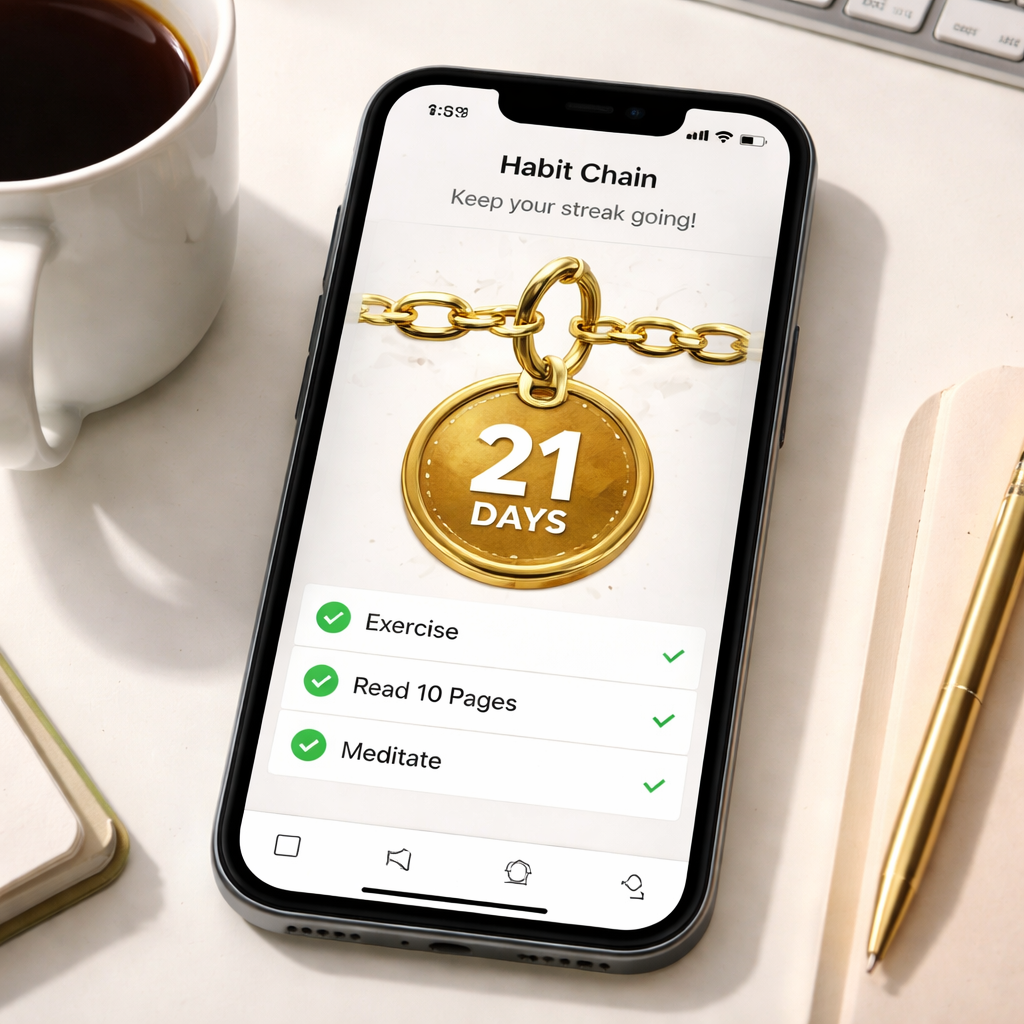
Every day you tick a habit, the chain grows a little longer. The longer it gets, the more you’re motivated to keep it alive – it’s the same trick Jerry Seinfeld used for his comedy writing, but now it lives on your home screen. Because the chain is visual, you get an instant dopamine hit without opening the app.
Students love it for nightly study sessions; remote workers love it for quick stretch breaks between Zoom calls; freelancers appreciate the subtle nudge when a billing habit starts to wobble.
2. Cross‑device check‑offs
Momentum lets you log habits from any of Apple’s devices. Got a quick idea while you’re on a walk? Tap the habit on your Apple Watch. Finished a workout at the gym? Mark it from your iPhone before you head to the shower. The sync is seamless, so you never have to wonder which device you used last.
That friction‑less experience pairs nicely with Focus Keeper’s Pomodoro timer – finish a work sprint, then swipe to mark “post‑session stretch” without juggling apps.
3. Weekly targets keep the big picture in view
Instead of obsessing over daily streaks, you can set a weekly target – say, “complete meditation 4 times a week.” Momentum shows you a tiny progress bar for the week, so you can see at a glance whether you’re on track. It’s perfect for busy professionals who need a flexible cadence.
When the week’s goal is met, the app celebrates with a subtle animation. That little win feels like a mini‑reward, reinforcing the habit without turning it into a chore.
4. Interactive notifications
Got a notification banner pop up? You can complete or snooze the habit right from there – no unlocking, no app launch. Imagine you’re in the middle of a code review and a “stand‑up stretch” reminder appears. One tap, and the habit is logged; you stay in the flow.
If you’re on vacation or need a rest day, the “skip” button lets you pause without breaking the chain. It’s a humane way to respect real life while still keeping the visual momentum.
5. Export your data for deeper analysis
Momentum lets you export everything to a CSV file. That means you can pull the data into Excel, Numbers, or even Feed it into Focus Keeper’s analytics dashboard if you want to see how habit consistency aligns with your Pomodoro blocks.
In our experience, users who combine the two see a clearer picture of when they’re most productive – often those same days their habit chain is longest.
So, does Momentum feel like a simple habit tracker or a full‑blown visual planner? It’s a bit of both. The chain visual gives you that instant “I’m on a roll” feeling, while the weekly targets and export options let power users dig deeper.
Ready to give your habit streak a fresh look? Check out Momentum’s app page for the latest features and see how the chain can start growing for you today.
Learn more about Momentum’s visual habit‑tracking approach.
And if you’re already using a Pomodoro timer like Focus Keeper, try pairing the two: finish a 25‑minute focus session, then immediately log a related habit in Momentum. You’ll notice the streak grow faster, and the visual cue will keep you coming back for more.
Bottom line? A habit tracker that’s as beautiful as it is functional can turn “just another task” into a visual goal you actually look forward to checking off.
Comparison Table: Key Features Across Top Apps
Alright, let’s get real for a second. You’ve tried a few habit trackers already, but which one actually feels like it belongs in your toolbox? Maybe you’re a student who needs a quick visual cue, a remote worker juggling Zoom calls, a freelancer juggling client deadlines, or a busy professional who can’t waste time hunting for the right feature.
We’ve been testing these tools alongside our Pomodoro timer at Focus Keeper, and a pattern started to emerge: the best habit tracker apps are the ones that blend simplicity with just enough depth to keep you honest. So, how do they stack up?
Quick glance before the deep dive
Below is a snapshot of the top contenders we keep mentioning throughout this guide. Spot the columns that matter most to you – visual streaks, calendar sync, or a gamified experience – and use the table as a cheat‑sheet when you’re scrolling through the app store.
| App | Standout Feature | Free vs. Premium | Platform |
|---|---|---|---|
| Habitica | RPG‑style quests & avatar leveling | Free core, optional $5‑$10 monthly boosts | iOS, Android, Web |
| Streaks | Ultra‑clean UI with iOS widgets | One‑time $4.99 purchase (no subscription) | iOS, iPadOS |
| Loop | Open‑source, local‑only storage | Completely free, no ads | Android |
| Productive | Two‑way calendar sync | Free tier limited to 5 habits; $5/mo for unlimited | iOS, macOS |
| Momentum | Visual chain + weekly targets | Free basics; $4.99/mo for premium | iOS, iPadOS, watchOS |
| Habitify | Detailed analytics & routine grouping | Free 3 habits; $3.99/mo for full suite | iOS, Android, macOS, Web |
Notice how the pricing models vary? If you hate subscriptions, Streaks and Loop might feel like a breath of fresh air. If you thrive on data, Habitify’s charts give you a 66‑day habit‑formation timeline backed by research from UCL.
So, which column should you focus on?
Visual motivation. If the sight of a growing chain or a gold‑badge makes you smile, Momentum and Habitica win hands‑down. Momentum even lets you skip a day without breaking the chain – a humane touch we love when you’re on a vacation.
Calendar integration. Remote workers often forget to log a habit after a back‑to‑back meeting. Productive drops habit events straight into your Google or iPhone calendar, turning “stand‑up stretch” into a scheduled item you can’t ignore.
Privacy and offline‑first. For freelancers handling client data, Loop’s local‑only storage means nothing ever leaves your device unless you export it yourself. That’s a solid security win.
And what about cross‑platform consistency? Habitify shines because it syncs across iOS, Android, macOS, and even the web – perfect if you flip between a laptop in a coffee shop and a phone on the bus.
We also noticed a subtle but important detail: apps that let you add widgets or watch‑face shortcuts cut down the friction of logging a habit. Streaks’ home‑screen widget, for example, lets a student tick “review notes” in a single tap between classes.
Does any of this feel like the missing piece in your routine? If you’re already using Focus Keeper’s Pomodoro blocks, try pairing them with a habit app that offers quick one‑tap logging – you’ll see your streaks climb faster than your work intervals.
Want a deeper dive into why these features matter? Check out the comprehensive comparison on Tool Finder’s best habit tracker roundup. It breaks down the same apps with pricing tables and user ratings, giving you a third‑party perspective.
And if you’re curious about a minimalist iOS‑only option that still packs a punch, the Habit Tracker app on the App Store offers solid widgets, health‑data sync, and a clean habit‑list UI – all without a subscription.
Bottom line: the best habit tracker app for you is the one that slips into your existing workflow with zero friction. Use the table above as your cheat sheet, pick the feature that matters most, and give it a week. If the streak still feels flat, swap it out – the market’s full of alternatives, and you’ve just saved yourself hours of indecision.
Conclusion
So, you’ve walked through Habitica’s gamified quests, Streaks’ minimalist clean UI, Loop’s privacy‑first simplicity, Productive’s calendar sync, and Momentum’s visual chain. Each of these tools earned its spot in our roundup of the best habit tracker apps because they cut friction for students, remote workers, freelancers, and busy pros.
The common thread? They all slot into a workflow that already includes Focus Keeper’s Pomodoro intervals, turning a 25‑minute sprint into a habit‑logging cue. When the timer dings, you know exactly where to tap, whether it’s a widget, a calendar event, or a quick watch tap.
If you’re still on the fence, pick one app that matches your biggest pain point. Want zero‑cost and full data control? Loop fits freelancers and remote teams. Crave visual streaks on your home screen? Streaks or Momentum deliver that dopamine hit. Need your habits to appear alongside meetings? Productive does the heavy lifting.
Give it a week, track the streak, and notice whether the habit feels natural or forced. Swap it out if it feels clunky – the market is full of alternatives, and the right fit will blend in, not stand out.
Bottom line: the best habit tracker app is the one that disappears into your routine while keeping you accountable. Try one, pair it with a Pomodoro session, and let the consistency speak for itself.
FAQ
How do I choose the best habit tracker app for my workflow?
Start by spotting the friction point in your day. If you’re a student who flips between lectures, an app with a home‑screen widget (like Streaks) cuts taps. Remote workers who live in their calendar love a tool that drops habits directly into meetings—Productive does that. Freelancers often need zero‑cost, local storage, so Loop’s open‑source model fits. In short, match the app’s strongest feature to the habit that feels most annoying to log.
Can I combine a habit tracker with Focus Keeper’s Pomodoro timer?
Absolutely. The magic happens when the 25‑minute sprint ends and the timer dings. Use that moment as a cue to tap your habit app—whether it’s a quick “post‑session stretch” or “log study notes.” Because the rhythm is already built into Focus Keeper, you’re not adding another decision. Most apps let you create a shortcut or widget, so the habit check‑in is literally a tap away.
What’s the difference between free and paid habit tracker apps?
Free versions usually give you the core habit list, basic streaks, and local storage. You’ll see occasional ads or a limit on the number of habits—think Loop or the free tier of Productive. Paid plans unlock things like unlimited habit slots, deeper analytics, or premium widgets. If you’re just testing the water, start free; upgrade only when you need that extra data slice or cross‑device sync.
How can I keep my habit data private?
Look for apps that store data locally on your device and don’t push it to the cloud unless you explicitly export. Loop’s open‑source code guarantees nothing leaves your phone without your permission. Streaks also offers iCloud sync as an opt‑in, not a default. When you’re handling client info or sensitive study notes, avoid apps that require a mandatory online account.
Are visual streaks really necessary for motivation?
They aren’t a must, but they work like a tiny dopamine hit. Seeing a chain grow on Momentum or a green number on Streaks tells your brain, “Hey, you’ve kept this up.” If you’re the type who thrives on numbers, those visuals keep the habit top‑of‑mind. If you prefer plain text, a simple checkbox will do—just make sure the cue is as frictionless as possible.
How often should I review my habit performance?
Give yourself a weekly audit. Pull the CSV export from Loop or the built‑in report in Productive, then scan for patterns—maybe you’re strong on weekdays but drop off on Fridays. Jot down one tweak, like shifting a habit to a different time slot. A 10‑minute review every Sunday keeps the system honest without feeling like a chore.
What if I miss a day—should I reset the streak?
Missing happens, and resetting every time can demotivate you. Most apps let you “skip” a day without breaking the chain, especially Momentum’s humane skip button. If the app you use doesn’t have that, treat the miss as a data point rather than a failure. Adjust the habit’s frequency or anchor it to a different routine, then get back on track the next day.




