
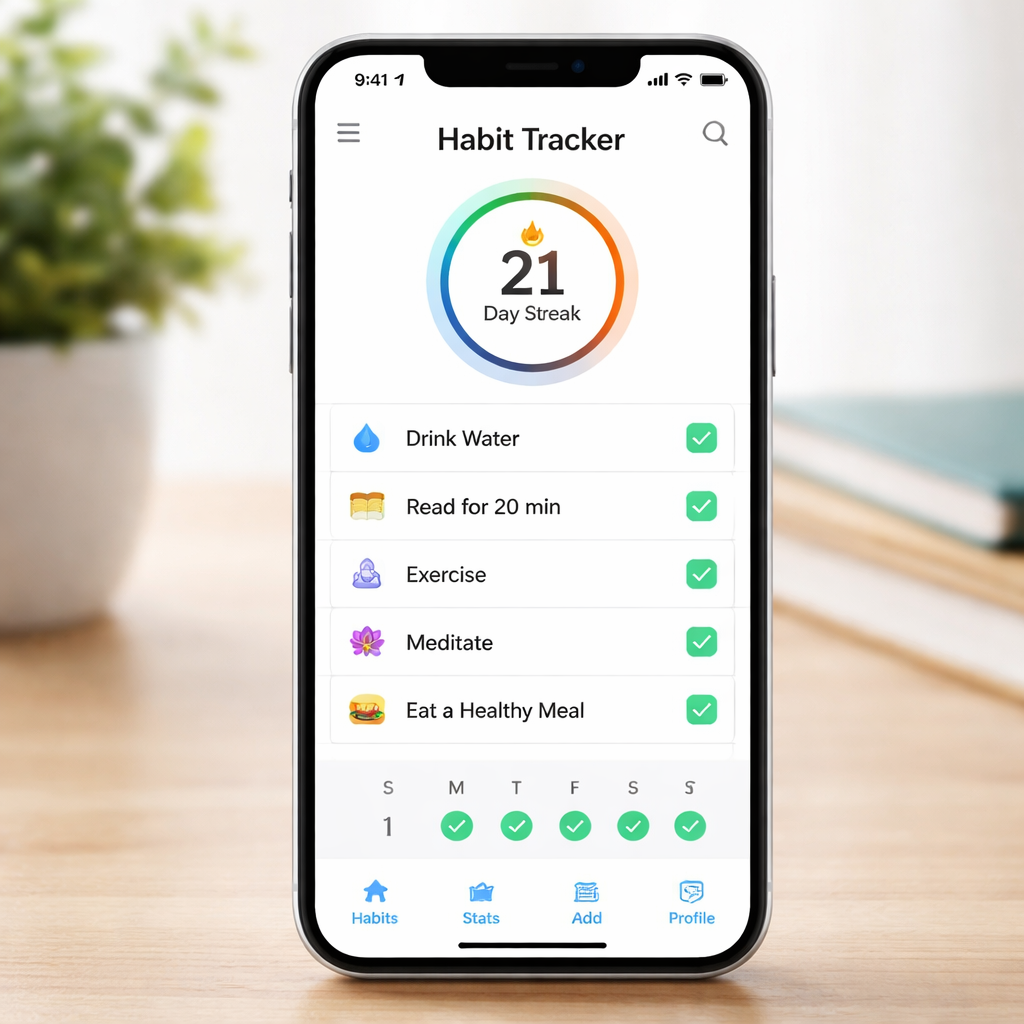
Ever opened a notebook, scribbled down a habit you wanted to build, and then watched it disappear into the back of your mind a week later? Yeah, we’ve all been there—especially when you’re juggling lectures, remote meetings, or multiple client deadlines. That’s why the idea of a habit tracker app free feels like a lifesaver.
But free doesn’t mean “bare‑bones” or “unfinished”. In our experience, a solid free habit tracker gives you the core tools—simple check‑offs, streak counters, and gentle reminders—without demanding a credit‑card swipe. You can start tracking a morning coffee‑less routine, a 10‑minute study sprint, or a daily stretch break, and actually see progress.
So, what’s the catch? Most free apps limit the number of habits you can log or hide premium features behind a paywall. The sweet spot is a tool that lets you manage a handful of habits—enough to stay focused but not so many that you get overwhelmed. Think of it like a minimalist pomodoro timer: it does one thing, and it does it well.
Picture this: you’re a student prepping for finals, and you set a free habit to review flashcards for 15 minutes each evening. With a quick tap, the app logs the session, adds a green check, and shows a growing streak. That visual cue triggers a tiny dopamine hit, nudging you to keep the rhythm. It’s the same magic we see with our Pomodoro‑based Focus Keeper, only now applied to daily habits.
If you’re a remote worker juggling project updates and family chores, a free habit tracker can become your silent accountability partner. Set a habit to stand up and stretch every hour, or to close the browser tabs after a focused work block. The app’s reminder pops up, you comply, and you end the day with fewer aches and a clearer mind.
TL;DR
A habit tracker app free gives students, remote workers, and freelancers a simple way to log daily wins, see streaks, and stay motivated without spending a dime. Try one that offers unlimited check‑offs, gentle reminders, and a clean interface, and you’ll watch tiny habits turn into real progress fast today.
1. Simple Daily Tracker – Easy to Use and Free
Ever felt like you need a tiny, no‑frills sidekick to keep tabs on the little habits that add up to big results? That’s exactly what a simple daily tracker gives you – a clean canvas where you tap a checkmark and instantly see your streak grow.
What we love about the free version is that it strips away the noise. No subscription pop‑ups, no hidden premium walls, just a handful of habits you can log each day. For a student juggling lectures and a part‑time job, that means you can mark “review notes for 15 minutes” and “drink a glass of water” without hunting through menus.
And for remote workers? Imagine setting a reminder to stand up and stretch every hour. The app pings, you comply, and by evening you’ve avoided that mid‑day slump. The simplicity keeps the habit loop tight – cue, action, reward – without a credit‑card ask.
Here’s a quick way to get started:
- Pick 2‑3 habits you really want to cement (e.g., morning meditation, closing browser tabs after a Pomodoro).
- Open the tracker each morning, tap the habit name, and hit the checkmark when you’re done.
- Watch the streak counter climb – that little green number is your dopamine boost.
So, why does the free model work so well? Because it respects your attention budget. You don’t have to wade through endless feature lists or premium tiers that promise “advanced analytics” you’ll never use. You just get a daily prompt, a visual streak, and the satisfaction of seeing progress.
We’ve seen freelancers especially benefit from this minimalist approach. When you’re juggling multiple client projects, you can create a habit for each project’s “daily wrap‑up” and see at a glance which ones you’re consistently closing. That visual cue often nudges you to finish that final email before the day ends.
Does it feel too basic? Not at all. The power of a habit tracker isn’t in fancy graphs; it’s in the habit loop reinforcement. If you need a little extra motivation, pair the tracker with a short Pomodoro session – work for 25 minutes, then tap the habit checkmark as your mini‑reward.
And hey, if you ever want to capture a quick summary of your day’s wins, a simple note‑taking app can complement the tracker nicely. The synergy between a focused work timer and a habit log is surprisingly powerful.
Notice how the video walks through setting up a habit in just a few taps? That visual guide mirrors the simplicity we’re talking about – no onboarding marathon, just a quick start.
Now, let’s talk about keeping the habit flow smooth when life throws curveballs. If you miss a day, don’t beat yourself up. Most free trackers let you back‑date a checkmark or add a note like “was sick”. The key is to stay honest with yourself and keep the streaks realistic.
For those who love a bit of community flair, some free apps let you share your streak on social media. A quick post like “Day 12 of daily stretch – feeling looser!” can turn a private habit into a public commitment, adding a gentle layer of accountability.
Finally, remember that the best habit tracker is the one you actually use. If a particular interface feels clunky, it’s okay to try another free option – the goal is consistency, not brand loyalty.
Ready to give it a spin? Open your app store, search for “habit tracker free”, install, and start ticking off those tiny wins. You’ll be surprised how quickly those small actions stack into real momentum.
Keep it simple, keep it free, and watch your day‑to‑day productivity bloom.
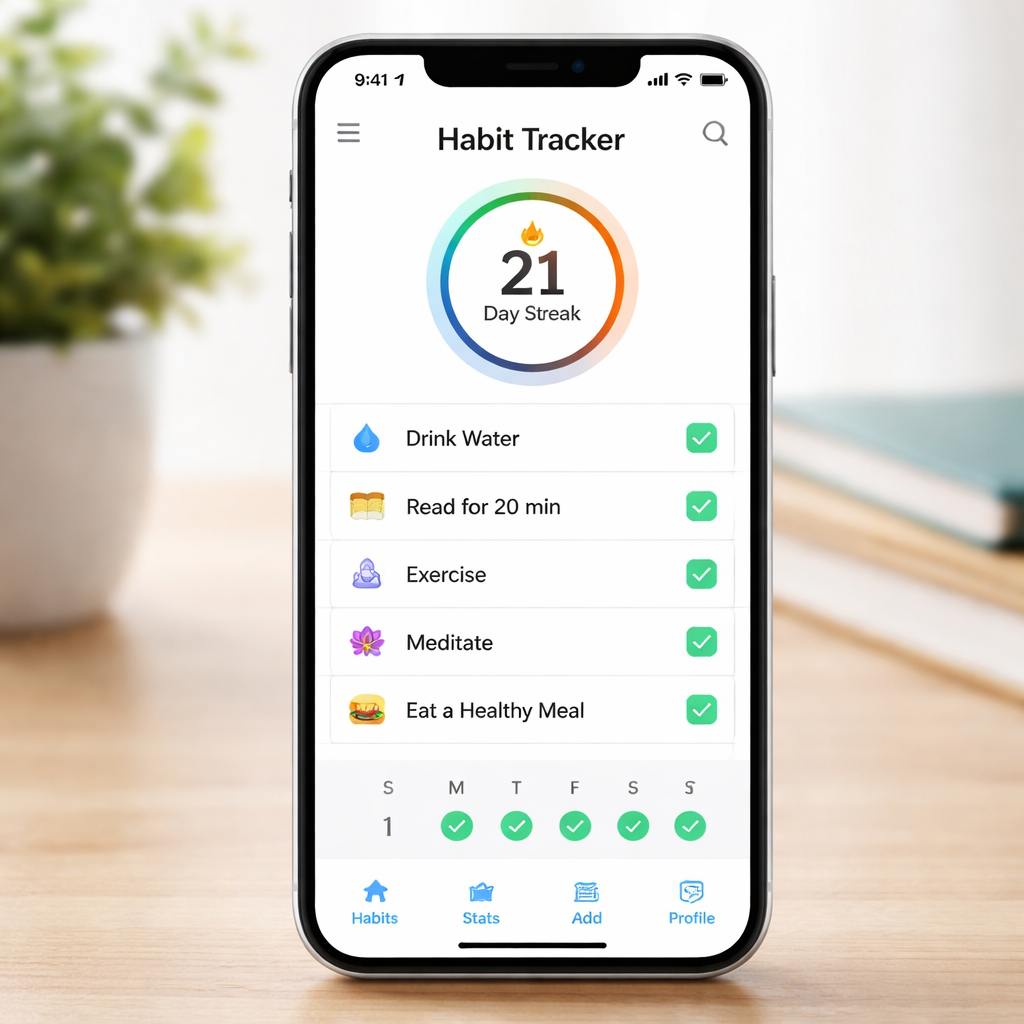
2. Calendar‑Based Tracker – Visual Planning at No Cost
Ever feel like your habit list lives in a black‑hole, completely detached from the day‑to‑day grind? That’s the moment we all know too well – the habit‑gap that turns good intentions into… nothing.
What if you could pull those habits into the same view you already use to schedule meetings, family dinners, and Zoom calls? That’s the magic of a calendar‑based tracker: habits become real time‑blocks, not just a lonely checklist.
📅 Turn Habits Into Calendar Events
Instead of opening a separate app each morning, you add “Morning stretch – 7 am” straight into your calendar. It shows up alongside your 9 am client call, so you instantly see whether the slot is realistic. If the calendar says you’re booked, you either move the habit or shift something else – no guesswork.
Students love this because they can slot a 15‑minute review session after each lecture, and remote workers can protect a “focus break” between back‑to‑back meetings. The habit gets the same visual weight as any work commitment.
🔧 Simple Steps to Set It Up (Free)
- Pick one keystone habit – something you’d do every day if you had the time. For many, it’s a 5‑minute journaling habit before bed.
- Open your preferred calendar (Google, Outlook, Apple). Create a recurring event at a time that feels natural – e.g., 10 pm daily.
- Give it a colour that stands out. Green for health, blue for learning – colour‑coding lets you glance at your week and see balance at a glance.
- Enable a reminder 5 minutes before the event. The nudge feels like a friendly tap, not an alarm.
- At the end of the slot, tap the check‑mark in the calendar or use a quick note to confirm you completed it.
That’s it – no premium subscription, no hidden fees. Your existing calendar does the heavy lifting.
💡 Real‑World Examples
Student scenario: Maya (a final‑year biology student) blocks 6:30 am‑7:00 am for “Review flashcards”. When a lab report deadline creeps in, she can see that the flashcard slot conflicts and decides to shift it to 8:00 pm instead of skipping it entirely.
Freelancer scenario: Alex, a freelance graphic designer, schedules “Sketch ideas” for 2 pm each day. When a client call runs over, the calendar pushes the sketch slot to 4 pm, preserving the habit without feeling like a failure.
Remote‑worker scenario: Priya sets a recurring “Stand‑up stretch” at 11 am. The calendar reminder pops up just as she’s about to dive into a deep‑work session, prompting her to stand, stretch, and return refreshed.
📈 Why This Beats a Stand‑Alone Tracker
Research shows that consistency is the biggest predictor of habit formation. When a habit lives inside your calendar, you eliminate the decision‑fatigue of “when should I do this?” – the answer is already there.
Plus, visualising habits next to meetings reveals hidden patterns. If you notice three red‑coloured work blocks and no green health slots, you’ve got a data‑driven reason to rebalance your week.
🔗 Want More Tips?
We dive deeper into habit‑tracker strategies in our Master Your Goals with the Best Habit Tracker Apps of 2026 guide, where you’ll find expert advice on syncing habits with productivity tools.
🤝 Complementary Resources
Pair your habit calendar with a proactive health partner like XLR8well to monitor energy levels and fine‑tune your routine.
And if you love consuming video content for self‑improvement, a quick summary tool such as YTSummarizer can turn long tutorials into bite‑size notes you can schedule into your habit calendar.
So, what’s the next move? Open your calendar, create one recurring habit event, colour‑code it, and watch it sit proudly alongside your meetings. In a week, you’ll see the habit’s streak grow right there in your schedule – a visual cue that says, “You’re getting it done.” That tiny win is the seed for bigger change.
3. Gamified Tracker – Turn Habits into a Fun Challenge
Ever wish your habit list felt more like a video game than a boring to‑do list? You’re not alone – we’ve all stared at a plain checklist and thought, “There’s got to be a way to make this exciting.” That’s where a gamified habit tracker steps in.
Imagine earning experience points for every 5‑minute stretch, unlocking new avatars when you hit a 10‑day streak, and battling a virtual boss when a week slips by. The dopamine rush you get from leveling up is the same spark that keeps you logging study sessions or coffee‑free mornings.
1️⃣ Turn everyday tasks into quests
Instead of “drink water” you label the habit “Hydration Quest”. Every time you tap “done”, you collect gold. Over time those gold coins add up, and you can trade them for in‑app rewards or real‑world treats. The key is keeping the language playful – it tricks your brain into treating a habit like a side‑mission.
Students, for example, can turn “review flashcards” into a daily “knowledge raid”. Remote workers might call “stand‑up stretch” a “posture power‑up”. The wording alone adds a layer of fun that plain text never could.
2️⃣ Level up and see progress at a glance
Most free gamified apps display a clear level bar or streak counter. Watching that bar inch upward is a tiny win that says, “Hey, you’re actually getting better.” It’s the same principle behind the Pomodoro timer in Focus Keeper – short, visible feedback fuels motivation.
When you reach a new level, the app often flashes a celebratory animation. That visual cue is a micro‑celebration you’d otherwise miss in a spreadsheet.
3️⃣ Join parties or guilds for accountability
One of the most powerful features is the ability to team up. You can create a study party with classmates, a wellness guild with fellow freelancers, or a productivity squad with remote teammates. Each member’s progress shows up in a shared feed, so you get a gentle nudge when someone else logs a habit.
Seeing a friend’s streak can be the push you need to finish your own task. It turns solitary habit‑building into a social game.
4️⃣ Dive into challenges and seasonal events
Many gamified trackers roll out weekly or monthly challenges – “30‑day meditation marathon” or “spring cleaning sprint”. Completing a challenge often grants exclusive avatars or badges, which adds a collector’s thrill.
Because the challenges reset, you always have something fresh to chase, preventing the dreaded “I’ve done this enough already” plateau.
5️⃣ Keep it free and customizable
Both Habitica’s free gamified habit‑tracker and Habit Rewards’ visual reward system let you start without spending a dime. You can tweak colors, set reminder tones, and even choose whether you want a points‑only system or a full‑blown RPG experience.
That flexibility matters for our audiences: a student juggling lectures can set short daily quests, while a busy professional can schedule longer weekly challenges that sync with their calendar.
So, what’s the next move? Pick one habit you’ve been putting off – maybe a quick meditation or a nightly journal entry – and turn it into a quest inside a free gamified app. Log it for a week, watch your level rise, and celebrate the tiny victory. Before you know it, that habit feels less like a chore and more like a level‑up in your own personal game.
4. Minimalist Tracker with Comparison Table – Choose the Right One
So you’ve tried the colorful gamified options and the calendar‑blocking hacks, but now you’re craving something that feels almost invisible – a habit tracker that sits in the background and only shows up when you need it.
Does a minimalist app sound like the sweet spot for your study sessions, client calls, or freelance sprint planning? Let’s break down three low‑key contenders that let you track without the fluff.
Streaks – Pure streak‑tracking for iOS
If you own an iPhone, Streaks is the go‑to for “just tap and check.” The app lets you add a habit, set a daily target, and watch a tiny line grow each day you succeed. No avatars, no social feed – just a clean calendar view that syncs via iCloud.
Students love it because a five‑minute morning review fits in a single tap before class. Remote workers appreciate the Home Screen widget that flashes a green check without opening the app. The free version costs a one‑time $5.99, but you can use the basic streak view forever without a subscription.
Loop – Open‑source, ad‑free Android tracker
Loop is the Android answer to “no‑nonsense.” It’s open source, which means no hidden ads and a community‑driven update schedule. You set habits, choose a frequency (daily, weekly, monthly), and the app logs a simple check‑mark.
What’s handy for freelancers is the ability to export your data as a CSV – great if you want to mash it into a spreadsheet later. Because it’s free and privacy‑first, you never worry about a sudden paywall.
HabitNow – Free plan that covers up to seven habits
HabitNow strikes a middle ground: a tidy UI, reminder tones, and a free tier that lets you track seven habits at once – enough for most students or busy professionals juggling a health habit, a learning habit, and a productivity habit.
The app also offers a built‑in timer, so you can log a 15‑minute focus burst and instantly mark it done. If you outgrow the free limit, the premium upgrade is optional, not mandatory.
Which one feels right for you? Picture this: you’re a student who only needs a streak for daily flashcard review – Streaks fits like a glove. You’re an Android‑loving freelancer who wants data export – Loop’s your friend. You need a few reminders and a timer without paying – HabitNow covers that.
Below is a quick side‑by‑side look so you can decide in seconds.
| App | Free tier limit | Key minimalist feature |
|---|---|---|
| Streaks | Unlimited habits (one‑time $5.99 purchase) | iCloud‑synced streak view with widget |
| Loop | Unlimited (open‑source) | CSV export & ad‑free privacy focus |
| HabitNow | Up to 7 habits | Built‑in timer + reminder tones |
And if you want a broader perspective on why simplicity often beats feature‑bloat, check out Zapier’s habit tracker roundup. It highlights how the fastest check‑in experience wins the day.
We also saw a detailed side‑by‑side review from Cohorty’s habit‑tracker comparison, which confirms that the three apps above consistently rank high for minimal‑design lovers.
Bottom line: pick the app that matches the device you already carry, the number of habits you need, and the level of data you want. Start with a single habit – maybe a 5‑minute stretch between Zoom calls – and let the minimalist tracker do the silent counting. In a week you’ll see a streak, a tiny data point, and a clear sign that you’re moving forward without the noise.
5. Cross‑Platform Tracker – Sync Across Phone, Tablet, and PC
Ever had that moment when you check a habit on your phone during a coffee break, only to open the same app on your laptop later and see a blank slate? It’s the little friction that makes you wonder if the tracker is even worth the effort.
We’ve all been there – you’re a student sprinting between lecture notes on a tablet, a freelancer juggling client chats on a phone, and a remote worker pulling up a project board on a desktop. If your habit tracker can’t follow you, the habit itself falls apart.
Why sync matters for a habit tracker app free
First off, consistency is the secret sauce of habit formation. When the data lives in the cloud, you don’t have to remember which device you logged a check‑in on. Your streak stays intact, and the dopamine hit you get from seeing a green check stays reliable.
Second, cross‑device access lets you capture moments in real time. Imagine you’re studying at the library on a laptop and remember you need a quick 5‑minute stretch. You can tap the habit on the spot, then later review the same streak on your phone while waiting for a Zoom call.
Finally, a synced habit tracker reduces the mental load of “where did I mark that?” – freeing up brain space for the actual work you’re trying to improve.
In our experience, students, remote workers, freelancers, and busy professionals alike report higher completion rates when their habit data is always a tap away, no matter the screen size.
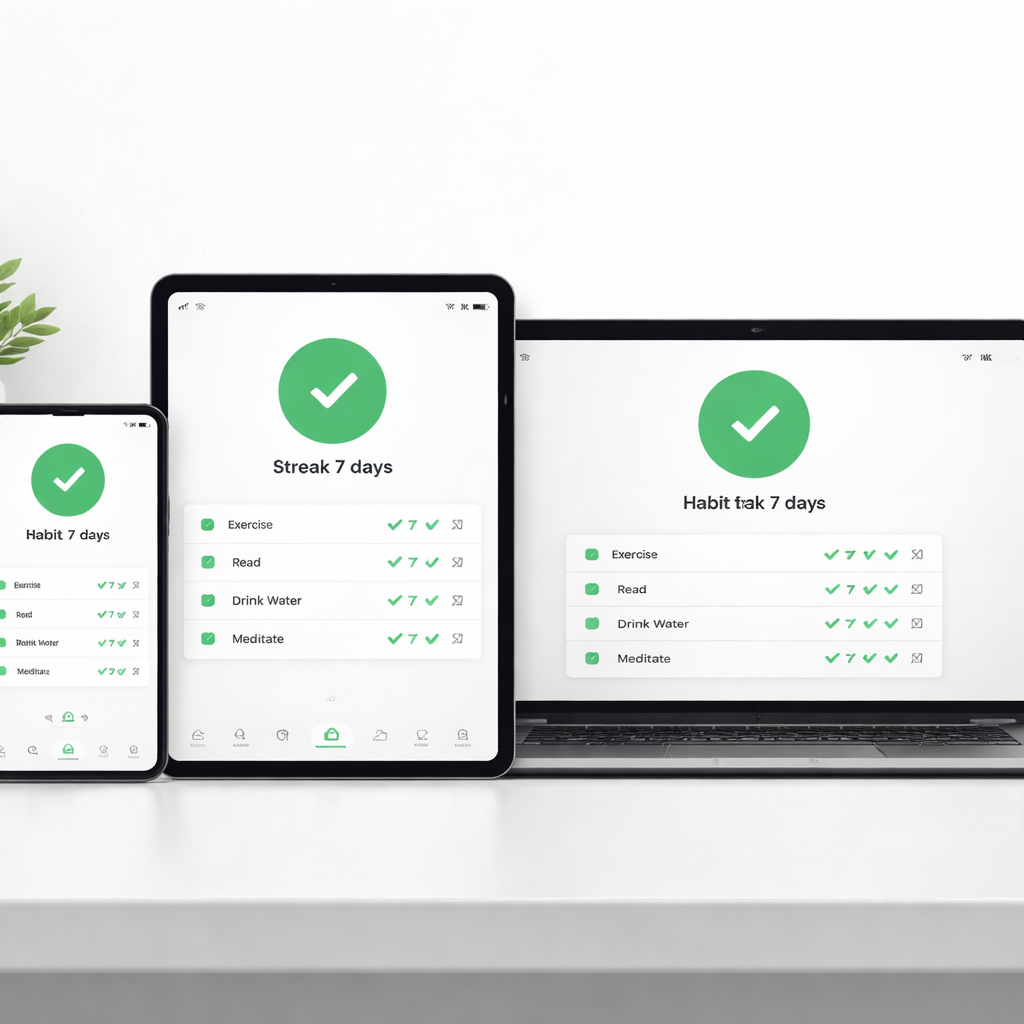
Top free apps that play nice across devices
Here are three habit tracker app free options that keep your data in sync without charging you a cent:
- Loop (Android) – Stores habit logs locally and pushes them to a private Google Drive backup. The backup syncs automatically, so when you install Loop on a tablet, it pulls the same CSV file and you’re right where you left off.
- Streaks (iOS & macOS) – Uses iCloud to mirror your habit list across iPhone, iPad, and Mac. The free tier gives you unlimited habits, and the iCloud sync works in the background, so you never have to manually export anything.
- Habitica (cross‑platform web & mobile) – Because it runs in a browser as well as native iOS/Android apps, your quest progress is always stored on Habitica’s servers. The free plan includes full sync, and you can even access it from a desktop browser when you’re at a coworking space.
All three keep the core habit‑checking experience lightweight, which is exactly what a free tool should do.
How to set up cross‑device sync in minutes
Step 1: Pick the app that matches your primary device ecosystem. If you’re deep in the Apple world, Streaks is a no‑brainer. Android lovers, Loop will feel right at home. If you jump between Windows, macOS, and mobile, Habitica’s web version is the bridge.
Step 2: Enable the cloud backup option in the app’s settings. For Loop, turn on “Google Drive backup” and sign in with your Google account. For Streaks, simply toggle iCloud sync in Settings → iCloud → Streaks. Habitica asks you to create a free account – that’s the sync hub.
Step 3: Install the same app on every device you use. Log in with the same account, and the app will pull your habit list automatically. You’ll see the same streak numbers, reminders, and daily check‑boxes instantly.
Step 4: Test it. Mark a habit on your phone, then open the app on your tablet a few seconds later. If the check‑mark appears, you’re good to go. If not, double‑check that the cloud sync toggle is on and that you’re using the same account.
Tips to keep your data consistent
• Keep one primary account. Jumping between multiple Google accounts or iCloud IDs creates duplicate lists that never talk to each other.
• Sync after a habit entry. Some apps batch uploads to save battery, so give them a minute before switching devices.
• Regularly back up your CSV (Loop) or export your iCloud data (Streaks) just in case. Even free tools can glitch, and a quick export saves you from losing weeks of streaks.
• Use the same reminder tone across devices. It reinforces the habit cue and makes the experience feel seamless, whether you’re on a laptop or a phone.
When everything talks to each other, the habit tracker becomes an invisible sidekick rather than a clunky extra app you have to remember. That’s the sweet spot for anyone chasing consistency without paying a dime.
6. Open‑Source Tracker – Full Control Without Cost
Ever felt boxed in by a habit tracker that asks for a credit‑card after you’ve logged a few days? That frustration is why many of us drift toward open‑source solutions – they give you the same core features without the hidden fees.
Open‑source habit tracker apps are essentially the “DIY” version of a habit tracker app free. You get the freedom to tweak, export, and even host your own data. It’s a bit like building your own coffee blend: you control the beans, the roast, and the strength.
1️⃣ Loop – The Android Minimalist
Loop is a community‑driven Android app that lives in the open‑source world. No ads, no subscriptions, just a clean list where you tap a habit and it records the date. Because the code is public, you can verify that your streak data never leaks to third parties.
For students, imagine you’re reviewing flashcards at 8 am every morning. Loop lets you set a simple daily schedule, and the habit shows up as a green check when you complete it. If you ever switch to a new phone, just reinstall the app and import the CSV backup – your streak stays intact.
2️⃣ Self‑Hosted Solutions – Your Own Private Server
If you’re comfortable with a bit of tech, you can spin up a habit‑tracking web app on a cheap VPS or even a Raspberry Pi. The advantage? Total control over where the data lives. You decide who sees it, how long you keep it, and you can integrate it with other tools you already use – like a personal dashboard for study times or freelance project timers.
Picture this: you’re a remote worker juggling client calls and short “focus‑break” habits. By hosting your own tracker, you can add a webhook that sends a Slack reminder right before your next meeting, keeping the habit visible without any third‑party app.
3️⃣ Customizable Themes & Plugins
Because the code is open, you can change the look and feel to match your workflow. Want a dark mode that matches your IDE? Add it. Need a habit‑strength algorithm that weighs consistency over raw streak length? Tweak the calculation.
Freelancers often love this because they can align the tracker with their invoicing tools – for example, logging a “client follow‑up” habit and automatically tagging it in a time‑tracking spreadsheet.
4️⃣ Community Support & Continuous Improvement
Open‑source projects thrive on contributions. When a bug pops up, you can file an issue on GitHub, and often a volunteer will fix it within days. This collaborative vibe means the app evolves with real user needs, not a corporate roadmap.
And the best part? All of this stays completely free. No hidden premium tiers, no surprise price hikes. You just keep the habit‑tracking engine running as long as you want.
Getting Started in Minutes
1. Choose an open‑source app (Loop is a solid starter for Android).
2. Download the APK from the official GitHub releases page.
3. Open the app, add your first habit, and set a daily reminder.
4. Export a CSV backup after a week – that’s your safety net.
5. If you’re feeling adventurous, fork the repository and add a feature that matters to you.
Does the idea of tinkering sound intimidating? Not really. Most open‑source habit trackers are built for simplicity first, customization second. You can stay in the comfort zone or dive deeper as you get more confidence.
Looking for a broader overview of free habit‑tracker options, including open‑source picks? Check out this handy guide from Knack that walks through the top choices and why open‑source matters: best habit tracker apps roundup.
Bottom line: if you crave full control, privacy, and zero cost, an open‑source habit tracker app free is the way to go. Pick a tool, set a habit, and watch your streak grow without ever worrying about a hidden fee or data‑selling business model. Your routine, your rules.
FAQ
What exactly is a “habit tracker app free” and how is it different from paid options?
In plain terms, a habit tracker app free gives you the core tools – adding a habit, marking it done, and seeing a streak – without any subscription fee or hidden upgrades. Paid versions often bundle extra skins, premium reminders, or advanced analytics that you might never use. The free tier keeps the experience lightweight, which is perfect if you just want a simple daily check‑in.
So, if you’re after a no‑frills way to build consistency, the free version is usually all you need.
Can I trust a free habit tracker with my personal data?
Privacy is a common worry, especially when the app doesn’t charge you money. Many free habit trackers are open‑source or ad‑free, meaning the code is publicly visible and there’s no incentive to sell your data. Look for apps that store data locally on your device or sync to a private cloud you control.
We’ve seen students feel comfortable using an open‑source Android tracker because the CSV backup lives only on their Google Drive, not a third‑party server.
How do I pick the right free habit tracker for a student versus a remote worker?
Students often need quick entry and visual streaks that fit between lecture notes. An app with a widget on the lock screen lets them tap a check‑mark in a second before the next class.
Remote workers, on the other hand, benefit from calendar integration or cross‑device sync so a habit logged on a laptop shows up on a phone during a break. Think about the workflow you already use and match the tracker’s strongest feature to that routine.
Is it possible to sync a free habit tracker across my phone, tablet, and laptop without paying?
Yes – several free trackers use iCloud, Google Drive, or their own web‑based backend to keep data consistent. Set up the backup option in the app’s settings, install the same app on each device, and log in with the same account. After a quick sync, a habit marked on your phone will instantly appear on your tablet.
Just remember to give the sync a minute before you switch devices; most apps batch uploads to save battery.
What are the best tricks to stay motivated when using a free habit tracker?
First, keep the habit list short – three to five habits are enough to avoid overwhelm. Second, celebrate streak milestones with a simple reward like a coffee break or a short walk. Third, pair the habit with a Pomodoro session; the timer creates a clear start and finish, and the habit check‑in becomes the natural next step.
Finally, glance at the visual streak each morning. That tiny green line is a built‑in dopamine hit that tells your brain you’re on a roll.
How can I integrate a free habit tracker with my Pomodoro workflow in Focus Keeper?
Start a Pomodoro for a task, and when the timer rings, open your habit tracker to log the habit you just completed – maybe “stand‑up stretch” or “review flashcards.” Because the habit is recorded right after a focused work block, the two tools reinforce each other.
If you use Focus Keeper’s built‑in notes, you can jot a quick “habit logged” tag, then switch to the tracker app with one tap. Over a week you’ll see a clear pattern of focused work followed by habit reinforcement, which boosts both productivity and consistency.
Conclusion
We’ve wandered through calendars, games, minimalists, and even open‑source tools, all to prove that a habit tracker app free can fit any routine without draining your wallet.
So, what does that mean for you? It means you can pick the approach that feels natural – whether you’re a student cramming flashcards, a remote worker juggling Zoom calls, a freelancer balancing client deadlines, or a busy professional hunting tiny productivity wins.
Take the first step
Grab the free habit tracker that matches your device, set a single five‑minute habit, and log it right after your next Pomodoro. Watch that tiny green check appear and let the momentum build.
Remember, consistency beats perfection. You don’t need a premium plan to see progress; you just need a habit tracker app free that nudges you at the right moments.
And when that streak starts to glow, think about how you can layer another habit onto the same rhythm. Before long, the habit chain becomes a second nature routine that powers your focus.
Ready to turn intention into action? Open your favourite free tracker now, add one habit, and let the habit‑tracker habit become the quiet engine behind your best work.
Give yourself a week, then celebrate the momentum you’ve built.




