
Trying to figure out which app is better for getting things done can be a real headache. We’ve got two popular ones, Focus Keeper and Pomofocus, both using that time-blocking technique. But which one actually helps you get more done in 2026? Let’s break down what each app does, how they look and feel, and if they’re worth your time and maybe even your money.
Key Takeaways
- Focus Keeper and Pomofocus both use the Pomodoro Technique, but they have different approaches to features and user experience.
- User interface is a big deal; Focus Keeper might feel more polished to some, while Pomofocus keeps it simple and web-based.
- Customization is available in both, letting you tweak timers and breaks to fit your personal work style.
- When it comes to extra features, it’s worth checking if they offer what you need, like task lists or detailed reports.
- Price matters, and understanding what you get for free versus what costs money will help you decide which app offers the best bang for your buck.
Understanding The Core Functionality: Focus Keeper vs Pomofocus
Core Features of Focus Keeper
Focus Keeper is built around the classic Pomodoro Technique, but it adds a few neat touches. At its heart, it’s a timer that helps you break down your work into focused intervals, typically 25 minutes long, followed by short breaks. It also includes longer breaks after a set number of these work cycles. The app keeps track of your completed sessions, giving you a sense of accomplishment as you tick off your tasks. It’s pretty straightforward, which is a big plus if you just want to get started without a lot of fuss.
Core Features of Pomofocus
Pomofocus also sticks to the tried-and-true Pomodoro method. You set your work timer, your short break timer, and your long break timer. Once you start a session, it runs through the cycle. What’s nice about Pomofocus is its simplicity, especially if you’re using it on the web. It doesn’t try to do too much, which means it’s easy to jump right in. It’s all about helping you concentrate on one task at a time and then giving your brain a well-deserved rest.
Comparing Essential Tools
When you look at what these apps actually do, they’re quite similar. Both are designed to help you manage your time using the Pomodoro Technique. They both have timers for work periods and breaks. The main difference often comes down to the extra bits and pieces each app throws in.
Here’s a quick rundown:
- Work Timer: Both apps have a timer for your focused work sessions.
- Short Break Timer: A timer for quick rests between work intervals.
- Long Break Timer: A timer for extended breaks after several work sessions.
- Session Tracking: Both keep a tally of how many work sessions you’ve completed.
While the core idea is the same, the way each app presents these features and the additional tools they offer can make a big difference in how you actually use them day-to-day. It’s like having two different brands of the same tool; they both do the job, but one might feel better in your hand.
Focus Keeper tends to offer more built-in stats and a slightly more polished feel right out of the box, while Pomofocus often feels more bare-bones, which can be a good thing if you prefer less distraction.
User Interface And Experience: A Visual Comparison
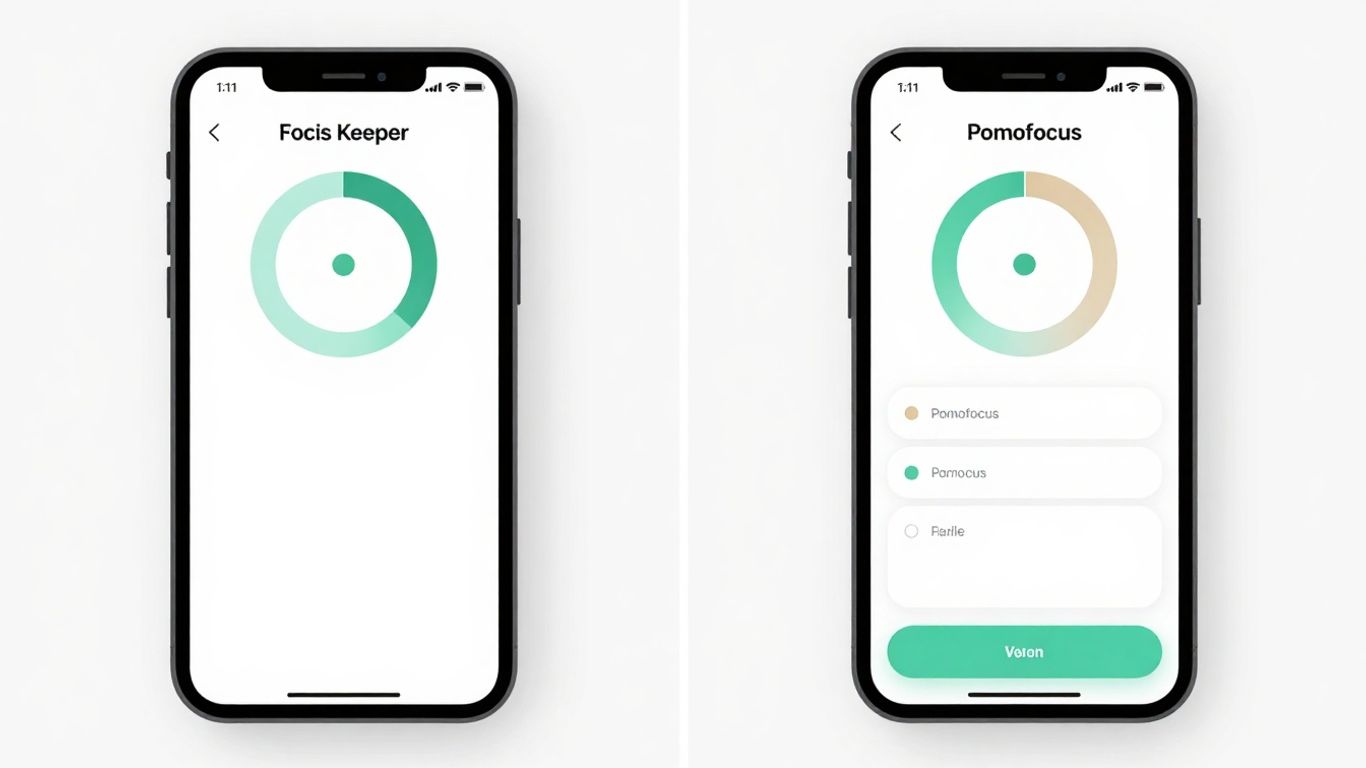
When you’re trying to get work done, the last thing you want is an app that’s confusing or just plain ugly. Both Focus Keeper and Pomofocus have put thought into how their apps look and feel, but they definitely go about it in different ways. It’s like choosing between a sleek, modern kitchen and a cozy, rustic one – both can be functional, but they give off totally different vibes.
Focus Keeper’s Design Philosophy
Focus Keeper leans towards a clean, almost minimalist look. Think simple lines, clear fonts, and not a lot of clutter. When you open it up, you’re pretty much greeted with the timer itself, and the controls are right there. It’s designed to be straightforward, so you can jump into a focus session without much fuss. The color schemes are usually pretty muted, which can be nice if you find bright colors distracting. It feels very functional, like a well-oiled machine.
- Simple color palettes: Often uses blues, grays, and whites.
- Clear, legible fonts: Easy to read at a glance.
- Minimalist icons: Straightforward and intuitive.
- Focus on the timer: The main event is always front and center.
Pomofocus’s Aesthetic Appeal
Pomofocus, on the other hand, often has a bit more personality. It might use slightly more vibrant colors or have a more playful layout. While still aiming for clarity, it doesn’t shy away from adding a touch of visual interest. This can make the app feel a bit more engaging, less like a sterile tool and more like a helpful companion. Some versions might even have subtle animations or different themes you can pick from, making your work sessions feel a little less monotonous. It’s a good choice if you appreciate a bit of visual flair in your productivity tools.
Navigating Each Application
Getting around in Focus Keeper is usually a breeze. Because it’s so focused on the core timer function, there aren’t a ton of menus or settings to get lost in. You’ll likely find most options are accessible directly from the main screen or a simple settings menu. It’s built for quick access and minimal friction.
Pomofocus might require a tiny bit more exploration, especially if you’re looking to tweak settings or explore its features. The layout might be a bit more layered, with different sections for tasks, settings, and the timer. However, it’s generally well-organized. You can usually find what you need without too much trouble, and the added visual cues can sometimes make it easier to remember where things are. For those looking for a bit more structure and visual guidance, Pomofocus often fits the bill. It’s worth checking out some of the top Pomodoro timer apps to see which interface style appeals to you most.
The overall feel of an app can really impact how you use it. If an app feels clunky or unappealing, you’re less likely to stick with it, no matter how good its features are. Both Focus Keeper and Pomofocus understand this, and they offer distinct user experiences that cater to different preferences.
Customization And Flexibility In Focus Keeper vs Pomofocus
Tailoring Focus Keeper To Your Workflow
Focus Keeper really tries to let you set things up how you like them. You can mess with the timer lengths, obviously – like how long your work sprints are and how long your breaks should be. But it goes a bit further. You can pick different sounds for your alerts, which is nice if the default bell sound just grates on your nerves. Plus, you can choose how the app looks, with a few color themes available. It’s not like, super deep customization, but it’s enough to make it feel a little more yours.
Adapting Pomofocus For Personal Needs
Pomofocus, being a web-based tool, also offers a good amount of tweaking. You can adjust the duration of your focus sessions and breaks, which is the main thing, right? What’s cool is that it remembers your settings between sessions, so you don’t have to punch them in every single time. It also lets you choose whether to play a sound when a session ends or not. For a free, no-frills app, it’s pretty decent at letting you make it work for you without being complicated.
Customization Options Compared
When you put them side-by-side, Focus Keeper feels a bit more polished in its customization. It offers more visual theming options and a slightly wider range of alert sounds. Pomofocus, on the other hand, keeps it simpler, focusing on the core timer adjustments and remembering your preferences.
Here’s a quick look:
- Focus Keeper:
- Adjustable work/break timers
- Multiple alert sounds
- Color themes
- Optional long break settings
- Pomofocus:
- Adjustable work/break timers
- Sound on/off toggle
- Remembers settings automatically
- Minimalist interface, less visual tweaking
Both apps get the job done when it comes to basic timer adjustments. Focus Keeper gives you a bit more flair with its sound and appearance options, making it feel a bit more personal. Pomofocus is the straightforward choice if you just want to set your times and get going without fuss.
Advanced Features And Integrations
Beyond the basic timer functions, both Focus Keeper and Pomofocus offer features that can really make a difference in how you manage your work. It’s not just about counting down minutes anymore; it’s about building a system that works for you.
Exploring Focus Keeper’s Advanced Tools
Focus Keeper has some neat tricks up its sleeve. For starters, it lets you track your focus sessions and gives you reports. This is super handy for seeing when you’re most productive and what might be throwing you off. You can also set different timer lengths for work and breaks, which is great if you have specific tasks that need varying amounts of attention. Plus, it has an alarm sound option, so you don’t have to rely on just visual cues.
- Session Tracking: Logs your completed focus and break periods.
- Customizable Alarms: Choose from various sounds or vibration.
- Task Management Lite: Some versions allow you to associate sessions with specific tasks.
- Background Operation: Continues timing even when the app isn’t in the foreground.
Discovering Pomofocus’s Unique Capabilities
Pomofocus really shines with its simplicity, but it doesn’t skimp on useful extras. One of its standout features is the ability to manage tasks directly within the app. You can create a to-do list, mark tasks as complete, and even estimate how long each task might take. This integration makes it easy to plan your day and see what you’ve accomplished. It also has a clean, minimalist design that some people find less distracting.
- Integrated Task List: Add, edit, and check off tasks as you go.
- Task Prioritization: Simple drag-and-drop to reorder your to-do list.
- Session-to-Task Linking: Assign completed focus sessions to specific tasks.
- Minimalist Interface: Designed to reduce visual clutter.
Integration Possibilities
When we talk about integrations, it’s about how these apps play with your other tools. Focus Keeper and Pomofocus, being primarily standalone timer apps, don’t have a ton of direct third-party integrations like some bigger productivity suites. However, their strength lies in how they can complement other tools.
For example, you could use Focus Keeper’s reports to inform your planning in a separate calendar app. Or, you might use Pomofocus’s task list as a quick way to organize what you’ll tackle before diving into a more detailed project management tool. The real integration happens in how you connect their output to your broader workflow.
While neither app boasts extensive API connections to other software, their value comes from their focused utility. They are designed to be excellent at one thing: managing your time in focused bursts. This singular focus can actually make them easier to integrate into existing routines without adding complexity. Think of them as specialized tools that fit neatly into the gaps of your current productivity setup.
It’s less about fancy buttons that connect to Slack or Google Calendar and more about how the data or the simple act of using the timer helps you manage your other digital tools more effectively.
Performance And Reliability On Different Platforms
Focus Keeper’s Performance Metrics
Focus Keeper generally runs pretty smoothly. I’ve used it on my phone and tablet, and it doesn’t seem to hog a lot of battery or slow things down. It’s pretty lightweight, which is a big plus when you’re trying to stay focused and don’t want a bunch of background stuff eating up your device’s resources. Updates have been pretty regular, and I haven’t run into any major crashes or weird bugs. It just kind of does its job without fuss.
Pomofocus’s Stability And Speed
Pomofocus, being a web-based app, is a bit different. Since it runs in your browser, its performance really depends on your internet connection and the browser itself. On a stable connection, it’s super fast and responsive. I haven’t noticed any lag when starting or stopping timers. The interface loads quickly, and switching between tasks or settings is snappy. However, if your internet is spotty, you might experience some hiccups, which is just the nature of web apps. It’s pretty solid for what it is, though.
Cross-Platform Consistency
This is where things get interesting. Focus Keeper has dedicated apps for iOS and Android, and they feel pretty consistent. The core features are there on both, and the look and feel are similar enough that you don’t get lost switching between devices. It’s nice to have that familiarity. Pomofocus, on the other hand, is accessible from any device with a web browser. This means you get the same experience whether you’re on a Windows laptop, a Mac, or even a Chromebook. The main difference is the native app feel versus a web interface. While Focus Keeper offers that app-specific polish, Pomofocus gives you universal access, which can be a huge win for some people.
When choosing between the two, think about how you work. If you prefer dedicated apps that feel integrated with your phone or tablet, Focus Keeper is a strong contender. If you value the ability to jump on from any computer or device without installing anything, Pomofocus shines. Both seem reliable for their intended use cases, so it really comes down to your personal workflow and tech setup.
Pricing Models And Value Proposition

When you’re looking at productivity apps, the cost is definitely something to think about. You don’t want to spend a fortune, but you also want something that works well and doesn’t hold you back. Let’s break down what Focus Keeper and Pomofocus offer in terms of price and what you actually get for your money.
Understanding Focus Keeper’s Cost
Focus Keeper has a bit of a mixed approach. The basic version is free, which is great for trying it out. It gives you the core Pomodoro timer functionality, which is what most people need to get started. However, if you want to get rid of ads and unlock some extra features, there’s a premium version. This usually involves a one-time purchase or a subscription. The exact price can change, but it’s generally in the range of a few dollars for the unlock. It’s not a huge investment, but it’s something to consider if you find yourself using the app a lot and the ads bother you.
Analyzing Pomofocus’s Free Offering
Pomofocus really leans into the ‘free’ aspect. As far as I can tell, it’s completely free to use, with no hidden costs or premium tiers. This is a big plus for people who are on a tight budget or just want a straightforward, no-frills Pomodoro timer. You get all the features without needing to pay anything. This makes it super accessible for students, freelancers, or anyone who just wants to try out the Pomodoro technique without any financial commitment. The value here is in its complete lack of cost.
Determining The Best Value
So, which one gives you more bang for your buck? If you’re looking for the absolute cheapest option, Pomofocus wins hands down because it’s entirely free. You get a solid Pomodoro timer experience without spending a dime. Focus Keeper, on the other hand, offers a free version that’s good for testing the waters. If you decide you like it and want a cleaner, ad-free experience with a few more bells and whistles, the paid upgrade is relatively affordable. It really comes down to your personal needs and how much you’re willing to spend. For basic Pomodoro timing, Pomofocus is hard to beat. If you want a bit more polish and don’t mind a small fee, Focus Keeper is a decent choice.
Community Feedback And User Reviews
What Users Say About Focus Keeper
When you look at what people are saying online about Focus Keeper, a few things pop up pretty consistently. A lot of users really like how straightforward it is. It does its job without a bunch of extra fluff, which is great if you just want to get to work. The simple interface means you’re not spending time figuring out complicated settings. People often mention that the basic timer and notification system works well for them. It’s the kind of app that just sits in the background and does its thing.
However, some users have pointed out that it can feel a bit basic compared to other apps out there. If you’re looking for lots of bells and whistles, like detailed analytics or fancy integrations, Focus Keeper might leave you wanting more. It’s solid for the core Pomodoro technique, but don’t expect it to manage your entire life.
Insights From Pomofocus Users
Pomofocus seems to get a lot of love for its clean, no-nonsense design. Users appreciate that it’s web-based, meaning you can access it from pretty much any device with a browser, which is a big plus for flexibility. The ability to customize the timer lengths for work and break periods is frequently mentioned as a key benefit. It feels like it’s built for people who want to tweak the Pomodoro method to fit their own rhythm.
The simplicity of Pomofocus is its biggest strength. It avoids the clutter that can sometimes make productivity apps feel overwhelming. You open it, set your times, and start. It’s that easy.
Some users do wish for more advanced features, like the ability to track progress over longer periods or integrate with other task management tools. While it’s great for focused work sessions, it doesn’t always offer the deep dive into productivity habits that some power users are looking for. Still, for a free, accessible tool, the feedback is generally very positive.
Overall User Sentiment
Looking at both apps, the general feeling is that both Focus Keeper and Pomofocus do a good job of sticking to the Pomodoro technique. Focus Keeper is often seen as the more traditional, straightforward option, while Pomofocus gets points for its web-based accessibility and customization. Neither app seems to have major widespread complaints, which is a good sign for their reliability.
Here’s a quick rundown of common themes:
- Ease of Use: Both apps are generally praised for being easy to pick up and use quickly.
- Core Functionality: Users agree that both apps effectively implement the Pomodoro timer.
- Customization: Pomofocus often gets a slight edge here due to its more flexible timer settings.
- Advanced Features: Both apps are seen as more basic, with users sometimes wishing for more complex tracking or integration options.
Ultimately, the choice often comes down to personal preference: do you want a simple, dedicated app like Focus Keeper, or a flexible, web-based tool like Pomofocus? The good news is, you can’t really go wrong with either for getting started with focused work sessions.
So, Which One Wins?
Alright, so we’ve looked at Focus Keeper and Pomofocus, and honestly, both have their good points. Focus Keeper feels a bit more polished, like it’s been around the block a few times, and it’s great if you just want something simple to get you ticking through your tasks. Pomofocus, on the other hand, is super straightforward, totally free, and gets the job done without any fuss. If you’re just starting out or don’t want to spend any cash, Pomofocus is a solid pick. But if you’re willing to pay a little for a smoother experience and maybe a few more bells and whistles, Focus Keeper is definitely worth a look. Ultimately, the best app is the one you’ll actually use, so give them both a spin and see which one clicks with your workflow.
Frequently Asked Questions
What is the main idea behind the Pomodoro Technique?
The Pomodoro Technique is a time management method. It uses a timer to break work into intervals, traditionally 25 minutes in length, separated by short breaks. After several intervals, you take a longer break. This helps you stay focused and avoid burnout.
How do Focus Keeper and Pomofocus help with productivity?
Both apps use the Pomodoro Technique to help you manage your time. They act like a timer, reminding you when to work and when to take breaks. This structure helps you concentrate better and get more done without feeling overwhelmed.
What’s the difference between Focus Keeper and Pomofocus?
Focus Keeper is often seen as a more feature-rich app with more options for customization and tracking your progress. Pomofocus is usually simpler and more straightforward, focusing on the core timer function. Think of it like comparing a fancy multi-tool to a reliable screwdriver – both get the job done, but in different ways.
Are these apps hard to use?
Generally, no! They are designed to be easy to pick up. Most users find they can start using them right away without much trouble. The main goal is to help you focus, so they try to keep things simple.
Can I change how long the work and break times are?
Yes, most of the time! Both apps usually let you adjust the length of your work sessions and your breaks to fit your personal needs and how you like to work.
Which app is better for a beginner?
For someone just starting with the Pomodoro Technique, Pomofocus might be a good choice because it’s very simple and gets straight to the point. If you like to tinker with settings and see lots of data, Focus Keeper could be more appealing.




