
Figuring out how to stay focused with ADHD can feel like a constant battle. You know, some days are just a whirlwind of thoughts and distractions, and getting anything done feels impossible. That’s where the Pomodoro Technique comes in. It’s a simple time management method that breaks work into focused intervals, usually 25 minutes, followed by short breaks. But finding the right tool to make it work for your ADHD brain is key. We’ve looked at a bunch of apps to find the best pomodoro app for ADHD that can actually help you get things done without adding more stress.
Key Takeaways
- Forest uses gamification, like growing trees, to keep you on task and away from distractions, making it a fun way to manage focus.
- Brain.fm offers specialized music designed to help your brain concentrate, which can be really helpful for managing sensory input with ADHD.
- Lifelight provides a gentle space for brain dumps and organizing thoughts, helping to clear mental clutter common with ADHD.
- TickTick combines a to-do list, calendar, and Pomodoro timer, offering a versatile tool for managing daily tasks and habits.
- BeFreed summarizes books and podcasts, making learning more accessible and less overwhelming for those with ADHD who struggle with long-form content.
Forest
If your smartphone is your biggest distraction, Forest offers a really clever, and honestly, pretty cute, way to tackle that. The whole idea is that when you want to focus, you plant a virtual tree. As your timer counts down, this little tree grows right there on your phone screen. It’s kind of like a digital garden for your productivity.
Now, here’s the kicker: if you get sidetracked and leave the app to scroll through social media or something else, your tree withers and dies. It’s a simple, visual consequence, but it turns out to be surprisingly effective for keeping you on track. Every focus session you complete successfully means another tree gets planted in your digital forest, building up over days and weeks. You even earn coins that you can use to get new kinds of trees or, get this, plant a real tree in the real world through their partnership. It’s a classic bit of gamification, but it really works.
Forest isn’t just about growing trees, though. You can tag your work periods with what you’re actually doing, and the app keeps track of when you’re most productive. It even shows you trends over time. If you want to make it a group effort, you can get friends or coworkers involved to see who’s most productive or even work together to plant trees.
The satisfaction of seeing a completed tree provides a tangible sense of accomplishment, acting as a stand-in for executive functions that might otherwise falter. This external motivation can be a game-changer for task initiation and follow-through.
Key Features:
- Gamified Focus: The core mechanic of growing a tree is a strong, visual incentive to stay focused and avoid phone distractions.
- Cross-Platform Sync: Forest is available as a mobile app and a browser extension, so you can block distracting websites on your computer while your tree grows on your phone.
- Affordable: On iOS, the app is a one-time purchase, which is nice because you don’t have to worry about a monthly bill.
Brain.fm
Sometimes, the biggest hurdle with ADHD isn’t just getting started, but creating the right environment to actually stay focused. That’s where Brain.fm comes in. It’s not just background music; it’s what they call "functional music," which is basically soundscapes engineered to help your brain get into a specific state – like focus, relaxation, or sleep. For those of us whose brains can either get overwhelmed by noise or feel totally blank in silence, this can be a game-changer.
They use patented tech that gently nudges your brainwaves. Think of it like a subtle rhythm that helps your neurons work together more smoothly. It’s pretty neat when you think about it.
Here’s a quick rundown:
- ADHD-Specific Modes: They actually have audio tracks designed with the ADHD brain in mind, which is a big plus.
- Science-Backed: The company talks a lot about the research and the neuroscientists they work with, so it feels like there’s some real thought behind it.
- Super Simple: You just pick what you need – "Focus," "Relax," or "Sleep" – and hit play. No complicated settings or anything.
While the effects can be a bit personal, and it might not work for everyone, Brain.fm is a solid tool for managing your sound environment. It’s a great addition to a broader focus strategy, especially if you find that external sounds really throw you off.
It’s definitely worth trying out if you’re looking for a way to tune out distractions or just create a more conducive atmosphere for getting things done.
Lifelight
Living with ADHD can feel like juggling a dozen things at once, and sometimes, your brain just goes a million miles a minute. That’s where Lifelight comes in. It’s not another rigid planner that makes you feel bad when you can’t keep up. Instead, it feels like it actually gets how an ADHD brain works.
This app is fantastic for quickly getting thoughts out of your head and onto a screen. When your mind is racing, or you just have a million ideas buzzing around, Lifelight lets you just dump them. It’s like a digital scratchpad for your brain. You can type out whatever comes to mind without worrying about structure or perfection. This simple act of ‘brain unloading’ can be incredibly helpful for clearing mental clutter and reducing that feeling of being overwhelmed.
Here’s why it stands out:
- Quick Thought Capture: No need to open a complex app or format anything. Just open Lifelight and start typing or jotting down notes. It’s designed for speed.
- Low-Pressure Journaling: Unlike traditional journals that might feel daunting, Lifelight’s approach is casual. It’s about getting thoughts down, not crafting perfect prose.
- Adapts to Your Flow: It doesn’t force you into a specific routine. It’s there when you need it, whether that’s for a quick note or a longer brain dump session.
Lifelight feels like a supportive tool rather than a demanding taskmaster. It acknowledges that focus can be fluid and provides a space to capture those fleeting thoughts without judgment, making it a great companion for managing ADHD.
It’s a really straightforward app that focuses on helping you manage your internal world, which can be a huge help when external focus is a challenge. You can find it among other helpful iPhone apps for ADHD.
TickTick
TickTick is a pretty solid all-around productivity app that can definitely help with ADHD focus, even if it’s not strictly a Pomodoro timer at its core. It’s got a lot going on, which can be good and bad, but for many, the sheer number of features is what makes it a winner. You can manage your tasks, set reminders, and even build habits right within the app.
One of the standout features for ADHD brains is its ability to handle both quick thoughts and more complex projects. It has an inbox for just dumping ideas as they come, so you don’t lose them, and then you can sort them out later. This is super helpful for when your mind is racing and you need to get things out of your head fast.
Here’s a quick look at what makes TickTick useful:
- Task Management: Create tasks, set due dates, add notes, and prioritize what’s important.
- Habit Tracker: Build and maintain routines, which is often a challenge with ADHD.
- Calendar Integration: See your tasks and appointments all in one place.
- Built-in Timer: While not its main focus, TickTick does include a Pomodoro timer that you can use to structure your work sessions.
It’s not as flashy as some of the dedicated Pomodoro apps, and the sheer amount of options might feel a little overwhelming at first. But if you’re looking for a tool that can do a bit of everything – task management, habit building, and focused work sessions – TickTick is worth a serious look. It’s the kind of app that can grow with you as you figure out what works best for your focus.
Sometimes, having one app that can handle multiple aspects of your productivity can reduce the mental load of switching between different tools. TickTick aims to be that central hub.
BeFreed
Okay, so reading can be a real challenge when your brain is buzzing with a million other things, right? BeFreed is pretty neat because it takes those long, dense non-fiction books and breaks them down into bite-sized pieces. Think of it like getting the main points without having to slog through every single page.
They offer summaries that take about 30 minutes, which is way more manageable than a whole afternoon. Plus, there are podcast-style explainers that are around 20 minutes long, and even 10-minute flashcards to help you actually remember what you learned. It’s a smart way to get through more books without feeling overwhelmed.
- 30-minute summaries: Get the core ideas quickly.
- 20-minute podcast-style explainers: Listen and learn on the go.
- 10-minute flashcards: Reinforce key takeaways.
This app is a game-changer for anyone who wants to learn more but struggles with the attention span required for traditional reading. It makes knowledge accessible in formats that actually fit into a busy, easily distracted life.
Tiimo
Tiimo is a visual daily planner that really shines for folks who struggle with what some call "time blindness." It’s built with neurodivergent minds in mind, turning your day into a colorful, icon-based timeline. Instead of just a list of things to do, Tiimo shows you what’s coming up next in a way that’s easy to grasp. This makes it simpler to understand how much time you have for each activity and helps with those tricky transitions between tasks.
The app’s strength lies in making time feel more concrete. By visualizing your schedule, it cuts down on the mental effort needed to figure out your day. It’s great for building routines and can ease some of the anxiety that comes with not knowing what to do next.
Here’s a quick look at what Tiimo offers:
- Visual Day Planning: You can build structured routines using a library of icons and colors. Each activity has its own built-in timer, so you know exactly how long you’ve allocated for it.
- AI Task Breakdown (Pro Version): If you’re tackling bigger projects, the Pro version can use AI to break them down into smaller, more manageable steps. This is super helpful for executive function challenges.
- Cross-Device Sync: Tiimo works across your iPhone, iPad, Apple Watch, and Android devices. This means your visual schedule and reminders are always with you, no matter what gadget you’re using.
While Tiimo is fantastic for planning and sticking to routines, it’s mainly a scheduling tool. It doesn’t really go into the ‘why’ behind time management difficulties for ADHD brains like some other apps might. But for visual thinkers who need a clear, tangible representation of their day, it’s a really solid choice.
Tiimo helps externalize your schedule, making it easier to see blocks of time for things like ‘Focus Work’ or ‘Lunch.’ This visual approach reduces the mental load of planning and keeps you more grounded in the present moment.
Routine Planner
Okay, so let’s talk about Routine Planner. This isn’t just another to-do list app; it’s more like a digital assistant that helps you build and stick to a schedule. If you’ve ever felt like your day just sort of… happens to you, instead of you directing it, this might be worth a look.
The main idea is to make your day predictable and manageable, which is a big win when your brain tends to jump around. It’s designed to help you externalize your plans, so you’re not constantly trying to remember what you’re supposed to be doing next.
Here’s a quick rundown of what it offers:
- Visual Scheduling: Think of it like a color-coded map of your day. You can block out time for specific activities, and it gives you a clear visual of what’s coming up. This is super helpful for people who struggle with ‘time blindness’ – that feeling of not knowing where the time went.
- Task Breakdown: Got a big project that feels impossible? Routine Planner can help break it down into smaller, bite-sized steps. This makes things feel a lot less overwhelming and more doable.
- Integration: It can pull in tasks from other places you might already use, like your email or other project tools. This means you don’t have to keep switching between a million different apps.
It’s really about creating a structure that supports you, rather than just listing out tasks. The visual aspect is key here; seeing your day laid out can make a huge difference in reducing that feeling of chaos.
Sometimes, the biggest hurdle isn’t doing the task itself, but figuring out when and how to start. Apps like this try to remove those initial barriers by making the path forward clear and less intimidating. It’s like having a gentle guide for your day.
Remember The Milk
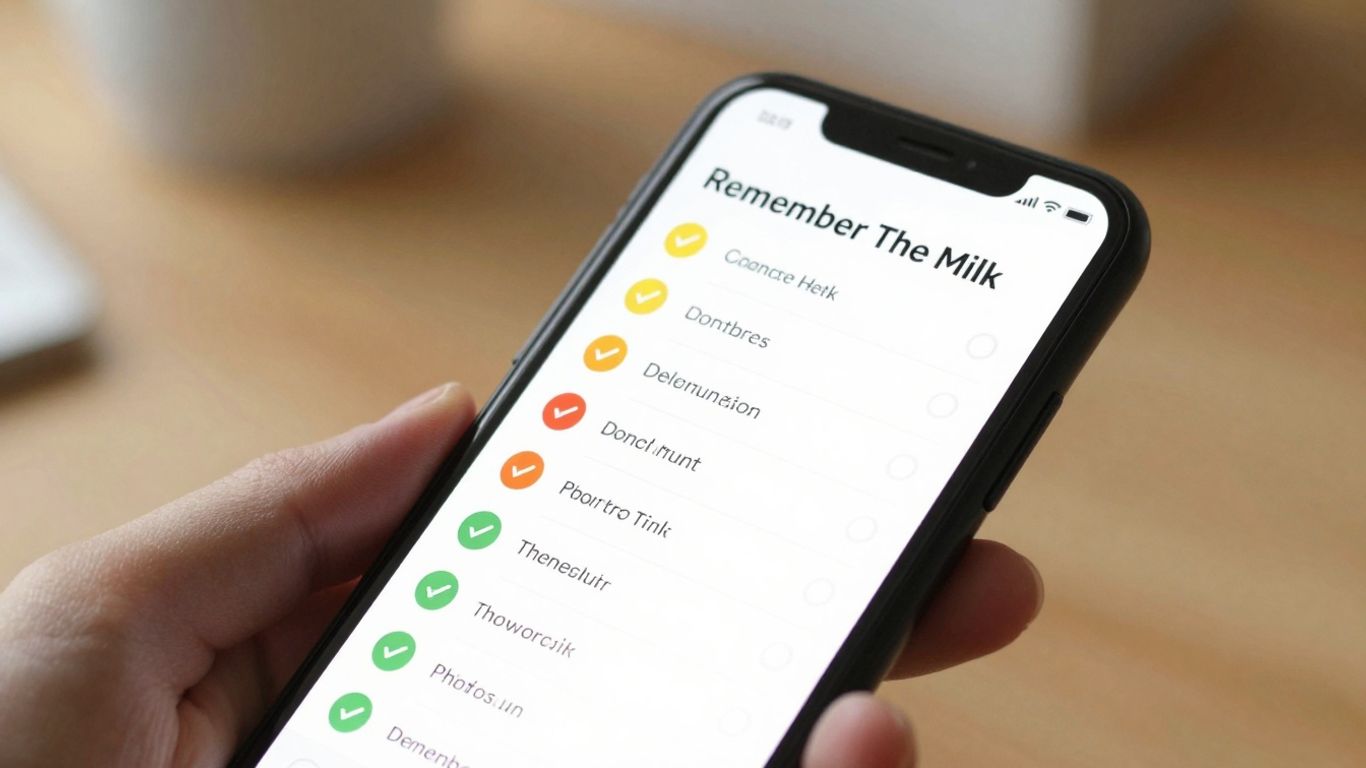
Remember The Milk is a pretty straightforward to-do list app that’s been around for a while. It’s not flashy, but sometimes that’s exactly what you need when your brain feels like it’s running a million miles a minute. The main draw here is its simplicity and the ability to quickly capture tasks before they float away. You can add tasks, set due dates, and organize them into different lists. It’s got a clean interface that doesn’t bombard you with too many options at once, which is a big plus for ADHD brains that can get easily overwhelmed.
One of the neatest features is the "Smart Add" function. You can type things like "Call Mom tomorrow at 3 pm #personal" and it automatically figures out the task, due date, and list. It saves you a few clicks, and honestly, those little bits of saved effort add up when you’re trying to stay on track.
- Quick Task Capture: Get ideas out of your head and into a list fast.
- Flexible Organization: Use lists, tags, and due dates to sort your tasks.
- Reminders: Set reminders via email, SMS, or push notifications so you don’t forget.
It also syncs across devices, so your to-do list is always with you, whether you’re on your phone or computer. While it doesn’t have the gamification of some other apps, its reliability and ease of use make it a solid choice for managing daily tasks without adding extra mental load.
For those who find complex systems draining, Remember The Milk offers a calm, predictable space to manage your responsibilities. It’s about getting things done without the fuss.
Quizlet
Quizlet is a pretty neat tool, especially if you’re someone who learns best by actively engaging with material. It’s basically a digital flashcard system, but it goes way beyond that. You can create your own study sets, or you can find millions already made by other users. This is super helpful because sometimes just the act of making the flashcards helps things stick, and other times, you just need to jump right into studying.
For folks with ADHD, the variety of study modes is where it really shines. You’re not just staring at a card; you can play games like ‘Match’ to race against the clock, or ‘Learn’ which adapts to how well you know each term. There’s also ‘Test’ mode, which simulates an actual test, and ‘Gravity’ if you want to get really old-school with falling words.
- Create or find study sets: Millions are available, covering almost any subject you can think of.
- Multiple study modes: Flashcards, Match, Learn, Test, and Gravity offer different ways to practice.
- Offline access: Download study sets to your phone so you can study even without an internet connection.
- Audio support: Hear terms and definitions read aloud, which is great for auditory learners or when you need to close your eyes and focus.
The gamified elements and the sheer variety of ways to interact with the information can make studying feel less like a chore and more like a challenge. It’s a good way to break up study sessions and keep your brain from wandering too much. Plus, being able to access it on your phone means you can sneak in a few minutes of studying whenever you have a spare moment, like waiting in line or during a commute.
Microsoft OneNote
Microsoft OneNote is a pretty solid digital notebook that can work for ADHD folks, especially if you’re already in the Microsoft ecosystem. Think of it like a digital binder where you can toss all sorts of stuff – text notes, drawings, printouts from websites, even audio recordings. It’s really flexible, which is great because our brains don’t always work in neat little lines, right?
One of its best features for ADHD is the sheer freedom it gives you. You can just open a blank page and start writing, doodling, or pasting things wherever you want. This ‘anything goes’ approach can really help get thoughts out of your head and onto the page without feeling stuck. It’s like a digital whiteboard where you can connect ideas visually, even if it’s just by drawing lines between different notes.
Here’s how you might use it:
- Brain Dumping: Just open a new page and write down every idea, task, or random thought that pops into your head. Don’t worry about organizing it yet.
- Visual Connections: Use the drawing tools to link related notes together. This can help you see how different pieces of information connect, which is super helpful for planning or studying.
- Embedding Information: You can easily insert files, pictures, or even web page clippings directly into your notes. This keeps everything related to a project in one place.
- Tagging: Use tags to mark important items or create quick links to other sections. It’s a simple way to flag things you need to come back to.
It’s not a dedicated Pomodoro timer, so you’d need another app for that, but OneNote can be the central hub for all your planning and idea management. It’s free with most Microsoft accounts, so it’s easy to try out without any cost.
Wrapping Up Your Focus Journey
So, we’ve looked at a bunch of apps that can really help when you’re trying to get things done with ADHD. It’s not about finding one magic fix, you know? It’s more about trying out a few of these tools and seeing what clicks with how your brain works. Maybe it’s a timer that gamifies your work, or music that helps you zone in, or even just a simple way to jot down all those scattered thoughts. The main thing is to experiment and find what makes your day a little smoother and your focus a little stronger. Don’t be afraid to mix and match or even tweak how you use these apps. What works for one person might not work for another, and that’s totally okay. The goal is to find your own rhythm and make these tools work for you, not the other way around.
Frequently Asked Questions
What is the Pomodoro Technique and how can it help with ADHD?
The Pomodoro Technique is a time management method where you work in focused bursts, usually 25 minutes long, followed by short breaks. For people with ADHD, this can help break down tasks into smaller, more manageable chunks, making it easier to start and finish them without getting overwhelmed or distracted. The timed intervals provide a clear structure, and the breaks help prevent burnout.
Are these apps free to use?
Many of these apps offer a free version with basic features, while others have a paid subscription for more advanced tools. Some apps, like Forest, have a small one-time purchase fee. It’s a good idea to check each app’s website to see what options are available and if they fit your budget.
Can I use these apps on both my phone and computer?
Yes, several of these apps are available on multiple devices. For example, Forest has a mobile app and a browser extension, so you can block distracting websites on your computer while using the timer on your phone. This cross-platform syncing is super helpful for staying focused wherever you are.
What if the Pomodoro Technique doesn’t work for me?
That’s totally fine! The Pomodoro Technique isn’t for everyone. If you try it and find it’s not the best fit, don’t worry. The apps listed here often have features that can be adapted to other time management styles. The most important thing is to experiment and find what works best for your unique brain.
How do these apps help with focus specifically for ADHD?
These apps help in different ways. Some, like Forest, use gamification to keep you motivated by growing virtual trees. Others, like Brain.fm, play special music designed to help your brain concentrate. Apps like Lifelight or TickTick offer tools for organizing thoughts and tasks, which can be a big help when your mind feels scattered.
Can these apps help with more than just focus, like organization or habit building?
Absolutely! Many of these tools go beyond just focus timers. Apps like TickTick and Routine Planner are great for building daily habits and organizing your to-do lists. Others, like BeFreed, help with learning by summarizing information, and Tiimo offers visual schedules to help manage your day. They aim to support various aspects of life with ADHD.




