
Remember those days of scribbling appointments in a notebook? Or maybe you just tried to keep it all in your head? Yeah, that used to be me. But with how busy things are now, that just doesn’t cut it anymore. A good time management app can really make a difference, helping you get a handle on your schedule and actually get things done. We’re going to look at what makes a great app and how to pick the right one for you in 2026.
Key Takeaways
- A digital time management app helps reduce mental clutter by acting as an external memory for your commitments, freeing up your brain for more important tasks.
- Look for a time management app with a clean, easy-to-use interface, customizable features that fit your unique schedule, and reliable reminders.
- For students, features like tracking assignments, managing class rotations, and integrating syllabus info can turn a basic calendar into a powerful academic tool.
- Advanced time management app options include AI for smarter scheduling, syncing across all your devices, and tools for tracking habits and progress.
- The best time management app for you is the one you’ll actually use consistently; test out free versions before committing to a paid upgrade.
Understanding the Power of a Time Management App
Why Your Brain Needs a Digital Timetable
Remember the days of scribbling class schedules on notebook margins or trying to memorize meeting times? That frantic search through backpack pockets for a crumpled timetable is becoming a relic of the past. In our fast-paced world, a digital timetable application has transitioned from a nice-to-have to an essential tool for students, professionals, and anyone looking to reclaim control of their time. Our brains aren’t built to juggle endless details; they’re meant for bigger ideas.
The Mental Load of Modern Life
The mental load of keeping track of appointments, deadlines, and daily routines is significant. Cognitive science tells us that our working memory has limited capacity. When we use it to store information like "meeting at 3 PM" or "submit report Friday," we drain mental resources that could be better spent on problem-solving and creative thinking. A reliable timetable app acts as an external hard drive for your schedule, freeing up your mind for what truly matters. It helps you avoid that constant, low-level hum of ‘did I forget something?’
Transforming Chaos into Structure
Beyond mere convenience, these applications provide structure. They transform a chaotic list of commitments into a visual, manageable plan. This reduces anxiety, improves punctuality, and creates a tangible roadmap for your day, week, or even entire semester. The right app doesn’t just tell you what’s next; it helps you prepare for it. Think of it like this:
- Visualizing your day: Seeing your tasks laid out in blocks makes them feel less daunting.
- Prioritizing effectively: You can easily see where your time is allocated and adjust as needed.
- Reducing decision fatigue: Less time spent figuring out what to do next means more energy for actually doing it.
Using a time management app is like having a personal assistant for your schedule. It handles the remembering and organizing so you can focus on the doing. It’s about making your time work for you, not the other way around. This can lead to a significant boost in productivity, allowing you to get more done in less time, which is a win-win.
With countless options available, choosing the right one can feel overwhelming. However, the best applications share several key characteristics that contribute to a seamless and effective user experience. For instance, apps that allow for real-time tracking of work and assigning entries to specific projects can provide valuable insights into your time allocation and productivity.
Key Features of a Top-Tier Time Management App
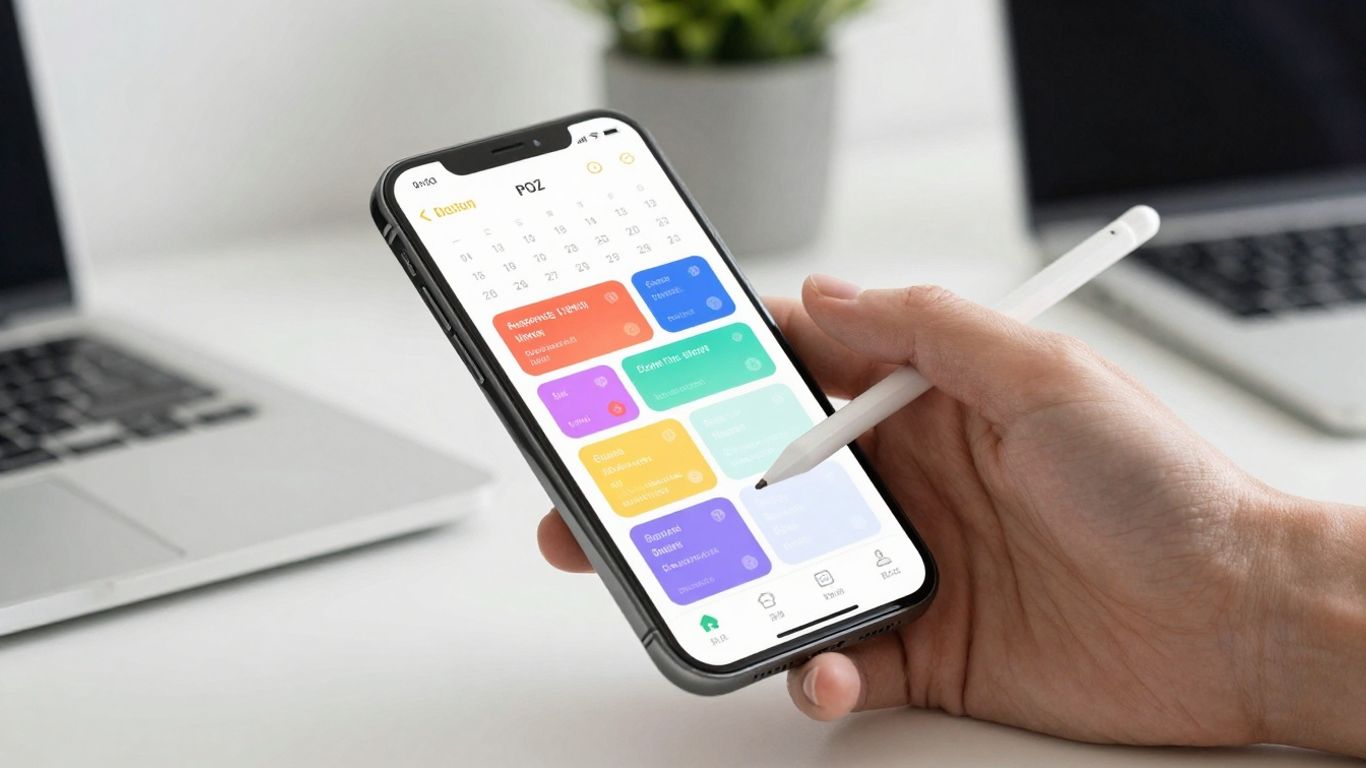
So, you’ve decided to get serious about managing your time, which is awesome. But with so many apps out there, what actually makes one good? It’s not just about having a place to jot down appointments. A truly useful app feels like a natural extension of your brain, helping you stay on track without adding more stress. Let’s break down what to look for.
Intuitive and Clean User Interface
First off, if an app looks like a tangled mess, you’re probably not going to use it. The best apps are easy to figure out from the get-go. Think simple menus, clear layouts, and not too many buttons or options staring you down. You should be able to add a new task or appointment in just a couple of taps. If you find yourself hunting for basic functions or reading a manual, it’s probably not the one. A clean interface means less mental effort for you, leaving more brainpower for actual tasks.
Customization for Unique Schedules
Nobody’s life fits a perfect mold, right? Your schedule is your own, and your app should be able to handle that. This means being able to tweak things to fit your specific needs. Can you color-code different types of events? Maybe lectures are blue, personal time is green, and important deadlines are red. That visual cue can make a big difference. Also, being able to set up recurring events for things like weekly classes or meetings is a huge time-saver. You don’t want to be adding the same thing over and over.
Here’s a quick look at what customization might involve:
- Color-coding: Assign different colors to various activity types (e.g., work, personal, study, appointments).
- Recurring Events: Easily set up daily, weekly, monthly, or custom repeating events.
- Custom Reminders: Set multiple alerts for a single event, perhaps one an hour before and another 15 minutes before.
- Tagging/Categorization: Group tasks or events by project, priority, or context.
Robust Reminder and Notification Systems
This is where many apps fall short. A good app doesn’t just remind you that something is happening; it helps you prepare. You need notifications that are reliable and flexible. Can you set multiple reminders? Maybe you need a heads-up an hour before to wrap up what you’re doing, and then another 10 minutes before to actually get ready. Some apps even let you set "prep time" reminders, giving you a buffer to transition between tasks. If the notifications are easily ignored or don’t come through consistently, the app loses a lot of its power.
The goal of a good time management app is to reduce the mental load of remembering and planning, freeing up your cognitive resources for more important tasks. It should feel like a helpful assistant, not another chore to manage.
Student-Focused Time Management App Solutions
Being a student these days is a lot. You’ve got classes, assignments, maybe a part-time job, and trying to have some kind of social life on top of it all. It’s easy to feel like you’re just juggling too many things and dropping them all. That’s where a good time management app really shines, especially one built with students in mind.
Managing Classes, Tasks, and Exams
Forget sticky notes and random reminders on your phone. Apps designed for students let you put everything in one place. You can usually input your class schedule, including recurring lectures and labs, and then add in all your assignments and project deadlines. Some apps even let you assign a priority level to tasks, so you know what needs your attention first. This kind of central hub can seriously cut down on the stress of forgetting something important.
Here’s a quick look at how different elements can be managed:
- Classes: Input class name, room number, professor, and recurring times. Many apps allow color-coding for easy visual identification.
- Assignments: Track due dates, mark completion, and add notes about specific requirements.
- Exams: Schedule exam dates and times, and set reminders well in advance.
Visualizing Academic Commitments
Seeing your week laid out visually is a game-changer. Instead of just a list of tasks, these apps often present your schedule in a calendar or grid format. You can see your classes, study blocks, and deadlines all at once. This helps you understand when you have free time to study or when you’re completely booked. It makes it much easier to plan your study sessions effectively and avoid cramming.
A visual representation of your academic workload can prevent that feeling of being overwhelmed. It breaks down big projects into manageable chunks and shows you exactly where your time is going.
Integrating Syllabus Information
Some of the more advanced student-focused apps go a step further by allowing you to integrate information directly from your course syllabi. This means you can often upload or link to your syllabus, and the app can automatically pull out key dates for assignments, exams, and readings. This saves you the tedious work of manually entering every single deadline. It’s like having a digital assistant that keeps track of all your academic requirements without you having to constantly check the syllabus document.
Advanced Functionality in Time Management Apps
Okay, so you’ve got the basics down – your app reminds you about stuff and lets you color-code your classes. That’s great! But what if you want to go next level? We’re talking about apps that do more than just show you a calendar. These are the powerhouses that can really change how you manage your day.
AI-Powered Scheduling and Optimization
This is where things get really interesting. Some apps now use artificial intelligence to figure out the best way to schedule your tasks. You can tell it, "I need to finish this report by Friday," and it might suggest breaking it down into smaller chunks and slotting them into your week. It looks at your existing calendar, your typical work pace, and even your energy levels (if you tell it!) to find the perfect time. It’s like having a personal assistant who’s a scheduling wizard.
For example, an app might notice you always have a lull in the afternoon and suggest you tackle your most demanding tasks then. Or it could automatically reschedule a meeting if it sees a conflict with a high-priority item you’ve blocked out. The goal is to make your schedule work for you, not the other way around.
Habit Tracking and Progress Analytics
Beyond just tasks, many advanced apps let you track habits. Want to drink more water? Meditate for 10 minutes daily? Read a chapter of a book each night? You can set these up, and the app will prompt you and record your progress. It’s not just about checking a box; these apps often give you cool charts and graphs showing how you’re doing over time. Seeing that streak of successful days can be super motivating. It helps you understand what’s working and where you might be slipping up, so you can adjust your plan.
Here’s a look at what habit tracking can show you:
- Consistency: How often you stick to a habit.
- Duration: If you’re spending the planned amount of time on a habit.
- Completion Rate: The percentage of times you successfully complete a scheduled habit.
These analytics aren’t just numbers; they’re insights into your behavior. They can reveal patterns you never noticed, like how you tend to skip your evening reading on nights you have late meetings. This kind of feedback loop is what turns good intentions into lasting changes.
Seamless Cross-Platform Synchronization
This one might sound simple, but it’s a lifesaver. If you use your phone, tablet, and computer, you need your schedule to be the same everywhere. Cross-platform sync means that when you update something on your phone, it instantly shows up on your laptop, and vice-versa. No more accidentally showing up to a meeting you thought you canceled on your desktop, only to find it’s still on your phone’s calendar. It keeps everything in one place, updated in real-time, so you’re always looking at the most current version of your day.
Navigating the Free vs. Paid Time Management App Landscape
So, you’re looking for a time management app, and you’re wondering if you need to open your wallet. It’s a fair question, right? The good news is, you can often get a lot of bang for your buck, or even no bucks at all. There are some really solid free options out there that do a fantastic job for most people.
Exceptional Free Options Available
Seriously, don’t underestimate the free apps. Many of them are packed with features that would have cost you a pretty penny just a few years ago. Think about things like:
- Setting recurring tasks for your classes or gym sessions.
- Getting reminders so you don’t miss important deadlines.
- Basic calendar views to see your day or week at a glance.
These apps are usually supported by ads, but the best ones keep them from getting in your way too much. They understand that if the app is annoying to use, you’ll just stop using it. It’s a balancing act for them, for sure.
When to Consider a Premium Upgrade
Now, when does it make sense to pay? If your schedule is super complicated, or if you need some really specific tools, a paid app might be worth it. Maybe you need:
- Advanced analytics to see where your time is actually going.
- Cross-device syncing that works flawlessly, so your phone, tablet, and computer are always in sync.
- The ability to attach files or notes directly to calendar events.
- No ads at all, ever.
Some apps offer a free version with basic features and then a premium upgrade that unlocks all the fancy stuff. It’s like getting a taste of the good life before you fully commit. For students, this might mean paying for features that help integrate syllabus information or track assignment progress more deeply.
Evaluating Ad Placement in Free Apps
When you’re checking out a free app, take a minute to see how they handle ads. Are they just small banners at the bottom, or are they full-screen pop-ups that make you want to throw your phone across the room? A good free app respects your time and doesn’t constantly interrupt you. If the ads are too intrusive, it might be a sign that the app isn’t designed with your workflow in mind, and you might be better off looking elsewhere or considering a paid option.
The goal is to find a tool that makes your life easier, not adds another layer of frustration. If a free app is good enough, stick with it. If you find yourself hitting limitations or getting annoyed by ads, then it’s time to explore the paid options. Your productivity is worth the investment, but only if it’s the right investment for you.
Making Your Final Time Management App Choice
So, you’ve explored the features, considered student-specific needs, and maybe even looked at some advanced tools. Now comes the part where you actually pick one. It sounds simple, but honestly, it can feel like a big decision. After all, this app is going to be your digital sidekick for managing your entire life, right?
Consider Your Primary Organizational Goal
Before you download another app, take a moment to think about why you need this in the first place. Are you constantly missing deadlines for assignments? Is your work-life balance a mess? Or maybe you just want to stop forgetting to call your mom back? Your main reason for wanting an app should really guide your choice. If your biggest problem is juggling classes and study sessions, an app like My Study Life might be a good fit. If you’re more about general productivity and task management, something like Todoist or TickTick could be better. The best app for you is the one that solves your biggest scheduling headache.
Test Drive Potential Time Management Apps
Don’t just pick the first one you see or the one with the prettiest interface. Most apps offer a free version or a trial period. Use this time wisely! For a week, try inputting your actual schedule into two or three apps you’re considering. See how easy it is to add a new class, set a reminder for a project, or reschedule something. Does it feel like a chore to use? Or does it flow naturally? Pay attention to how quickly you can see what’s coming up next. A clunky interface can quickly turn you off, no matter how many features it boasts.
Consistency is Key to Success
Honestly, the most advanced app in the world won’t help if you don’t actually use it. It’s like buying a fancy gym membership and then never going. The real magic happens when you make using your chosen app a habit. Treat your scheduled blocks of time like appointments you can’t miss – because, in a way, they are appointments with yourself. If you find yourself constantly falling back on sticky notes or your phone’s basic calendar, it might be time to re-evaluate your app choice or how you’re using it. The goal is to make your schedule work for you, not the other way around.
The time you invest now in finding and learning an app that fits your life will pay off big time. Less stress, fewer missed appointments, and more time for the things you actually want to do. It’s a pretty good deal, if you ask me.
Finding Your Perfect Fit
So, we’ve looked at a bunch of apps that can help you get a handle on your schedule. It’s pretty clear that there’s no single ‘best’ app out there for everyone. What works wonders for one person might just be a hassle for another. The real trick is finding that one app that clicks with how you actually work and live. Don’t be afraid to try out a few of the free versions or trial periods we talked about. Spend a week really putting your day-to-day into them. See which one feels natural to add events to, which one makes it easy to see what’s coming up, and which one just feels right. Your schedule is your own, so the tool you use to manage it should feel like a helpful partner, not another chore. Taking a little time now to find that perfect app will seriously pay off in less stress and more getting done. Your future self will totally thank you.
Frequently Asked Questions
Why should I use a time management app instead of just remembering everything?
Our brains have a limited amount of space for remembering things. Trying to keep track of all your appointments, tasks, and deadlines takes up a lot of mental energy. A time management app acts like an extra brain, storing all that information so you can focus on more important things like thinking and creating. It helps you stay organized and reduces stress.
What are the most important things to look for in a time management app?
A good app should be easy to use and look clean, so you don’t get confused. It should also let you change things to fit your own schedule, like using different colors for different activities or setting up repeating events. Also, make sure it has good reminder systems so you don’t miss anything important.
Are there good time management apps specifically for students?
Yes! Many apps are made with students in mind. They can help you keep track of classes, homework due dates, and exams all in one place. Some even let you add notes or files to your schedule or connect with your class syllabus, making them like a personal academic assistant.
What is AI-powered scheduling, and is it useful?
AI-powered scheduling uses smart technology to help plan your day. It can suggest the best times for tasks, figure out how long things might take, and even adjust your schedule if something unexpected comes up. It’s like having a personal assistant that learns how you work and helps you be more efficient.
Do I really need to pay for a time management app, or are free ones good enough?
You can find really great free time management apps that do a lot. They might have ads, but often they’re not too annoying. If you need more advanced features, like syncing across all your devices or detailed progress reports, then a paid app or an upgrade might be worth it. It really depends on what you need to stay organized.
How do I pick the best app for me?
The best app is the one you’ll actually use all the time! Try out a few different ones for a week. See how easy it is to add new tasks or appointments. Think about what you want to achieve most – like not missing classes or balancing work and fun. The app that helps you do that best is the right choice for you.




